Elegoo Saturn 3 Ultra: Common Problems and Fixes

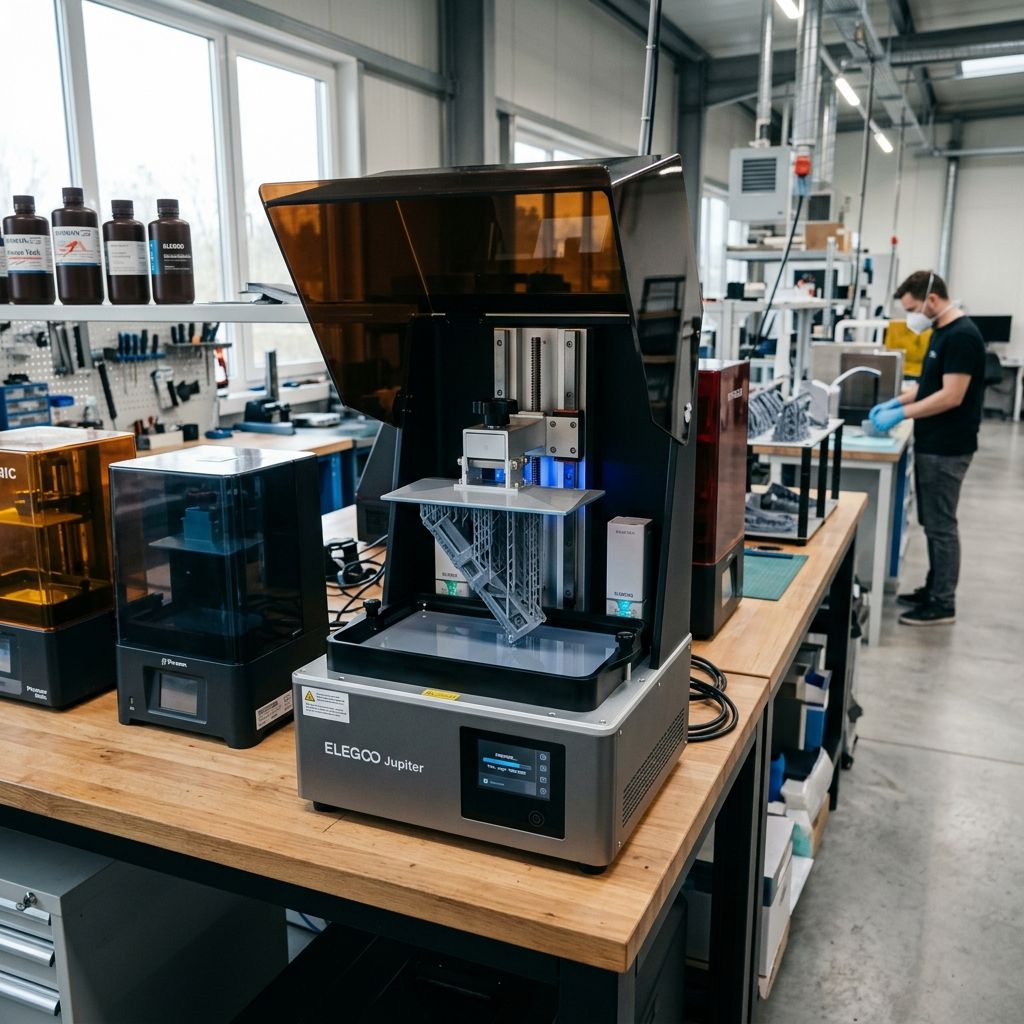
Elegoo Saturn 3 Ultra: Field Troubleshooting & Community Solutions
An unfiltered teardown of real-world failures, mechanical design flaws, and workshop workarounds for the Saturn 3 Ultra 12K printer.
Executive Specs & Field Deployment
The Elegoo Saturn 3 Ultra couples a 10.1-inch 12K mono LCD with a COB (Chip-on-Board) light source and refractive lens system. Out of the box, it swaps traditional FEP for ACF (Release Film) and introduces a 4-point ball joint build plate connection. While marketed as a speed demon, running this machine in a commercial or heavy hobby shop reveals distinct failure modes under continuous duty cycles.
Need to isolate systemic print failures before diving into mechanical overhauls? Use our 3D Printer Troubleshooting tool to diagnose layer separation, adhesion loss, and light engine anomalies.
The Realities of 12K and ACF Film on the Shop Floor
In our shop, we do not care about resolution specs on a marketing glossy. We care about uptime, dimension repeatability, and whether a machine will dump five liters of photo-reactive polymer into its internal chassis because a release film ruptured overnight. The Saturn 3 Ultra is a capable machine, but its specific combination of high-speed Z-axis motion, thin ACF release film, and high-intensity ultraviolet backlight creates a unique trifecta of wear profiles that differ significantly from older FEP-based MSLA printers.
When you are pushing layers at 150mm/hour using fast-cure photopolymers, you are exposing the mechanical assembly to massive hydrodynamic pressures. The following field logs cover the three most frequent engineering failures we have encountered, analyzed, and solved on the shop floor.
Failure 1: ACF Release Film Failure & The Peel Force Physics
The Saturn 3 Ultra uses ACF (Fluorinated Ethylene Propylene + Ethylene Tetrafluoroethylene composite) instead of standard FEP or nFEP (PFA). ACF is designed to have lower surface energy, allowing cured layers to release with less tensile force. However, ACF has a matte finish that diffuses light slightly, and it is far less elastic than FEP. Under heavy load, ACF does not stretch it deforms permanently or micro-punctures.
The primary issue we see in the field is premature cloudy degradation or catastrophic tearing of the ACF film directly over the high-exposure zones. This is often driven by a lack of understanding of Stefan's Adhesion Equation, which governs the peel forces generated when the build plate pulls away from the vat floor.
The Physics of Peel Force and Hydrodynamic Drag
Every time a layer cures, it must be mechanically separated from the release film. The force required to pull the cured layer away is modeled by a variation of Stefan's lubrication equation for flat plates separated by a viscous fluid:
F = (3 * η * v * R4) / (2 * h3)
Where:
- F is the pulling/peel force (Newtons)
- η (Eta) is the dynamic viscosity of the liquid resin (Pascal-seconds, Pa·s)
- v is the Z-axis lift velocity (meters/second)
- R is the equivalent radius of the cured solid cross-sectional area (meters)
- h is the instantaneous gap distance between the cured layer and the ACF film (meters)
Note how the radius of your print (R) is raised to the fourth power, and the gap distance (h) is cubed in the denominator. If you attempt to print a solid block with a large surface area (high R) at high lift speeds (high v) using a cold, highly viscous resin (high η), the peel force climbs exponentially. Because ACF lacks the elasticity of FEP, it cannot bow dynamically to relieve this pressure. Instead, the force is transferred directly to the LCD glass and the ACF mounting frame, resulting in micro-tears and permanent stretching (dimpling).
The Step-by-Step ACF Replacement & Tension Tuning Protocol
Do not use the standard "snug it down until it feels tight" method. If you overtension ACF, it will crack under the hydrostatic pressure of the Z-axis plunge. If you undertension it, the film will sag, failing to separate from the cured layer and causing massive delamination failures similar to those found in Cura slicing errors and retraction issues on consumer rigs.
- Clean and Depressurize the Vat: Drain all resin, wash the vat thoroughly with 99% Isopropyl Alcohol (IPA), and place it face down on a clean microfiber cloth. Remove the 24 tension screws on the underside using a high-quality hex key. Cheap keys will strip these soft M2.5 screws instantly.
- Inspect the Gasket Channel: Check for cured resin buildup in the metal grooves. Clean any debris with a brass wire brush. A single speck of cured resin will create an uneven stress point, causing the new ACF to tear during tensioning.
- The Tension Spacer (The Bottle Cap Hack): Place a tension spacer (a 3D-printed 5mm disk or a standard plastic bottle cap of roughly 8mm height and 30mm diameter) directly under the center of the frame assembly before laying the new ACF sheet down. This provides the necessary slack. ACF must not be stretched completely flat over the inner frame initially; it needs controlled displacement.
- The Cross-Pattern Torque Sequence: When tightening the 24 frame screws, work in a star or cross pattern, identical to tightening wheel lugs on a vehicle. Turn each screw only two full rotations before moving to its opposite across the frame. This ensures equal strain distribution.
- Frequency Tuning (The Acoustic Spectrum Method): Once assembled, use a smartphone audio spectrum analyzer app. Tap the center of the dry ACF drum gently with a soft-tipped tool. You are targeting a resonant frequency between 280 Hz and 320 Hz. If it is below 250 Hz, it is too loose, and your prints will fail to peel. If it is above 350 Hz, the tension is too high, and the film is at risk of tearing under the stress of high-viscosity resins.
Failure 2: Ball-Joint Cantilever Flex and Z-Axis Drift
The Saturn 3 Ultra features a redesigned four-point build plate mounting system that relies on an internal ball-and-socket joint locked by two heavy set screws. In theory, this makes leveling easier: loosen the screws, press the plate to the screen, tighten them. In practice, the locking force of those set screws on the chrome-plated ball is often insufficient to resist the hydraulic rotational torque generated during high-speed printing.
When the build plate plunges into high-viscosity resins, the liquid acts as a hydraulic dampener. If your lift speed is too aggressive or your "Rest Time Before Cure" is set to zero, the build plate hits a wall of liquid. The resulting torque causes the ball joint to slip micro-radians inside its socket. Over a long print, this manifests as a subtle Z-axis drift, layer line shifting, or a wedged part that is thicker on one side than the other.
CRITICAL TORQUE WARNING: Never tighten the ball-joint set screws while the build plate is resting on the LCD screen without the leveling card in place. The downwards mechanical force can crack the 10.1-inch Mono LCD instantly. Always use the manufacturer-supplied leveling card or two sheets of standard 80gsm copy paper to absorb the compressive load.
The Mechanical Fix for Ball-Joint Slippage
If you are experiencing level drift every 3-4 prints, the chrome surface of the ball joint has likely become burnished (polished smooth) by the set screws, reducing the coefficient of static friction. Here is how we salvage the assembly in our shop:
- Disassemble the Mount: Remove the four corner leveling screws completely and pull the build plate bracket apart to expose the central ball joint.
- Score the Surface: Take 400-grit wet/dry sandpaper and wrap it around the ball. Twist it repeatedly to scratch a cross-hatch pattern into the polished metal surface. Do not use a file; you only want to break the glaze, not alter the sphericity of the ball.
- Clean the Cup: Wipe away all metal dust with IPA. Ensure no grease or factory oil remains inside the socket cup or on the set screws.
- Apply Loctite 222 (Optional/Advanced): For production environments running dedicated setups, a tiny drop of low-strength purple threadlocker (Loctite 222) can be applied directly to the ball surface. It provides enough shear resistance to prevent micro-rotation under load but can still be broken loose manually when relevelling is required.
- Recalibrate Leveling with High-Viscosity Compensation: When relevelling, home the Z-axis, apply firm, even downward hand pressure on the top handle of the build plate to compress the leveling paper, and tighten the screws in an alternating diagonal pattern to 4.5 Nm of torque.
Failure 3: Thermal Runaway of the LCD & UV Light Engine Burnout
The Saturn 3 Ultra utilizes a high-power COB (Chip-on-Board) LED array situated underneath a Fresnel collimating lens. This light source draws substantial current and generates significant thermal energy. While the printer has internal cooling fans, the mono LCD screen acts as a thermal insulator. During long print jobs with short layer exposure times, the screen absorbs radiant heat from the UV light and the exothermic reaction of the curing photopolymer.
Once the liquid crystal layer inside the monochrome LCD screen exceeds its maximum operating temperature (typically around 60°C to 65°C), the liquid crystals lose their ability to align properly. This leads to "polarizer degradation" or "thermal masking failures," where parts of the screen fail to block the UV light completely. This results in cured columns of resin throughout the vat, ghosting, or localized LCD pixel death.
The Thermal Physics of MSLA Exposure
The rate of heat accumulation in the LCD stack can be estimated by analyzing the energy balance of the system:
Qin = PUV * texposure * αLCD * N
Where:
- Qin is the thermal energy input (Joules)
- PUV is the radiant power of the UV light engine reaching the screen (Watts)
- texposure is the individual layer exposure time (seconds)
- αLCD is the absorption coefficient of the LCD panel and polarizer (~70-80% of UV light is absorbed as heat)
- N is the number of layers printed per hour
When you run fast-curing resins with short cycle times, the heat input (Qin) outpaces the passive and active dissipation rates of the small chassis fans. This causes a thermal soak. The temperature spikes, causing the adhesive holding the polarizer film to the glass to break down, resulting in bubbling or permanent dark spots on the display.
Shop-Tested Cooling and Exposure Safeguards
To prevent cooking your LCD screens (which are expensive consumables), modify your environmental setup and slicer settings using the following rules:
- Maintain Ambient Equilibrium: Keep the print room between 20°C and 25°C. Running these machines in a hot warehouse (above 30°C) reduces the temperature delta required for the internal fans to cool the LCD, accelerating screen degradation by 300%.
- Implement "Light-Off Delay" (Rest Time): Introduce a "Rest Time After Retract" of at least 1.0 to 1.5 seconds. This pause serves two critical purposes: it allows the resin to stop flowing (minimizing displacement lines) and gives the LCD a brief thermal recovery window between intense UV blasts.
- Verify the Internal Fan Direction: We have found units shipped from the factory with the primary cooling fan installed backwards, fighting natural convection rather than exhausting heat out the rear. Ensure the rear fan is exhausting hot air, and that there is at least 150mm of clearance between the printer chassis and the workshop wall.
Preventative Maintenance Protocol
Do not wait for a catastrophic failure to service this hardware. Resin is highly corrosive to electronics and linear motion components. Implement this strict maintenance schedule based on run hours:
- Every 50 Print Hours: Clean the Z-axis linear rails with a lint-free cloth and apply a light coat of high-quality PTFE grease (e.g., Super Lube 21030). Never use thin spray lubricants like WD-40; they wash away the factory grease and accelerate lead screw wear.
- Every 100 Print Hours: Check the ACF film tension using the acoustic frequency test. Look for clouding, scratches, or micro-dents. If the film shows deep dimples from print support failures, replace it immediately.
- Every 200 Print Hours: Disassemble the build plate leveling assembly, clean the ball joint with IPA, and check for micro-cracks in the aluminum mounting brackets. Inspect the LCD protector screen for cured resin spots.
Saturn 3 Ultra Troubleshooting Matrix
| Observed Symptom | Probable Root Cause | Field Corrective Action |
|---|---|---|
| First layer cured to ACF instead of build plate. | Incorrect home height, insufficient bottom exposure, or oily build plate surface. | Clean the build plate with 99% IPA and scuff the surface lightly with 120-grit sandpaper. Increase bottom exposure time by 20% and verify Z-axis home offset. |
| Delamination lines parallel to the build plate. | Peel forces too high or resin temperature fluctuation. | Decrease Z-lift speed to 60 mm/min. Use a vat heater to maintain a constant resin temperature of 25°C to 30°C. |
| Persistent cured flecks/film floating in the vat. | LCD polarizer degradation or light leakage through damaged LCD pixels. | Perform an LCD exposure test using a blank sheet of paper over the screen. If dark or bright spots persist without a mask, replace the LCD screen. |
| Grinding noise during Z-axis homing. | Optical limit switch failure or loose Z-axis lead screw coupler. | Clean the optical sensor flag of any resin drips. Tighten the Grub screws on the flexible coupler connecting the motor shaft to the lead screw. |
Frequently Asked Questions
Why does my Saturn 3 Ultra print stretch or warp on the side furthest from the Z-axis column?
This is caused by cantilever flex. Under high peel forces, the dual linear rails can twist slightly, and the build plate arm bows downward. To correct this, reduce your lift speed and ensure your model's cross-sectional area is balanced evenly across the build plate.
Can I replace the expensive ACF film with standard, cheaper FEP film?
Yes, but you must completely recalculate your print settings. Standard FEP has a higher peel force, meaning you must reduce your lift speeds by at least 40% and increase light-off delays to prevent print failures and screen damage.
What is the exact torque specification for the vat tensioning screws?
The vat screws should be torqued to approximately 1.2 Nm. Tightening them beyond this point will strip the aluminum threads of the vat body or pinch and cut the release film at the frame interface.
How do I know if my LCD polarizer is burnt out?
If you see a dark brown or purple discoloration in the center of your screen during a full-exposure test, the polarizer has degraded due to heat. The screen must be replaced, as it can no longer block UV light, leading to solid cured blocks in your prints.
FINAL WORKSHOP WARNING: Liquid photopolymers are severe sensitizers and skin irritants. Always wear nitrile gloves (latex will degrade in contact with resin) and ensure your workshop has active carbon filtration or a dedicated exhaust system. Never let resin settle on the linear rails or the optical sensor elements; a single drop of cured polymer can permanently lock up the Z-axis drive train.
Related Intel
Anycubic Photon Mono M7 Max and M5s Pro Review
An in-depth engineering review of Anycubic Photon Mono M7 Max and M5s Pro resin 3D printers, analyzing 14K optics, ACF peel physics, and Z-axis cantilever rigidity.
UniFormation GKTwo 12K Review and Comparison
The UniFormation GKTwo 12K combines a 29.7 µm 10.3-inch LCD with an integrated PTC vat heater and quick-release hardware, solving cold-resin failures in production workshops.
Common Elegoo Mars 5 and Mars 5 Ultra Issues
Learn how to fix common Elegoo Mars 5 and Mars 5 Ultra issues: tilt mechanism binding from resin contamination, force sensor leveling failures, and release film fatigue. Includes step-by-step rebuild workflows.