Peopoly Forge Troubleshooting: Cantilever and Thermal Issues

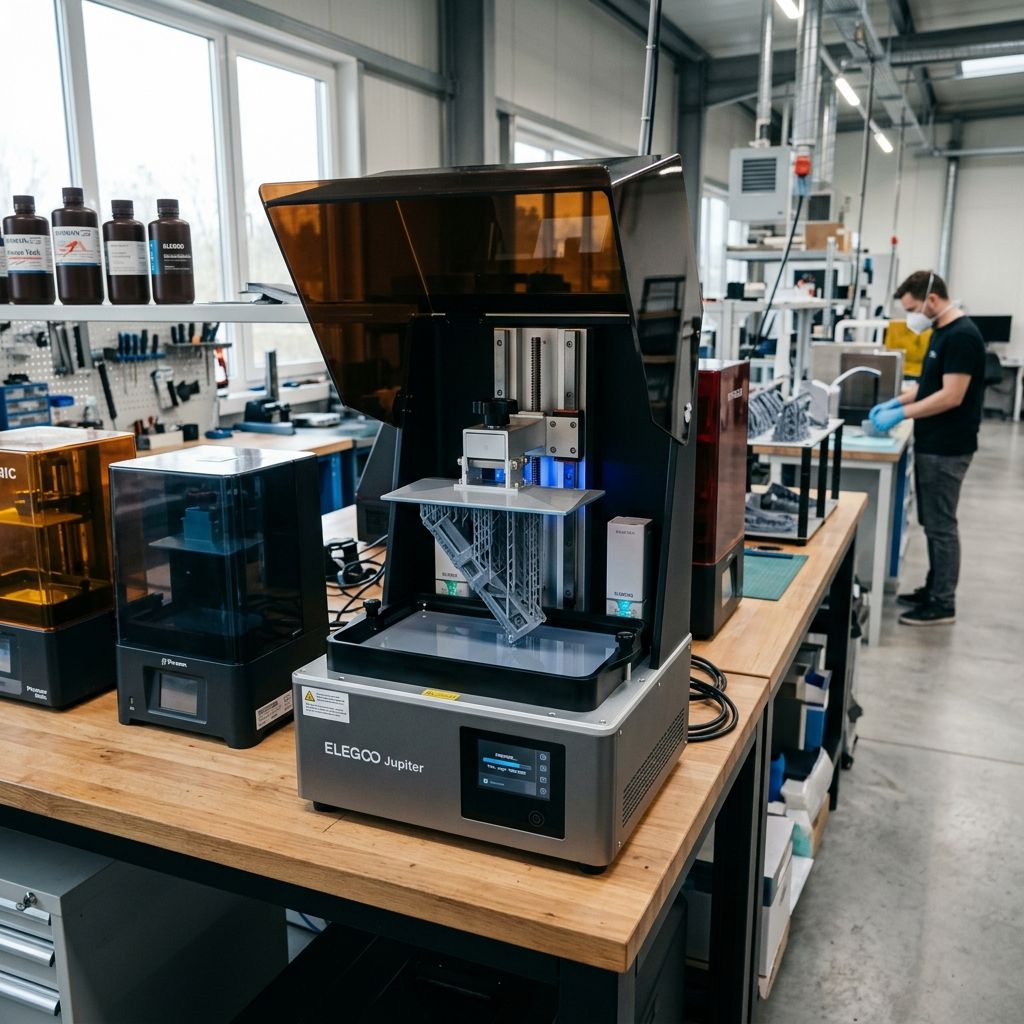
Peopoly Forge Field Log: Diagnostic Guide for Large-Format MSLA
A veteran workshop analysis of mechanical cantilever deflection, thermal runaway in the 405nm LED array, and the physics of large-format vat release tension.
Executive Specs & Field Status
The Peopoly Forge is a workhorse in our shop for batch resin production, but its massive 288 x 163 x 350 mm build volume creates significant engineering challenges. Unlike desktop-class MSLA machines, the mechanical and thermal loads on the Forge scale exponentially. If you are experiencing structural or slicing errors, use our 3D Printer Troubleshooting tool to narrow down the cause before tearing down your gantry.
1. The Mechanical Achilles' Heel: Cantilever Deflection & Z-Axis Binding
The Peopoly Forge utilizes a massive aluminum build plate assembly cantilevered off a single Z-axis column. While the column is stabilized by dual MGN15 linear rails and driven by a T8 lead screw, the sheer weight of the carriage combined with suction forces during the peel cycle creates significant physical strain. Under load, this setup behaves less like a rigid CNC gantry and more like a diving board.
When printing large cross-section parts, the suction force (Stefan-Adhesion) of the cured resin layer against the vat film can exceed 150 Newtons. This force pulls down on the front edge of the build plate, causing the cantilever arm to flex. This mechanical deflection alters the layer height across the build plate, causing thin, compressed layers on the side closest to the rails and thicker, under-cured layers on the outer edge.
Physics of Cantilever Deflection Under Peel Load
To understand the level of distortion we are dealing with, we can model the build plate bracket as a cantilevered beam under a concentrated end-load. The deflection ($\delta$) at the free end of the plate is calculated using the standard beam deflection formula:
$$\delta = \frac{F \cdot L^3}{3 \cdot E \cdot I}$$
Where:
- F (Force): Combined weight of the carriage assembly plus the resin peel force (approx. 150 N).
- L (Length): Distance from the linear rail carriages to the outer edge of the build plate (0.20 meters).
- E (Modulus of Elasticity): For 6061-T6 aluminum (approx. $69 \times 10^9 \text{ Pa}$).
- I (Area Moment of Inertia): Of the cantilever bracket cross-section ($I = \frac{b \cdot h^3}{12}$).
For a standard gantry bracket arm with a width ($b$) of 40 mm and thickness ($h$) of 12 mm:
$$I = \frac{0.04 \cdot (0.012)^3}{12} = 5.76 \times 10^{-9} \text{ m}^4$$
Plugging these values into our deflection equation:
$$\delta = \frac{150 \cdot (0.20)^3}{3 \cdot (69 \times 10^9) \cdot (5.76 \times 10^{-9})} = \frac{1.2}{1192.32} \approx 1.006 \times 10^{-3} \text{ m} = 1.0 \text{ mm}$$
A deflection of 1.0 mm is unacceptable when printing at a 50-micron (0.05 mm) layer height. While real-world deflection is partially mitigated by the dual linear rails, any play (slop) in the MGN15 carriage blocks or the lead screw's brass nut will exacerbate this issue. This can lead to print separation, delamination, and severe dimensional inaccuracy.
Critical Torque Spec: Z-Axis Carriage Blocks
Do not overtighten the MGN15 carriage mounting screws. Torque them to exactly 1.8 Nm in a star pattern. Overtightening deforms the carriage block, causing the internal recirculating steel balls to bind, which results in Z-axis ribbing and layer shifts.
The Lead Screw Coupling Nightmare
The stock helical coupler connecting the stepper motor to the lead screw acts like a spring under heavy tension. During the lift phase, the coupler stretches. When the print peels off the film, the tension suddenly releases, causing the carriage to spring upward. This spring effect ruins layer height consistency.
To fix this, we replace the springy helical coupler with a rigid Oldham-style coupling or a disc-style coupler. This maintains axial rigidity while allowing for minor radial misalignments, preventing the lead screw from binding or wobbling.
2. Thermal Runaway & LED Array Degradation
The Forge uses a 120W UV LED matrix to cure resin quickly across its large build area. However, the cooling system for this light engine is often inadequate. If the cooling fans fail or the thermal interface material degrades, the LED junction temperature can quickly exceed 85°C.
High temperatures cause gallium nitride (GaN) LEDs to lose efficiency, reducing light output by approximately 1% for every degree Celsius above 25°C. This drop in UV intensity leads to under-cured prints, soft details, and delamination, even if your exposure settings remain unchanged. At worst, prolonged exposure to high heat causes the optical lenses to yellow, permanently distorting the light path.
| Junction Temp (°C) | UV Output Efficiency (%) | Expected LED Lifespan (Hours) | Primary Failure Mode |
|---|---|---|---|
| 25°C | 100% | 50,000 | None (Optimal) |
| 60°C | 85% | 15,000 | Slow wavelength drift |
| 85°C | 70% | 5,000 | Thermal degradation of packaging |
| 105°C+ | < 50% | < 500 | Catastrophic solder joint / wire-bond failure |
Field Overhaul of the cooling loop
To protect the light engine from thermal degradation, we recommend performing this upgrade workflow:
- Remove the LED panel: Unplug the printer, open the lower chassis, and disconnect the LED driver cable. Unbolt the heatsink from the optical chamber.
- Clean off old paste: The factory thermal paste is often dry and unevenly applied. Clean both the LED copper PCB and the aluminum heatsink using isopropyl alcohol (99% purity) and a lint-free wipe.
- Apply premium thermal interface material: Apply a high-conductivity thermal paste (like Arctic MX-6) or install a high-performance carbon thermal pad (such as Gelid GP-Ultimate, 15 W/mK). Spread it evenly using a plastic spatula to ensure complete coverage.
- Upgrade the fans: Replace the noisy, sleeve-bearing factory fans with high-static-pressure dual-ball-bearing fans (such as Noctua industrialPPC or Delta AFB series). Wire them directly to the controller board's fan headers, verifying that the voltage matches (usually 12V or 24V).
- Adjust LED driver current: If you are running long prints in a hot shop, consider lowering the LED driver current slightly using the potentiometer on the Viki board. A 10% reduction in current can drop temperatures by up to 15°C while only requiring a minor increase in exposure time.
3. Vat Film Tensioning and Release Force Delamination
The large vat on the Peopoly Forge makes it highly sensitive to film tension. Unlike smaller desktop printers, you cannot tension the film "by feel" or by simply tightening screws until they stop. An over-tensioned film will not flex during the lift cycle, leading to high release forces that can tear prints off the build plate. An under-tensioned film will sag, causing the print to stick to the FEP and fail to release entirely before the Z-axis lift cycle finishes.
For similar release issues on other machines, you can see how slicing settings affect adhesion in Three Common VoxelPrint Failures and Fixes. In MSLA, physical film tuning is key to preventing these failures.
Acoustic Tuning Protocol
The most reliable way to tension a new sheet of FEP or PFA (NFEP) is by measuring its resonant frequency, similar to tuning a drum. You can do this using a free audio spectrum analyzer app on your phone.
For the Peopoly Forge vat, the target fundamental frequency is 130 Hz to 145 Hz. If the frequency is lower than 130 Hz, the film is too loose, which can cause peeling failures in the center of the build plate. If it exceeds 150 Hz, the film is too tight, increasing release forces and risk of tearing.
To achieve this tension balance, use a spacer during installation. Placing a 3D-printed tensioning block or a standard 80mm plastic bottle cap under the film before securing the inner ring creates the necessary slack. When the inner ring is bolted into the main vat frame, it pulls the film tight, hitting the target frequency range perfectly.
- Target Tension: 130 Hz - 145 Hz (measured acoustically at the center of the dry vat).
- Recommended Material: PFA (NFEP) sheet, 150 200 microns thick. Avoid cheap FEP, which stretches easily and deforms under the weight of the resin.
- Screw Torque Pattern: Always tighten vat screws in a crisscross pattern, working from the inside out to ensure even tension across the film.
- Lubrication: Avoid using dry PTFE spray on the film. While it can reduce release forces temporarily, it quickly dissolves in the resin monomer, clouding the liquid and leading to optical scattering.
4. Comprehensive Troubleshooting Matrix
This matrix covers common issues on the shop floor, from initial setup problems to long-term wear and tear.
| Symptom | Root Cause | Diagnostic Test | Field Fix | |
|---|---|---|---|---|
| Prints fail consistently on the side furthest from the Z-axis column. | Cantilever deflection or uneven Z-axis gantry leveling. | Measure Z-height at all four corners using a dial indicator mounted to the carriage. | Loosen the gantry bracket bolts, apply a 10kg load to the carriage to seat the bearings, and retighten. Shim the build plate bracket if needed. | Check that your slicing settings match this physical leveling. If you are troubleshooting other software errors, review Common Cura Slicing Errors: Missing Layers and Retraction Blobs for useful context. |
| A loud groaning noise during lift cycles, especially on layers with large cross-sections. | Dry linear rail carriages or a binding lead screw. | Remove the lead screw and manually slide the carriage up and down. Feel for rough spots or binding. | Clean the rails with degreaser and apply Mobilux EP2 lithium grease. If the lead screw is bent, replace it with a precision-ground T8 lead screw. | |
| The LCD panel flickers, displays vertical lines, or fails to cure resin in specific sections. | Overheating LCD controller board or a loose MIPI DSI ribbon cable. | Perform an exposure test with the vat removed. Gently tap the chassis to see if the flickering is vibration-dependent. | Reseat the internal flat ribbon cable and secure it with polyimide (Kapton) tape. Check that the dedicated controller fan is running. | |
| Prints show horizontal lines (Z-banding) at regular intervals. | Lead screw runout, bad motor coupling, or a failing anti-backlash nut. | Measure the distance between banding lines. If it equals the pitch of the lead screw (usually 2mm or 8mm), it is a lead screw issue. | Replace the spring coupler with a rigid Oldham coupling. Replace the worn brass nut with a spring-loaded POM anti-backlash nut. | |
| Parts stick to the FEP film instead of the build plate. | Inadequate first-layer exposure, poor build plate adhesion, or a loose FEP film. | Check the resonant frequency of the FEP. If it is below 110 Hz, the film is too loose. | Increase the bottom layer exposure time by 20%. Sand the build plate with 240-grit sandpaper to improve adhesion, and re-tension the FEP to 135 Hz. |
5. Exhaustive Preventive Maintenance Cycle
To keep the Peopoly Forge running reliably in a production environment, follow this structured maintenance schedule. Skipping these tasks can lead to expensive downtime and ruined prints.
Daily Maintenance Checklist
- Vat Inspection: Run a silicone spatula along the bottom of the vat to check for cured resin debris. Never use metal scrapers, as they will scratch and damage the film.
- Build Plate Cleaning: Clean the build plate thoroughly with isopropyl alcohol (IPA). Ensure the mounting bracket and ball-joint assembly are dry and free of wet resin.
- LED Exhaust Inspection: Check that the rear exhaust fans are running and free of dust. Clear away any obstruction to ensure proper airflow to the heatsink.
Weekly Maintenance Checklist
- Z-Axis Rail Lubrication: Wipe down the MGN15 linear rails with a lint-free cloth to remove dirty grease. Apply a thin layer of light machine oil (such as 3-In-One) or synthetic grease with PTFE.
- LCD Glass Protection: Check the tempered glass protector over the mono LCD for cured resin spills or scratches. Clean it using glass cleaner and a razor blade held at a 45-degree angle.
- Optical Calibration Check: Run a quick test exposure on a sheet of white paper to ensure the UV light distribution is uniform across the entire array.
Monthly Maintenance Checklist
- Lead Screw Cleaning: Clean old grease and dust out of the lead screw threads using a brass wire brush. Re-lubricate it with a high-viscosity lithium grease.
- Gantry Bolt Inspection: Check the tightness of all structural fasteners on the Z-axis gantry and cantilever arm. Retighten any loose bolts to maintain structural rigidity.
- Vat Film Tension Check: Use an audio spectrum analyzer to verify the vat film's resonant frequency. Re-tension the film if it has dropped below 120 Hz due to stretching.
6. Technical Alternatives & Hacky Field Fixes
When you are dealing with tight production deadlines, you sometimes have to rely on quick, non-standard solutions to keep your machines running. While these field fixes are not ideal long-term solutions, they can save a print job when spare parts are not readily available.
The Copper Foil Tape Shield
The MIPI ribbon cables on the Forge are susceptible to electromagnetic interference (EMI) from the heavy stepper motor and internal power supply. This interference can cause the LCD screen to freeze or display garbled patterns mid-print. If you are experiencing mid-print failures and suspect EMI, try wrapping the ribbon cable in adhesive copper foil tape. Be sure to ground the tape to the printer's metal chassis to shield the cable from electrical noise.
Shimming the Cantilever Arm
If your gantry arm has sagged over time and you cannot get the build plate level, you can use brass shim stock to correct the alignment. Placing a 0.05 mm or 0.10 mm shim between the linear rail carriage and the gantry arm bracket can correct for gantry sag, saving you from having to replace the entire bracket assembly.
Calibration Differences: MSLA vs. FFF
It is worth noting that calibrating a large-format MSLA printer like the Forge is a purely mechanical and optical process. Unlike FFF printers that use sensor-driven leveling systems such as those discussed in Bambu X1 Calibration: What the Lidar Doesn't See the Forge relies on precise manual leveling, rigid gantry alignment, and correct physical film tension. No amount of software compensation can fix a mechanically sagging gantry or a loose vat film.
7. Frequently Asked Questions
Why does my Peopoly Forge lose print adhesion only in the center of the build plate?
This is usually caused by a loose vat film. Under-tensioned films sag in the middle, preventing the print from releasing cleanly during lift cycles, which eventually tears the part off the build plate.
How often should I replace the mono LCD panel on the Forge?
Under typical production conditions, expect the mono LCD to last between 1,200 and 1,800 hours. Operating the printer at high temperatures or with high exposure settings will degrade the panel much faster.
Can I use standard FEP instead of PFA (NFEP) on this printer?
We do not recommend using standard FEP. The large vat area of the Forge requires the higher elasticity and cleaner release properties of PFA (NFEP) or ACF to prevent print failures and film tearing.
What grease should I use for the Z-axis lead screw and linear rails?
Use a high-quality lithium-based grease (such as Mobilux EP2) for the lead screw, and a lighter synthetic oil or PTFE-based grease for the linear rails to prevent stiction and binding.
Chemical Safety Warning: Resin Spill Hazards
Always wear nitrile gloves (minimum 5 mil thickness) and safety glasses when handling resin or cleaning the printer. If resin spills onto the LCD or internal electronics, immediately turn off the printer, unplug the power cord, and clean the spill using 99% isopropyl alcohol. Curing spilled resin with UV light can permanently damage the printer's components.
Related Intel
Anycubic Photon Mono M7 Max and M5s Pro Review
An in-depth engineering review of Anycubic Photon Mono M7 Max and M5s Pro resin 3D printers, analyzing 14K optics, ACF peel physics, and Z-axis cantilever rigidity.
UniFormation GKTwo 12K Review and Comparison
The UniFormation GKTwo 12K combines a 29.7 µm 10.3-inch LCD with an integrated PTC vat heater and quick-release hardware, solving cold-resin failures in production workshops.
Common Elegoo Mars 5 and Mars 5 Ultra Issues
Learn how to fix common Elegoo Mars 5 and Mars 5 Ultra issues: tilt mechanism binding from resin contamination, force sensor leveling failures, and release film fatigue. Includes step-by-step rebuild workflows.