Phrozen Sonic Mighty & Mega 8K S Troubleshooting

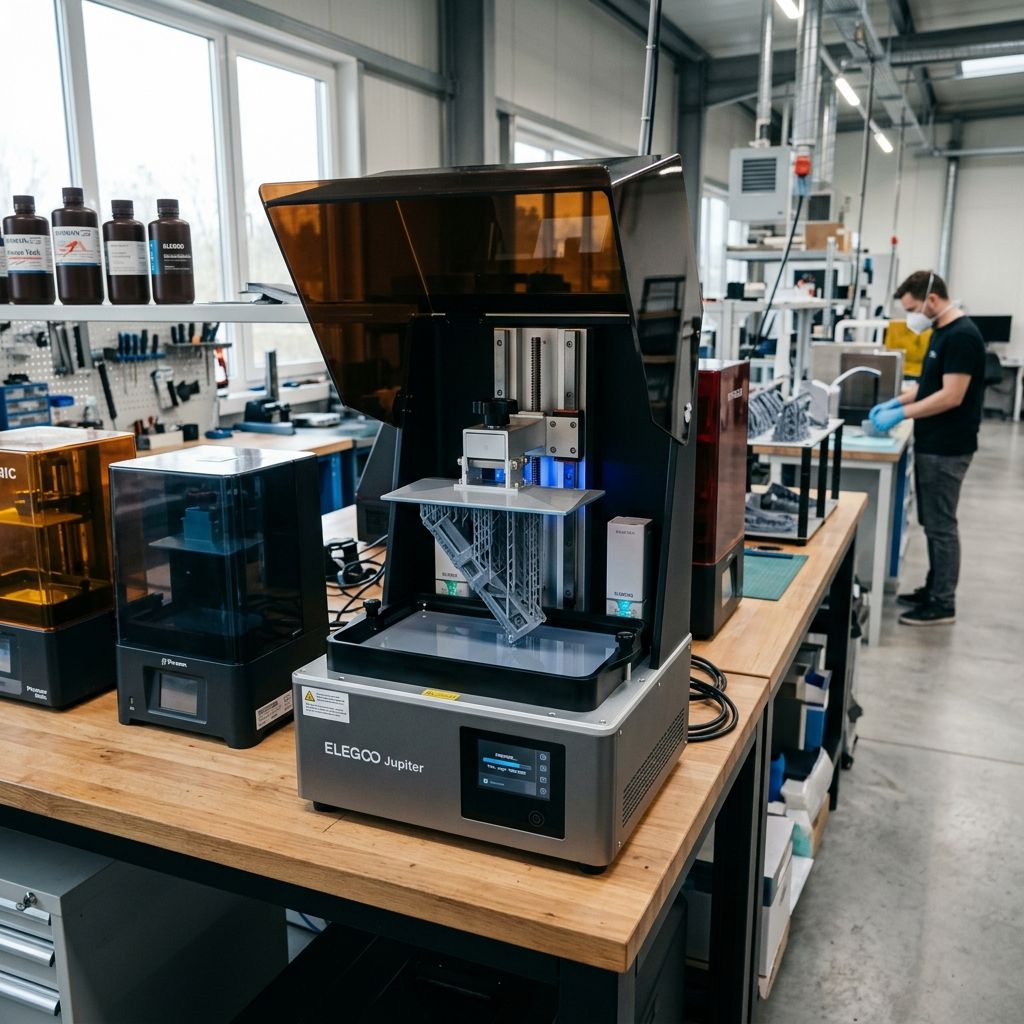
Phrozen Sonic Mighty 8K & Sonic Mega 8K S: Real-World Shop-Floor Troubleshooting
An unfiltered engineering assessment of the mechanical weak points, peel force physics, and rebuild procedures for Phrozen's large-format MSLA workhorses.
Executive Specs & Tooling Notes
These large-format monochrome MSLA printers are built to move resin fast, but their sheer scale introduces significant mechanical challenges. To maintain dimensional accuracy across large build areas, you must account for massive mechanical loads. Check out our 3D Printer Troubleshooting tool to diagnose slicing and exposure issues before stripping down your hardware.
- Sonic Mighty 8K: 10-inch screen, 28-micron XY resolution, single T-type lead screw with dual linear guide rails.
- Sonic Mega 8K S: 15-inch screen, 43-micron XY resolution, heavy-duty ball screw with dual MGN15 linear guides.
- Critical Tolerances: Z-axis carriage runout must be under 0.02 mm; build plate flatness tolerance is ±0.05 mm across the diagonal.
I have spent years maintaining and rebuilding large-format MSLA printers on busy production floors. The Phrozen Sonic Mighty 8K and its larger sibling, the Sonic Mega 8K S, are capable machines. However, they are often pushed beyond their structural limits. Marketing brochures boast about ultra-high 8K resolution and massive build plates. But in a drafty shop or under continuous production, these machines present unique challenges. When you increase the surface area of a print layer, the laws of fluid dynamics and mechanics enforce strict limitations. If you do not account for these, you will experience torn vat membranes, ruined LCD screens, and sheared structural components.
Sub-Component Analysis & Wear Points
To understand why these printers fail, you must first understand how their sub-components wear down under continuous load. The differences in construction between the Mighty 8K and the Mega 8K S highlight the mechanical challenges of scaling up MSLA technology.
The Z-Axis Mechanical Assembly
The Mighty 8K relies on a single T-type lead screw driven by a non-captive NEMA 17 stepper motor. It is stabilized by two MGN12 linear guide rails. Under normal conditions, this setup is adequate. However, over time, the brass anti-backlash nut wears down. This introduces "slop" or axial play into the system. The brass dust from this wear mixes with the factory grease, forming an abrasive paste that degrades the lead screw threads.
The Mega 8K S upgrades this system to a heavy-duty ball screw and dual MGN15 linear guides. This configuration is structurally superior but introduces a different issue: alignment precision. If the dual rails are not perfectly parallel within 0.015 mm, the carriage will bind at specific heights. This binding increases motor current draw, which generates excess heat that transfers directly to the resin vat.
- Mighty 8K Lead Screw: T8x2 stainless steel, brass anti-backlash nut (high wear point).
- Mega 8K S Ball Screw: SFU1605 high-precision ball screw (requires periodic repacking of bearings).
- Linear Guides: Factory-installed blocks often lack sufficient lubrication, leading to early pitting of the steel balls.
- Build Plate Cantilever: The cast aluminum bracket on the Mighty 8K can flex under high peel forces, causing localized layer shifts.
The Vat and Release Film Interface
The vat frames are constructed from machined or cast aluminum. The Mighty 8K utilizes a standard tension-ring setup with M3 screws. The Mega 8K S features a larger, more complex frame designed to clamp down on a massive sheet of PFA (nFEP) film. This sheet must withstand repeated cycles of high suction force. The gasket sealing interface is a common source of leaks. This is often due to uneven torque application during film replacement, which deforms the frame or pinches the membrane.
---Failure 1: High Suction Force, Z-Axis Deflection, and Layer Shifting
The most common failure in large-format MSLA printing is layer shifting or complete delamination caused by suction forces. This is particularly common on the Mega 8K S. When a solid layer cures against the release film, it creates a temporary vacuum seal. The printer must then apply mechanical force to pull the cured layer away from the film.
Unlike the low-mass carriage movements of FDM printers, where minor slop can be tuned out (similar to adjusting acceleration settings to resolve mechanical issues as described in our guide on Fixing Layer Shift in Simplify3D), resin layer shifts are caused by structural deflection under loads that can exceed 300 Newtons. When the build carriage lifts, the cantilever arm flexes downward. Once the print snaps free from the film, the stored energy in the flexed arm is released. This causes the carriage to bounce, which introduces micro-shifts or horizontal banding in the cured layer.
The Physics of MSLA Peel Force
The force required to peel a cured resin layer from the vat membrane can be modeled using a modified version of Stefan's Adhesion Equation for viscous flow between parallel plates:
$$F_p = \frac{3 \cdot \eta \cdot A^2 \cdot v}{2 \cdot \pi \cdot h^3}$$
Where:
- $F_p$: Peel Force (Newtons)
- $\eta$ (Eta): Dynamic viscosity of the liquid resin (Pascal-seconds, $\text{Pa}\cdot\text{s}$)
- $A$: Surface area of the cured layer ($\text{m}^2$)
- $v$: Lift velocity ($\text{m/s}$)
- $h$: Instantaneous gap distance between the cured layer and the release film ($\text{m}$)
Let's calculate a practical scenario on the shop floor. Suppose you are printing a solid mechanical housing on a Sonic Mega 8K S using a standard engineering resin with a high viscosity ($\eta = 0.85 \text{ Pa}\cdot\text{s}$). The solid cross-sectional area of the part is $200 \text{ mm} \times 150 \text{ mm}$ ($A = 0.03 \text{ m}^2$). The lift velocity is set to a standard $1.5 \text{ mm/s}$ ($0.0015 \text{ m/s}$), and the initial gap $h$ at the start of the lift is approximately $0.1 \text{ mm}$ ($0.0001 \text{ m}$):
$$F_p = \frac{3 \cdot 0.85 \cdot (0.03)^2 \cdot 0.0015}{2 \cdot \pi \cdot (0.0001)^3}$$
$$F_p = \frac{3 \cdot 0.85 \cdot 0.0009 \cdot 0.0015}{2 \cdot 3.14159 \cdot 10^{-12}}$$
$$F_p = \frac{0.0000034425}{0.000000000006283} \approx 547.9 \text{ Newtons}$$
A peel force of nearly 548 Newtons (equivalent to approximately 123 lbs of pulling force) is applied to the Z-axis assembly, the vat frame, and the thin PFA film. This massive force will deform any component with structural slop. The Z-axis carriage will deflect, the build plate will tilt, and the PFA film will stretch excessively, resulting in catastrophic layer separation or severe geometric inaccuracy.
Senior Technician's Warning: If you hear a loud, metallic "thud" during the first few lift cycles, your peel forces are too high. Do not ignore this sound. It indicates that the build plate is flexing under load and snapping back violently. This motion will quickly degrade the lead screw and can shatter the underlying LCD screen if a cured fragment breaks loose in the vat.
The Remediation Workflow
To reduce peel force and eliminate Z-axis deflection, you must adjust both your mechanical setup and your slicing parameters:
- Reduce the Viscosity ($\eta$): Heat your resin. Resin viscosity drops exponentially with temperature. Ensure your workshop or chamber is maintained at 25°C to 30°C.
- Hollow the Models: Never print large, solid cross-sections unless absolutely necessary. Hollow the parts to a wall thickness of 2.0 mm to 3.0 mm and add drainage holes as close to the build plate as possible to prevent suction cup effects.
- Implement Multi-Stage Lift Speeds (Rest Time): Use a slow lift speed (e.g., 40 mm/min) for the first 3 mm of lift, then increase it to 120 mm/min for the remainder of the travel. This allows the film to peel gradually from the edges inward, rather than snapping all at once.
Failure 2: Vat Membrane Tensioning and the Acoustic Tuning Myth
Replacing the release film (nFEP/PFA) on the Sonic Mega 8K S is a tedious task. A common recommendation in the hobbyist community is to tune the film's tension using an acoustic spectrum analyzer app to a specific frequency (typically between 150 Hz and 180 Hz). In a professional production environment, this method is unreliable and often leads to over-tensioned films that tear during printing.
The problem is that acoustic frequency depends heavily on the ambient humidity, the thickness of the metal vat frame, and how evenly the tensioning screws are torqued. If you tune the center of the film to 160 Hz by unevenly tightening the perimeter screws, you will create localized stress concentrations. Under the mechanical loads calculated above, these high-stress points will yield and tear.
| Film Type | Mighty 8K Thickness | Mega 8K S Thickness | Optimal Tension Indicator | Common Failure Mode |
|---|---|---|---|---|
| Standard FEP | 150 microns | Not Recommended | Tactile deflection (5-8 mm play) | Rapid clouding, high adhesion force |
| nFEP (PFA) | 150 microns | 200 microns | Calibrated physical spacer depth | Puncture from cured debris, micro-tearing |
| ACF (Fluoropolymer) | 300 microns | 300 microns | Low-tension frame fit (matte side down) | Matte texture wear-off, reduction in clarity |
The Step-by-Step Calibration Procedure
To correctly tension the film without relying on unreliable acoustic apps, use a physical spacer method. This ensures even material distribution across the frame:
- Clean the Workspace: Clear your workbench of all cured resin, dust, and tools. Lay down a clean silicone mat or a lint-free microfiber cloth to protect the new film from scratches.
- Insert the Tensioning Spacer: Place a clean, flat spacer block (a 10 mm thick piece of acrylic or a 3D-printed block measuring $120 \times 80 \times 10 \text{ mm}$) in the center of the outer vat frame.
- Lay Down the Film: Place the new PFA sheet flat over the spacer block and the outer frame. This creates the necessary slack for the film to stretch without over-tensioning.
- Mount the Inner Tension Ring: Lay the inner metal ring over the film. Using a sharp scalpel or a punch tool, pierce the film at the corner screw holes first. Insert the corner M3 screws and tighten them until they just touch the metal frame. Do not torque them down yet.
- Follow a Star Pattern: Tighten the remaining perimeter screws in a cross-over star pattern. This distributes the tension evenly across the sheet, preventing puckering or localized stress concentrations.
- Apply Final Torque: Remove the spacer block. Use a calibrated torque driver to tighten all screws to exactly 1.2 Nm. Over-tightening will strip the aluminum threads in the vat frame, rendering it useless.
Failure 3: Thermal Degradation of the Mono-LCD and LED Matrix Decay
Monochrome LCD screens have a limited operating life. On the Mighty 8K and Mega 8K S, this lifespan is often shortened by thermal stress. The ParaLED matrix beneath the screen uses high-output 405nm UV LEDs. These LEDs generate significant thermal energy. Although monochrome screens transmit more UV light than older RGB screens, they still absorb about 30% of that energy. This energy is converted directly into heat.
When the LCD screen's internal temperature exceeds 60°C, the liquid crystals begin to lose their alignment capabilities. This results in "light leakage," where the screen cannot block UV light in supposedly dark areas. This leads to thin skins of cured resin forming across your vat, ruined details, and eventual burning or black spots on the LCD panel.
Thermal Management Verification
To prevent premature LCD failure, you must verify the thermal performance of your printer's cooling system. Overheated screens fail quickly and can damage other components.
- Max Safe LCD Temperature: 55°C (131°F) under continuous operation.
- Cooling Fan Inspection: Check the chassis fan filter every 100 print hours. Clean with compressed air.
- Heater Warning: If using the Mighty 8K's internal heater, do not set it above 30°C. High ambient temperatures inside the chamber reduce the cooling system's efficiency.
The Repair Workflow: Replacing a Damaged LCD Screen
Replacing the screen is a common maintenance task. However, a careless replacement can easily ruin a new $150 to $450 panel. Follow this procedure to ensure a successful replacement:
- Power Down and Disconnect: Turn off the printer and disconnect the power cable. Never hot-plug an LCD ribbon cable; doing so can instantly blow the driver board's step-down converters.
- Remove the Old Screen: Use a plastic scraper to gently lift the black tape around the screen's perimeter. Be careful not to scratch the underlying glass fresnel lens. Gently warm the screen's edges with a heat gun set to 60°C to soften the adhesive before lifting the panel out of its recess.
- Clean the Glass Bed: Use 99% isopropyl alcohol (IPA) to remove any residual adhesive or dust from the glass protector plate. Any debris left beneath the new LCD will create a high-stress point when the build plate is leveled, which can crack the new panel during its first print.
- Route the Ribbon Cable: Carefully thread the new LCD's flat flexible cable (FFC) through the slot in the chassis. Ensure the cable is not twisted or pinched. Insert the FFC straight into the ZIF (Zero Insertion Force) connector on the motherboard and lock the retaining tab down firmly.
- Test Before Sealing: Before applying the adhesive tape, temporarily plug in the printer, boot it up, and run the "LCD Test" or "Exposure Test" from the menu. Check for dead pixels, flickering, or uneven light distribution. Once verified, power down and apply the pre-cut black border tape to seal the screen against resin ingress.
Exhaustive Preventative Maintenance Protocol
Resin printing is a messy process that requires consistent maintenance to prevent major hardware failures. Unlike clean FDM systems which only require basic maintenance like wiping down carbon rods as outlined in the Bambu Lab X1-Carbon Preventive Maintenance Protocol resin printers require thorough degreasing and cleaning. Liquid resin easily finds its way into bearings, optical sensors, and threaded shafts, where it cures under ambient light and binds mechanical parts.
Weekly Maintenance (Every 40 Slicing Hours)
- Inspect the Z-axis Lead Screw: Wipe away old grease from the lead screw using a lint-free cloth soaked in denatured alcohol. Inspect for metal shavings or brass dust. Re-lubricate with a high-grade PTFE-based dry film lubricant or lithium grease (NLGI Grade 2). Avoid thin WD-40 spray; it will wash away the grease and accelerate wear.
- Clean the Linear Rails: Clean the MGN rails with a clean rag. Apply a few drops of light machine oil (e.g., 3-In-One oil or ISO VG 32 sewing machine oil) directly to the tracks. Cycle the carriage up and down to distribute the oil and wipe away any excess to prevent it from dripping onto the LCD screen.
- Test the Optical Limit Switches: Ensure the Z-axis home flag is clean and free of resin residue. If resin drips onto the optical sensor, it will block the infrared beam, causing the Z-axis motor to drive the build plate directly into the LCD screen.
Monthly Deep Maintenance (Every 150 Slicing Hours)
- Check Ball Screw Play (Mega 8K S): Manually grab the Z-axis carriage and attempt to wiggle it vertically. If you feel any play, the ball screw preload needs adjustment, or the mount screws are loose. Tighten the mounting bolts to 3.5 Nm.
- Check Vat Film Tension: Inspect the PFA/nFEP film for deep scuffs, cloudiness, or stretching. If the film shows permanent dimples larger than 2 mm deep, replace it immediately.
- Verify Cooling Fan Operation: Ensure the intake and exhaust fans on the bottom and back of the printer are spinning freely and are not clogged with dust. A dusty fan will cause the UV LED matrix to overheat, accelerating its decay.
Troubleshooting Matrix: Diagnosing Common Failures
| Observed Symptom | Probable Root Cause | Diagnostic Verification Steps | Corrective Action |
|---|---|---|---|
| First few layers stick to the vat film instead of the build plate. | Incorrect Z-axis zero height or insufficient bottom exposure. | Check if the cured residue on the film is wafer-thin and flat. Verify build plate leveling. | Re-level the build plate using the direct-to-vat method. Increase bottom exposure time by 20% and add a 1.0-second light-off delay. |
| Fine, repetitive horizontal lines (banding) throughout the print. | Z-axis lead screw binding or linear guide rail stick-slip. | Manually turn the lead screw with the motor disabled; check for tight spots or resistance. | Clean and degrease the lead screw. Re-lubricate with lithium grease. Check that the guide rail mounting bolts are torqued evenly. |
| A thin, cured skin of resin forms over the entire vat surface. | Parasitic light leakage due to LCD thermal degradation or file corruption. | Run an exposure test without the vat. Check for a faint purple glow in areas that should be black. | Replace the damaged LCD screen. Install a fan duct to improve cooling air delivery to the LCD underside. |
| Print details are soft or washed out on one side of the build plate. | Uneven UV light intensity or an unlevel build plate. | Measure cured model thickness at all four corners. Check for resin accumulation under the vat frame. | Clean the LED optics beneath the screen. Re-level the build plate with a digital leveling tool to ensure flatness within 0.05 mm. |
Technical Alternatives & Field Modifications
When running a production floor, you often need to make modifications to keep machines running or to improve on factory designs. Here are a few common field modifications and how they compare to standard setups:
The Magnetic Flex Plate Modification
Many operators install aftermarket magnetic flexible build plates (such as Wham Bam systems) to speed up part removal. While highly convenient, this modification adds significant weight to the Z-axis assembly. On the Mighty 8K, the extra mass can cause the carriage to drop slightly when the stepper motor de-energizes, which can damage the LCD screen if the vat is left inside. If you install a magnetic flex plate, you must print and install a physical Z-axis endstop spacer to account for the added thickness, and you should increase your Z-axis motor holding current in your firmware configuration if possible.
Replacing PFA with ACF (Advanced Color Film)
Many operators are replacing standard PFA (nFEP) with ACF (such as Phrozen's latest ACF sheets). ACF has a matte-textured release surface that significantly reduces suction forces, allowing for faster lift speeds and shorter print times. However, ACF is slightly opaque, which scatters UV light and can slightly reduce fine detail sharpness. For industrial housings and mechanical brackets, this trade-off is often worth it. For high-detail jewelry or miniature prototypes, standard PFA remains the better option.
---Frequently Asked Questions
How often should I replace the PFA (nFEP) film on the Mega 8K S?
Replace the film after approximately 100 to 150 print hours, or sooner if you observe deep scuffing, permanent stretching, or micro-tearing around the perimeter screws. Running a degraded film is risky; a single puncture can ruin your LCD screen and require a costly, time-consuming repair.
Why am I getting layer lines on my Mighty 8K despite regularly lubricating the rails?
This is likely caused by wear on the brass anti-backlash nut on the Z-axis lead screw, which introduces axial play. Inspect the nut for wear, verify that its internal spring is under tension, and replace it if you detect any vertical play when manually shifting the carriage.
Is an internal chamber heater necessary for cold workshop environments?
Yes, maintaining a consistent resin temperature of 25°C to 30°C is essential for reliable printing. Cold resin is highly viscous, which increases peel forces and leads to print failures like delamination or support failure.
Critical Mechanical Warning: Always verify that the vat mounting knobs are fully tightened before starting a print. If these knobs are loose, the massive suction forces calculated above will lift the entire vat off the LCD glass during the print cycle. This movement will ruin your print, cause severe layer shifts, and can easily crack the LCD panel when the build plate descends for the next layer.
Related Intel
Anycubic Photon Mono M7 Max and M5s Pro Review
An in-depth engineering review of Anycubic Photon Mono M7 Max and M5s Pro resin 3D printers, analyzing 14K optics, ACF peel physics, and Z-axis cantilever rigidity.
UniFormation GKTwo 12K Review and Comparison
The UniFormation GKTwo 12K combines a 29.7 µm 10.3-inch LCD with an integrated PTC vat heater and quick-release hardware, solving cold-resin failures in production workshops.
Common Elegoo Mars 5 and Mars 5 Ultra Issues
Learn how to fix common Elegoo Mars 5 and Mars 5 Ultra issues: tilt mechanism binding from resin contamination, force sensor leveling failures, and release film fatigue. Includes step-by-step rebuild workflows.