Common Elegoo Mars 5 and Mars 5 Ultra Issues

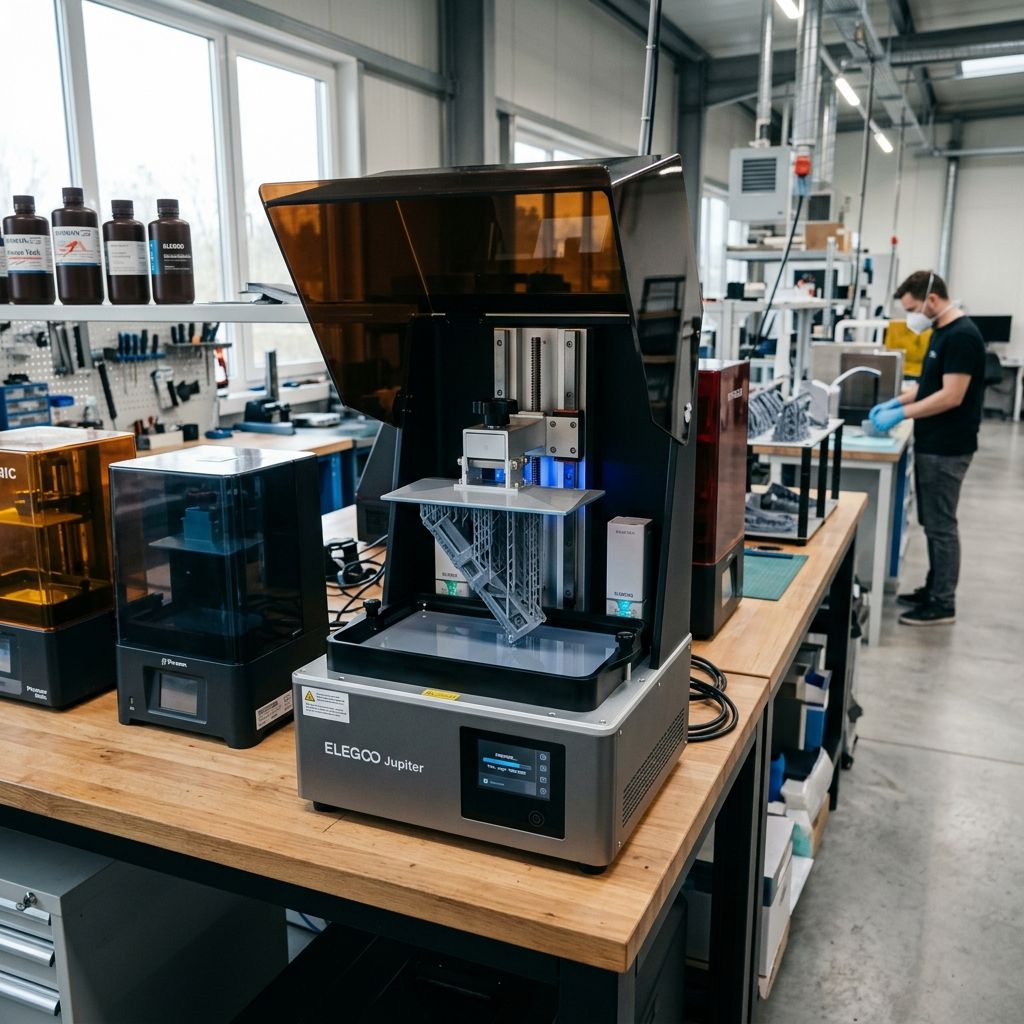
Elegoo Mars 5 & Mars 5 Ultra: Field Troubleshooting & Community Solutions Log
A direct, shop-floor assessment of Elegoo's latest MSLA speedsters, focusing on tilt-release mechanical wear, force-sensor leveling failures, and release film fatigue under heavy cyclic load.
Field Specs & Mechanical Realities: The Mars 5 series boasts high-speed peel cycles and hands-off leveling. However, actual production environments expose these systems to chemical attack, thermal drift, and mechanical fatigue. If you are experiencing print failures or mechanical binding, use our 3D Printer Troubleshooting tool to diagnose resin exposure, adhesion, or hardware faults.
The Mechanical Reality of Budget High-Speed Resin Printing
If you bought the Elegoo Mars 5 or Mars 5 Ultra expecting a flawless, hands-off speed machine, you have likely run into the gap between marketing specifications and actual machine-shop performance. Rapid print speeds especially the advertised 150mm/h on the Ultra place immense physical strain on budget mechanical components. While these machines offer incredible value, they introduce complex mechanical subsystems like tilting vats and strain-gauge leveling that are prone to wear, misalignment, and outright failure when subjected to 24/7 production cycles.
I have spent months tearing down, rebuilding, and calibrating these machines in a dusty workshop environment. This guide bypasses the corporate marketing fluff and addresses the specific, high-frequency failures of the Mars 5 series, providing detailed physics-of-failure analysis, step-by-step rebuilding workflows, and real-world troubleshooting matrices that you can use to keep your machines running on the shop floor.
Failure 1: Tilt Release Mechanism Wear and Hinge Solenoid Binding
The standout feature of the Mars 5 Ultra is its tilting vat mechanism. Instead of lifting the Z-axis straight up to peel the cured resin layer from the bottom of the vat, the printer uses a secondary stepper motor and cam system to swing the right side of the resin vat downward. This breaks the vacuum seal progressively from one side to the other, dramatically reducing peel force and allowing the Z-axis to transition instantly to the next layer.
In practice, this mechanism is highly susceptible to chemical contamination and mechanical wear. The tilt assembly relies on pivot pins pressed into the aluminum chassis and a drive linkage connected to a small stepper motor. The primary engineering vulnerability here is resin contamination. If a spill occurs, or if the vat is overfilled, liquid photopolymer resin flows directly down the pivot hinges. Once exposed to ambient UV light or the machine's own light path, this resin cures inside the hinge clearance, locking the mechanism. Even without a major spill, the micro-vibrations and heavy cyclic loads of the tilt action cause the hinge pin clearance to widen over time, introducing mechanical "slop" or backlash that ruins print quality.
The Physics of Tilt Peel Forces
To understand why this mechanism binds or stalls, we must look at the fluid dynamics of the peel cycle. The force required to peel a cured layer of area $A$ from a flexible release film can be modeled by analyzing the hydrostatic pull and the flexural compliance of the film. A modified Stefan-Squeeze film equation provides an approximation of the peak peel tension ($F_{peel}$) exerted on the mechanism before the vacuum breaks:
$$F_{peel} = C_{film} \times \frac{\eta \times A^{1.5} \times \omega}{h^3}$$
Where:
- $C_{film}$: The release film compliance constant (dimensionless, typically 0.18 to 0.28 for high-tension PFA/ACF).
- $\eta$: The dynamic viscosity of the resin ($Pa \cdot s$ or $cP \times 10^{-3}$).
- $A$: The cross-sectional area of the cured layer ($m^2$).
- $\omega$: The angular velocity of the vat tilt ($rad/s$).
- $h$: The residual gap thickness ($m$) between the cured layer and the release film during the initial peel phase.
Let us run a practical workshop calculation. Suppose we are printing a highly detailed, dense mechanical housing using a viscous, high-temp engineering resin ($\eta = 1.2\ Pa\cdot s$). The total cross-sectional area of the solid base layer is $A = 0.005\ m^2$ ($50 \times 100\ mm$). The printer is set to its high-speed profile, giving an angular tilt velocity $\omega = 0.6\ rad/s$, with a tight residual gap $h = 40 \times 10^{-6}\ m$ ($40\ \mu m$).
$$F_{peel} = 0.22 \times \frac{1.2 \times (0.005)^{1.5} \times 0.6}{(40 \times 10^{-6})^3}$$
First, calculate the area term: $(0.005)^{1.5} \approx 0.0003536\ m^3$.
Next, calculate the denominator: $(40 \times 10^{-6})^3 = 6.4 \times 10^{-14}\ m^3$.
Now, plug these values into the equation:
$$F_{peel} = 0.22 \times \frac{1.2 \times 0.0003536 \times 0.6}{6.4 \times 10^{-14}} = 0.22 \times \frac{0.0002546}{6.4 \times 10^{-14}} \approx 875.18\ N$$
A peak force of approximately 875 Newtons (about 89 kg of force) is generated at the moment of separation. On a budget machine like the Mars 5 Ultra, this massive load is transferred directly to the small tilt stepper motor, the eccentric cam, and the pivot pins. If your resin is too cold (which increases viscosity $\eta$) or your solid cross-sectional area is too large, the mechanical load easily exceeds the holding torque of the tilt stepper motor. This results in skipped steps, a loud "clunking" sound, and eventual system stalling.
Tech Alert: When printing large-format or highly viscous engineering parts on the Mars 5 Ultra, you must manually slow down the tilt speed in your slicer settings. Forcing a rapid tilt on a cold, high-viscosity resin will strip the eccentric plastic cam or burn out the driver board over time.
Failure 2: The "Self-Leveling" Illusion and Mechanical Runout
Both the Mars 5 and Mars 5 Ultra feature a "worry-free self-leveling" system. Unlike older MSLA printers that require you to loosen four screws, press the plate against a paper shim, and tighten them back up, these printers use a spring-loaded build plate bracket coupled with an internal mechanical homing sensor. In theory, the Z-axis drives down until the build plate hits the LCD screen, compressing a set of internal springs to absorb any tilt, and the machine registers this as the physical zero point.
In my experience, this "self-leveling" system is a primary source of first-layer failures and Z-axis binding. The system fails to account for three major variables: resin temperature, fluid displacement resistance, and mechanical runout of the cantilever arm.
When the build plate descends rapidly into a vat of cold, highly viscous resin, the fluid cannot escape from beneath the plate fast enough. This creates a "hydraulic lock." The force sensor or homing switch inside the Z-axis assembly registers this fluid resistance as the physical bottom of the vat, triggering the zero-point sensor prematurely. The printer then begins curing the first layer while the plate is actually $0.1\ mm$ to $0.3\ mm$ too high. Because the gap is too large, the cured resin cures directly onto the release film rather than adhering to the build plate, resulting in a failed print and a cured pancake at the bottom of your vat. This is highly comparable to how automatic leveling sensors on other high-end printers can misread physical limits when material conditions change, a concept discussed regarding FFF bed leveling in the Bambu X1 Calibration analysis.
- Z-Axis Linear Rail: Single MGN15 linear rail (Ultra) or MGN12 rail (Standard Mars 5).
- Cantilever Slop (Runout): Measured up to $0.08\ mm$ of play at the front edge of the build plate under a $15\ N$ upward force.
- Force Sensor Threshold: Factory calibrated to approximately $8\ N$ to $12\ N$ of resistance before registering "zero."
- Viscosity Limit for Safe Homing: Recommended dynamic viscosity of less than $400\ cP$ at operating temperature.
Furthermore, because the build plate bracket relies on internal springs to self-align, any off-center loading (such as printing a heavy, dense model on only one side of the plate) introduces asymmetrical torque. This torque overcomes the spring tension, tilting the plate slightly during the peel cycle and causing progressive layer lines, delamination, or dimensional inaccuracy across the build area.
Failure 3: Release Film Fatigue and Peeling Chatter
The Mars 5 uses standard FEP or PFA (often sold as "nFEP") release films, while the Mars 5 Ultra ships with high-tension PFA or ACF (Active Cushioning Film). While ACF reduces peel forces due to its slightly textured matte surface, it is highly sensitive to tension loss and physical wear. The rapid, asymmetrical tilting action of the Ultra's vat subjects the release film to uneven cyclic stress ($10^4$ cycles or more on a single long print).
Unlike standard vertical-lift printers that stretch the film uniformly from the center outward, the Mars 5 Ultra peels the film from right to left. This creates a highly localized stress concentration zone along the right-hand boundary of the active print area. Over time, the film undergoes plastic deformation, losing its tension and sagging. When the film loses tension, it fails to separate cleanly during the tilt phase, resulting in "peel chatter" visible horizontal bands across your print that look like Z-wobble but are actually caused by the film snapping back violently when the vacuum finally breaks late in the tilt cycle. This tension loss also alters the optical properties of the film, leading to light scattering and a noticeable reduction in XY resolution, similar to print quality drops found when slicing profiles fail to match mechanical release cycles.
For those managing complex slicing parameters to avoid these issues, adjusting lift speeds and light-off delays is critical, much like resolving complex layer defects in desktop software as explored in the context of Cura slicing errors.
Step-by-Step Maintenance and Rebuilding Workflows
To keep these machines running in a production environment, you must perform regular preventative maintenance. Below are three exhaustive workflows designed to address the mechanical failure points discussed above.
Workflow 1: Deep Cleaning and Re-lubricating the Tilt Pivot & Cam Assembly
This procedure should be performed every 150 hours of print time, or immediately following any major resin spill.
- Power Down and Disconnect: Unplug the machine from the mains. Remove the build plate and the resin vat.
- Expose the Hinge Mechanism: Remove the rear and side panel screws using a 2.5mm hex key. Carefully lift the metal chassis shell to expose the tilt stepper motor and the pivot hinge assembly.
- Inspect for Resin Ingress: Use a high-intensity flashlight to inspect the pivot pins and the eccentric drive cam. If any liquid resin is present, immediately clean it using 99% isopropyl alcohol (IPA) and a stiff-bristled nylon brush. Do not use acetone, as it will degrade the plastic drive cam and wire insulation.
- Disassemble the Pivot Pins: If the hinge is binding, back out the M4 retaining set screws holding the hinge pins in place. Slide the pins out of the chassis. Polish the pins with 1000-grit wet-and-dry sandpaper to remove any oxidation or cured micro-deposits of resin.
- Lubricate the Cam and Hinge: Apply a thin, even coat of high-viscosity synthetic grease with PTFE (such as Super Lube 21030) to the eccentric cam track. Do not use thin liquid oils (like WD-40 or standard 3-in-1 oil), as they will quickly run off, attract dust, and contaminate the LCD optical path. Lubricate the pivot pins with a dry PTFE spray, allow it to dry for 5 minutes, then reinsert them.
- Reassemble and Manual Cycle: Tighten the retaining set screws. Manually rotate the motor coupling to ensure the vat tray tilts smoothly through its entire range of motion without binding or scraping.
Workflow 2: Force-Sensor Leveling System Recalibration
Perform this calibration if you are experiencing repeated first-layer adhesion failures, or if you have replaced the LCD screen or build plate.
- Prepare the Vat and Plate: Thoroughly clean the build plate with IPA, ensuring no cured resin remains on the metal surface. Empty and clean the resin vat, checking that the release film is completely free of debris.
- Verify Chassis Temperature: Ensure the printer is in an environment between 21°C and 25°C. Cold environments stiffen the internal spring system and lead to false readings.
- Loosen the Build Plate Bracket: If you suspect the factory "self-leveling" is warped, you must reset the physical baseline. The Mars 5 build head has internal tension springs behind the faceplate. Remove the faceplate screws to expose the spring-loaded carriage. Ensure the springs are seated flat and have not slipped out of their milled pockets.
- Perform the Homing Reset G-Code: Send the factory-reset homing G-code via USB (available on the Elegoo support portal, or construct it manually by issuing
G28followed by a zero-point clear commandM500). Let the Z-axis descend. The plate must contact the LCD screen flatly. Use a $0.1\ mm$ feeler gauge at all four corners of the plate to ensure pressure is uniform within $\pm 0.02\ mm$. - Set Manual Offset: To combat the hydraulic lock of viscous resins, manually add a $+0.05\ mm$ to $+0.08\ mm$ Z-axis offset in your slicing software (or on the machine's touch screen) as a "global Z-offset." This tiny physical buffer prevents the machine from compressing the film too hard on the first layer, protecting your LCD and ensuring clean release.
Workflow 3: Release Film Tension Calibration
When replacing the FEP/PFA/ACF film in the Mars 5 or Mars 5 Ultra, do not rely on visual inspection or "finger-tapping" to gauge tension. Use an acoustic frequency analyzer app on your mobile device to measure the physical resonance of the film.
- Prep the Vat Frame: Clean all old resin and film residue from the metal vat frame. Ensure the tensioning ring is clean and free of cured bumps.
- Assemble the Sandwich: Place the new film over the vat bottom. Reinstall the tensioning ring and drive the screws in a star pattern. Crucial step: Use a physical spacer (like a 5mm thick plastic block or a stack of Gatorade bottle caps) placed under the film during this process to ensure there is enough slack to allow the film to draw up tight when the main screws are driven.
- Tighten the Main Screws: Flip the vat over and tighten the main screws into the vat body. Drive them progressively, rotating around the perimeter of the vat to pull the film tight uniformly.
- Measure the Acoustic Frequency: Place your phone's microphone approximately 2 inches from the center of the dry, installed film. Tap the film gently with a plastic spatula or your finger.
- For standard FEP/PFA on the Mars 5, target a resonant frequency of 275 Hz to 320 Hz.
- For ACF on the Mars 5 Ultra, target a resonant frequency of 330 Hz to 360 Hz. ACF must be kept tighter than standard FEP to prevent the textured surface from flexing excessively under the rapid tilt peel.
- Adjust as Needed: If the frequency is too low, tighten all screws by a quarter-turn and re-test. If the frequency is too high, slightly back off the screws to prevent the film from tearing at the bolt holes under load.
Field Troubleshooting Matrix
| Symptom | Probable Root Cause | Diagnostic Step | Workshop Solution |
|---|---|---|---|
| Loud "clunking" or grinding during the tilt cycle (Ultra only). | Resin contamination in the pivot hinge or eccentric cam; or stepper motor stalling due to cold, viscous resin. | Manually rotate the tilt motor coupling with the printer powered down. Check if the vat tray pivots freely. Measure resin temperature. | Clean pivot pins with IPA and lubricate with dry PTFE spray. Warm resin to at least 23°C before printing. Slow down the tilt speed in the slicer profile. |
| First layer cures as a thin sheet on the release film; nothing on the build plate. | Premature force-sensor trigger caused by "hydraulic lock" of cold resin, or misaligned build plate. | Check if the first layer failure always occurs when the workshop is cold (under 20°C). Check for cured debris in the vat. | Add a global Z-offset of +0.05mm in the slicer. Warm the resin bottle in a water bath before printing. Ensure the vat is clear of cured debris. |
| Severe horizontal banding ("peel chatter") on one side of the print. | Asymmetric release film tension or mechanical play (slop) in the tilting hinge pins. | Check the tension of the film using an acoustic analyzer. Wiggle the right side of the vat tray to check for play in the hinge. | Re-tension the PFA/ACF film to the recommended 330-360 Hz. Replace worn or deformed pivot pins. Tighten the hinge set screws. |
| Prints are dimensionally squashed in the Z-axis (first 5mm are compressed). | The spring-loaded auto-leveling bracket is failing to decompress fully before curing begins. | Measure the height of a printed calibration cube. If a 20mm cube measures 19.5mm high but XY dimensions are perfect, this is Z-compression. | Increase the "light-off delay" or "rest time before cure" to 3.0 seconds. This allows the spring-loaded bracket to fully settle and the resin to squeeze out before exposure. |
| Microscopic crack lines in the LCD screen glass. | Excessive force exerted by the Z-axis motor during home cycles because of debris in the vat. | Visually inspect the LCD under a strong light with the vat removed. Check for tiny points of impact matching failed support tips. | Replace the LCD screen. Always filter your resin through a 190-micron mesh after a print failure to remove microscopic cured cured particles. |
Technical Alternatives and Workshop Field Hacks
If you find yourself constantly battling the engineering quirks of the Mars 5 series, there are several industrial-grade workarounds and field hacks you can implement to bypass these limitations.
The Manual Leveling Conversion Hack
If you absolutely hate the spring-loaded auto-leveling bracket because it introduces Z-axis squash on your highly precise engineering parts, you can convert the printer to a manual, locked leveling system. Some workshop operators have successfully retrofitted the heavy-duty, four-screw manual build head from the older Elegoo Mars 4 series onto the Mars 5 Z-axis carriage. The mounting block dimensions are identical. By swapping to a manual head, you can lock the build plate completely flat using a steel shim, disabling the spring play and gaining up to $\pm 0.01\ mm$ in Z-axis accuracy on the first few millimeters of your print.
The ACF to PFA Transition
The Mars 5 Ultra ships with ACF to maximize speed, but the matte texture of ACF scatters the 405nm UV light slightly, reducing the sharpness of fine details. If you are printing miniature figures or high-tolerance jewelry molds where XY resolution is more important than speed, throw away the ACF film and replace it with a high-quality, 0.15mm thick PFA (nFEP) film. When you do this, you *must* reduce your tilt speed by 30% to 50% in the slicer, as the peel force of PFA is significantly higher than ACF, but your optical clarity and surface finish will improve dramatically.
- ACF Film: High speed, low peel force, matte texture, slight light scattering, lower XY detail.
- PFA (nFEP) Film: Moderate speed, high peel force, glossy/clear texture, zero light scattering, maximum XY detail.
- Standard FEP: Low speed, very high peel force, glossy texture, high stretch rate, rapid tension loss.
Frequently Asked Questions
Why does my Mars 5 Ultra make a loud thumping noise during the first few layers of a print?
This noise is caused by the stepper motor stalling or snapping when trying to tilt the vat against the high suction force of large solid layers. To resolve this, preheat your resin to 25°C to lower its viscosity, or decrease the tilt speed in your slicing software's advanced settings.
Can I disable the tilting vat on the Mars 5 Ultra and print with normal Z-axis lifting?
Yes, you can disable the tilt mechanism in the slicer by switching the peel mode to "Normal" or "Vertical Lift Only." This converts the printer's movement profile to match the standard Mars 5, which is useful when printing extremely fragile supports that might buckle under the shear force of a side-tilt peel.
How often should I replace the release film on the Mars 5 Ultra?
In a production environment, you should replace the ACF/PFA film every 100 to 150 hours of print time, or sooner if you observe permanent cloudiness, physical dimples, or a drop in acoustic resonance below 250 Hz.
Why is the "self-leveling" system causing my prints to fail on the very first layer?
The system is likely being fooled by the hydraulic resistance of cold, thick resin, which triggers the homing sensor before the plate reaches the actual bottom of the vat. Ensure your resin is warm (at least 22°C) and apply a global Z-offset of +0.05mm to +0.08mm to compensate for this fluid displacement barrier.
Critical Torque Spec: When replacing the release film in the aluminum vat frame, do not over-tighten the M3 tensioning screws. The soft aluminum threads in the vat body strip easily under excessive torque. Tighten them in a cross-star pattern to a maximum torque of 0.8 N·m. If you strip the aluminum threads, the film will sag on one side, ruining your tilt-release geometry.
Related Intel
Anycubic Photon Mono M7 Max and M5s Pro Review
An in-depth engineering review of Anycubic Photon Mono M7 Max and M5s Pro resin 3D printers, analyzing 14K optics, ACF peel physics, and Z-axis cantilever rigidity.
UniFormation GKTwo 12K Review and Comparison
The UniFormation GKTwo 12K combines a 29.7 µm 10.3-inch LCD with an integrated PTC vat heater and quick-release hardware, solving cold-resin failures in production workshops.
Phrozen Sonic Mighty & Mega 8K S Troubleshooting
Phrozen Sonic Mighty 8K and Mega 8K S common issues include Z-axis lead screw wear, build plate flex, and vat film delamination. Solutions: lubricate linear guides, verify rail parallelism, and replace brass anti-backlash nuts with POM.