How to Fix Peel Force on Halot-X1 Resin Printer

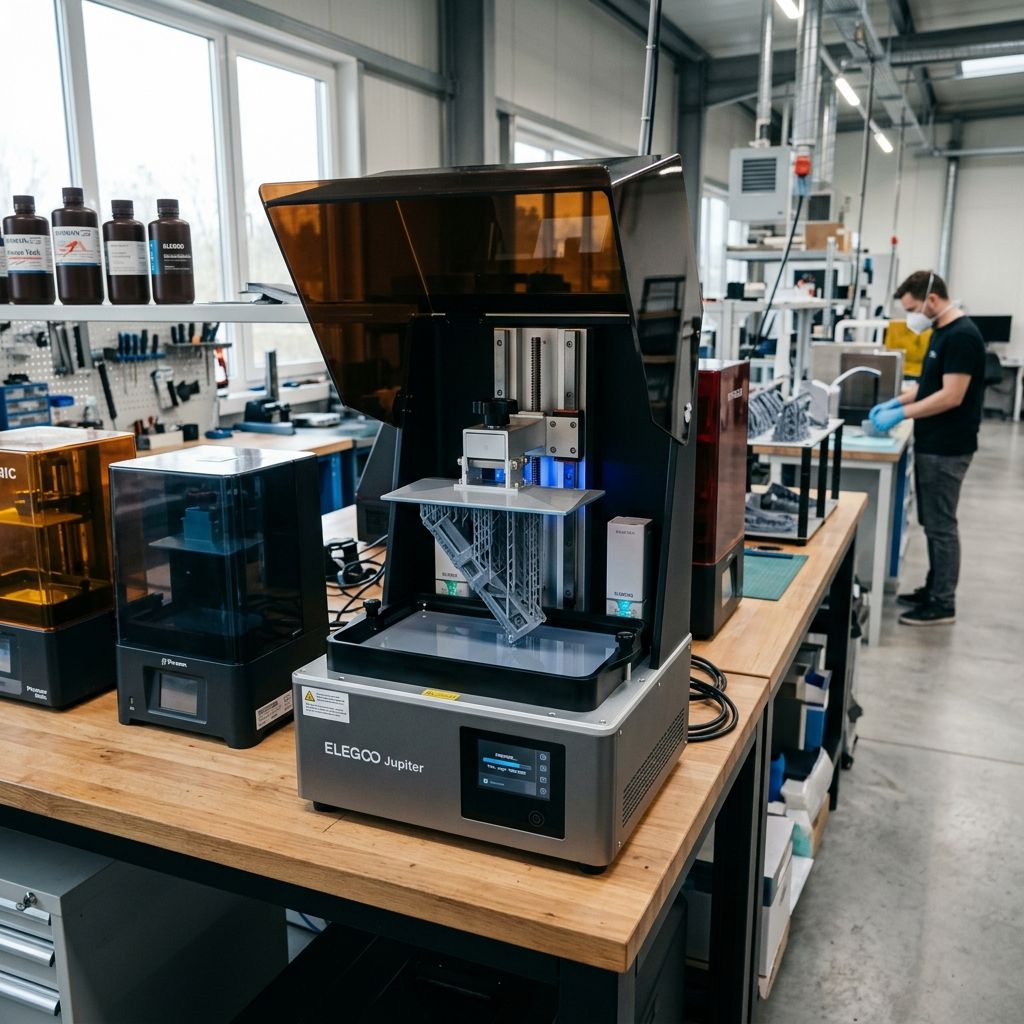
Piocreat Halot-X1 Field Manual: Diagnostics, Mechanical Calibration, and Thermal Mitigation
An engineering-grade breakdown of the physical failures, peel force dynamics, and optomechanical maintenance procedures required to keep the Halot-X1 running under continuous production loads.
Executive Specs & Operational Tolerances
The Halot-X1 is a high-power, large-format MSLA printer designed for dental labs, jewelry production, and industrial prototyping. It trades the simple mechanics of smaller hobbyist machines for a massive integral light engine and high-torque Z-axis linear assemblies. To keep these systems from eating themselves, you must adhere to strict tolerances.
- Light Engine: 10.3-inch Mono LCD (3840 x 2400) with proprietary Integral Light Source (~4500 μW/cm² uniform output).
- Z-Axis Hardware: Dual MGN15 linear guide rails with a ground SFU1204 ball screw.
- Target Z-Axis Runout: < 0.02 mm across the entire 300 mm travel range.
- Vat Film Tension Target: 280 Hz to 320 Hz (measured via acoustic frequency response).
- Optimal Operating Temp: 22°C to 28°C ambient (resin dynamic viscosity increases exponentially below 20°C).
Need to troubleshoot wider workshop hardware or multi-printer setups? Use our 3D Printer Troubleshooting tool to run step-by-step diagnostic workflows.
1. The Peel Force Nightmare: Vat Film Stretching and Delamination
In large-format MSLA printing, suction force is the single greatest mechanical challenge. With a 10.3-inch build area, the physical surface area of a solid layer can easily exceed 200 cm². During the lift phase, as the build plate pulls away from the vat film, a vacuum forms between the cured resin and the film. If this force exceeds the tensile strength of your supports or the adhesion of the resin to the build plate, the print fails catastrophically.
The Physics of Peel Force (Stefan's Adhesion Equation)
To understand why prints rip off their supports on the Halot-X1, we look to Stefan's equation for the force ($F$) required to separate two parallel circular disks of radius $R$ separated by a distance $h$ in a viscous fluid of dynamic viscosity $\mu$ over a separation time of $\Delta t$:
$$F = \frac{3 \pi \mu R^4}{2 h^3 \Delta t}$$
While a flexible vat film (FEP or PFA) does not act as a perfectly rigid plate it peels from the outside edge inward the formula highlights the extreme mathematical scaling of suction forces on a large-format machine:
- Radius ($R^4$): Doubling the width of a solid cross-section increases the separation force by a factor of sixteen.
- Viscosity ($\mu$): High-viscosity engineering resins (like dental models or tough urethanes) dramatically increase peel forces.
- Gap ($h^3$): At the start of the lift, the gap is microscopic (e.g., 50 microns), sending the theoretical suction force into hundreds of Newtons before the film begins to flex.
If your vat film is over-tensioned, it cannot flex to peel gradually. It acts as a rigid sheet, subjecting the model to the full, unmitigated force of Stefan's limit. Conversely, if it is too loose, the film will stretch up with the build plate, never separating at all, leading to cured resin pancakes welded to the bottom of the vat.
Field Guide to Vat Film Replacement and Tuning
Throw away the manufacturer's instruction to "tighten until tight." You need to tune the tension of the vat film scientifically using acoustic frequency response. We use a basic smartphone frequency analyzer (or drum tuner app) to measure the resonance frequency of the tensioned film.
Pro-Tip: The Star-Pattern Torque Sequence
Never tighten vat screws in a circular sequence. This warps the aluminum tension ring, causing uneven tension across the film surface. Always use a cross-pattern (star-pattern), turning each screw 180 degrees at a time until the target torque of 1.2 Nm is achieved across all fasteners.
- Disassembly: Clean the vat thoroughly with 99% Isopropyl Alcohol (IPA). Remove the 24 hex screws from the tension ring on the bottom of the vat using a 2.5 mm hex wrench. Remove the damaged film and scrape any cured resin residues from the metal channel.
- The Spacer Trick: Lay the new PFA (nFEP) sheet over the vat body. Place a 3D-printed spacer block (80 mm x 50 mm x 8 mm) or a standard deck of cards wrapped in plastic under the center of the film. This creates the necessary slack for the film to stretch into the vat frame during tensioning.
- Initial Piercing: Place the tension ring over the film. Using an awl or a clean 2 mm hex key, pierce the film at the four corner screw holes first. Thread the screws in finger-tight.
- Tensioning: Remove the spacer block. Drive the remaining screws in using the star-pattern sequence. Work in stages: first seat the screws, then torque them down to approximately 0.6 Nm, and finish at 1.2 Nm.
- Acoustic Tuning: Place the vat on a clean workbench. Hold your phone with the frequency analyzer app about 5 cm away from the film. Tap the center of the film gently with a soft plastic tool or the eraser end of a pencil.
- Target Frequency: Aim for 290 Hz to 310 Hz.
- If the frequency is below 280 Hz, tighten all screws by a 1/8th turn in a star pattern and retest.
- If the frequency exceeds 320 Hz, the film is over-tensioned and will fail prematurely due to micro-tearing along the screw holes. Back the screws off slightly.
When preparing heavy dental arches or industrial prototypes, model preparation is just as critical as hardware tuning. To reduce suction surfaces, you should hollow your models and add strategic drain holes near the build plate. For standard model pre-processing workflows, you can refer to our guide on Common Meshmixer Mistakes and Fixes to ensure your hollowed geometries don't collapse under vacuum.
---2. LCD Panel Thermal Degradation and Polarizer Burnout
The Halot-X1's Integral Light Source utilizes a 120W LED array reflected through a curved mirror and lens assembly to project highly uniform parallel light. While this eliminates the "grid patterns" common in matrix-style LCD printers, it concentrates an immense thermal load directly onto the back of the mono LCD panel.
The mono LCD panel acts as a spatial light modulator. It blocks unwanted light by twisting liquid crystal molecules. The energy blocked by the dark pixels does not disappear; it is absorbed by the bottom polarizer sheet and converted directly into heat. If the heat dissipation system fails, the panel easily exceeds its safe operating limit of 60°C.
The Physics of Thermal Degradation
When the liquid crystal material inside the LCD panel exceeds its transition temperature (clearing point, typically around 65°C to 75°C), the liquid crystals undergo a phase transition from their nematic (ordered) state to an isotropic (randomized/liquid) state. In this isotropic state, the crystals can no longer twist polarization. Light passes through freely, leading to uncontrolled curing (scabs, blocks of cured resin) across your build area.
Furthermore, prolonged exposure to heat and high-intensity UV light (405 nm) degrades the organic iodine compounds inside the polarizing filters. This causes the polarizer to turn brown or black, permanently blocking light transmission in those zones and creating dead spots where the resin refuses to cure.
- Failure Mode: Brown or black patches on the LCD panel, partial layer curing, or unexplained flat spots on prints.
- Root Cause: Fan failure, blocked chassis vents, or poor thermal contact between the LCD glass and the printer's aluminum frame.
- Remediation Threshold: Replace LCD panel immediately when polarization failure is visible during the dry exposure test.
Step-by-Step LCD Replacement and Thermal Upgrading
When replacing a burned-out screen on the Halot-X1, do not just drop the new panel in. You must improve the thermal path to prevent the next burnout.
- Safety First: Power off the machine and unplug the AC mains cable. Resin printer chassis house high-voltage DC lines supplying the light engine.
- Screen Removal: Peel back the protective black tape around the perimeter of the LCD glass. Gently heat the edges of the screen with a heat gun (set to no more than 100°C) to soften the factory adhesive. Use a plastic spudger to pry up the glass panel. Do not use metal scrapers; you will gouge the aluminum landing frame.
- FPC Disconnection: Open the rear chassis panel of the printer. Locate the flexible printed circuit (FPC) ribbon cable running from the LCD to the mainboard. Flip open the locking collar on the ZIF connector and slide the cable out. Pull the old LCD clear of the machine.
- Thermal Upgrading: Clean the aluminum landing frame of all old adhesive using a razor blade held at a 45-degree angle, followed by an IPA wipe down. The aluminum frame acts as a passive heatsink for the LCD. Apply a high-performance thermal pad (0.5 mm thick, high thermal conductivity rating of at least 6.0 W/m·K) along the contact points where the glass border rests on the aluminum chassis. This conducts heat away from the organic polarizer layers.
- New Screen Installation: Feed the FPC cable of the new mono LCD down through the chassis slot. Align the screen perfectly within the recessed frame. Secure the cable into the mainboard's ZIF connector, ensuring the ribbon lies completely flat without sharp folds.
- Sealing: Apply fresh high-temperature Kapton tape or specialized black LCD sealing tape around the perimeter of the glass. This seal must be absolutely liquid-tight. If resin leaks past the edge of the screen, it will seep under the glass, polymerize under the UV light, and lock the LCD to the light engine, requiring a costly optical rebuild next time.
3. Z-Axis Ball Screw Stiction, Backlash, and Cantilever Deflection
A major mechanical difference between consumer resin printers and the Halot-X1 is the mass of the moving assembly. The Halot-X1's heavy-duty cantilever build plate bracket, combined with several kilograms of cured resin and metal, places a high static load on the Z-axis carriage.
While FFF systems like the Bambu Lab X1-Carbon must deal with mechanical vibrations and filament extrusion issues (as outlined in our guide on Bambu Lab X1-Carbon & X1E Issues and Repairs), high-end MSLA machines struggle with slow, high-torque static friction (stiction) and micro-chatter along the Z-axis under hydrodynamic load.
The Halot-X1 utilizes an SFU1204 ball screw driven by a NEMA 23 stepper motor, supported by dual MGN15 linear guides. Under the heavy upward pull of the peel cycle, any wear in the ball screw assembly or misalignment of the linear rails manifests as micro-chatter, leading to horizontal lines (Z-banding) on the printed parts.
Mechanical Analysis of Ball Screw Backlash
Over time, the recirculating steel balls inside the ball nut wear down, or the dual linear rails lose their parallelism. This creates "slop" or backlash in the vertical axis. The mechanical play can be calculated by analyzing the axial load on the screw:
$$\delta_{total} = \delta_{screw} + \delta_{nut} + \delta_{bearing}$$
Where:
- $\delta_{screw}$ is the elastic deformation of the screw shaft under the high peel tension force.
- $\delta_{nut}$ is the clearance/backlash within the ball nut assembly.
- $\delta_{bearing}$ is the axial play in the end-support bearings (typically standard deep-groove ball bearings that should have been angular contact bearings).
When the Z-axis motor reverses direction to lower the build plate back down to the 50-micron layer gap, backlash causes the carriage to halt slightly short of its target, resulting in an incorrect, overly thick first layer or variable layer heights throughout the print.
Z-Axis Alignment and Calibration Protocol
If you observe horizontal line artifacts (Z-banding) on your prints, follow this alignment protocol to eliminate stiction and verify mechanical parallelism.
- Runout Inspection: Mount a magnetic-base dial indicator to the printer's top frame plate. Place the indicator's probe tip directly against the smooth shaft of the SFU1204 ball screw. Manually jog the Z-axis from top to bottom. If the dial indicator deflects by more than 0.03 mm, the ball screw is bent or the motor shaft coupler is misaligned.
Coupler Torque Spec
Ensure the set screws on the flexible jaw coupler between the motor and the ball screw are torqued to 2.5 Nm. Loose couplers are a hidden cause of variable Z-axis backlash that auto-leveling cannot compensate for.
- Linear Rail Parallelism: Loosen the mounting bolts on one of the MGN15 linear rails just enough to allow slight lateral movement. Jog the carriage up and down several times. The carriage block acts as an alignment jig, pulling the loose rail into perfect parallelism with the opposite rail. Retighten the rail bolts in a staggered fashion from top to bottom.
- Lubrication Upgrade: Never use thin oils, WD-40, or molybdenum-disulfide (black) grease on the linear rails or ball screw. Molybdenum grease will contaminate your resin vat if it drips. Instead, clean the rails with a lint-free cloth and apply a premium, high-viscosity synthetic grease formulated with PTFE (such as Super Lube 21030 synthetic grease or Mobilux EP 2). This prevents stick-slip behavior (stiction) during the ultra-slow lift cycles.
4. Field Troubleshooting & Diagnostics Matrix
The following matrix represents verified field solutions collected from production environments running the Halot-X1 for 24/7 operations.
| Symptom | Primary Root Cause | Immediate Field Action |
|---|---|---|
| "Z-axis Driver Error" on touchscreen or motor stalling during peel cycle. | Resin temperature is too low (high viscosity) or lift speed is set too high for a solid cross-section, causing the stepper driver to pull excessive current. | 1. Warm the resin to 25°C. 2. Reduce the initial lift speed in the slicer from 3 mm/s to 1 mm/s. 3. Check motor driver heatsink inside the chassis for dust build-up. |
| Cured resin flaking off the build plate and settling in the vat. | Insufficient initial exposure time, or the sandblasted surface of the build plate is worn smooth. | 1. Increase burn-in/base layer exposure to 40 50 seconds. 2. Lightly wet-sand the build plate surface with 220-grit silicon carbide sandpaper in a cross-hatch pattern to restore mechanical bite. |
| Geometric distortions or oval holes on parts. | The dual linear rails are binding, or the vat film is over-tensioned, causing the cantilever arm to deflect under peak loads. | 1. Check and tune film tension to ~300 Hz. 2. Run the rail parallelism calibration workflow. 3. Check the Z-carriage mounting bolts for play. |
| Micro-cracks or "onion skinning" on dental models. | Under-exposure of the core layer paired with excessively fast lift speeds, leading to internal layer delamination. | 1. Increase normal exposure by 0.3 seconds. 2. Set transition layer count to 6 to smooth the transition between rigid base layers and flexible top layers. |
5. Frequently Asked Questions
Why does my Halot-X1 stop mid-print with a Z-axis driver error?
This is caused by the stepper motor driver overheating when fighting high peel forces. To fix this, warm your resin to 25°C to lower its viscosity, reduce your model's cross-sectional area by hollowing, and drop your initial lift speed to 1 mm/s.
Can I use third-party resins on the Halot-X1 without calibration?
No, because the proprietary Integral Light Source has a high power density (~4500 μW/cm²) that cures resins faster than standard matrix LEDs. You must run exposure calibration matrices for every new resin brand to prevent severe over-exposure and loss of fine details.
How often should I calibrate the Z-axis zero point?
You only need to recalibrate the zero point after replacing the LCD panel, changing the PFA film, or physical disruption of the build plate carriage. Frequent re-leveling is unnecessary if the heavy dual-rail carriage locking bolts are properly torqued to 4 Nm.
What is the ideal workshop temperature for the Halot-X1?
The ideal temperature is between 22°C and 28°C; colder environments cause the resin's dynamic viscosity to rise exponentially, which increases peel forces and directly triggers support failure or stepper driver overcurrent errors.
---6. Technical Alternatives & Emergency Field Fixes
When you are running a production shop, waiting for OEM replacement parts can kill your margins. Here are the field-tested alternatives and temporary "hacks" that actually work when you're in a pinch.
The PFA Film Alternative (FEP Emergency Swap)
The Halot-X1 ships with PFA (nFEP) film, which has a specialized non-stick fluoropolymer coating. If you run out of PFA sheets and only have standard FEP on hand, you can use it but you must compensate in your slicer profile. Because standard FEP has higher surface energy, increase your lift height by 2 mm and reduce your lift speed by 30% to prevent the higher peel forces from ripping the model off its supports.
Emergency Pinhole Leak Patching
If a cured resin flake punctures a tiny pinhole in your vat film mid-run, do not throw the film away immediately if you are in the middle of a critical job. Clean the dry (underside) of the vat film meticulously with 99% IPA. Apply a small, flat square of high-strength, optical-grade Kapton tape directly over the pinhole on the *underside* of the vat. This will safely seal the leak for another 10 to 15 prints. Never patch the wet side of the film, as the resin will chemically attack the adhesive and cause catastrophic failure.
Critical Torque Spec Checklist
Before initiating any continuous 24-hour production runs, verify the following mechanical torque specs using a calibrated torque wrench:
- Vat Tension Screws: 1.2 Nm (Criss-cross star pattern only).
- Build Plate Locking Knobs: 4.5 Nm (Hand-tightened firmly with gloves, or using a torque-limiting wrench).
- Z-Axis Coupler Set Screws: 2.5 Nm (Ensure the coupling jaw elastomer is not torn).
- Linear Rail Carriage Mounting Bolts: 3.0 Nm (Blue Loctite 242 recommended to prevent vibrational loosening).
Related Intel
Anycubic Photon Mono M7 Max and M5s Pro Review
An in-depth engineering review of Anycubic Photon Mono M7 Max and M5s Pro resin 3D printers, analyzing 14K optics, ACF peel physics, and Z-axis cantilever rigidity.
UniFormation GKTwo 12K Review and Comparison
The UniFormation GKTwo 12K combines a 29.7 µm 10.3-inch LCD with an integrated PTC vat heater and quick-release hardware, solving cold-resin failures in production workshops.
Common Elegoo Mars 5 and Mars 5 Ultra Issues
Learn how to fix common Elegoo Mars 5 and Mars 5 Ultra issues: tilt mechanism binding from resin contamination, force sensor leveling failures, and release film fatigue. Includes step-by-step rebuild workflows.