Calibrating Nexadental Resin Printers for Dental Labs

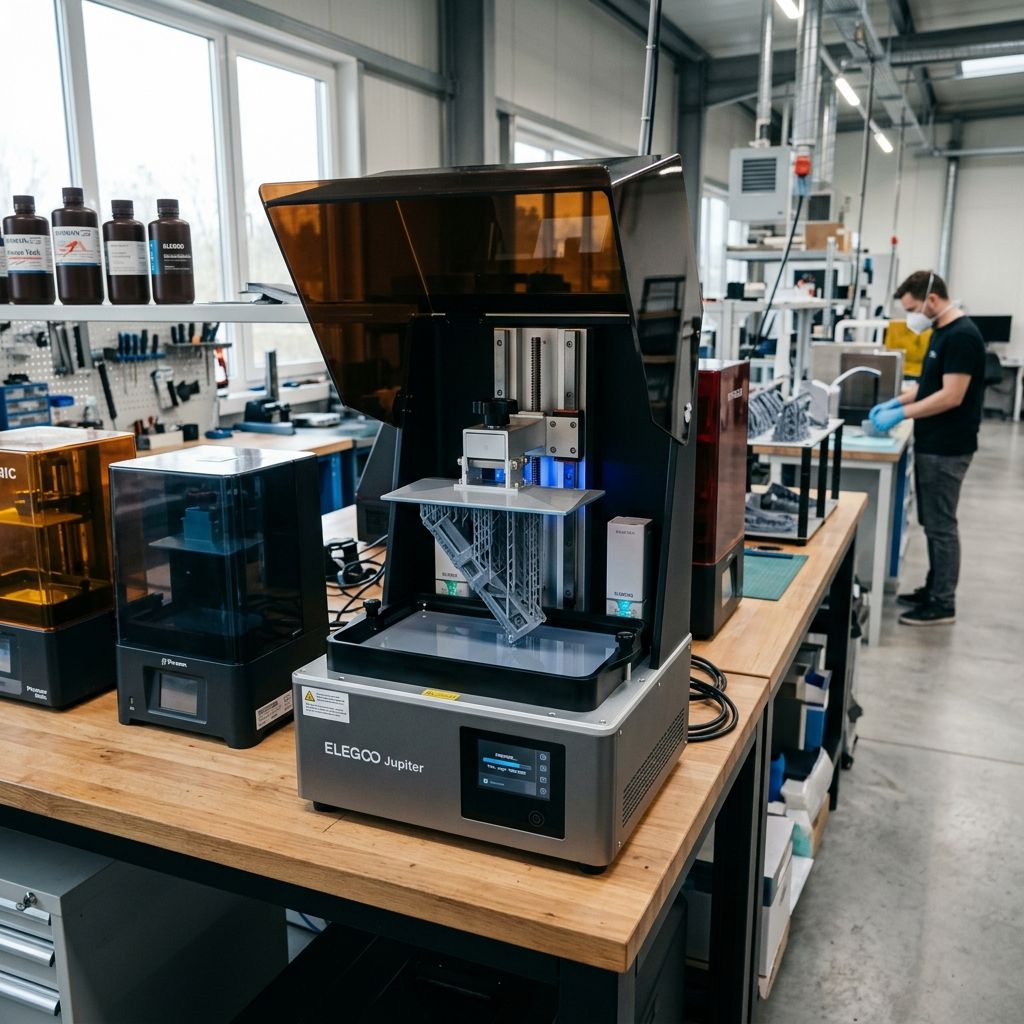
Nexadental Resin Printers: Lab-Floor Calibrations, Failures, and Surgical Fixes
An unfiltered teardown of Z-axis deflection, optical decay, and vat tensioning failures in dental-grade MSLA and DLP systems, written for technicians who cannot afford a 30-micron error.
Field Highlights & Reference Specs
In a production dental lab, there is no margin for error. A coping that does not sit or a crown with a distorted margin is immediate scrap. Use our Layer Height Calculator to match exposure times to micron-level steps and prevent early curing failure.
- Target XY Tolerance: ±15 to ±25 microns
- Z-Axis Linear Accuracy: ≤ 10 microns runout
- Light Source Wavelength: 405nm LED array (DLP or Mono LCD)
- Peel Mechanism: Tilt-peel or vertical lift with nFEP/PFA
In a dental lab, a print that is off by 30 microns is not just a loose fit; it is clinical garbage. If your copings, crown preps, and surgical guides do not seat perfectly on the master cast, the case is a write-off. While marketing brochures promise "plug-and-play" dental restoration printing, the reality of running Nexadental resin systems and similar high-resolution MSLA/DLP hardware is a constant battle against mechanical deflection, chemical degradation, and optical decay.
I have spent years rebuilding Z-axis assemblies, measuring UV light degradation with radiometers, and scraping cured biocompatible resin out of expensive optical paths. This guide breaks down the real failure points of these printers, the physics behind why they fail, and how to keep them running within the tight tolerances required by prosthodontists.
1. The Mechanical Reality of Dental MSLA Hardware
Dental resin printers rely on high-viscosity resins filled with ceramic particles or biocompatible monomer blends. These heavy resins exert immense physical forces on the hardware during the peel cycle. To understand where these systems fail, we have to look closely at the mechanical sub-components and their wear characteristics.
- Z-Axis Carriage: Often uses dual linear rails with recirculating ball bearing blocks. If these blocks develop flat spots or lose lubrication, you get micro-stuttering that shows up as horizontal lines on crown margins.
- Lead Screw vs. Ball Screw: Most mid-tier dental printers use a standard T-shaped lead screw with a brass or POM anti-backlash nut. Under the load of highly viscous dental resins, these nuts wear down within 6 to 12 months, causing Z-axis backlash.
- Vat Film (nFEP/PFA): PFA (commonly called nFEP) has better release properties than standard FEP, but it is highly susceptible to micro-creasing and localized stretching from dense model bases.
- LCD Masking Screen: A consumable item. The high-intensity 405nm UV light source degrades the liquid crystal layer over time, leading to loss of contrast, light leaks, and dimensional drift.
The Backlash and Slop Problem
When the printer lifts the build plate to peel the cured layer from the vat film, the upward force can exceed 50 Newtons. If there is any slop in the anti-backlash nut or the coupling connecting the stepper motor to the lead screw, the build plate will not return to the exact nominal height on the next downward stroke. Even a 5-micron variation in layer thickness will alter the cure depth, causing localized over-curing or delamination.
2. Physics of Failure: Cantilever Deflection and Peel Force
Why do dental models printed on the edge of the build plate often suffer from poor fit, while those printed in the center are perfect? The answer lies in the bending mechanics of the single Z-axis tower design under peel loads.
When a layer cures, it adheres to both the build plate and the vat film. The printer must pull them apart. This generates a vertical peel force ($F$) acting on the build plate at a distance ($L$) from the linear rail guide (the cantilever arm). This force creates a bending moment that deflects the Z-axis tower and rotates the build plate assembly.
We can model the deflection ($\delta$) of the Z-axis tower as a cantilever beam under a concentrated end load:
$$\delta = \frac{F \cdot L^3}{3 \cdot E \cdot I}$$Where:
- $F$: Peel force (Newtons)
- $L$: Distance from the linear rail to the center of the cured model (mm)
- $E$: Young's Modulus of the tower material (typically $70 \times 10^9 \text{ Pa}$ for aluminum)
- $I$: Area moment of inertia of the tower profile ($mm^4$)
A Practical Lab Calculation
Let's assume a heavy solid model base is placed at the far edge of the build plate, making $L = 120\text{ mm}$. The peel force of a highly viscous crown-and-bridge resin is measured at $F = 60\text{ N}$. If the aluminum extrusion supporting the linear rail has a weak cross-section where $I = 15,000\text{ mm}^4$:
$$\delta = \frac{60 \cdot (120)^3}{3 \cdot (70 \times 10^3) \cdot 15,000}$$ $$\delta = \frac{103,680,000}{3,150,000,000} \approx 0.033\text{ mm} \text{ (or } 33 \text{ microns)}$$A deflection of 33 microns is massive when your target tolerance for a crown margin is under 20 microns. This mechanical bending tilts the build plate relative to the LCD screen, compressing the layer on one side of the model and stretching it on the other. This is why nested dental models on the outer perimeter of the build plate frequently fail crown-fit checks.
Tech Alert: To minimize cantilever deflection, always nest critical dental dies and crown preps as close to the Z-axis linear rail as possible. Never place high-precision copings on the absolute front edge of the build plate.
3. Nightmare 1: Dimensional Deviations in Crown and Bridge Fits
The most common complaint from labs running these systems is that crowns are "too tight" or "too loose." This is rarely a software issue; it is almost always a combination of volumetric shrinkage, thermal expansion, and mechanical runout.
The Chemistry of Cure Shrinkage
Dental resins contain methacrylate monomers that undergo polymer shrinkage during exposure. Typically, these resins shrink by 1.5% to 3.5% by volume. If the exposure time is slightly too high, the light bleeds horizontally, curing resin outside the nominal boundary (xy-pixel bleed). If the exposure is too low, the core of the model does not reach its gel point, causing the part to deform during post-washing and final curing in the UV oven.
Often, preparation errors in CAD compound these physical errors. If you are preparing models or adjusting offsets in third-party software, clean up your meshes before slicing. For instance, when fixing alignment issues or repairing broken STL boundaries, refer to troubleshooting guides like Common Meshmixer Mistakes and Fixes to ensure that raw mesh errors are not masquerading as printer calibration problems.
Step-by-Step Calibration for Dimensional Accuracy
Do not trust the manufacturer's default profile. Every batch of resin behaves differently depending on ambient room temperature and shelf age. Follow this lab protocol to dial in your scale factors:
- Temp Control: Ensure your resin is preheated and maintained at a stable temperature ($25^\circ\text{C}$ to $30^\circ\text{C}$). Cold resin has high viscosity, which increases peel forces and causes severe dimensional distortion.
- Print a Calibration Block: Use a cross-shaped calibration block with known step dimensions (e.g., 20mm, 10mm, and 5mm steps in X, Y, and Z).
- Measure with Calibrated Micrometers: Avoid cheap digital calipers. Use a micrometer to measure the cured parts before post-curing, and then again after post-curing.
- Calculate Slicing Offsets: If your 20mm nominal dimension prints at 20.08mm, apply an XY compensation offset of -0.04mm in your slicer. If the error scales with size, adjust the overall axis step-per-millimeter scaling factor in the printer's firmware configuration.
4. Nightmare 2: UV Light Decay and LCD Degradation
Unlike FDM printers, where hotend wear is easily visible (as detailed in guides like the Bambu Lab X1-Carbon Preventive Maintenance Protocol), resin printer degradation is invisible to the naked eye until prints begin failing.
The monochromatic LCD screens used in modern dental printers are subject to high optical energy loads. Over time, the intense 405nm UV light breaks down the organic polarizers and liquid crystal compounds inside the panel. This degradation manifests as a loss of light blocking efficiency (the "black" pixels start leaking UV light) or a drop in UV transmission (curing times become longer).
The Cooling Fan Failure Trap
The primary driver of rapid LCD decay is heat. The UV LED matrix under the screen generates substantial thermal energy. Nexadental systems use axial cooling fans and aluminum heatsinks to pull heat away from the LCD panel. If these fans get choked with lab dust (from zirconia or investment plaster grinding), the LCD screen temperature can exceed $60^\circ\text{C}$ during a long print run.
At these temperatures, liquid crystals lose their alignment properties, leading to "sun spots" or cloudy areas on the screen. This causes incomplete curing on specific zones of the build plate, resulting in weak internal structures or soft, spongy dental models.
Step-by-Step Screen Output Verification
- Empty the resin vat and clean the glass protector thoroughly.
- Place a sheet of white paper over the LCD screen.
- Run the printer's built-in "Exposure Test" or "Clean Vat" function.
- Look for dark spots, flickering pixels, or uneven brightness across the grid. If you notice a dim center or yellowed corners on the white paper, your LCD screen or LED driver is dying and must be replaced.
5. Nightmare 3: Vat Film Tension and Release Failures
If you hear a loud, violent "shucking" sound every time the printer lifts the build plate, your vat film is either too loose or has lost its elasticity. Tensioning a vat film is a mechanical art form; a loose film increases the required Z-lift height, while an overtensioned film tears or pulls the model off its supports.
Most Nexadental vats use a two-piece tensioning ring secured by a series of M3 screws. Replacing this film requires a systematic torque pattern to ensure even tension across the entire surface.
| Film Parameter | Standard FEP | PFA (nFEP) | High-Tension Laminate (Slick-Film) |
|---|---|---|---|
| Nominal Thickness | 127 to 150 microns | 150 microns | 200 microns |
| Target Tension (Hz) | 250 to 280 Hz | 280 to 320 Hz | 320 to 350 Hz |
| Elastic Limit | Moderate | High | Very High |
| Peel Force Coefficient | 1.0 (Baseline) | 0.65 | 0.50 |
The Bottle Cap Audio Tensioning Trick
Do not try to guess the tension of your vat film by pushing it with your finger. Use a simple audio frequency analyzer app on your phone to measure the resonance of the drummed film:
- Lay the empty vat upside down on a clean, flat workbench.
- Hold your phone's microphone about 2 inches away from the center of the film.
- Tap the film gently with a blunt tool (like a plastic spatula handle or a clean, dry finger).
- Read the frequency spike on the spectrum analyzer. For a standard 5.5 to 8.9-inch dental vat, you want a fundamental frequency between 280 Hz and 310 Hz. If it is below 240 Hz, the film is too loose, and the center of your prints will fail to peel. If it is above 340 Hz, the film is overtensioned and will likely rip at the screw holes under load.
6. Comprehensive Troubleshooting Matrix
When things go wrong on the production floor, use this matrix to rapidly diagnose the root cause before throwing parts or expensive resins at the problem.
| Observed Symptom | Root Cause | Immediate Shop-Floor Action |
|---|---|---|
| Models are truncated or have flat tops in the Z-direction. | Z-axis lift height is too low for the slack in the loose vat film. | Increase Z-lift height by 2.0mm in the slicer or retension the vat film to >280 Hz. |
| Crown preps show a step-like layer shift every few millimeters. | Loose coupler on the Z-motor shaft or flat spot on a linear guide bearing. | Tighten the grub screws on the flexible Z-shaft coupler; check linear rails for physical play. |
| The first few layers print fine, but the model detaches halfway through. | High peel forces from high-viscosity resin combined with inadequate support contact area. | Increase support tip diameter by 0.15mm; preheat resin to 28°C to lower viscosity. |
| Holes or voids appear in the same XY position on every print run. | Dead pixels on the LCD masking screen or a cured resin flake stuck to the vat bottom. | Run the LCD exposure test to check for dead pixels; drain vat and filter resin through a 190-micron mesh. |
| Severe surface "chatter" or rough textures on angled model surfaces. | Z-axis micro-stepping resolution issues or worn-out lead screw nut. | Replace the anti-backlash brass/POM nut; clean and apply lithium-based grease to the lead screw. |
7. Exhaustive Preventive Maintenance Protocol
Resin printing is a messy, chemical-heavy process. Left unchecked, resin spills and dust will destroy your optics and mechanical guide systems. Follow this maintenance schedule to avoid unplanned downtime.
Daily Protocol (Start of Shift)
- Inspect the Vat: Use a soft plastic spatula to gently sweep across the bottom of the vat. Feel for cured cured flakes or stuck pieces. Never use a metal scraper on the film.
- Check Temperature: Ensure the printer's internal chamber heater is functioning. If the room is cold (under 20°C), let the printer preheat for 15 minutes before starting a job.
- Clean the Build Plate: Wash the build plate with 99% isopropyl alcohol (IPA). Ensure there is no oily residue or leftover uncured resin on the mounting face or back bracket.
Weekly Protocol
- Inspect the LCD Protector: Look for micro-scratches or cured resin drips on the glass plate protecting the LCD screen. If resin has cured onto the glass, apply an IPA-soaked paper towel for 10 minutes, then scrape it off gently using a new, single-edge razor blade held at a 15-degree angle.
- Lubricate the Z-axis Guide Rails: Wipe down the linear rails with a lint-free cloth to remove old grease and debris. Apply a thin layer of synthetic grease containing PTFE (like Super Lube 21030) directly to the rails and run the carriage up and down several times.
Monthly Protocol
- Calibrate Z-Offset: Perform a manual home calibration using the manufacturer's paper card or a 0.1mm feeler gauge. Ensure the build plate applies even pressure on all four corners.
- Check Cooling Fans: Blow out dust from the LED cooling intake vents using compressed air. A clogged intake will degrade the UV light engine within weeks.
- Measure UV Output: If you have a radiometer, check the milliwatt output of your light source ($mW/cm^2$). If the output has dropped by more than 25% from the day-one baseline, adjust your slice profiles by increasing exposure times by 10-15% until the screen can be replaced.
8. Frequently Asked Questions
Why are my solid dental models splitting or cracking after post-curing?
This is caused by uneven shrinkage stress. When you post-cure a solid resin model, the UV light cures the outer skin first, causing it to shrink while the wet or semi-cured core remains stable. Always hollow your dental models to a 2mm or 2.5mm wall thickness, and ensure you include drain holes near the base to prevent trapped pressure and uncured resin from blowing out the walls.
Can I use standard industrial resins in a Nexadental system?
Technically, yes, if the printer has an open-material mode that allows you to adjust exposure times. However, for clinical applications, you must use validated biocompatible resins (Class IIa) with profiles calibrated specifically for your light engine's optical power. Mixing unverified resins will result in uncured monomers that can leach out, posing a health hazard to patients.
How do I know if my Z-axis lead screw is bent?
Remove the lead screw from the motor coupler, roll it across a flat granite surface block or a piece of heavy float glass, and look for light passing underneath it as it rolls. If you see any gap changes, the rod is bent and will introduce a cyclical Z-wobble artifact into your prints. Replace it immediately with an industrial-grade, precision-ground lead screw.
Critical Torque Spec: When replacing your vat film, tighten the retention screws in an "X" or star pattern, just like the lug nuts on a car. Do not torque them down fully on the first pass. Tighten them to 50% torque first, then go back to complete the final torque to prevent warping the aluminum frame or over-stretching the film corners.
Related Intel
Anycubic Photon Mono M7 Max and M5s Pro Review
An in-depth engineering review of Anycubic Photon Mono M7 Max and M5s Pro resin 3D printers, analyzing 14K optics, ACF peel physics, and Z-axis cantilever rigidity.
UniFormation GKTwo 12K Review and Comparison
The UniFormation GKTwo 12K combines a 29.7 µm 10.3-inch LCD with an integrated PTC vat heater and quick-release hardware, solving cold-resin failures in production workshops.
Common Elegoo Mars 5 and Mars 5 Ultra Issues
Learn how to fix common Elegoo Mars 5 and Mars 5 Ultra issues: tilt mechanism binding from resin contamination, force sensor leveling failures, and release film fatigue. Includes step-by-step rebuild workflows.