Anycubic Photon Mono 4 Ultra Troubleshooting Guide

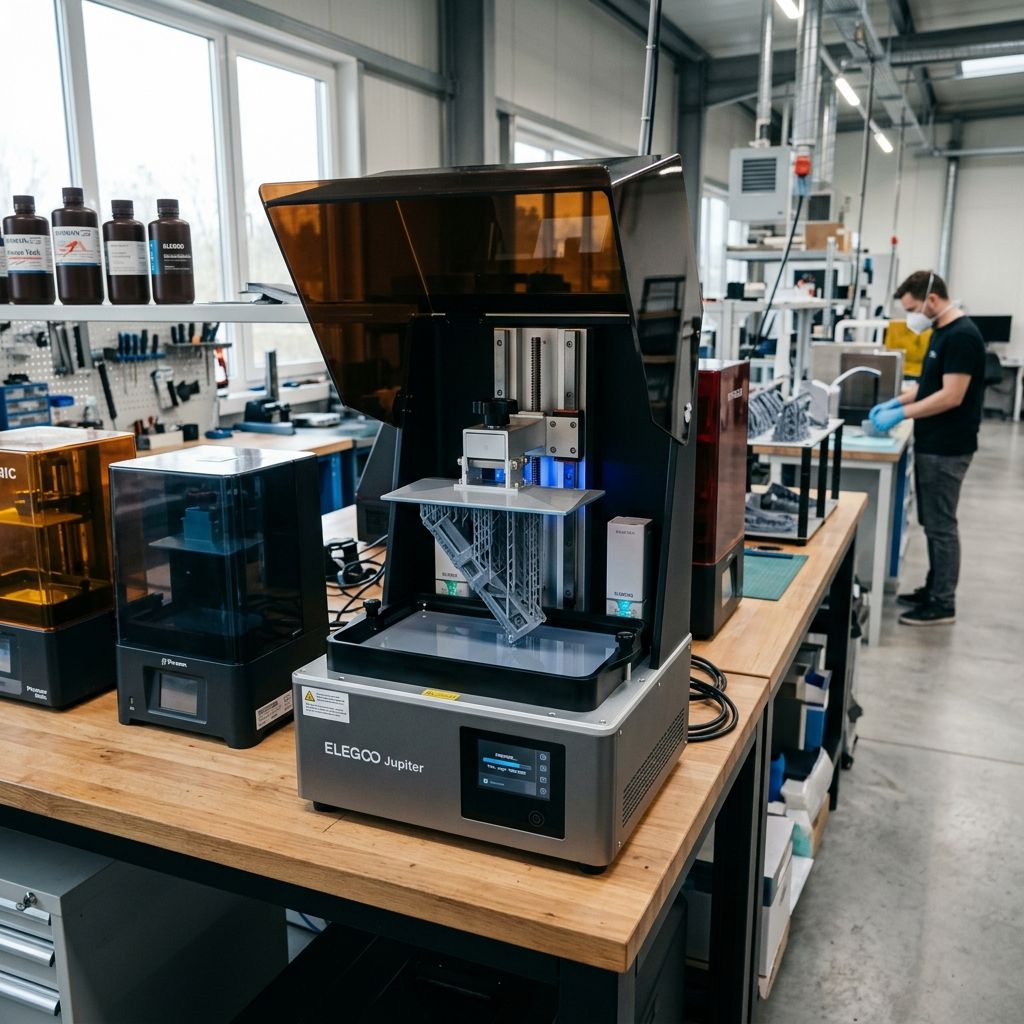
Anycubic Photon Mono 4 Ultra: Field Troubleshooting & Community Solutions
An unfiltered teardown of the mechanical failures, suction physics, and thermal quirks plaguing this high-speed MSLA platform in mid-to-high volume workshops.
Executive Specs & Field Diagnostics
This technical log captures real-world failure modes of the Photon Mono 4 Ultra under continuous production cycles. If you are experiencing dimensional drift, premature film failures, or layer separation at high speeds, use this reference to modify your maintenance intervals and slicer profiles.
Need to dial in your cycle times for high-speed runs? Use our Print Speed Calculator to compute exact mechanical limits based on layer height and lift velocities.
The Anycubic Photon Mono 4 Ultra is marketed as a zero-fail, ultra-high-speed resin workhorse. But on a busy shop floor, "marketing high-speed" is the first thing that breaks. When you run these machines for 100+ hours a week, the reality of resin viscosity, mechanical deflection, and chemical wear sets in. The machine's spring-loaded leveling assembly, the high-speed ACF (Fluorinated Ethylene Propylene + cyclic olefin copolymer) film, and the localized heater system all present specific engineering failure modes that can ruin overnight batches if they are not properly maintained.
We do not look at these machines as plug-and-play appliances. They are dynamic optomechanical systems operating under high hydrostatic loads. Below is the diagnostic breakdown of what goes wrong, why it fails under load, and how we fix it in the workshop.
Sub-Component Analysis & Wear Points
To understand why this printer fails, we have to look closely at its physical construction and the tolerances of its moving parts. The Mono 4 Ultra relies on a cantilevered Z-axis carriage guided by a single linear rail and driven by a standard T8 lead screw with a 2mm pitch and an 8mm lead. While a single rail simplifies construction, it introduces asymmetric twisting moments under high lift speeds.
The build plate uses a spring-loaded self-alignment bracket. Instead of the traditional four-screw manual leveling system, this plate relies on an internal spring array and a spherical joint that aligns itself when compressed against the LCD screen during factory setup, then locks down with a central knob. This design is highly convenient for beginners but prone to wear and alignment shift under continuous peeling forces.
The optical system features a COB (Chip-on-Board) light source paired with a refractive Fresnel lens. While this setup achieves excellent light uniformity across the 10K mono screen, it creates a tight thermal envelope directly underneath the LCD. Heat buildup is a major factor in premature screen degradation and optical distortions.
- Z-Axis Guide Rail: Single MGN12 linear rail; allows up to 0.03mm of torsional play (yaw) under maximum peel forces at the build plate's outer margins.
- Build Plate Joint: Spherical ball-and-socket clamp; prone to microscopic slippage (0.05mm to 0.15mm) when subjected to uneven off-center peeling forces.
- ACF Release Film: 0.3mm nominal thickness; features a micro-textured surface to minimize stiction, but exhibits rapid micro-pitting and localized clouding after approximately 25,000 layers.
- Mono LCD Screen: 7-inch monochrome panel; operating lifetime drops by 35% if chamber operating temperatures continuously exceed 45°C.
- Vat Seal Gasket: Molded silicone; prone to swelling and degradation if exposed to aggressive cleaning solvents like denatured alcohol or acetone for extended periods.
The Physics of Peel Failure: Stefan-Reynolds Adhesion
Many resin printing issues are blamed on "bad slicer settings" when they are actually caused by basic fluid mechanics. During the lift phase of an MSLA print, the cured resin layer must detach from the release film. This separation is governed by the Stefan-Reynolds equation for parallel plates separating in a viscous fluid. This formula defines the peeling force ($F_p$) required to lift the plate:
Fp = (3 * η * A2 * v) / (2 * π * h3)
Where:
- η (Eta): Dynamic viscosity of the liquid resin (Pascal-seconds, Pa·s)
- A: Surface area of the printed layer (m2)
- v: Lift velocity (m/s)
- h: Separation gap or the instantaneous thickness of the resin film between the cured layer and the LCD glass (m)
Let's run a practical workshop calculation to see how high-speed printing spikes these forces. Imagine we are printing a solid mounting bracket with a surface area of 80mm x 50mm ($A = 0.004 \text{ m}^2$) using a standard high-tensile resin with a high viscosity of $0.8 \text{ Pa·s}$ at a cool shop temperature of 20°C. We will compare a standard lift speed of 2 mm/s ($0.002 \text{ m/s}$) to the "Ultra" speed of 8 mm/s ($0.008 \text{ m/s}$), at a tight boundary gap of $100 \ \mu\text{m}$ ($0.0001 \text{ m}$).
For the standard lift speed ($0.002 \text{ m/s}$):
Fp = (3 * 0.8 * (0.004)2 * 0.002) / (2 * 3.1416 * (0.0001)3)
Fp = (3 * 0.8 * 0.000016 * 0.002) / (2 * 3.1416 * 10-12)
Fp = 7.68 * 10-8 / 6.2832 * 10-12 ≈ 12,223 Newtons (theoretical, assuming completely rigid plates)
For the high-speed lift ($0.008 \text{ m/s}$):
Fp = (3 * 0.8 * (0.004)2 * 0.008) / (2 * 3.1416 * (0.0001)3)
Fp = 3.072 * 10-7 / 6.2832 * 10-12 ≈ 48,892 Newtons
In the real world, the release film flexes, which dramatically reduces these forces by changing the separation from a flat-plate pull to a gradual, progressive peel. However, the math shows that multiplying your lift speed by four quadruples the mechanical pull stress on your supports, your Z-axis rail, and the screen beneath.
If your resin is cold (which increases viscosity $\eta$) or your printed surface area ($A$) is large, these forces easily exceed the tensile strength of your supports or the structural hold of the build plate's ball joint. This physics profile explains why high-speed resin printing requires precise control over temperature, film tension, and model geometry.
Mission 1: The "Auto-Leveling" Mechanical Slop
The Mono 4 Ultra features a factory-calibrated mechanical alignment joint inside the cantilever mount. This design uses internal springs to keep pressure on a ball joint during setup. Once aligned, the user tightens the main lock knob, securing the joint's position.
Tech Alert: The spring-loaded joint is not a dynamic auto-leveling system. It is a manual leveling system that you lock once and hope stays put. Over time, high peeling forces can cause this joint to slip, leading to uneven layers or complete print failures.
The Failure Mode
Under continuous high-speed peel cycles, the single-point lock on the spherical joint can slowly slip. The torque applied to the locking knob is often insufficient to resist the repetitive twisting forces (yaw) generated when large parts are printed off-center on the build plate. Additionally, microscopic resin mist and isopropyl alcohol vapors can penetrate the housing, lubricating the dry ball joint and causing it to slip under low loads.
The Field Fix & Rebuild Workflow
If you notice a gradual tilt in your prints where the left side of the build plate prints thinner raft layers than the right your joint has developed slop. Here is how we rebuild and lock it down permanently:
- Disassemble the Cantilever Mount: Remove the build plate from the machine. Locate the hex fasteners on the underside of the mounting block. Carefully back out the central locking bolt and extract the internal spring washer stack ( Belleville washers).
- Degrease the Friction Surfaces: Clean the spherical steel ball and the mating aluminum socket cup using high-purity acetone or 99% anhydrous isopropyl alcohol. Inspect the mating surfaces for score marks or polished smooth spots.
- Scuff the Ball Joint: Use 400-grit emery cloth to lightly scuff the surface of the steel ball. This increases mechanical friction and prevents future slipping under load.
- Reassemble the Belleville Washers: Reassemble the washer stack in a series configuration (alternating directions) to maintain high spring pressure. Apply a tiny drop of medium-strength thread locker (Loctite 242) to the threads of the lock bolt.
- Perform a Hard Leveling Reset: Mount the plate back onto the Z-axis. Place a sheet of 0.1mm leveling paper (or the factory leveling card) over the LCD screen. Loosen the locking knob until the plate moves freely. Drive the Z-axis down to home (Z=0). Apply firm, even downward pressure to the center of the build plate, then tighten the locking knob to 8.5 Nm of torque using a torque wrench. Do not rely on hand-tightening alone.
Mission 2: High-Speed ACF Delamination & Suction Shredding
The Mono 4 Ultra uses ACF (Acoustic Wave/Anti-Adhesive) film. This film has a matte, micro-textured finish that reduces the surface tension between the cured resin and the vat bottom, allowing for faster release times than traditional FEP.
The Failure Mode
Because ACF is stiffer and thicker than FEP, it transmits UV light slightly differently. The matte texture scatters light at a microscopic scale, which can reduce horizontal resolution and cause a slight "fuzzy" finish on highly detailed parts.
Additionally, when printing hollow models, the high-speed movement creates a powerful internal vacuum. If you do not include adequate vent holes, this suction can tear the ACF film or rip the model off its supports. If the film gets scratched or creased, it loses tension and allows cured resin to stick, leading to pinholes and resin leaks onto the LCD screen.
To prevent these issues, it is important to prepare your models correctly in your slicer. If you are hollowing out models to save resin, use software like Meshmixer to add proper drainage and vent holes near the base. Understanding these steps can help prevent common file preparation errors, much like resolving Common Meshmixer Mistakes and Fixes in design pipelines.
| Film Material | Tensile Modulus (MPa) | UV Transmittance (%) | Peel Force Profile | Average Lifespan (Layers) |
|---|---|---|---|---|
| Standard FEP | 500 - 650 | > 95% | High adhesive spike at release | 15,000 - 20,000 |
| nFEP (PFA) | 600 - 750 | > 96% | Moderate, progressive release | 25,000 - 35,000 |
| ACF (Factory) | 950 - 1100 | ~ 91% (due to matte texture) | Low, immediate snap-release | 15,000 - 25,000 (degrades fast) |
The Solution: Two-Stage Lift Tuning & nFEP Retrofit
If you want sharper details and lower running costs, you can retrofit your vat with 150-micron nFEP (PFA) film. However, because nFEP is more flexible than ACF, you must modify your lift profiles to avoid print failures. Since nFEP stretches more before releasing, using high, single-speed lift settings will fail. You need to configure a Two-Stage Motion Control (TSMC) profile in your slicer:
- Lift Distance 1 (Stage 1): Set to 3mm at a slow 60 mm/min (1 mm/s). This handles the initial separation force gently, preventing supports from snapping.
- Lift Distance 2 (Stage 2): Set to 5mm at a faster 240 mm/min (4 mm/s). Once the layer has detached from the film, you can safely lift the plate quickly.
- Retract Distance 1: Set to 4mm at 240 mm/min.
- Retract Distance 2: Set to 4mm at 60 mm/min to prevent the plate from slamming into the resin and causing turbulence or displacement.
If you stick with the factory ACF film, remember to increase your normal exposure times by 10% to 15% (e.g., from 1.8s to 2.1s for standard resin) to compensate for the film's lower UV light transmission. This ensures your layers cure fully and adhere properly.
Mission 3: Heater Calibration & Thermal Lensing
The Mono 4 Ultra features a built-in chamber heater designed to warm the resin vat, reducing viscosity and improving print consistency in cold environments. This heater uses a small PTC heating element and a fan to circulate warm air across the vat.
The Failure Mode
While heating the resin is beneficial, blowing hot air from only one side of the printer creates a thermal gradient across the vat. The resin nearest the heater can reach 35°C, while the resin on the far side remains at 20°C. This temperature difference causes two main issues:
- Viscosity Imbalance: The warmer resin flows and cures faster, while the cooler, thicker resin cures slower and resists flowing. This leads to uneven print quality and dimensional skewing across the build plate.
- Thermal Lensing (Optical Distortion): As light passes through layers of resin with different temperatures, the differences in density bend the UV rays. This optical distortion causes parts of your print to look soft, fuzzy, or lose fine details.
The Workshop Fix
To ensure even heating and consistent print quality, do not print immediately after turning on the heater. Let the printer sit with the lid closed for 15 to 20 minutes first. This "thermal soak" allows the temperature to stabilize across the entire vat and frame.
For high-precision parts, we also recommend pausing the print for 2 to 3 seconds before exposing each layer (often called "Light-Off Delay" or "Rest Time Before Exposure"). This delay gives the resin time to settle, stop moving, and reach thermal equilibrium, preventing optical distortions and improving layer adhesion.
Exhaustive Z-Axis Maintenance & Calibration Workflow
Unlike FDM printers that require frequent linear rail cleaning as detailed in our guide on How to Clean Bambu Lab X1 Carbon Rods and Rails resin printers operate in an environment filled with sticky photopolymer vapors. These airborne chemical mists can settle on the Z-axis lead screw, mixing with standard grease to create a thick, gummy paste. Under the high mechanical loads of resin printing, this paste can cause the Z-axis to bind, leading to layer lines, Z-banding, or complete motor stalls.
Step-by-Step Z-Axis Deep Clean & Re-lubrication
Perform this maintenance procedure every 100 operating hours or once a month to ensure smooth Z-axis travel and prevent layer artifacts:
- Prep and Protection: Lower the Z-axis to its homed position. Cover the LCD screen with a clean sheet of heavy cardboard or plastic wrap to protect it from falling debris, grease, or solvents. Turn off and unplug the printer.
- Remove the Old Grease: Use a stiff-bristled nylon brush (such as an old toothbrush) soaked in 99% isopropyl alcohol or degreaser to scrub the entire length of the lead screw. Wipe away the dissolved grease and contaminants using a lint-free microfiber cloth. Repeat this process until the screw threads are completely clean and dry.
- Inspect the Linear Guide Rail: Wipe down the MGN12 linear guide rail with a dry, lint-free cloth. Check for any metal shaving buildup, rust, or pitted spots along the rail track. Slide the carriage up and down manually; it should glide smoothly without any catching or grinding.
- Apply High-Performance Lubricant: Avoid standard lithium greases, which can react with photopolymer vapors and thicken. Instead, use a high-quality PTFE-infused synthetic grease (such as Super Lube 21030) or a dry PTFE spray lubricant. Apply a thin, even bead of grease along the length of the lead screw.
- Distribute the Lubricant: Manually rotate the lead screw to drive the Z-axis carriage through its full range of travel several times. This distributes the grease evenly inside the brass anti-backlash nut and wipes away any excess. Wipe off any grease buildup at the top or bottom of the travel limit to keep the workspace clean.
Z-Axis Precision Specifications
To ensure consistent layer heights and prevent Z-banding, verify that your Z-axis assembly meets these mechanical tolerances:
- Lead Screw Runout: Less than 0.05 mm (measured at the top of the screw with a dial indicator during rotation).
- Linear Rail Slop: Zero perceptible play when gently rocking the carriage back and forth by hand.
- Anti-Backlash Nut Tension: Ensure the spring-loaded nut is snug but does not bind or squeak during manual travel.
Troubleshooting Matrix: Symptom to Shop-Floor Resolution
| Symptom | Root Cause Analysis | Immediate Workshop Correction |
|---|---|---|
| Fuzzy or Soft Details on Prints | Light scattering from worn, cloudy ACF film, or thermal lensing caused by uneven resin temperatures near the internal heater. | Replace the cloudy ACF film with 150-micron nFEP, and allow the chamber heater to preheat and stabilize for 15-20 minutes before printing. |
| Prints Separating from Supports | High peeling forces from fast lift speeds, or insufficient support tip penetration to handle the weight of the model. | Use a Two-Stage Motion Control (TSMC) profile to slow down the initial lift phase, and increase support tip diameters to at least 0.4mm for heavy parts. |
| Uneven Bottom Layer Thickness | Microscopic slippage of the spring-loaded ball joint under high peel forces, causing the build plate to tilt. | Clean and degrease the ball joint with acetone, scuff the surface with 400-grit emery cloth, and retighten the locking knob to 8.5 Nm of torque. |
| Z-Axis Squeaking or Binding | Contamination of the lead screw grease by sticky photopolymer vapors, or a dry, unlubricated linear guide rail. | Thoroughly clean the lead screw with isopropyl alcohol and a nylon brush, then apply a high-quality, PTFE-infused synthetic grease. |
Frequently Asked Questions
Can I replace the ACF film with standard FEP on the Mono 4 Ultra?
Yes, but you must reduce your lift speeds and increase your lift distances because standard FEP is more flexible and has higher release adhesion than ACF. We recommend upgrading to 150-micron nFEP (PFA) for the best balance of optical clarity, durability, and smooth release properties.
How do I know if my build plate's ball joint is slipping?
If your prints regularly fail on one side of the build plate, or if you measure a variation in raft thickness from left to right using calipers, your joint is slipping. Clean the internal mating surfaces with acetone and tighten the locking knob securely to prevent movement under load.
Why does the internal chamber heater cause dimensional inaccuracy?
Blowing hot air from one side of the printer creates a temperature gradient across the resin vat. This variation in temperature causes differences in resin viscosity and curing rates, leading to uneven shrinkage and slight warping across the build plate.
How often should I clean and re-grease the Z-axis lead screw?
In a production workshop, clean and lubricate the lead screw every 100 operating hours or once a month. This prevents sticky resin vapors from mixing with the grease and forming a thick, abrasive paste that can cause Z-banding or motor binding.
Critical Torque Spec Warning: When reassembling the build plate assembly, do not overtighten the M3 fasteners securing the clamping collar. Aluminum threads strip easily. Tighten them to a maximum of 2.2 Nm (Newton-meters) to prevent stripping the threads while ensuring the clamp remains secure under load.
Related Intel
Anycubic Photon Mono M7 Max and M5s Pro Review
An in-depth engineering review of Anycubic Photon Mono M7 Max and M5s Pro resin 3D printers, analyzing 14K optics, ACF peel physics, and Z-axis cantilever rigidity.
UniFormation GKTwo 12K Review and Comparison
The UniFormation GKTwo 12K combines a 29.7 µm 10.3-inch LCD with an integrated PTC vat heater and quick-release hardware, solving cold-resin failures in production workshops.
Common Elegoo Mars 5 and Mars 5 Ultra Issues
Learn how to fix common Elegoo Mars 5 and Mars 5 Ultra issues: tilt mechanism binding from resin contamination, force sensor leveling failures, and release film fatigue. Includes step-by-step rebuild workflows.