Formlabs Form 3+ Common Issues and Fixes

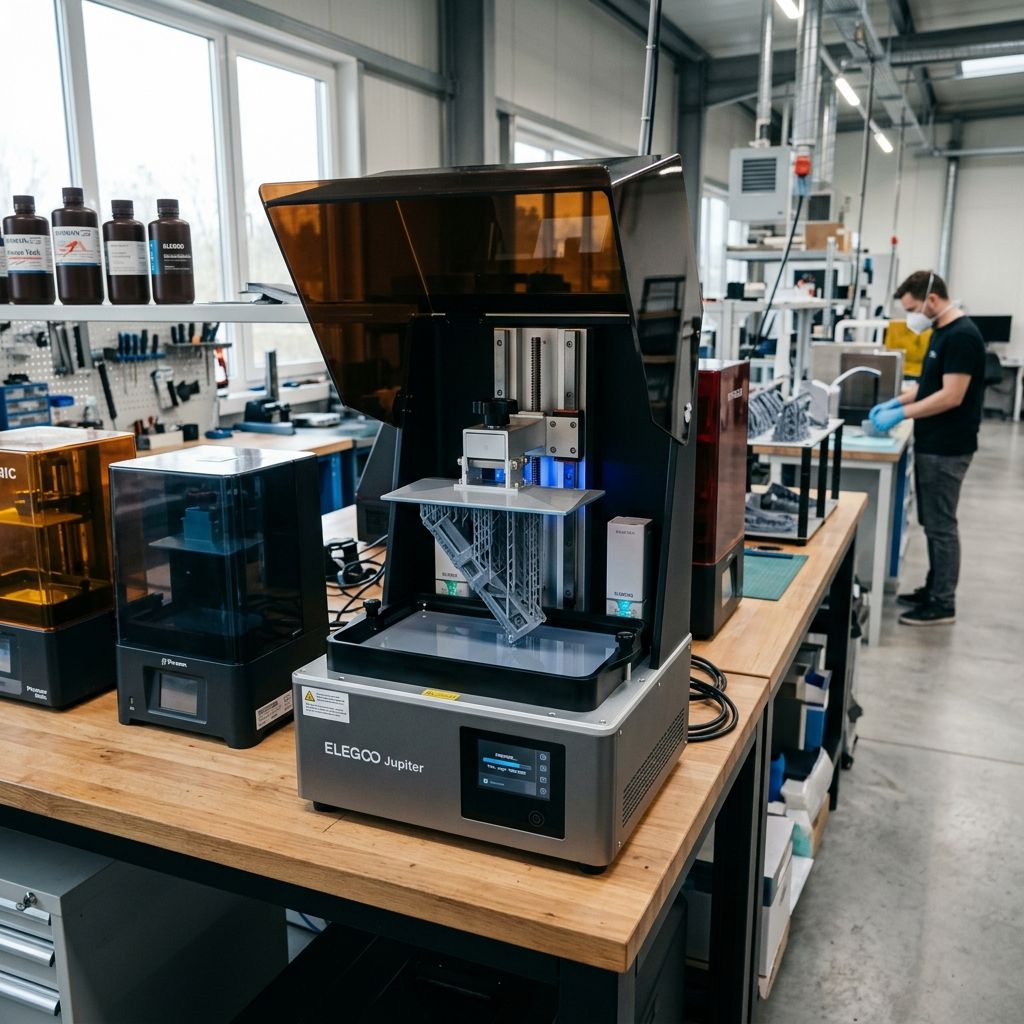
Formlabs Form 3+ Field Report: Diagnostic Workflows, Mechanical Failures, and Shop-Floor Workarounds
An unfiltered, field-tested guide to diagnosing optical path degradation, managing flexible resin tank failures, and keeping the LPU running when factory procedures fall short.
Executive Specifications & Operational Baseline
The Formlabs Form 3+ operates on Low Force Stereolithography (LFS), a modified SLA process designed to minimize the peel forces that plague traditional rigid-vat SLA printers. By using a flexible-bottom resin tank and a moving optical engine the Light Processing Unit (LPU) it isolates the peel force to a narrow, localized line rather than the entire layer area. If you're tracking down tricky dimensional inaccuracies or surface defects, run through our 3D Printer Troubleshooting tool.
- Optical Engine: 250 mW violet laser (405 nm wavelength), 85-micron spot size.
- Axis Precision: Z-axis resolution of 25 300 microns (resin dependent).
- Key Components: Light Processing Unit (LPU), Flexible Film Resin Tank, Cartridge Bite Valve, LevelSense Board.
- Critical Consumables: V2.1/V2.2 Resin Tanks, Resin Cartridges, Build Platform (Standard/2).
I have run Formlabs machines in job shops and rapid-prototyping environments since the early Form 2 days. The Form 3+ is a different beast; it solved the brutal peel-stress issues of its predecessor but introduced a highly complex, motorized optical carriage that lives directly beneath a vat of liquid polymer. When it works, it yields incredible surface finishes with minimal support scarring. When it fails, you are usually left chasing optical ghosts, cleaning up messy resin spills, or fighting with closed-source firmware that refuses to print because it thinks a sensor is dusty.
If you transition to this machine from the FDM world, the operating philosophy changes entirely. On an FDM printer, mechanical issues are loud and visible you can watch filament grinding or hear a stepper motor skipping. In SLA and LFS, failures are silent, chemical, and optical. You will not realize a print has failed until three hours into a ten-hour job when you hear the faint sound of cured plastic scraping against the bottom of the vat, or when you pull out a build platform covered in semi-cured, jelly-like skin.
1. The LPU Optical Path Failure (The Silent Cure Destroyer)
The Light Processing Unit (LPU) is the heart of the Form 3+. Inside this sealed aluminum enclosure sits a 250mW laser, a fast-axis galvanometer mirror, a fold mirror, and a large parabolic mirror that collimates the beam so it strikes the build plane vertically. To keep dust out of this optics assembly, the LPU is sealed, and its top exit aperture is covered by an anti-reflective coated optical glass window.
Despite the "sealed" marketing claim, the LPU glass window is highly vulnerable to contamination. Every time you swap a resin tank, remove a finished print, or clean the inside of the chamber, you expose this glass to dust, airborne IPA vapors, and liquid resin drips. Even a tiny, nearly invisible smudge of oil from your finger or a speck of airborne lint will scatter the 405nm laser beam. This scattering decreases the laser's power density below the critical gelation threshold of the resin, leading to localized curing failures, delaminated layers, or what we call "ragging" thin, papery sheets of semi-cured resin floating in the tank.
The Physics of Optical Scattering in SLA Curing
To understand why a tiny speck of dust ruins a print, we have to look at the polymerization physics. The polymerization rate of a photopolymer resin depends on the local exposure energy density ($E$), which is a function of laser power ($P$), scan speed ($v$), and the beam profile. The critical energy ($E_c$) is the minimum exposure required to reach the gel point (the transition from liquid to solid).
We can model the actual energy density delivered to the resin using a modified Beer-Lambert relationship that accounts for optical transmission losses through contaminated glass:
$$E = \left( \frac{P \cdot \eta_{opt}}{w_0 \cdot v} \right) \cdot e^{-\alpha \cdot z}$$
Where:
- $P$: Nominal laser power (0.25 Watts).
- $\eta_{opt}$: Optical transmission efficiency coefficient of the glass window (ideally $\approx 0.98$ for clean, anti-reflective coated glass).
- $w_0$: Laser beam waist radius ($\approx 42.5 \times 10^{-4}$ cm).
- $v$: Scan speed of the galvanometer mirror ($cm/s$).
- $\alpha$: Resin absorption coefficient ($cm^{-1}$).
- $z$: Depth of the resin layer ($cm$).
If a thin film of oil or aerosolized isopropyl alcohol (IPA) condenses on the LPU glass, $\eta_{opt}$ drops. For example, if a light dust coating and an oil smudge drop $\eta_{opt}$ from 0.98 to 0.72, the energy density $E$ at the focal plane drops by more than 26%. Because the curing process is highly non-linear, dropping below the critical threshold $E_c$ means the monomers will fail to cross-link. The laser still passes through, and you might see a faint blue glow, but the chemical reaction fails. You get weak parts, "sponge" structures, or prints that pull off the build platform because the initial raft layers never reached full green-state strength.
Pro-Tip: Never clean the LPU glass with standard shop towels, paper towels, or even standard microfiber cloths. They will microscopically scratch the anti-reflective coating on the glass, permanently scattering the laser. Only use absolute 99%+ anhydrous isopropyl alcohol, PEC*PAD lint-free wipes, and a high-intensity LED inspection light held at a 45-degree angle to spot smudges.
Step-by-Step LPU Glass Restoration Workflow
If you are experiencing random print dropouts, rough surface textures on the side facing the back of the printer, or cured "ghosts" on the bottom of your resin tank, your LPU glass is likely contaminated. Follow this exact field-tested procedure to clean it:
- Prep the Workspace: Put on fresh, powder-free nitrile gloves. Powdered gloves will instantly ruin the optics. Ensure the workspace is draft-free and as dust-free as possible. Turn off any overhead fans.
- Access the LPU: Put the printer into maintenance mode via the touchscreen (Settings > Maintenance > Clean LPU). This commands the Z-stage to raise to the top and moves the LPU carriage out of its garage on the right side to the center of the print bay. Cut the power to the printer by pulling the plug do not trust software sleep states when you are working near the optical path.
- Initial Dust Removal: Use a manual rubber bulb blower (like a Giottos Rocket Blaster) to blow loose dust off the glass. Do not use canned compressed air; these cans can spit liquid propellant (fluorocarbons), which leaves an incredibly stubborn chemical film on the anti-reflective coating.
- The Drag-and-Wipe Solvent Pass: Take a fresh, clean PEC*PAD wipe. Place 3 to 4 drops of 99.9% anhydrous IPA in the center of the pad. Do not saturate it; excess solvent will seep under the glass bezel and dissolve the internal adhesive, which will creep back up onto the glass as it dries. Gently drag the wet fold of the pad across the glass in a single, unidirectional sweep. Do not scrub in circles.
- The Dry Pass: Immediately follow the wet sweep with a dry PEC*PAD to lift the solvent before it evaporates and leaves a line of residue.
- The LED Angle Test: Shine a bright LED flashlight (a phone light works well) from the side of the printer, holding the light source at a shallow 30 to 45-degree angle relative to the glass surface. Look down from directly above. Any smudges, dust motes, or streaks will glow brightly against the dark interior of the LPU. Repeat steps 4 and 5 with a fresh pad if any contamination remains.
2. Flexible Film Resin Tank Failures and Leak Mitigation
Unlike the Form 2, which used a rigid acrylic vat with a silicone (PDMS) layer that gradually clouded over due to chemical degradation, the Form 3+ uses a flexible dual-layer film tank. This film is highly elastic, allowing it to peel away gently from the cured resin during the layer cycle. This significantly reduces the stress on the green-state plastic, but it introduces a mechanical wear point: the film is under constant tension and undergoes hundreds of thousands of flex cycles per print job.
Over time, this film suffers from three distinct failure modes: pitting, creasing, and puncture. Pitting occurs when small, highly concentrated exposures (such as sharp support tips or small, failed fragments floating in the vat) compress the film against the LPU glass. Creasing occurs when a print failure causes a solid block of cured resin to squash flat against the film, stretching it past its elastic limit. A puncture is the absolute worst-case scenario: a sharp, cured feature penetrates the film, allowing raw, liquid resin to escape directly into the LPU cavity.
- Vat Film Lifespan (Standard Resin): Typically 75,000 to 100,000 layers before tension degradation or clouding occurs.
- Vat Film Lifespan (Aggressive/Tough/Flexible Resins): 30,000 to 50,000 layers. Rigid and flexible resins contain aggressive plasticizers that accelerate polymer swelling in the film.
- Film Tension Tolerance: Factory calibrated. If the film loses more than 15% of its nominal tension, peel forces rise, leading to Z-axis "layer-shifting" artifacts.
When you transition from traditional open-source slicers like Cura where you might troubleshoot Cura slicing errors manually to Formlabs' proprietary PreForm software, much of the toolpath generation is automated. However, PreForm cannot detect physical tank wear. If you ignore the tank wear counter, the film will eventually leak.
The Resin Spill Panic Protocol
If you hear a grinding noise, get a "Motors Jammed" error, or look inside the printer and see resin pooled on top of the LPU housing, you have a ruptured tank. You must act fast; uncured resin is highly corrosive to optical coatings and will ruin the internal electronics of the LPU if it seeps past the seals. Follow this emergency protocol:
CRITICAL RISK: Do not expose the spilled resin to light. If you turn on a bright workspace light or open the printer cover in a room with windows, the ambient UV light will cure the spilled resin onto the LPU glass, housing, and guide rails. Keep the orange lid closed as much as possible until you have your cleaning supplies ready, and work in a dim, UV-shielded room.
- Cut Power Instantly: Pull the power cord out of the back of the machine. Do not use the touch screen. You want to stop all stepper motors and laser paths immediately to prevent short circuits if resin has breached the LPU housing.
- Remove the Build Platform first: Carefully lift the build platform straight up and out. Be extremely careful not to drip resin from the platform back down into the machine. Put the platform into your wash station or on a clean, chemical-resistant tray.
- Extract the Damaged Tank: Gently slide the resin tank out. If the film is torn, resin will leak from the bottom as you slide it. Hold a thick stack of paper towels directly beneath the front lip of the tank as you pull it forward to catch any drips. Place the ruined tank in an empty, UV-proof container or a thick black trash bag.
- Sop Up the Bulk Resin: Use a plastic disposable pipette or a low-suction syringe to vacuum up large pools of liquid resin sitting on top of the LPU glass or the surrounding aluminum top plates. Do not wipe yet; wiping a large pool of resin just spreads it into every crevice.
- The Solvent Clean (Heavy-Duty): Once you have removed the bulk liquid, saturate a clean, lint-free PEC*PAD with 99% IPA and blot the remaining resin. Do not scrub. Change pads frequently. If resin has dripped onto the metal guide rails or the lead screw, you must clean them completely and re-grease the lead screw with a high-purity lithium-based or PTFE synthetic grease (such as Super Lube 21030). Standard grease will mix with residual resin and form a sticky paste that will jam the LPU stepper motors.
3. Cartridge Bite Valve Failures & Air-Printing (Cartridge Valve Lock)
The Form 3+ uses an automated resin dispensing system. The printer monitors the resin level in the tank using an inductive sensor (the LevelSense board) that measures the position of a floating metal disk in the corner of the tank. When the level drops below the calibrated threshold, a spring-loaded motor-driven dispense arm on the back of the printer presses down on a black rubber "bite valve" on the bottom of the resin cartridge.
This rubber bite valve is a simple slit-valve design. Under pressure from the dispense arm, the slit opens, and gravity pulls resin into the tank. In practice, this valve is one of the most common mechanical failure points in the entire system. If the cartridge sits on a shelf for months, or if it is stored in a warm warehouse, the rubber slit can chemically bond or "vulcanize" shut. Alternatively, during shipment, raw resin can dry slightly inside the slit, gluing it closed.
When the printer commands a dispense cycle, the arm presses the valve, but the slit remains closed. The machine will continue to attempt dispensing until it times out and throws a "Cartridge Empty" or "Dispense Error" warning, even though the cartridge is completely full. If the valve opens only partially, the resin flow rate will be too low, leading to localized "air-printing" where the laser fires but there is no resin in that section of the tank to cure. This ruins the print and can scratch the flexible film as the build platform presses dryly against it.
Diagnostic and Field Modification of the Bite Valve
Before inserting any new resin cartridge into the Form 3+, you should inspect and manually prep the bite valve. Do not rely on the factory quality control.
- The Squeeze Test: Flip the cartridge upside down. Locate the black rubber bite valve at the bottom. Wearing nitrile gloves, firmly squeeze the flat sides of the valve between your thumb and forefinger. The slit should pop open cleanly. If you have to squeeze hard enough to distort the rubber significantly, or if the slit remains stuck, the valve is glued shut.
- The Scalpel Modification: If the valve is stuck, do not try to tear it open with your fingers; you will create a jagged edge that will leak constantly. Take a clean, sharp scalpel or X-acto knife. Carefully run the blade directly through the factory-marked slit line. Do not make the cut wider than the original factory slit, and do not cut a cross-slit. You only want to release the bond of the original vertical slit.
- Inspect the Vent Cap: On the top of the cartridge is an orange vent cap. This cap must be pressed open (clicked down) during printing to allow air to enter the cartridge as resin drains out. If this vent cap is closed or if its internal air-filter membrane is clogged with cured resin, a partial vacuum will form inside the cartridge. This vacuum will overcome gravity, preventing resin from flowing even if the bite valve is fully open. If your cartridge is collapsing inward on the sides, your vent cap is clogged. Replace it or run the printer with the cap slightly unscrewed (though be careful not to spill resin).
4. Technical Specifications & Sub-Component Wear Analysis
To keep a Form 3+ running at peak accuracy in a production environment, you need to track the wear states of several sub-components. Unlike typical FDM printers like the Bambu Lab X1C, which require frequent mechanical tuning of carbon rods and belts detailed in guides like Bambu Lab X1-Carbon & X1E Issues and Repairs the Form 3+ has fewer user-serviceable moving parts, but its optical and sensor tolerances are much tighter.
- LPU Lead Screw & Linear Rail: Tolerance: < 10 microns of play. Wear point: Dust accumulation in the grease creates high-drag spots, causing stepper motor stall errors during the peel cycle. Clean and re-lubricate with PTFE grease every 500 hours of printing.
- LevelSense Inductive Sensor: Sensitivity: Capable of detecting float height changes of 0.1 mm. Wear point: Resin buildup on the tank float or the back wall of the tank cavity disrupts the RF field, leading to false "Tank Empty" or overfill errors. Clean the tank float area with IPA after every 5 prints.
- Galvanometer Mirrors: Alignment: Calibrated at the factory. Wear point: High-intensity UV backscatter can slowly degrade the reflective coating over thousands of hours, dropping laser power. This requires physical replacement of the internal LPU optics by the factory or an authorized service provider.
- Build Platform Latch Mechanism: Clamping Force: ~150 N. Wear point: The aluminum wear pads on the latch lever can wear down over time, introducing minor Z-axis slop during the first layers. Check for play by trying to wiggle the platform vertically when locked.
5. Troubleshooting Matrix: Common Failures and Field Remedies
The following matrix covers the most common failures encountered on the Form 3+ platform, from first-day setup quirks to long-term mechanical fatigue.
| Observed Symptom | Probable Root Cause | Diagnostic Step | Immediate Workshop Remedy |
|---|---|---|---|
| "Missing Layers" / Thin papery sheets of cured resin in the tank ("Ragging") | Laser beam scattering due to contaminated LPU glass or dust in the optical path. | Perform the LED angle test on the LPU glass window to check for film or smudges. | Clean the LPU glass window using anhydrous IPA and PEC*PADs. If internal, the LPU must be swapped. |
| "Print Separation" (The print falls off the build platform entirely) | Under-curing of the initial layers, or incorrect Z-axis zero calibration. | Check the bottom of the resin tank for a flat, cured sheet of plastic matching the base raft profile. | Run the Z-axis offset calibration via the printer menu and increase the Z-offset by -0.1mm to squeeze the first layer tighter to the platform. Clean the build platform metal face with a wire brush and IPA to improve adhesion. |
| "Cartridge Empty" error when the cartridge is clearly full | Bite valve on the bottom of the cartridge is vulcanized or stuck shut, or the top vent cap is closed. | Manually squeeze the bite valve to check for opening; check if the orange top vent cap is clicked open. | Slice open the bite valve manually with a clean scalpel. Clean the vent cap or run the cartridge with the cap slightly unscrewed. |
| Extreme "Layer Shifting" or wave-like patterns on flat vertical surfaces | Resin tank film tension loss, or mechanical play in the LPU carriage lead screw. | Check the layer counter on the tank. Inspect the flexible film for sagging or heavy wrinkling at the edges. | Replace the resin tank. If the tank is new, clean the LPU carriage guide rails and apply fresh PTFE grease to the lead screw. |
| "Resin Sensor Error" or continuous filling that threatens to overflow the tank | LevelSense inductive sensor board is blocked or dirty, or the tank float is stuck. | Check if the metal float in the resin tank moves freely when tapped with a spatula. Check for spilled resin on the back wall of the tank slot. | Carefully free the stuck metal float from any cured resin. Clean the gold electrical contacts on the back of the tank carriage with a cotton swab dipped in IPA. |
6. Technical Alternatives: Industrial SLA Standards vs. The LFS Architecture
When you run into the limits of the Form 3+, it's worth understanding how other systems handle these problems. The Form 3+ sits in a unique middle ground: it uses a laser-galvo system like large industrial SLA machines (such as 3D Systems Viper or SLA 5000), but uses a flexible vat similar to modern, low-cost LCD-based MSLA (Masked Stereolithography) printers.
In a true industrial SLA machine, there is no flexible film. The vat is a massive, open pool of resin with a rigid metal elevator. The part is always submerged, and a mechanical wiper blade recoats the surface with a precise, fresh layer of resin. This eliminates peel forces entirely because the part never has to be pulled away from a film. However, these "vat-swap" systems require hundreds of liters of resin just to fill the tank, making them economically impractical for smaller job shops.
On the other hand, LCD MSLA printers use an LED array and an LCD screen mask to cure an entire layer at once. This is much faster than drawing every feature with a single laser point, and the vat bottom is a cheap, easily replaceable FEP or PFA film. The tradeoff is optical collimation and pixelation: LCD screens suffer from light bleed, meaning you get minor dimensional swelling along the X and Y axes. The Form 3+ laser-galvo setup, with its collimated, vertical light path, avoids this light bleed entirely, which is why LFS parts have superior isotropic mechanical properties and true curved surfaces without pixel stair-stepping.
If you find yourself constantly battling optical dust issues and slow print speeds on the Form 3+, the immediate field fix isn't to modify the machine since the firmware is completely locked down but rather to reassess your material choices. For high-volume production of small, highly detailed parts where surface finish is secondary to throughput, a high-end LCD MSLA system can be a rugged alternative. However, for optical clarity, biocompatible applications (such as dental or surgical guides), and engineering-grade resins (like Formlabs Rigid 10K or Tough 2000), you must accept the LPU cleaning and maintenance discipline as a daily operational reality.
7. Frequently Asked Questions
Why does my Form 3+ keep throwing "Resin Dispense Error" even after I cut open the bite valve?
This is usually caused by a vacuum lock inside the cartridge. If the orange vent cap's internal breathable membrane becomes wet with resin, it cures shut under ambient light, blocking air from entering the cartridge. Unscrew the cap slightly or puncture the vent filter with a needle to restore airflow.
Can I clean the flexible film bottom of the resin tank with IPA?
No. Standard 99% IPA will rapidly degrade and cloud the flexible elastic film (polyurethane/fluoropolymer hybrid) used in the Form 3 tanks, causing it to lose its optical clarity and tension. Only use a dry microfiber cloth or a small amount of mild soapy water, followed by a thorough rinse with distilled water and air drying, to clean the inside or outside of the film.
How do I fix a cured resin print that is stuck so hard to the build platform that it breaks during removal?
This indicates that your initial layer exposure is too high or your Z-axis zero point is too low. Go into the printer's settings menu and adjust the Z-fine tuning to raise the starting height by 0.1 mm to 0.2 mm. For immediate removal of stuck parts, use a slide-hammer scraper or submerge the build platform in warm water (approx. 50°C) for 5 minutes to soften the interface layer before prying.
Is it possible to recover a resin tank after a print has failed and cured directly to the bottom film?
Yes. Do not use metal scrapers or spatulas, which will puncture the film. Instead, use the printer's built-in "Clean Tank" utility, which exposes the entire bottom of the vat to a brief flash of laser light. This creates a thin, uniform sheet of cured resin across the bottom that you can peel out in one piece, lifting all failed debris and fragments with it.
Safety Warning & Materials Disposal Checklist
Liquid photopolymer resins are sensitizers and skin irritants. Always wear heavy-duty nitrile gloves (vinyl or latex gloves will dissolve when exposed to IPA or monomers) and safety glasses when handling resin or cleaning spills.
- Chemical Exposure: If liquid resin contacts your skin, wash immediately with plenty of cold water and soap. Do not use IPA to clean resin off your skin; the solvent will dissolve the resin and carry it deeper into your dermal layers.
- Waste Management: Never pour liquid resin, contaminated IPA, or wash water down the drain. Liquid resin is highly toxic to aquatic life. Cure all waste resin, contaminated paper towels, and saturated PEC*PAD wipes under UV light or direct sunlight until they are completely solid and inert before disposing of them in standard municipal waste.
- Solvent Storage: Keep your wash stations and clean IPA containers sealed when not in use. Aerosolized IPA is highly flammable and can condense on nearby cold surfaces, creating an invisible, highly flammable vapor cloud on your shop floor.
Related Intel
Anycubic Photon Mono M7 Max and M5s Pro Review
An in-depth engineering review of Anycubic Photon Mono M7 Max and M5s Pro resin 3D printers, analyzing 14K optics, ACF peel physics, and Z-axis cantilever rigidity.
UniFormation GKTwo 12K Review and Comparison
The UniFormation GKTwo 12K combines a 29.7 µm 10.3-inch LCD with an integrated PTC vat heater and quick-release hardware, solving cold-resin failures in production workshops.
Common Elegoo Mars 5 and Mars 5 Ultra Issues
Learn how to fix common Elegoo Mars 5 and Mars 5 Ultra issues: tilt mechanism binding from resin contamination, force sensor leveling failures, and release film fatigue. Includes step-by-step rebuild workflows.