Markforged Mark Two & Onyx One Troubleshooting

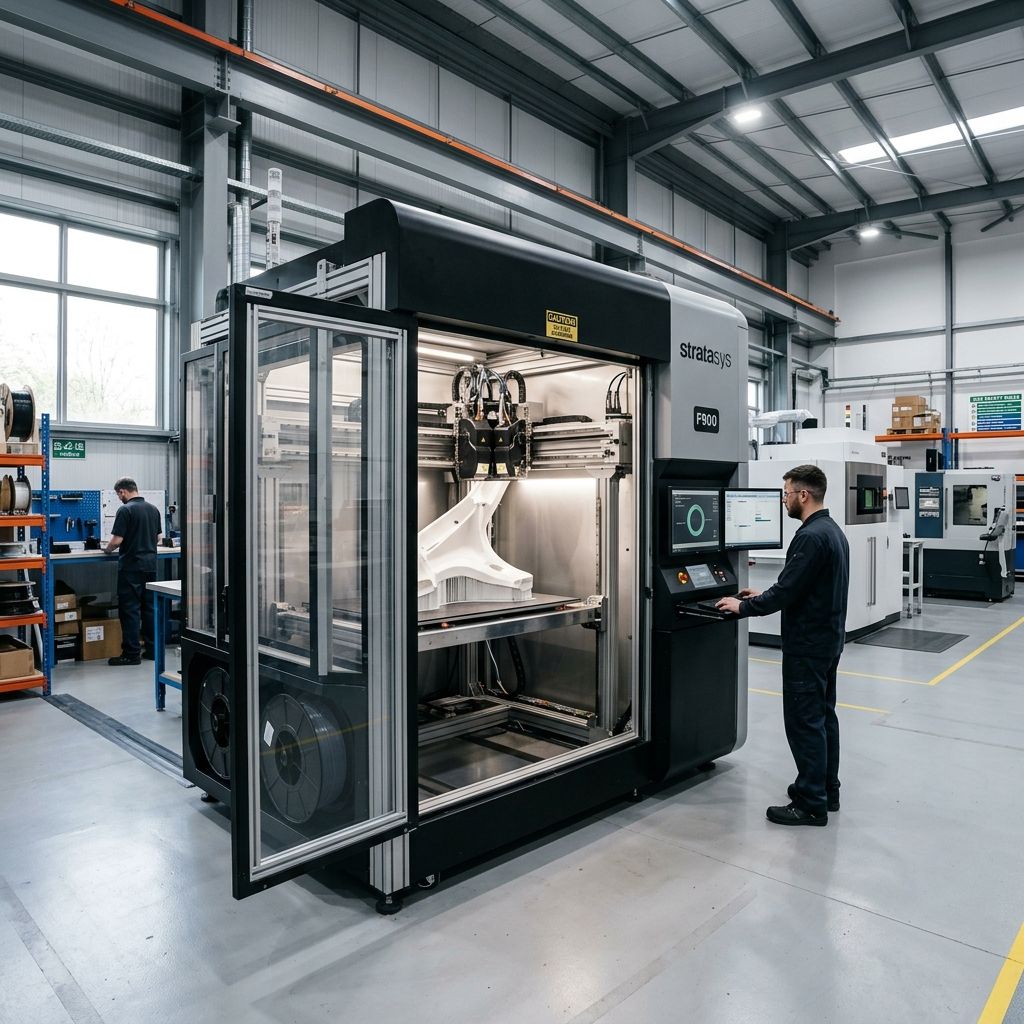
Markforged Mark Two & Onyx One: Field Troubleshooting & Community Solutions Log
An unfiltered, hands-on engineering guide to diagnosing kinematic drift, overcoming continuous fiber jamming, and resolving abrasive extruder wear on the shop floor.
Executive Specs & Operational Benchmarks
The Markforged platform is celebrated for producing stiff, end-use parts, but maintaining its tight tolerances requires a rigorous understanding of its mechanical weak points. Under continuous operational load, its closed ecosystem demands precise physical calibrations that the software cannot automate.
- Chassis Architecture: Kinematic bed coupling, unibody aluminum gantry, dual-extruder carriage (Mark Two only)
- Filament Drive System: Single-drive wheel Bowden extruder, 3.0mm nominal filament path (Onyx)
- Critical Tolerances: X/Y repeatability within ±50 microns; Z-layer step-down accuracy down to 50 microns
- Primary Consumables: Onyx (Micro-carbon filled PA6), Continuous Carbon Fiber, Kevlar, Fiberglass, HSHT Fiberglass
If you are experiencing persistent extrusion failures or dimensional variations, utilize our 3D Printer Troubleshooting tool to narrow down physical versus slicing anomalies before executing the teardowns below.
The Hard Truth About the Markforged Desktop Platform
If you bought a Mark Two or an Onyx One believing it was a "set-it-and-forget-it" appliance, your workshop floor has likely already disabused you of that notion. Yes, when these machines are dialed in, they print composite parts with excellent surface finish and exceptional tensile strength. But underneath the sleek sheet metal and the highly polished Eiger cloud software lies a mechanical system subjected to intense abrasive wear and unforgiving physical constraints.
The fundamental challenge of these machines is the interaction between abrasive material (Onyx is a nylon 6 matrix loaded with micro-carbon fibers) and the consumable nature of the mechanical drive train. Unlike standard desktop printers that fail loudly and catastrophically, a Markforged degrades silently. You will notice a slow, creeping increase in surface roughness, a slight loss of dimensional repeatability across the kinematic bed, or structural delamination in your continuous fiber layers. If you are transitioning from consumer systems where automated compensation is standard such as those seen in our diagnostic review of Bambu calibration limits the fully manual, physical adjustments required on a Markforged can be a rude awakening.
Nightmare 1: Continuous Fiber Jamming & Undercutting at the Cutter Assembly
On the Mark Two, the continuous fiber routing system is a marvel of miniaturization, but it is also the single most common failure point. The continuous fiber filament (0.35mm nominal diameter carbon, Kevlar, or glass) is pushed not pulled through a Bowden tube into a specialized heated nozzle. Before the toolpath transitions or ends, a physical blade mechanism cuts the fiber strand inside the print head.
When this system fails, the fiber typically buckles inside the print head, wraps around the feed rollers, or undercuts, leaving a frayed tail that jams the nozzle during the next layer initialization. This is a classic mechanical column failure under compressive load.
The Physics of Fiber Buckling
Because the continuous fiber is pushed through a guide path with a small but necessary clearance, we can model the fiber strand as a column under compressive load. According to Euler's buckling formula:
$$P_{cr} = \frac{\pi^2 E I}{(K L)^2}$$
Where:
- $P_{cr}$: Critical buckling load (the maximum force the fiber can withstand before bending)
- $E$: Young's modulus of the composite fiber (for carbon fiber, this is exceptionally high along the axis, approx 60 GPa, but the nylon matrix binder degrades and softens when exposed to ambient heat near the hotend)
- $I$: Area moment of inertia of the cylindrical fiber ($I = \frac{\pi d^4}{64}$, where $d \approx 0.35 \text{ mm}$)
- $L$: Unsupported length of the fiber path (the physical gap between the drive gear and the entrance to the guide tube, or the gap between the Bowden tube and the melt zone)
- $K$: Column effective length factor (typically assumed as $1.0$ for pinned-pinned joints in this assembly)
As the PTFE guide tubes wear out, their internal diameter increases from slop and abrasion. This increases the effective unsupported length ($L$) and allows the fiber to deflect laterally. Once $P_{cr}$ is exceeded, the fiber buckles inside the tool head. It ceases to feed, while the drive gears continue to spin, grinding the carbon strand into a fine, highly abrasive powder that ruins the drive roller.
Step-by-Step Rebuild of the Fiber Feed & Cutter Mechanism
- Isolate and Cool: Power down the printer. Ensure the fiber nozzle is completely cold. Unload any remaining continuous fiber from the rear spool.
- Remove the Carriage Cover: Detach the plastic print head cover. Unscrew the two holding screws securing the fiber cutter solenoid assembly.
- Inspect the Cutter Blade: The cutter is a small, hardened steel guillotine blade actuated by a solenoid. Over time, the adhesive binder from the fiber build up on this blade, or the blade chips. Slide the blade out manually. Inspect the edge under a magnifier. If there is any chipping or rounded edge, replace it. If it is coated in carbon residue, clean it with 99% Isopropyl Alcohol (IPA) and a brass wire brush.
- Measure the PTFE Bowden Guide Line: Pull the fiber Bowden tube out of its push-to-connect fitting at the rear of the print head. Measure its internal diameter using a pin gauge. If the internal diameter exceeds 0.50mm (nominal is 0.40mm), the tube must be discarded. A worn tube causes the fiber to snake, increasing feed friction exponentially.
- Realignment of the Guide Bushing: Reinsert the Bowden tube, ensuring it bottoms out completely in the metal throat of the print head. A gap of even 0.5mm between the end of the PTFE tube and the internal metal step will cause the fiber to buckle under the compression of feeding.
Nightmare 2: Onyx Extruder Wear & Bowden Tube Drag Escalation
The Onyx One and Mark Two both feed 1.75mm Onyx filament through a long Bowden tube from a sealed dry box. Nylon PA6 is highly hygroscopic, but it is also highly abrasive once filled with carbon fibers. This creates two distinct failure modes: physical wear of the drive gears and cumulative drag inside the Bowden path.
The standard extruder uses a brass drive gear pressing against a steel idler bearing. Using brass against micro-carbon fiber is a baffling engineering choice for longevity, but it is what comes stock. Within 1,000 to 1,500 printing hours, the sharp teeth of the brass gear wear flat, losing their grip on the slippery nylon matrix. This results in intermittent underextrusion that looks like a clog but is actually mechanical slippage.
The Capstan Friction Equation on the Bowden Path
The force required to push the filament through the curved Bowden tube increases exponentially with the total angle of the bends in the tube. This is governed by the Euler-Eytelwein (or Capstan) formula:
$$T_{out} = T_{in} e^{\mu \theta}$$
Where:
- $T_{out}$: The force required at the extruder end to push the filament into the print head
- $T_{in}$: The residual drag force from the spool and dry box rollers
- $\mu$: Friction coefficient between the Onyx filament and the inner wall of the PTFE Bowden tube
- $\theta$: Cumulative bend angle of the Bowden tube in radians
Under normal conditions with virgin PTFE, $\mu$ is roughly 0.08. However, as the abrasive Onyx filament passes through, it scrapes the PTFE, embedding micro-carbon particles into the tube walls. This increases $\mu$ to 0.30 or higher. If your Bowden tube has a cumulative sweep of 180 degrees ($\pi$ radians) as the carriage moves to the far corners of the bed, the force required to feed the filament multiplies:
$$T_{out} = T_{in} e^{0.30 \times \pi} \approx T_{in} e^{0.942} \approx 2.56 \times T_{in}$$
This massive increase in drag overloads the stepper motor, leading to skipped steps (clicking noises) and deep gouges in the filament.
PRO-TIP: Never attempt to resolve a slipping Onyx extruder by simply tightening the tension screw to its absolute limit. Over-tensioning deforms the round Onyx filament into an oval cross-section, which dramatically increases the surface area contact within the Bowden tube, driving the friction coefficient ($\mu$) even higher and exacerbating the jam downstream.
Nightmare 3: Kinematic Coupling Drifts & Bed Leveling Mysteries
Markforged uses a highly accurate, three-point kinematic bed coupling. The print bed sits on three polished steel balls that nest into a flat, a groove, and a V-slot on the aluminum sub-frame. This allows the bed to be removed and replaced with sub-10 micron repeatability.
However, this repeatability relies on the interfaces remaining pristine. In busy machine shops, micro-debris (carbon fiber dust, tiny plastic purged tails, or metal shavings) gets trapped under the steel balls. Additionally, the manual bed leveling procedure utilizes a brass shim stock (the "shim of destiny"). If your technicians are ham-fisted, they will scrape the nozzle tip against the bed, causing microscopic gouges in the composite build plate or throwing off the Z-axis leadscrew alignment.
Kinematic Maintenance & Coupling Alignment Workflow
To restore the kinematic coupling to factory specification, perform the following alignment every 500 hours or after any major head-crash:
- Clean the Coupling Interfaces: Remove the print bed entirely. Use a lint-free microfiber cloth soaked in 99% IPA to clean the three polished steel balls on the underside of the bed. Clean the corresponding mounting points (flat, groove, and V-slot) on the z-stage carrier. Inspect under a bright light for pit marks or flat spots on the balls; if present, the bed must be replaced.
- Apply High-Vacuum Grease: Place a tiny, pinhead-sized dab of high-purity Krytox GPL-205 grease on the flat, groove, and V-slot. Do not over-lubricate; excess grease attracts abrasive carbon dust.
- Execute the Manual Leveling Cycle: Initialize the bed leveling utility from the Eiger touchscreen. Clean the nozzle tip of all plastic residue using a brass wire brush while the hotend is at 240°C. Do not skip this step: even 0.05mm of cold Onyx on the nozzle tip will skew your leveling entirely, resulting in poor first-layer adhesion or bed scraping.
- Calibrate with the Reference Shim: When sliding the brass shim under the nozzle, do not pull or push at an angle. Hold the shim flat against the bed. Tighten the thumb screws until you feel a light, consistent drag. If you have to force the shim, it is too tight. If the shim moves without resistance, it is too loose.
Exhaustive Maintenance Protocol & Alignment Intervals
To run a Markforged machine at industrial efficiency, you must abandon the "run-to-failure" mindset. Establish a preventive maintenance schedule based on actual extrusion hours. Use the following structured checklist to track your physical maintenance intervals.
- Every 100 Print Hours: Clean the build plate with warm water and soap; inspect the nozzle silicone sock for tears; vacuum out the bottom of the printer chassis to remove purged fiber tails.
- Every 250 Print Hours: Clean the X/Y linear rails with lint-free wipes and apply light machine oil (e.g., Mobil 1 or synthetic 3-in-1); check the belt tension using the acoustic tuning method; inspect the extruder drive gear for plastic shaving build-up.
- Every 1000 Print Hours: Replace the Onyx Bowden tube; replace the brass extruder feed gear; inspect the continuous fiber feed tube and cutter blade; perform a deep Z-axis lead screw cleaning and re-lubrication with PTFE-infused grease.
- Every 2000 Print Hours: Replace both the plastic (Onyx) and continuous fiber nozzles; replace the X/Y gantry belts; check the play in the stepper motor shaft bearings.
Acoustic Belt Tensioning Protocol
Markforged gantries use a dual-belt CoreXY-like configuration that requires highly balanced belt tension to prevent parallelogramming (skewed prints). Instead of relying on spring tensioners, use the acoustic frequency method recommended by the factory.
Download a guitar tuner app or use a frequency analyzer on your mobile device. Pluck the longest open span of the X/Y belts. The target frequency for a properly tensioned belt on a Mark Two is 110 Hz to 115 Hz.
If the frequency is below 100 Hz, loosen the belt clamp screws at the rear of the carriage, gently pull the belt taut with pliers, and re-tighten. If the frequency is above 120 Hz, the excessive load will prematurely wear the stepper motor bearings and cause severe ghosting or ringing on your vertical print surfaces.
Troubleshooting Matrix: Symptoms, Root Causes, and Shop-Floor Fixes
This matrix outlines the common failure modes experienced by operators under real workshop conditions, bypassing the standard "check your file" advice of basic manuals.
| Observed Symptom | Probable Root Cause | Immediate Field Action Required |
|---|---|---|
| Fine, hairy stringing on Onyx parts with rough vertical walls. | Wet material. Onyx absorbs water rapidly; even 24 hours of exposure to >35% RH will ruin a spool. | Bake the spool in a dedicated drying oven at 75°C for 4 to 6 hours. Check the desiccant packs in your dry box; replace if they have turned pink or soft. For details on handling wet nylons, refer to our guide on high-temp material drying methods. |
| The continuous fiber layers look dry, or the fiber is peeling away from the underlying Onyx shell. | Inadequate nozzle height or worn fiber nozzle. If the nozzle is worn, it doesn't apply enough ironing pressure. | Run the fiber nozzle height calibration utility. If the nozzle tip has a visible flat spot or has been scraped against the bed, replace the brass fiber nozzle. Ensure Eiger settings for fiber density match the actual spool. |
| Circles are printing as ovals, or parts are skewed along the diagonal. | Unequal tension between the left and right gantry belts. | Perform the acoustic belt tensioning protocol described above. Loosen the gantry rod clamps, align the gantry square to the frame using reference blocks, and re-torque to 1.2 Nm. |
| Clicking noise from the extruder; print finishes with completely missing layers. | Extruder slip due to a clogged nozzle or high Bowden tube drag. | Perform a "cold pull" using nylon cleaning filament to clear any carbon char from the nozzle. If clicking persists, replace the Bowden tube and inspect the brass drive gear teeth for wear. |
| The first layer is paper-thin in one corner and thick/loose in another. | Debris in the kinematic coupling mount or a bent build plate. | Remove the print bed, clean the three mounting balls and V-grooves with IPA, apply a dab of grease, and execute the manual three-point leveling cycle. |
Field Hacks & Technical Alternatives
When you are in the middle of a production run and cannot wait three days for proprietary Markforged spare parts, there are a few temporary field hacks that can keep your shop running. However, use these with caution, as they can void warranties if executed poorly.
The PTFE Bowden Re-sleeving Hack
If you have run out of official Markforged Onyx Bowden tubes, you can source high-quality 2mm ID / 4mm OD Capricorn XS series PTFE tubing. Cut it to the exact millimeter length of the original tube.
Because Capricorn tubing has tighter tolerances (1.9mm ± 0.05mm ID), it actually reduces the filament "snake" inside the tube, reducing push force friction. However, make sure you chamfer the entry and exit holes of the tube using a deburring tool; otherwise, the sharp edges of the carbon-filled Onyx will catch on the tight entry point and cause immediate jams.
Upgrading the Extruder Gear (The Third-Party Solution)
If you are tired of replacing the OEM brass drive gears every few months, look for aftermarket hardened steel drive gears designed specifically for the Markforged extruder geometry.
A hardened steel gear (with a Rockwell hardness above 55 HRC) will easily withstand the abrasive nature of carbon-fiber-filled nylon without wearing flat. Be warned, though: steel gears have slightly different teeth profiles, so you must calibrate your extrusion multiplier in Eiger if you notice minor over-extrusion after the swap.
Frequently Asked Questions
Why does my Mark Two continually fail to feed continuous fiber at the start of a print?
This is almost always caused by a dull cutter blade that is fraying the end of the fiber rather than cleanly shearing it. The frayed, mushroomed tail cannot enter the small entry funnel of the fiber nozzle, causing the drive motor to slip and the fiber to buckle upstream.
How often should I dry my Onyx filament, and can I do it on the print bed?
Onyx must be dried immediately if it has been exposed to ambient humidity above 30% for more than 4 hours. Do not dry it on the print bed; the closed chamber of the Mark Two does not have adequate ventilation to exhaust the moisture, and you risk warping the composite build plate under sustained localized heat.
Why am I getting step losses on the Z-axis during long prints?
This occurs when the Z-axis lead screw accumulates a paste of carbon dust and grease, which binds the nut. Clean the lead screw thoroughly with a degreaser and a stiff nylon brush, then lubricate with a dry PTFE lubricant or a very light machine oil instead of heavy grease.
Can I print third-party nylons or carbon-fiber filaments on my Onyx One?
While physically possible if you bypass the spool holder, the Eiger slicer enforces locked print profiles optimized specifically for the thermal expansion and viscosity of genuine Onyx. Attempting to print third-party filaments often results in persistent jams or poor layer adhesion because you cannot adjust the extrusion multiplier or nozzle temperatures on the fly.
Critical Torque Warning
The hotend heater blocks on both the Mark Two and Onyx One are made of soft, high-thermal-conductivity aluminum. When replacing nozzles, you must heat the block to 240°C and use a calibrated torque wrench set to exactly 1.4 Nm (12.4 in-lbs). Over-torqueing will instantly strip the internal M6 threads, destroying the entire heater block assembly. Under-torqueing will allow molten nylon to seep past the threads, resulting in a catastrophic plastic blowout that can ruin your entire tool head wiring harness.
Related Intel
Fixing Vision Miner 22 IDEX Thermal Alignment
To fix thermal drift on Vision Miner 22 IDEX, calibrate toolhead offsets only after the chamber reaches operating temperature (90-100°C) to account for aluminum gantry expansion of about 1.1 mm over 600 mm.
Modix BIG-120X V3: Bed Warp and Gantry Fixes
The Modix BIG-120X V3 has two main issues: thermal bed warp exceeding 1.5mm due to constrained expansion of the aluminum plate, and gantry binding from improper alignment. This guide shows how to fix each with dial indicators and config changes.
Fixing Common UltiMaker Method XL Problems
Heat creep is the main cause of jamming in the Method XL's Smart Extruder. Ensure the heat break cooling fan pulls ambient air below 80°C by maintaining hotend fan shroud seals and pre-drying filaments like PVA to keep cold block below glass transition temperature.