Common AON3D Hylo High-Temp Printing Issues

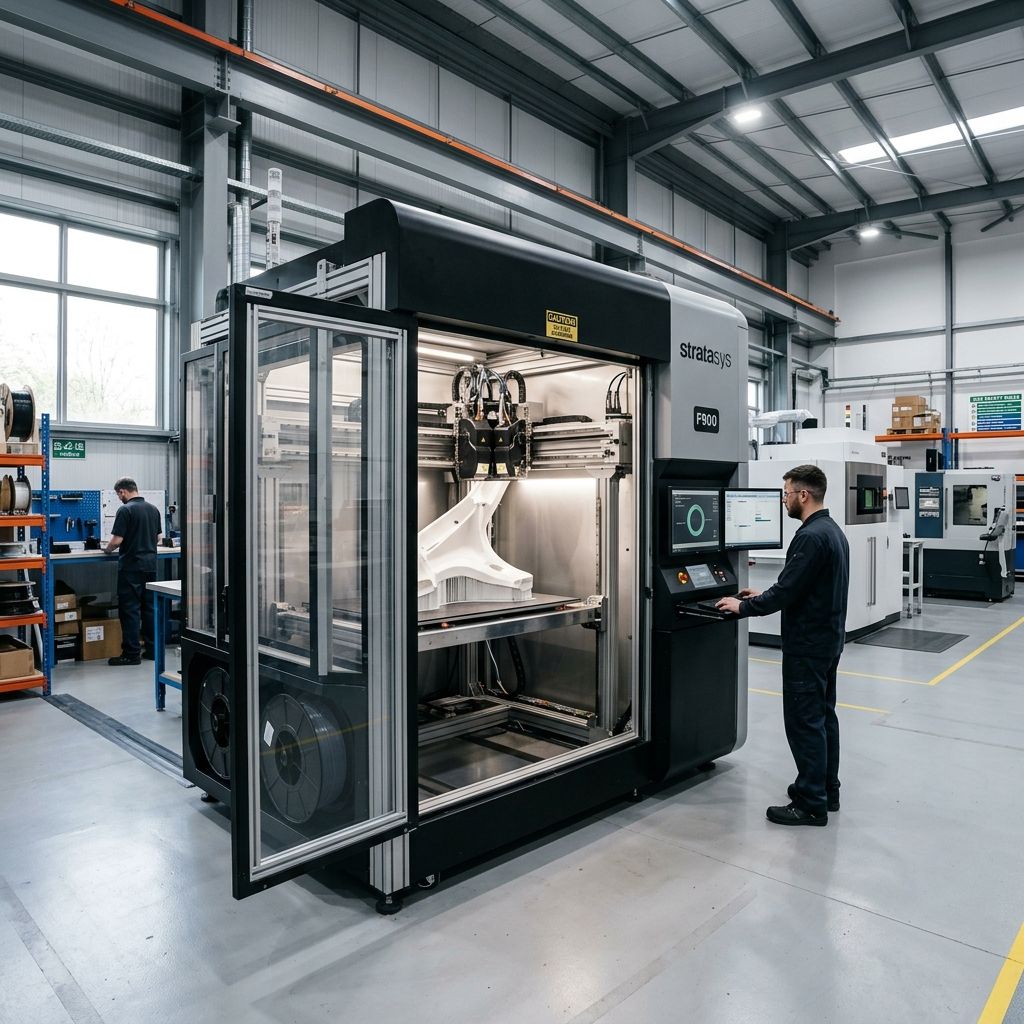
AON3D Hylo: Field Survival Guide and High-Temperature Reality Check
The marketing deck for the AON3D Hylo talks about "machine intelligence" and "seamless high-temp printing," but if you've spent more than five minutes in a real shop, you know that 200°C chambers and 500°C nozzles don't play nice with physics. When you're pushing PEEK, PEKK, or Ultem 1010, the machine isn't just a printer; it's a high-pressure thermal reactor that wants to warp, jam, and drift out of calibration the moment you look away.
Core Technical Specifications (Field Verified):
- Chamber Temp: Up to 250°C (Active Convection)
- Nozzle Max: 500°C (Hardened Steel/Tool Steel)
- Build Volume: 650 x 450 x 450 mm
- Motion: Independent Dual Extruders (IDEX) on Linear Rails
- Sensor Suite: Integrated pressure and thermal monitoring per-nozzle
Failure Mode 1: The "Thermal Soak" Deception and Z-Offset Drift
The biggest mistake I see junior techs make with the Hylo is hitting "Print" the moment the chamber sensor reads the target temperature. You cannot cheat the laws of thermodynamics. When that chamber hits 200°C, your air is hot, but your aluminum build plate, your linear rails, and your carbon-fiber-reinforced gantry are still expanding. If you start a print too early, your first layer will look perfect, but by layer 50, your Z-offset will have drifted by 0.1mm to 0.2mm because the frame finally reached thermal equilibrium.
In my experience, the Hylo's IDEX system is particularly sensitive to this. Because the two heads sit on the same X-rail, any slight bowing of that rail due to uneven thermal expansion creates a "smile" or "frown" across the build plate. I've spent hours chasing ghost leveling issues only to realize we just didn't let the machine soak long enough. The "auto-leveling" can only compensate for so much; it can't fix a gantry that's actively moving while it's trying to print.
Expert Note: Ignore the "Ready" light for critical PEEK jobs. For a full-volume build, I mandate a minimum 2-hour thermal soak at chamber temp. We use a dial indicator on a magnetic base to monitor the bed-to-nozzle gap. If that needle is still moving, the machine isn't ready. Period.
Step-by-Step Thermal Calibration Workflow:
- Clean the nozzles thoroughly with a brass brush at 300°C to ensure zero "plastic boogers" are interfering with the probe.
- Heat the chamber to your target (e.g., 180°C for Ultem 9085).
- Wait 90 to 120 minutes. Don't touch it.
- Run the "Active Compensation" routine. This is where the Hylo's sensors actually shine, but they need the hardware to be stable to give accurate data.
- Check the X-axis synchronization. Because it's an IDEX system, if one motor is running slightly hotter than the other, you can get a micro-skew that ruins your dual-material interfaces.
Failure Mode 2: The PEEK Delamination Trap (Crystallization Kinetics)
Printing PEEK isn't just about getting the plastic hot; it's about controlling how it cools. The Hylo uses high-airflow convection, which is a double-edged sword. If your fan speeds are even 5% off, or if the heater cycles too aggressively, you'll see the PEEK turn from a translucent brown (amorphous/quenched) to an opaque tan (crystalline). If this transition happens unevenly between layers, the internal stresses will literally rip the part off the bed or cause mid-print delamination that looks like a clean knife cut.
I've seen the Hylo's "Process Monitoring" software flag a temperature dip, but by the time the heater reacts, the damage is done. The material has already "frozen" into a specific crystalline state. The catch is that the cooling fans on the toolheads are often the culprits. They are designed to keep the "cold side" of the extruder cool, but in a 200°C chamber, "cold" is a relative term. If the fan shroud is slightly bent or the ducting has a leak, you're blowing turbulent hot air onto the part, which causes localized cooling and warping.
Physics of Failure: The volumetric shrinkage of PEEK during crystallization is roughly 1-2%. In a 600mm wide part, that's nearly 12mm of potential movement. The bed adhesive (usually a PEI sheet or a specialized vacuum build plate) has to fight that force. If your chamber isn't uniform within ±3°C across the entire volume, you're toast.
Internal Component Wear Analysis:
- Drive Gears: The Hylo uses high-torque gears. Check the teeth every 500 hours. Carbon-filled PEEK acts like liquid sandpaper and will dull the "sharp" bite of the gears, leading to under-extrusion.
- Heater Cartridges: High-wattage 500°C heaters have a finite lifespan. We've seen them fail or "drift" in resistance after 1,000 hours of high-temp soak. Always keep a spare pair of heater blocks in the drawer.
- Door Seals: The silicone gaskets on the Hylo door take a beating. If you feel a draft, you've got a cold spot. Replace gaskets the moment they lose elasticity.
Failure Mode 3: The IDEX Alignment and "Toolhead Chatter"
The Hylo's Independent Dual Extrusion (IDEX) is great for printing complex geometries with soluble support, but it's a maintenance hog. The biggest field issue we run into is "chatter" or vibration in the secondary head. Because the second head often "parks" while the first one is working, it can pick up vibrations from the active head. If the parking brake or the belt tension isn't dialed in perfectly, that secondary head will vibrate just enough to create "ghosting" on the surface of your part.
Maintenance of the linear rails is non-negotiable. Most techs use standard grease that's a death sentence here. At 200°C, standard lithium grease turns into a sticky varnish that will seize your bearings. We use specialized high-temp perfluorinated polyether (PFPE) lubricants (like Krytox). It's expensive as hell, but it's the only thing that doesn't evaporate or carbonize.
The "Deep Clean" Procedure for IDEX Rails:
I do this every 200 hours of print time, or after any failed print where "spaghetti" got into the gantry:
- Manually move the toolheads to the center and wipe the rails with a lint-free cloth and isopropyl alcohol (only when the machine is COLD).
- Inspect the belt tension. High heat causes belts to stretch over time. Use a frequency tension meter if you have one; don't rely on "feel." Most Hylo belts should be tuned to a specific Hz range provided in the technical manual, but "guitar-string tight" is usually too much and will chew up the motor bearings.
- Check the nozzle-to-nozzle X/Y offset. Even a 0.05mm error will result in a "stair-step" between your support material and your model material. I use a 50x shop microscope to inspect the calibration lines. The on-board camera is okay, but it doesn't have the resolution for high-tolerance aerospace parts.
Skeptic's Tip: AON3D pushes their "automatic toolhead calibration." It's a great starting point, but don't trust it blindly for a $5,000 PEEK part. Always run a small "cross-hair" test print in the center and the four corners of the bed before starting a multi-day job. If the support and model aren't perfectly fused, your part is scrap.
Material Handling: The Invisible Enemy
You can have a $100k printer, but if your filament is wet, the Hylo will behave like a cheap hobby machine. Materials like PEKK and Ultem are extremely hygroscopic. Even 4 hours of exposure to shop air can ruin a spool. The Hylo's internal storage is supposed to be sealed, but "sealed" is a relative term when you're opening the door to swap spools.
When moisture-laden filament hits a 400°C nozzle, the water turns to steam instantly. This creates "voids" in the extrusion (pitting) and causes the pressure in the melt zone to fluctuate wildly. The Hylo's pressure sensors will try to compensate by slowing down the drive motor, but this often leads to "surging" extrusion. If your print sounds like it's "popping" or "sizzling," stop the print. You're wasting time and expensive plastic.
- Drying Temp (Ultem/PEEK): 120°C to 150°C for 12+ hours.
- Storage: Dry boxes MUST be under 5% RH. We use molecular sieve desiccant, not silica gel, because silica gel gives up its moisture at the temperatures found inside a Hylo's enclosure.
- Filament Path: The PTFE tubes inside the machine are "high temp," but they still degrade. If you feel increased resistance when pushing filament manually, the tube is likely "cooked" and narrowed at the hot-end junction. Replace it.
Troubleshooting Matrix: Field Scenarios
This is what we've learned from 2,000+ hours of operation on the Hylo platform:
Problem: "The First Layer Won't Stick to the Vacuum Plate"
Cause: Usually a "thermal bubble" under the PEI sheet or a clogged vacuum line. If the vacuum pump is straining, check the filter. If the plate is hot but the sheet is loose, the adhesive backing on the PEI has failed due to thermal fatigue.
Fix: Peel the PEI, clean the aluminum with acetone, and apply a fresh sheet. Ensure no air bubbles are trapped. Also, check the "Z-probe" offset; if the nozzle is 0.05mm too high, Ultem will just bead up like water on a waxed car.
Problem: "Random Layer Shifts on the Y-Axis"
Cause: The Y-axis carries the weight of the entire X-gantry and both IDEX heads. At high accelerations, the inertia is massive. If the chamber is at 200°C, the stepper motors are running hot. If they exceed their thermal limit, they'll skip a step to protect the windings.
Fix: Reduce your "Travel Acceleration" in the slicer by 20%. Ensure the motor cooling fans (the ones sucking air from outside the chamber) aren't clogged with dust. I've seen shop rags get sucked against the intake vents more times than I can count.
Problem: "The 'Machine Intelligence' keeps pausing the print"
Cause: The Hylo is hypersensitive to "Filament Grinding." If the spool has a tangle or if the diameter of the filament varies by more than 0.05mm, the sensor thinks the nozzle is clogged.
Fix: Check the tension on the extruder idler arm. If it's too tight, you're deforming the filament into an oval shape, which then gets stuck in the PTFE guide tube. It's a cascading failure. Back off the tension until you just barely see the "tooth marks" on the filament.
Physics of the Melt Zone: Why "Heat Creep" Still Happens
Even with liquid cooling or high-velocity air cooling on the cold-break, the Hylo can suffer from heat creep when printing at slow speeds with high-temp materials. If you're printing a small, high-detail part in PEEK, the filament is moving slowly through the melt zone. The heat has more time to "climb" up the filament. Eventually, the filament softens above the heat break, swells, and jams the extruder.
My rule of thumb: Never drop below a volumetric flow rate of 2mm³/s for high-temp polymers. If the part is small, print two of them or add a "wipe tower" to keep the filament moving. This keeps the heat moving "down and out" through the nozzle rather than "up and in" to the drive gears.
Pro-Tip: The hardened steel nozzles are great for wear, but their thermal conductivity is garbage compared to copper. If you're struggling with "undercooked" plastic at high speeds, you might need to bump your nozzle temp 10-15°C higher than the material datasheet suggests to compensate for the steel's lag in heat transfer.
When swapping nozzles, always do it at "Full Operating Temp." If you tighten a nozzle at 200°C and then run it at 450°C, the thermal expansion will create a gap between the nozzle and the heat break. Plastic will leak into the threads, carbonize, and you'll never get that heater block clean again. I use a torque wrench set to 2.5Nm no more, no less. Over-torquing at 450°C will snap the nozzle neck like a twig, and then you're looking at a $1,000 replacement for the whole hot-end assembly.
Watch your chamber thermistors. If one starts fluctuating by more than 5 degrees, it's likely a loose wire in the drag chain. The constant flexing at high heat makes the copper brittle over time. If you see "Erratic Temp" warnings, don't just clear them; check the wiring harness before the machine shuts down mid-print on a 40-hour job.
Related Intel
Fixing Vision Miner 22 IDEX Thermal Alignment
To fix thermal drift on Vision Miner 22 IDEX, calibrate toolhead offsets only after the chamber reaches operating temperature (90-100°C) to account for aluminum gantry expansion of about 1.1 mm over 600 mm.
Modix BIG-120X V3: Bed Warp and Gantry Fixes
The Modix BIG-120X V3 has two main issues: thermal bed warp exceeding 1.5mm due to constrained expansion of the aluminum plate, and gantry binding from improper alignment. This guide shows how to fix each with dial indicators and config changes.
Markforged Mark Two & Onyx One Troubleshooting
The Markforged Mark Two and Onyx One require manual calibration for kinematic drift, continuous fiber jamming, and abrasive extruder wear. This guide covers diagnosing fiber buckling, cutter assembly issues, and maintaining tight tolerances.