Fixing Common UltiMaker Method XL Problems

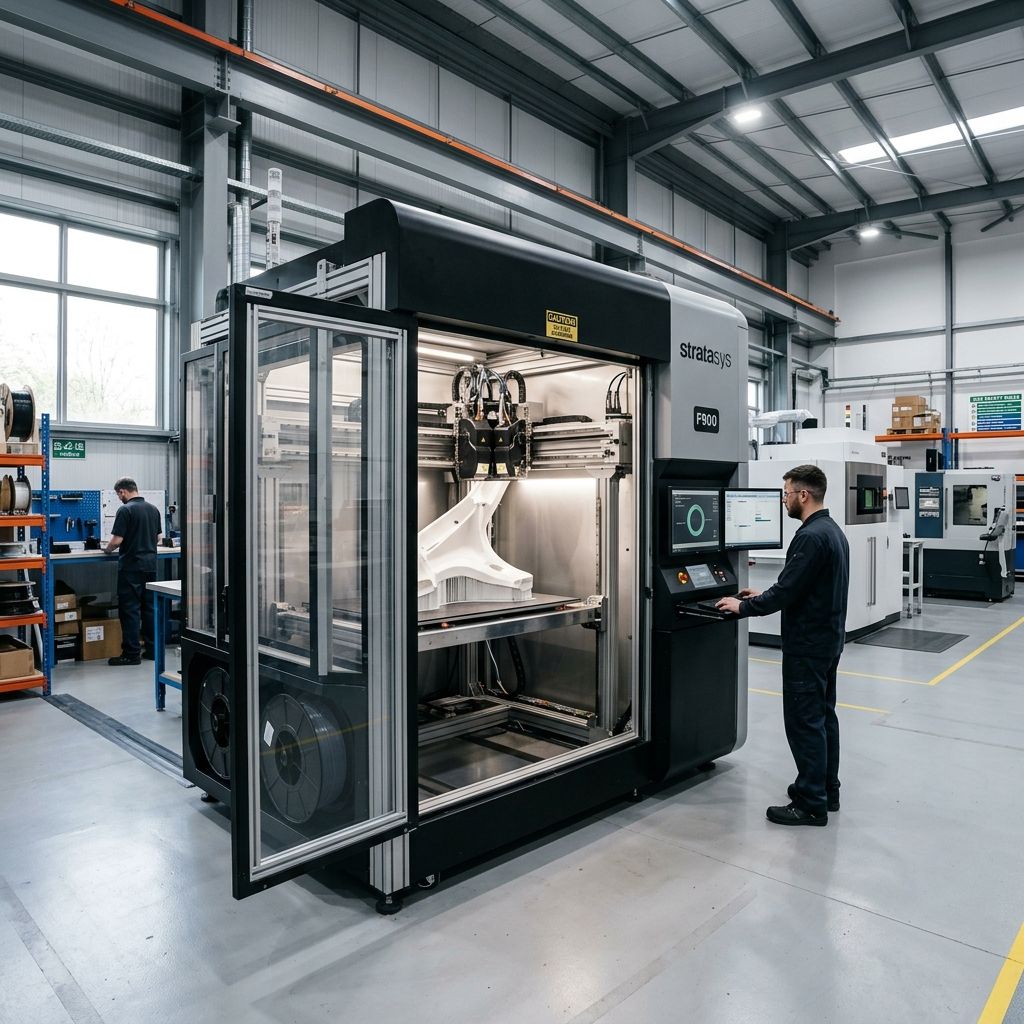
UltiMaker Method XL: Real-World Field Diagnostics & Workshop Fixes
An unfiltered engineering look at why this industrial FFF machine jams, slips, and drifts and the precise modifications and maintenance workflows required to keep it running 24/7 on the factory floor.
Executive Technical Specs & Calibration Aids
The Method XL bridges the gap between desktop prototyping and heavy industrial production. With a 100°C actively heated chamber and a dual-extrusion system designed for soluble supports, its tolerances must remain incredibly tight. If you are experiencing feed issues or material degradation, use our Filament Drying Calculator to ensure your nylon and ABS-R spools are thoroughly preconditioned before they enter the integrated dry-bays.
The UltiMaker Method XL is a massive, rigid piece of hardware designed to print complex engineering materials without the warping issues that plague open-frame machines. On paper, its 100°C heated chamber, dual-stage material filtration, and smart extruders make it a hands-off industrial tool. However, anyone who has run these machines in a job shop or a high-stress R&D lab knows that "hands-off" is a marketing myth.
Under heavy, continuous thermal loads, the Method XL exhibits specific mechanical vulnerabilities. The heat-break cooling system, the long and tortuous material routing paths, and the kinematic build plate mount all have failure modes that do not show up in the sales brochure. We have torn down these toolheads, cleared out clogged dry-bays, and recalibrated the kinematics to keep production moving. Here is the field diagnostic data and repair manual for the Method XL.
Failure 1: Extruder Heat Creep & Jamming in Dual-Drive Cores
The Method XL utilizes the Smart Extruder system (specifically the 1C and 2A cores). These extruders pack a lot of tech into a compact package, including a dual-drive gear setup, an integrated encoder to measure filament movement, and a custom thermal break. The most common failure we see in production is heat creep, particularly when running high-temp engineering thermoplastics (like ABS-R or Carbon Fiber Nylon) alongside soluble support materials like RapidRinse or PVA.
The root cause is a thermal management bottleneck. When the chamber is soaking at 100°C, the temperature differential ($\Delta T$) between the hotend melt zone and the "cold" section of the extruder is severely compressed. The small cooling fan mounted on the toolhead carriage struggle to pull heat away from the heat break because the air it is moving is already at 80°C 100°C.
The Physics of Heat Creep in the Method Toolhead
To understand why this happens, we look at the 1D steady-state heat conduction through the thermal break. The heat flow ($q$) from the heater block to the cold block is defined by Fourier's Law:
$$q = -k \cdot A \cdot \frac{dT}{dx}$$
Where:
- $k$ is the thermal conductivity of the heat break material (typically a thin-walled stainless steel or titanium alloy, where $k \approx 15 \text{ W/m}\cdot\text{K}$).
- $A$ is the cross-sectional area of the heat break tube wall.
- $dT/dx$ is the temperature gradient along the length of the break.
When the heated chamber is active, the ambient temperature around the cold block increases. This reduces the rate of convective heat dissipation from the heat sink. Consequently, the temperature of the cold block rises above the glass transition temperature ($T_g$) of the filament. For PVA, $T_g$ is as low as 45°C 50°C. Once the filament passes this thermal threshold in the cold zone, it softens, swells, and gets squashed by the dual-drive gears. This creates an immediate feed jam that the internal encoder registers as a "filament slip" or "out of material" error.
Pro-Tip: Never let a completed print sit in a fully heated 100°C chamber for hours after the job finishes. The chamber heater will turn off, but the thermal mass of the bed and walls will keep the air hot enough to bake and embrittle the filament waiting inside the idle extruders, causing it to snap on the next load cycle.
Step-by-Step Extruder Unjamming & Thermal Upgrade
If your extruder is jammed with swollen PVA or ABS, do not try to force it out with a cold pull right away; you will strip the drive gears or break the internal filament sensor lever. Follow this physical recovery procedure:
- Remove the Extruder: Power down the printer. Press the quick-release latch and slide the extruder core out of the carriage. Let it cool on a silicone mat.
- Access the Drive Assembly: Remove the three small Torx T6 screws holding the front plastic shroud of the extruder body. Carefully pry the shroud off, keeping an eye on the spring-loaded tensioner arm.
- Clear the Softened Plastic: Use a heat gun set to a conservative 110°C to gently warm the aluminum heat sink area. Do not point the heat gun directly at the plastic housing or the PCB. Once warmed, use a pair of precision brass tweezers to pull the deformed plug of filament out of the top of the heat break.
- Clean the Drive Gears: Inspect the dual steel drive gears. They are often packed with shaved plastic dust. Use a stiff brass wire brush to clean the teeth. If these teeth are packed with residue, their grip coefficient drops, leading to false-positive slip errors.
- Inspect the PTFE Guide Tube: Inside the throat of the extruder is a small, replaceable PTFE liner. If you have been running the extruder at 280°C 300°C for nylon, this tube will slowly degrade, shrink, and char. If it is discolored or deformed, pull it out with a pick and cut a fresh 18.5 mm piece of high-temp Capricorn XS PTFE tubing, ensuring the ends are cut perfectly square at 90 degrees.
- Reassemble and Heat Cycle: Reassemble the housing, reinstall the core, and run an extruder calibration cycle.
Failure 2: Dry-Bay Feed Faults and PTFE Path Friction
The Method XL features integrated dry-bays at the bottom of the unit. While this keeps the spools out of sight and reduces ambient moisture absorption, it introduces a massive mechanical headache: a tortuous, highly resistive filament routing path. The filament has to travel through nearly a meter of PTFE tubing, navigate several tight-radius bends, and pass through an active pre-feeder motor assembly before it ever reaches the toolhead.
As the PTFE tubing ages, its inner diameter (typically 2.0 mm) wears down due to abrasive filaments like Carbon Fiber Nylon (Nylon CF). The fibers carve micro-grooves into the internal walls of the tube. This increases the dynamic friction coefficient ($\mu_d$). When the toolhead moves to the far corners of the build envelope, the bend radius of the upper guide tube shrinks, compounding the friction. The toolhead extruder simply cannot pull against this resistance, leading to under-extrusion or mid-print pauses.
Friction Loss Calculation in Filament Routing
The tension ($T_{out}$) required to pull the filament through a curved guide tube can be estimated using a modified version of the Belt Friction Equation:
$$T_{out} = T_{in} \cdot e^{\mu \cdot \theta}$$
Where:
- $T_{in}$ is the resistance tension from the spool and pre-feeder.
- $\mu$ is the friction coefficient between the filament and the PTFE liner.
- $\theta$ is the total accumulated bend angle of the path in radians.
For a clean, new PTFE tube running neat ABS, $\mu \approx 0.04$. But for a worn, dusty tube loaded with abrasive Nylon CF, $\mu$ can climb to $0.25$ or higher. If the path has three 90-degree turns ($\theta = \frac{3\pi}{2} \approx 4.71 \text{ rad}$), the tension ratio explodes:
$$T_{out} = T_{in} \cdot e^{0.25 \cdot 4.71} \approx T_{in} \cdot 3.25$$
The toolhead extruder must pull more than three times the base spool resistance. Compare this to open-gantry setups where the filament feed is direct; the tension on the Method XL is exceptionally high. When troubleshooting print quality on this machine, physical friction is often the hidden culprit behind issues that look like software slicing errors.
- PTFE Inner Diameter (Standard): 2.0 mm (high friction with out-of-spec filament)
- PTFE Inner Diameter (Upgraded): 2.5 mm (only for routing paths, NOT hotend entries)
- Max Path Bend Angle: Keep any single bend radius above 75 mm
- Pre-Feeder Tension Setting: Factory set, check for motor shaft set-screw slippage
- Acceptable Moisture Level: Below 15% RH inside dry-bay chambers
Field Fix for Routing Drag
If you are getting constant feed errors with Nylon CF or tough materials, do not just buy new OEM replacement tubes. Instead, perform this workshop upgrade:
Replace the factory 2.0 mm ID / 4.0 mm OD PTFE tubing along the long chassis runs with 2.5 mm ID / 4.0 mm OD tubing. This extra 0.5 mm of internal clearance dramatically lowers the drag coefficient and accommodates slight filament diameter swelling. Keep the 2.0 mm ID tube only for the final 50 mm entry guide directly above the toolhead to prevent filament buckling before it enters the drive gears.
Additionally, check the entry ports of the dry-bays. The rubber grommets that seal the bays to prevent moisture ingress can become sticky or dry out, grabbing the filament as it passes. Apply a tiny amount of dry PTFE lubricant spray to a microfiber cloth and pull it through the tubes to slick the walls, but never spray lubricants directly into the machine or onto the filament.
Failure 3: Z-Stage Cantilever Sag & Thermal Expansion Drift
The Method XL uses a heavy, cantilevered bed platform supported by dual lead screws and linear guide rails at the rear. When you heat a chamber of this size to 100°C, thermal expansion becomes a dominant factor. Aluminum has a high coefficient of linear thermal expansion ($\alpha \approx 23 \times 10^{-6} \text{ K}^{-1}$).
Thermal Expansion of the Build Plate Assembly
Let's calculate the physical expansion of the aluminum bed support frame ($L_0 = 305\text{ mm}$) when transitioning from ambient shop temperature ($20^\circ\text{C}$) to full chamber temperature ($100^\circ\text{C}$), a temperature differential ($\Delta T$) of $80\text{ K}$:
$$\Delta L = L_0 \cdot \alpha \cdot \Delta T$$
$$\Delta L = 305\text{ mm} \cdot (23 \times 10^{-6}\text{ K}^{-1}) \cdot 80\text{ K} \approx 0.561\text{ mm}$$
An expansion of over $0.56\text{ mm}$ is massive when dealing with first-layer heights of $0.2\text{ mm}$. If the bed assembly heated components do not have room to expand relative to the steel frame, the entire bed will bow upward in the center or bind the linear rails, causing micro-stepping stalls and layer shifts.
This thermal shift can cause the active leveling system to drift during long prints. The printer will perform a 3-point leveling sequence before the chamber has reached thermal equilibrium, and then as the chamber continues to soak, the bed geometry warps away from those calibrated values.
Critical Calibration Step: Always preheat the chamber of the Method XL for at least 30 to 45 minutes before starting a critical print or running a manual Z-calibration. The air probe might read 100°C quickly, but the thick aluminum bed plate and heavy steel frame take much longer to reach thermal stability.
If you do not allow this thermal soak to occur, you will likely run into adhesion failures, or worse, your print nozzles will scrape against the build sheet on the first few layers. This issue is common to many enclosed systems, though other professional units handle this with different gantry arrangements. For instance, when configuring other high-end printers for production, thermal stability is a major factor, as noted in our analysis of high-temp material settings on other platforms.
Preventative Maintenance Checklist & Lubrication Cycles
To avoid unexpected downtime, we treat the Method XL like a machine tool, not a consumer appliance. Implementing a strict hourly maintenance interval prevents 90% of common sensor errors and mechanical shifts.
| Component | Interval | Action Required | Consumables / Tools |
|---|---|---|---|
| X/Y Linear Rods | 50 Operating Hours | Wipe down with lint-free cloth, apply dry PTFE lube. Never use grease on graphite bushings. | Isopropyl alcohol (99%), Dry PTFE spray |
| Z Lead Screws | 150 Operating Hours | Clean out old grease from threads. Reapply high-grade lithium grease. Run full axis travel. | Magnalube-G or equivalent PTFE grease |
| Dry-Bay Seals | Monthly | Inspect rubber door gaskets for cracks or dust. Clean with damp cloth to ensure airtight seal. | Mild soapy water, dry cloth |
| Nozzle Scraper | 100 Prints | Check brass brush wear. Replace if bristles are splayed or charred with filament residue. | OEM replacement brass scraper kit |
| Pre-Feeder Gears | 250 Operating Hours | Blow out dust from the dry-bay feed mechanisms. Check drive gear set-screw torque. | Compressed air, 1.5 mm hex wrench |
For more insights on keeping high-workload professional printers in peak condition, you can refer to our guide on preventive maintenance protocols for professional setups, which details rail cleaning and alignment practices that share several core principles with the Method XL platform.
Diagnostic Matrix: Resolving Common Failures
| Symptom | Probable Root Cause | Actionable Field Solution |
|---|---|---|
| Error Code: "Filament Slip Detected" on Extruder 2 | Water-soluble PVA/RapidRinse has softened in the drive gears or the lower routing path has high friction. | Clean drive gears with a brass wire brush. Increase the pre-heater bay drying time. Replace feed PTFE tube if it has more than 500 hours of run time. |
| Severe layer lines / wood-grain pattern on vertical Z walls | Z-axis lead screw wobble or loose X/Y belt tension. | Check belt tension using a sonic tension meter app (target: 65-70 Hz on long spans). De-grease and re-lubricate Z-lead screws. Inspect linear guide rail carriages for play. |
| First layer too thin on the left side, too thick on the right | Kinematic bed mounts bound up or bed calibration performed on a cold chamber. | Loosen bed plate retaining screws slightly, heat chamber to 90°C, let sit for 30 minutes, then retighten to let the aluminum expand naturally. Rerun active leveling. |
| Extruder heater error or erratic temp jumps | Spring contacts on the back of the Smart Extruder carriage are oxidizing or losing tension. | Power down. Clean the gold contact pads on the back of the extruder and the pins on the carriage using 99% IPA on a swab. Gently flex spring pins forward. |
| Filament snaps inside the internal routing tubes | Filament has absorbed moisture, becoming brittle, or the bend radius of the top guide tube is too tight. | Dry the filament for 12 hours. Route the filament through an external spool mount with a wider radius if using highly brittle materials. |
Community Solutions & Technical Alternatives
If you are tired of fighting the proprietary ecosystem of the Method XL, there are several field-tested pathways to make the machine more open and reliable.
The "Labs" Extruder Bypass
If you find yourself limited by the stock material profiles or constant chip errors from the proprietary spools, the best investment is the UltiMaker Labs Extruder. This hotend opens up third-party material profiles in Cura and allows you to tune extrusion parameters like retraction speed and thermal profiles beyond the factory presets.
When running the Labs extruder, we often bypass the internal dry-bays entirely for non-hygroscopic materials. Mounting an external, top-loading spool holder on a custom bracket reduces the filament travel path from over 1.2 meters to just 300 mm. This bypass completely eliminates the routing drag issues that trigger false slip errors. For hygroscopic materials like Nylon CF, run the filament from an active external heated dry box directly into the top of the Labs extruder through a short, straight PTFE run. This setup bypasses the lower bays while keeping the filament bone dry.
Additionally, pay close attention to your slicer settings to prevent extrusion artifacts. Over-retraction is a common source of clogs on long-path systems. Familiarizing yourself with how slicers handle these behaviors can save hours of troubleshooting; for example, many of these mechanical symptoms present similarly to issues resolved in our guide on Cura slicing errors, missing layers, and retraction blobs.
Frequently Asked Questions
Why does my Method XL keep pausing mid-print with a "Filament Out" error when the spool is full?
This is almost always caused by dynamic friction in the PTFE routing path. The extruder's internal encoder senses that the drive gears are turning but the filament is not moving at the expected rate, tricking the machine into thinking it has run out of material. Upgrading to a 2.5 mm ID PTFE tube along the long chassis runs usually fixes this issue.
Can I print third-party materials on the Method XL without the Labs Extruder?
No, the standard 1A and 1C extruders require proprietary RFID-tagged spools to initiate printing under the default Cura or Cloudprint profiles. To print open-market filaments, you must purchase the Method Labs Extruder, which unlocks custom material profiles.
How do I prevent my RapidRinse soluble support from dissolving or gumming up inside the extruder?
Keep the active chamber temperature below 80°C when printing RapidRinse, ensure the material is kept below 15% RH in the dry-bay, and verify that the extruder cooling fan is free of dust and spinning at 100% capacity to prevent heat creep.
Why is my printer failing its active bed leveling sequence with a calibration timeout?
This occurs when there is too much physical resistance on the Z-stage linear rails or if the contact nozzle cleaning brush is worn out. If the nozzle is dirty, it cannot complete the electrical continuity circuit when touching the calibration targets, causing the system to time out.
Critical Torque & Handling Alert
The spring-loaded contact pins on the back of the carriage connector board are fragile. When swapping extruders, always slide the core straight in. Never tilt or force the extruder into the housing, or you will bend the gold-plated pins. A bent pin will cause intermittent heater errors, mid-print heaters shutting off, or a complete motherboard communication failure. If a pin is slightly bent, use a pair of precision tweezers to very gently bend it back but do this with the machine completely unplugged to avoid shorting out the 24V heater rail directly to the 5V logic line.
Related Intel
Fixing Vision Miner 22 IDEX Thermal Alignment
To fix thermal drift on Vision Miner 22 IDEX, calibrate toolhead offsets only after the chamber reaches operating temperature (90-100°C) to account for aluminum gantry expansion of about 1.1 mm over 600 mm.
Modix BIG-120X V3: Bed Warp and Gantry Fixes
The Modix BIG-120X V3 has two main issues: thermal bed warp exceeding 1.5mm due to constrained expansion of the aluminum plate, and gantry binding from improper alignment. This guide shows how to fix each with dial indicators and config changes.
Markforged Mark Two & Onyx One Troubleshooting
The Markforged Mark Two and Onyx One require manual calibration for kinematic drift, continuous fiber jamming, and abrasive extruder wear. This guide covers diagnosing fiber buckling, cutter assembly issues, and maintaining tight tolerances.