Modix BIG-120X V3: Bed Warp and Gantry Fixes

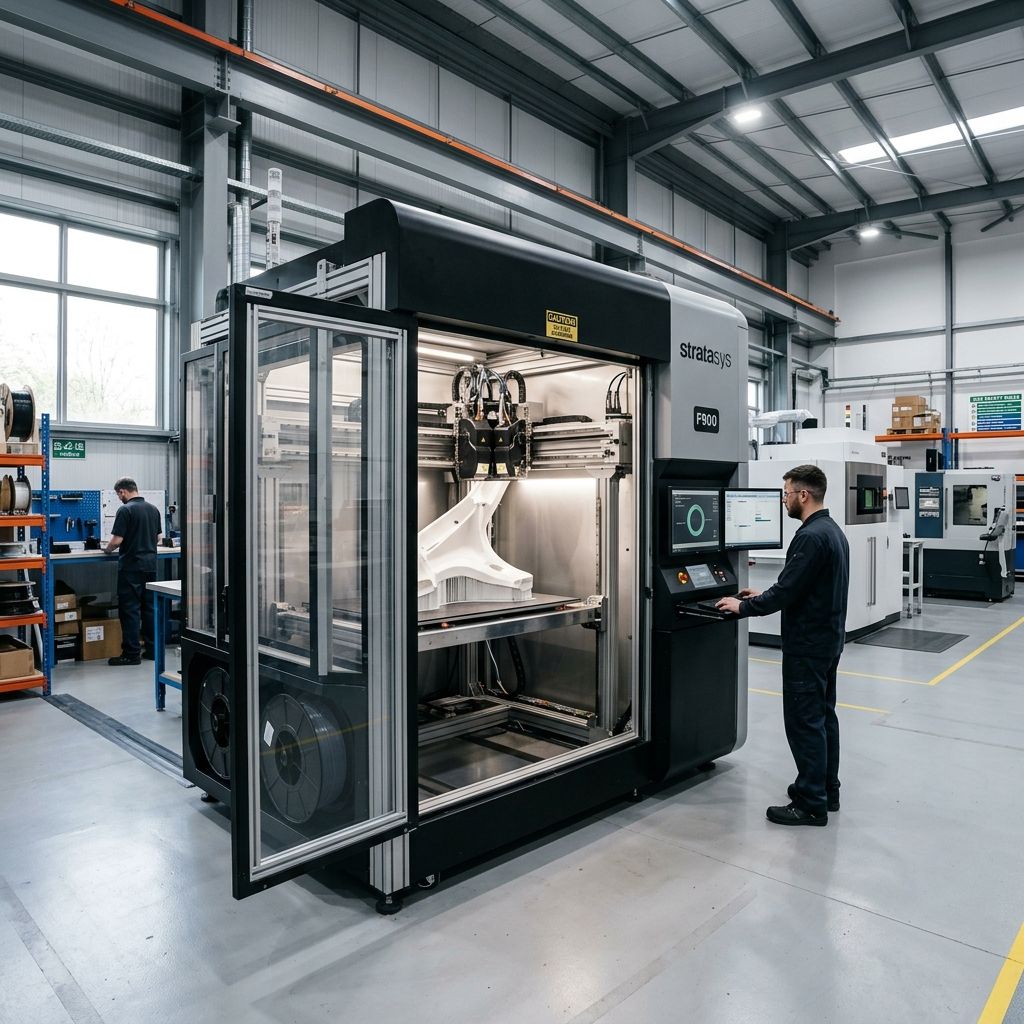
Modix BIG-120X V3: Field Troubleshooting & Community Solutions Log
An unfiltered, shop-floor manual for maintaining, calibrating, and fixing the 1200 x 600 x 640 mm heavy-metal beast. Written by makers who have spent hundreds of hours scraped, burned, and realigning massive gantries.
Executive Specifications & Live Tooling
The Modix BIG-120X V3 is a literal metric ton of potential, but its scale introduces unique mechanical challenges. Use our Flow Rate Calculator to dial in volumetric limits for the high-flow E3D Volcano/SuperVolcano hotends used on these massive prints to prevent mid-print extruder stalls.
- Build Volume: 1,200 x 600 x 640 mm (X/Y/Z)
- Chassis: T-slot 4040 aluminum extrusions with heavy steel bracket joinery
- Motion: Hiwin MGN12 linear rails on X/Y, dual-motor synced belts on Y, four-lead-screw Z-axis
- Electronics: Duet 2 WiFi / Duet 3 with expansion boards running RepRapFirmware (RRF)
- Default Hotend: E3D Aero or Griffin Direct Drive with high-temp volcanic heating blocks
The Reality of Large-Format Printing
When you unbox a Modix BIG-120X V3, you are not buying a plug-and-play desktop machine. You are inheriting a semi-assembled industrial kit of heavy aluminum extrusions, massive linear guide rails, and a mains-powered heater bed that behaves more like a structural building element than a typical 3D printer. The marketing material promises giant prints at the push of a button, but the reality is a constant battle against thermal expansion, gantry inertia, and mechanical slop. If you don't calibrate this machine with dial indicators and a machinist's square, it will chew through its own belts, bind its linear carriages, and leave you with 10 kilograms of ruined filament.
Our workshop has run three of these machines over the last four years. We have used them for prototyping automotive bumpers, large carbon-fiber layup molds, and architectural mockups. Along the way, we have broken almost every component on them, rewritten half the Duet config files, and engineered custom brackets to keep the gantries from binding. This log focuses on the top three system failures we encounter on the shop floor and how to fix them permanently.
1. The 1.2-Meter Thermal Potato Chip: Bed Warping and Kinematic Binding
The Modix BIG-120X V3 uses a massive, 6.35mm thick cast Alcoa Mic6 aluminum tooling plate. Mic6 is incredibly flat from the mill, but when you slap a pair of massive silicone heating pads onto its underside and ramp the temperature up to 100°C for an ABS or ASA print, physics takes over. The plate expands. If that plate is bolted rigidly to the steel bed-carriage frame, it cannot expand outward. Consequently, it buckles. The center bows upward or downward, creating a dynamic warp that can easily exceed 1.5mm across the 1200mm span. This completely overwhelms the BLTouch auto-bed leveling system, which is trying to compensate for a shifting target.
The Physics of Thermal Expansion on a 1.2-Meter Plate
To understand why this happens, we have to look at the math. The linear thermal expansion of aluminum is given by the formula:
$$\Delta L = \alpha \cdot L_0 \cdot \Delta T$$Where:
- α (Coefficient of Linear Expansion for Aluminum): 23 × 10-6 K-1
- L0 (Initial Length): 1200 mm
- ΔT (Temperature Change): Heating from 20°C room temperature to 110°C bed temperature (ΔT = 90 K)
Plugging these values in:
$$\Delta L = (23 \times 10^{-6}) \times 1200 \text{ mm} \times 90 \text{ K} = 2.484 \text{ mm}$$Your bed plate wants to grow by nearly 2.5 millimeters along its longest axis. If the mounting bolts are locked down tight in circular holes on both ends, that 2.5mm of expansion is converted into compressive stress. Since the thin plate has a low moment of inertia against bending, it buckles upward or downward. A 2.5mm horizontal expansion restriction can easily translate to a 1.5mm to 3.0mm vertical bow in the center of the bed.
Tech Alert: Never lock down all mounting screws on a large-format bed. If you hear loud popping or cracking sounds as your bed heats up, your plate is binding on its mounts and warping under stress.
The Solution: Kinematic Mounting & Slotting
To fix this, we have to discard the rigid factory mounting brackets and implement a true kinematic (or semi-kinematic) mount. We want to constrain the bed in exactly three axes while allowing free thermal expansion in the horizontal plane.
- Define the Anchor Point: Designate one corner of the bed carriage (typically front-left) as your reference anchor. Drill this mounting hole to match your M5 or M6 flat-head screw exactly, allowing zero slop. This is your X0/Y0 reference.
- Slot the X-Axis Mounts: For all other mounting holes along the 1200mm X-axis, file or mill the mounting brackets into slots aligned radially from your anchor point. The slots should be at least 4mm long to allow the bed to slide outward as it heats.
- Use Belleville Washers: Do not clamp the bed screws tight with standard locknuts. Instead, stack two Belleville (cone-shaped spring) washers face-to-face under the nut. Tighten the nut until the washers are partially compressed, leaving enough spring compliance for the aluminum plate to slide horizontally while remaining firmly held against vertical movement.
- Thermal Soak Protocol: Never start a print or run an auto-mesh calibration immediately after the bed reaches target temperature. Aluminum has high thermal conductivity, but the steel support frame takes much longer to heat up. We enforce a strict 30-minute thermal soak period for any print over 400mm in length. This allows the entire structural envelope to reach thermal equilibrium before the BLTouch maps the surface.
2. Dual Y-Axis Racking and Gantry Binding
The Modix BIG-120X V3 utilizes a dual-motor drive system for its massive Y-axis gantry. Because the gantry spans 1.2 meters, it has substantial mass. If the two Y-axis stepper motors get out of synchronization by even a single millimeter, the gantry will "rack" (twist relative to the frame). This causes the MGN12 linear carriages on the side rails to bind, leading to severe noise, rapid wear of the linear bearings, and devastating layer shifts.
This misalignment frequently occurs when the printer is powered down. When the stepper motors lose holding torque, gravity or manual handling can easily push one side of the gantry forward or backward. When powered back up, the Duet controller assumes both sides are perfectly square, which they are not. Running a print with a racked gantry will quickly damage the plastic internal ball-return caps of your linear carriages.
If you are experiencing issues with layer registration during fast travel moves, review your acceleration profiles. Improper acceleration settings can induce high torsional forces on the gantry, which is a common cause of skipping. If you're experiencing layer shifting, referencing tips on fixing layer shifts in Simplify3D with proper acceleration settings can help you dial in the appropriate jerk and acceleration parameters to match this heavy gantry's momentum.
- Target X/Y Squareness Tolerance: < 0.1 mm over a 1000 mm diagonal sweep
- Y-Axis Stepper Matching: Dual Nema 23 High-Torque (minimum 1.8° step angle, matched resistance)
- Gantry Guide Rails: Hiwin MGN12H with Medium (ZA) Preload
- Max Recommended Y-Axis Acceleration: 400-600 mm/s² (Do not trust the default slicer profiles of 1000+ mm/s²)
Step-by-Step Gantry Alignment & Squaring Workflow
To eliminate gantry binding and ensure perfect squareness, we use a mechanical physical-stop homing routine combined with manual alignment jigs.
- Build a Pair of Squaring Jigs: Cut two identical pieces of 2020 aluminum extrusion or 12mm thick acrylic to exactly 150.00 mm. These will serve as your setup blocks.
- Manual Alignment: Disable the stepper motors. Slide the gantry all the way to the rear of the machine. Place one jig between the rear gantry plate and the rear corner bracket on the left side, and the other jig on the right side.
- Tension Adjustment: Pull the gantry tight against both jigs manually. While holding pressure, inspect the drive belts. Both Y-axis belts must be tensioned identically. Use a belt tension gauge or a frequency tuner app (aim for approximately 75 Hz over a 1-meter span). If one belt is tighter than the other, it will pull that side faster during acceleration, causing dynamic racking.
- Configuring RepRapFirmware for Hard-Stop Homing: Set up your
homing.gorhomey.gfiles to home the Y-axis by stalling both motors against the physical backstops at low current. This forces the gantry into perfect alignment every time the machine is homed.
Here is an example snippet of our Duet RRF 3.x homing configuration for the dual Y-axis to prevent racking during startup:
; homey.g - Y-Axis Homing Script for Modix BIG-120X V3
M400                  ; Wait for current moves to finish
M913 X50 Y30 Z50      ; Drop stepper currents to prevent damage during stall (30% for Y)
G91                   ; Relative positioning
G1 H2 Y-10 F3000      ; Move slightly away from current positions
G1 H1 Y-700 F2000     ; Fast move toward rear hard stops
G1 H1 Y-50 F300       ; Slow crawl to compress homing blocks and force alignment
G1 Y5 F600            ; Back off 5mm
M913 X100 Y100 Z100   ; Restore stepper currents to 100%
G90                   ; Absolute positioning
3. The 3-Meter Filament Path and Extruder Fatigue
On a 1.2-meter wide machine, the distance from the filament spool to the print head can vary wildy. If your spool is mounted on the side frame, the filament must travel through a long, curving PTFE guide tube that can easily reach 2.5 to 3 meters in length. This long path introduces massive frictional drag. When using flexible filaments or brittle PLA, this drag can cause extruder gears to grind the filament flat, eventually resulting in an under-extrusion failure mid-print.
Additionally, printing with a heavy print head means the extruder motor is subjected to constant ambient heat from the heated bed directly below it. The stock direct-drive setups (like the E3D Aero or Griffin) can experience heat creep, where heat from the motor and the hotend transitions upward, softening the filament inside the drive gears before it ever enters the melt zone. This issue can cause consistent under-extrusion or jam patterns on prints that run longer than 24 hours. If your extrusion fails after a certain time, you should also look out for common slicing bugs that create retraction issues, which can be reviewed in our analysis of Cura slicing errors such as missing layers and retraction blobs.
The Math of PTFE Tube Friction
The force required to pull filament through a curved tube can be modeled using a variation of the Capstan Equation:
$$F_{\text{pull}} = F_{\text{spool}} \cdot e^{\mu \cdot \theta}$$Where:
- Fspool: The force required to unspool the filament from a fresh, heavy 5kg spool (often 2-5 Newtons due to spool weight and spool holder friction).
- μ (Coefficient of Friction between PTFE and Filament): ~0.04 to 0.15 depending on material (flexible TPU is much higher).
- θ: The total accumulated bend angle of the guide tube in radians. A 3-meter tube winding from the side of the machine, looping up to the gantry, and bending down to the print head can easily accumulate a θ of 3.14 to 4.71 radians (180 to 270 degrees of total bend).
If you use a high-friction material like TPU, the required pulling force escalates exponentially. The extruder motor, already running hot, must exert this pull force in addition to the pressure required to force the molten plastic out of a small nozzle orifice. This eventually leads to motor stalling or filament grinding.
The "Overhead Decoupled" Feed System
To keep our prints running for 100+ hours without friction-induced failure, we completely redesigned the filament path on our 120X machines. We recommend the following modifications:
- Ceiling Suspension Mounts: Get the filament spools off the frame. Mount your spool holders directly above the center of the printer's build volume (suspended from the ceiling or an overhead gantry frame). This cuts the required PTFE tube length in half, reducing the total accumulated bend angle ($\theta$) close to zero.
- Reverse-Bowden Decoupling: Run a 4mm OD / 3mm ID PTFE tube (which has a larger inner diameter than standard 2mm ID tubing) from the overhead spool to a fixed anchor point on the center cross-member of the printer frame. From that anchor point, run a highly flexible silicone guide tube or a loose-fitting 3mm ID PTFE tube down to the print head. This decouples the movement of the print head from the resistance of the spool.
- Active Extruder Cooling: Install a high-airflow 4028 server fan (like a Sanyo Denki or Sunon dual-ball bearing fan) on the extruder housing, wired directly to the 24V rail. Do not rely on the tiny, low-noise fans provided in standard kits. We need to blow high-velocity air directly onto the stepper motor housing and the heat sink throat to prevent the heat break from reaching the glass transition temperature of PLA/PETG (approx. 55-60°C).
Comprehensive Modix BIG-120X V3 Troubleshooting Matrix
| Symptom | Root Cause | Immediate Field Fix | Long-Term Prevention |
|---|---|---|---|
| First layer is perfect on the left side of the bed but scrapes/gaps on the right. | Dual Z-axis lead screws are out of sync or the X-axis rail is not parallel to the bed frame. | Measure both sides of the X-axis rail to the bottom frame with calipers. Manually turn one Z lead screw to level the axis. | Implement independent Z-axis motor leveling (Z-tilt calibration) in your Duet configuration. Use separate stepper drivers for each Z motor. |
| Sudden layer shifting along the X-axis mid-print. | Excessive acceleration on the heavy X-carriage or loose grub screws on the motor pulley. | Check and tighten the X-motor pulley grub screws. Draw a line across the pulley and motor shaft to monitor slipping. | Reduce X-axis acceleration in the Duet configuration from 1000 mm/s² to 500 mm/s². Upgrade to high-torque steel-reinforced gates belts. |
| The BLTouch fails to deploy or flashes red during probing. | The probe pin is bent or magnetic interference from the high-current heater bed cables is corrupting the signal. | Pull the plastic pin out gently and straighten it by hand, or replace it with a spare pin using the small set screw on top. | Shield all BLTouch sensor wiring. Route the probe wiring completely separate from the AC heater bed lines in the cable track. |
| Extruder stops feeding filament after 5-10 hours of printing. | Heat creep in the cold section of the extruder block softening the filament. | Stop the print, clear the soft filament clog in the heat break, and clear the drive teeth with a brass wire brush. | Replace the stock hotend fan with a high-static pressure fan. Lower the stepper motor run current in config.g to reduce heat generation. |
| Poor surface finish (ringing/ghosting) on large vertical faces. | Structural vibration of the tall 4040 aluminum extrusion frame under high-speed direction changes. | Slow down travel speeds below 80 mm/s and print outer walls at no more than 35-40 mm/s. | Install diagonal tension rods (corner braces) on all outer corners of the Modix frame. Bolt the printer chassis directly to the floor or wall. |
Preventive Maintenance Schedule & Log
Because the Modix BIG-120X V3 operates in an industrial environment and runs long-duration prints, you cannot afford to wait for a part to fail. A single ruined print can waste several kilograms of specialty engineering material and set your project timeline back by a week. We implement a strict maintenance cycle based on operating hours.
- Every 100 Operating Hours: Clean and lubricate the Hiwin linear rails. Wipe off the old grease with lint-free wipes and apply a thin layer of Mobilux EP2 grease or equivalent lithium-based grease. Inspect the belts for fraying.
- Every 250 Operating Hours: Check the tension of all structural frame bolts. The vibrations from the heavy gantry can loosen the M5 and M6 screws in the aluminum corner brackets. Pay special attention to the gantry corner plate assemblies.
- Every 500 Operating Hours: Clean the lead screws of the Z-axis. Remove old grease using a degreaser and a brass brush, then apply a clean coat of DuPont Teflon-based dry-film lubricant. Check for backlash in the brass nuts.
- Every 1000 Operating Hours: Calibrate the bed heater terminals. Inspect the solid-state relays (SSRs) and verify all high-voltage terminal screws are torqued tightly. Check for heat-induced discoloration on the wiring insulation.
Technical Alternatives: Modifying the Stock Build
If you find that the stock configuration is failing to meet your requirements for reliability, there are two common modifications our shop recommends:
- The Duet 3 Upgrade: Replace the older Duet 2 WiFi with a Duet 3 Mainboard 6HC. The Duet 3 handles much higher stepper motor currents without overheating and allows you to run independent closed-loop stepper control on the Y and Z axes. This eliminates the racking problem entirely by continuously monitoring motor positioning and correcting microstep slippage in real-time.
- Water-Cooled Extrusion: If you are printing inside an active heated enclosure (which is necessary for large ABS, polycarbonate, or nylon parts), air cooling your extruder hotend will fail. Switch to an E3D Titan Aqua or a custom liquid-cooled direct-drive system. Circulating water from an external reservoir keeps the cold end of your extruder cold, even when the build chamber exceeds 60°C.
Frequently Asked Questions
How do I stop my prints from lifting off the bed on a 1.2-meter print?
For large prints, standard adhesives will fail due to the intense shrinkage forces of materials like PETG or ABS. We use a thick layer of PEI sheet applied directly to the Mic6 aluminum bed plate, coupled with a generous 15-20mm wide brim on all parts to anchor the corners down.
Can I run the Modix BIG-120X V3 on a standard 110V household circuit?
Technically yes, but we strongly advise against it because the massive bed heaters draw significant power. On a 110V circuit, the bed can take over an hour to reach 100°C; we highly recommend wiring the bed to a dedicated 220V/240V single-phase circuit via an industrial Solid State Relay.
Why is my auto-bed leveling mesh wildly inconsistent between consecutive probes?
This is almost always caused by mechanical play in the Z-axis lead screws or a loose BLTouch mounting bracket. Ensure your lead screw anti-backlash nuts are properly tensioned and that the BLTouch body does not wobble on the print head carriage.
Critical Torque Spec & Safety Checklist: The mains-voltage heaters on the BIG-120X bed present a severe electrical hazard. Periodically inspect the ground connection from the aluminum bed plate to the main chassis frame. It must show less than 1 ohm of resistance. If this ground path fails, any short circuit in the bed heaters can energize the entire aluminum frame of the printer, presenting a lethal shock risk to anyone touching the metal enclosure.
Related Intel
Fixing Vision Miner 22 IDEX Thermal Alignment
To fix thermal drift on Vision Miner 22 IDEX, calibrate toolhead offsets only after the chamber reaches operating temperature (90-100°C) to account for aluminum gantry expansion of about 1.1 mm over 600 mm.
Markforged Mark Two & Onyx One Troubleshooting
The Markforged Mark Two and Onyx One require manual calibration for kinematic drift, continuous fiber jamming, and abrasive extruder wear. This guide covers diagnosing fiber buckling, cutter assembly issues, and maintaining tight tolerances.
Fixing Common UltiMaker Method XL Problems
Heat creep is the main cause of jamming in the Method XL's Smart Extruder. Ensure the heat break cooling fan pulls ambient air below 80°C by maintaining hotend fan shroud seals and pre-drying filaments like PVA to keep cold block below glass transition temperature.