Formlabs Form 4 Common Problems and Fixes

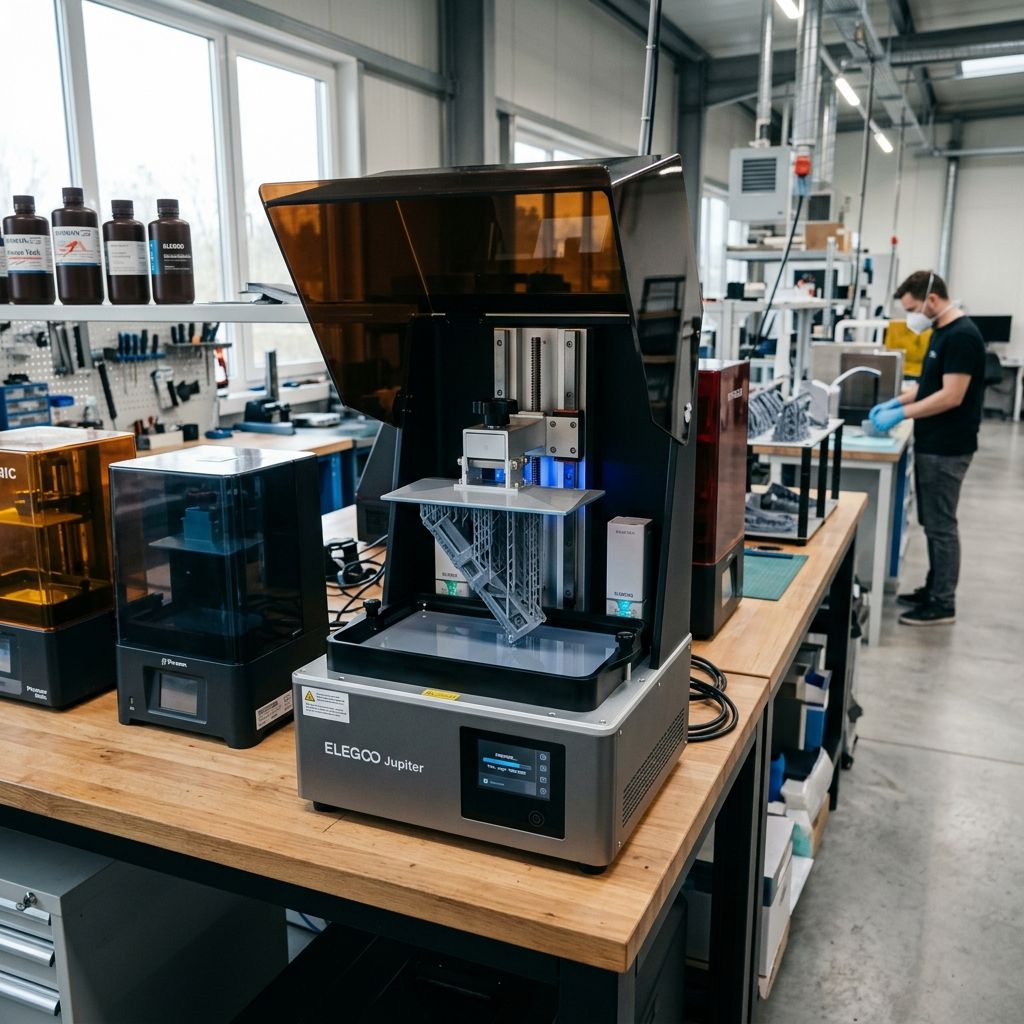
Formlabs Form 4 Field Troubleshooting & Community Solutions Log
An unvarnished engineering assessment of the Form 4 LFD printer platform, dissecting common mechanical failures, fluid dynamics under load, and real-world recovery workflows from the shop floor.
Executive Specs & Optical Path Blueprint
The Form 4 departs from the galvanic laser-scanning setup of its predecessors, adopting a Low Force Display (LFD) engine. This system pairs a high-power LED array with a custom liquid crystal mask, achieving rapid layer cure times at the expense of new thermal and mechanical wear profiles. To optimize your print cycle parameters and prevent curing lag, you can use our Print Speed Calculator to compute mechanical cycle overheads.
- Optical Engine: Light Processing Engine 4 (LPE 4) with 405nm collimated LED backlight
- XY Resolution: 50 microns (pixel pitch of the masking LCD)
- Z-Axis Guide: Industrial-grade linear rail with ball screw drive
- Peel Mechanism: Flex-tank with microscopic textured air-gap backing
- Resin Dispensing: Dual-valve solenoid pump with volumetric level sensor
Having run MSLA, SLA, and industrial SLS machines in job shops for over two decades, I have seen every method of optical curing fail. When Formlabs transitioned the Form 4 to an LCD-based masking engine, they solved the slow print-speed problem of galvanic mirrors, but they introduced a different set of maintenance vectors. On paper, the Form 4 is a powerhouse; in the real workshop, it is an optical and fluidic system subject to high thermal loads, chemical attack, and mechanical wear that the marketing brochures gloss over. This log cuts through the promotional copy to address what actually breaks and how to fix it when a production deadline is looming.
1. The LFD Flexible Tank: Punctures, Clouding, and Hydrodynamic Strain
The Low Force Display system relies on a dual-layer, flexible elastomer film at the bottom of the resin tank. This film must flex during the peel cycle to break the vacuum adhesion between the newly cured layer and the tank bottom. If you print high-viscosity resins like Rigid 10K or Tough 2000, this film undergoes intense mechanical cycling.
The Failure Mechanism
When a print fails due to incorrect orientation or insufficient support structure, a solid layer of cured resin adheres directly to the bottom of the tank. If the machine initiates the subsequent lift cycle, the tensile forces pulling up on the build plate can stretch the elastomer film past its elastic limit. The real danger occurs when a technician attempts to scrape the cured cured resin off the film using the included plastic scraper. The scraper's edge, combined with micro-fragments of cured resin, easily creates micro-abrasions on the surface. These micro-abrasions scatter the 405nm light collimated by the LPE 4 optical engine, leading to localized underexposure and subsequent print failures in that specific zone.
The Field Fix
Never scrape the tank. If you experience an adhesion failure, follow this exact fluid-preservation workflow to clear the cured flat:
- Initiate a Cleaning Cycle: Use the printer's onboard menu to run a tank cleaning cycle. This exposes the entire bottom area of the tank for several seconds, creating a single, continuous, thin sheet of cured resin that encapsulates all loose debris.
- Peel with a Sacrifice Corner: Place a small piece of support material or a scrap piece of cured resin in the corner of the tank before running the cleaning cycle. Once cured, gently lift this sacrificial corner upward. The entire sheet of debris will lift off the elastomer film cleanly without requiring any scraping tools.
- Check for Micro-pinholes: Pour a small amount of high-purity Isopropyl Alcohol (IPA) into the empty tank and place it on a clean sheet of dry paper towels for 10 minutes. If you see wet spots on the paper towel, the elastomer layer has a micro-pinhole. Throw the tank away immediately; a resin leak into the LPE 4 optical window will cure directly to the LCD polarizer, requiring an expensive optical stack replacement.
2. The Bite Valve & Solenoid Dispensation Jam
Formlabs cartridges rely on a gravity-fed, auto-dispensing design. The Form 4 uses a mechanical actuator arm to compress a rubber bite valve on the underside of the cartridge. Acrylate resins are chemically aggressive, and over time, they cause the rubber compound of the bite valve to undergo physical changes, often losing its elasticity or gumming up entirely.
Tech Alert: Never store a resin cartridge with the air vent cap tightly closed if the cartridge is mounted in the machine. Diurnal temperature swings in the workshop cause pressure differentials inside the cartridge, forcing resin out of the bite valve even when the actuator is retracted, resulting in a chassis spill.
The Failure Mechanism
If a cartridge sits on a shelf for months before use, the resin inside can slowly migrate into the slit of the bite valve and partially polymerize due to ambient UV leakage or thermal oxidation. When placed in the printer, the actuator arm compresses the valve, but the slit remains stuck shut. The printer's level sensor detects a low resin state and continuously cycles the actuator. The actuator eventually tears the rubber sleeve or, conversely, forces the valve open so far that it cannot spring back shut, causing a catastrophic overflow into the resin tank and surrounding mechanical bay.
The Field Fix
Before inserting any cartridge into the Form 4, follow this pre-flight verification:
- Manual Flexing: Manually squeeze the rubber bite valve between your thumb and forefinger to verify that the slit opens and closes cleanly. If the rubber feels stiff or stuck, massage it until the seal splits open naturally.
- Solenoid Alignment: Inspect the actuator tongue on the back wall of the cartridge bay. It should be free of cured resin drips. If resin has dripped onto this mechanism, use a cotton swab dipped in 99% IPA to dissolve it. If left uncared for, the resin will polymerize under the ambient light of the printer's cover, locking the solenoid arm in the "dispense" position.
3. Build Platform Flex Plate Warp and Z-Zero Reference Shift
The Form 4 uses a quick-release spring-steel flex plate on its build platform. This plate is held in place by a mechanical latching mechanism that pulls the plate flat against a machined aluminum backing block. While this makes part removal easy, it introduces a critical point of failure in Z-axis precision.
The Failure Mechanism
During high-volume production runs, technicians often bend the flex plate aggressively to pop off large-cross-section parts. If the plate is bent beyond its yield point, it develops a permanent mechanical set (a bow of even 50 100 microns is enough to cause issues). When reinserted into the build platform housing, the latching mechanism cannot pull the warped plate perfectly flat against the reference block. This creates a microscopic air gap between the center of the flex plate and the backing block. During the initial layer compression cycles, the hydraulic pressure of the resin forces the plate upward into this gap, shifting the Z-zero position. This leads to poor adhesion, dimensionally inaccurate first layers, or complete print detachment.
For operations utilizing both resin systems and high-end FDM equipment, resolving these dimensional errors is as critical as keeping your FDM equipment running smoothly. If you also run filament-based setups in your workshop, you may find our analysis of Bambu Lab X1C/X1E: Common Errors and Fixes useful for comparing FFF calibration shifts with these MSLA hydraulic issues.
The Field Fix
To diagnose and correct a warped flex plate:
- Straightedge Check: Place a precision machinist's straightedge diagonally across the face of the flex plate. Light should not shine through any gaps. If you detect a gap greater than 0.05 mm, the plate must be replaced or carefully rolled flat again.
- Latch Maintenance: Clean the latching cams on the build platform carrier weekly. Resin buildup on the latch cams reduces the clamping force, allowing the flex plate to rock slightly during the lift and peel phases. Clean the cams with a brass wire brush and a drop of light machine oil to maintain proper lock-down leverage.
4. The Physics of Fluid Dynamics in High-Speed MSLA Printing
The Form 4 prints much faster than previous models because it prints with lower peel forces. However, fast printing introduces high hydrodynamic forces. When the build platform descends to the next layer height, it must displace the viscous resin underneath it. This action is governed by squeeze-flow theory, which dictates how liquid moves when squeezed between two parallel plates.
The force required to compress the liquid layer can be modeled using the Stefan Squeeze-Flow Equation:
F_s = \frac{3 \cdot \eta \cdot R^4}{2 \cdot h^3} \cdot \frac{dh}{dt}
Where:
- Fs: The upward force exerted on the build platform (Newtons)
- η (Eta): The dynamic viscosity of the resin (Pascal-seconds, Pa·s)
- R: The equivalent radius of the printed cross-sectional area (meters)
- h: The instantaneous gap height between the platform and the tank floor (meters)
- dh/dt: The descending velocity of the build platform (meters/second)
This formula shows that the force ($F_s$) is proportional to the fourth power of the radius ($R^4$) and inversely proportional to the cube of the gap height ($h^3$). When printing a large solid block, $R$ is very large. As the gap $h$ decreases to the target layer thickness (e.g., 50 microns or $0.00005\text{ m}$), the upward force spikes exponentially.
Practical Workshop Calculation
Consider a print of a dental model base with an equivalent radius $R = 0.03\text{ m}$ (approximately 60 mm diameter) using a highly filled engineering resin with a viscosity $\eta = 1.5\text{ Pa·s}$ at room temperature. Let the descending speed of the platform be $dh/dt = 0.002\text{ m/s}$ ($2\text{ mm/s}$), and the instantaneous gap height $h = 0.1\text{ mm}$ ($0.0001\text{ m}$).
Plugging these values into Stefan's equation:
F_s = \frac{3 \cdot 1.5 \cdot (0.03)^4}{2 \cdot (0.0001)^3} \cdot 0.002
F_s = \frac{4.5 \cdot 0.00000081}{0.000000000002} \cdot 0.002
F_s = \frac{0.000003645}{0.000000000002} \cdot 0.002 = 1,822,500 \cdot 0.002 = 3645\text{ Newtons}
A force of $3645\text{ N}$ is roughly equivalent to **370 kg (815 lbs) of vertical force** trying to push the LCD panel out of the bottom of the printer chassis. If the resin is cold (which increases viscosity $\eta$) or the descend speed is too fast, this force can crack the LCD panel, delaminate the LCD polarizer, or cause the Z-axis stepper motor to skip steps. This explains why the printer must preheat the resin using its internal heating system before starting a print, reducing the viscosity ($\eta$) to a safe working level.
5. Complete Maintenance Workflow: Preventing LCD Thermal Shock and Optical Contamination
The high-intensity LED backlight of the LPE 4 optical engine generates significant heat. This thermal energy must be managed to prevent damage to the LCD masking panel. Follow this maintenance workflow monthly to ensure proper heat dissipation and optical clarity.
Required Tools & Materials
- 99.9% anhydrous Isopropyl Alcohol (do not use 70% or 91% as they leave water marks)
- Optic-grade, non-abrasive microfiber wipes (Pec*Pad or equivalent)
- Compressed air canister or a dedicated oil-free blower
- Nitril gloves (powder-free)
- A high-intensity LED inspection flashlight
Step-by-Step Cleaning and Inspection Procedure
- Power Down and Isolate: Turn off the printer and pull the power plug. Allow the internal LCD and LED array to cool down for at least 30 minutes. Cleaning a warm optical window with cool IPA can cause thermal shock, cracking the glass stack.
- Remove Tank and Platform: Carefully slide out the build platform first (to prevent resin from dripping onto the optical window) and then remove the resin tank. Place the tank in its protective cover.
- Inspect for Micro-Dust: Shine the LED inspection flashlight across the top glass of the LPE 4 window at an angle of 10 to 15 degrees. Dust, hair, and dried resin splashes will stand out clearly.
- Perform the Solvent Wipe: Fold an optic wipe into a small square. Apply a few drops of 99.9% IPA to the wipe. Wipe the glass surface in a single direction, starting from the back left corner and pulling toward the front right. Never wipe in circles; circular motions drag abrasive dust particles across the glass, causing fine scratches.
- Dry and Blow: Immediately follow the wet wipe with a dry optic wipe to prevent solvent lines from forming. Use a blast of clean compressed air to clear any static-charged dust particles left behind.
- Clear the Cooling Inlets: Vacuum the air intakes on the underside and rear of the chassis. Dust buildup on the cooling fans reduces airflow, raising the operating temperature of the LCD mask and shortening its life.
6. Troubleshooting Matrix: Common Print Failures and Solutions
| Observed Symptom | Probable Root Cause | Immediate Remedial Action |
|---|---|---|
| Part features are warped or shifted along the XY plane. | Flex plate is sliding slightly within the build platform housing due to worn latching springs or resin contamination on the receiver lugs. | Remove the build platform, disassemble the latch mechanism, clean it with solvent, and inspect the spring tension. Replace the plate if the locating lugs show physical wear. |
| First 5 10 layers are missing, or there is only a thin film cured on the bottom of the tank. | Z-axis offset is too high, or there is a delay in resin flow because the resin is cold and highly viscous. | Verify that the internal heater is functioning. Manually check the first-layer height using the Z-axis offset calibration tool in the maintenance menu, reducing the offset by 50-micron increments. |
| Repetitive cured lines appear across the print at the same height. | Lead screw binding or flat spot on the Z-axis linear guide rail due to dried resin or lack of lubrication. | Clean the lead screw using a brass brush and solvent. Apply a thin layer of lithium-based grease (NLGI Grade 2) and cycle the axis manually through its full travel. |
| The printer UI displays a "Cartridge Empty" error when the cartridge is nearly full. | The RFID chip on the bottom of the cartridge is damaged, or the sensor contacts inside the printer are covered in resin. | Clean the chip reader contacts inside the cartridge slot using a dry cotton swab. If the error persists, bypass the reader by manually selecting the resin type in the settings menu, if allowed by the firmware. |
7. SLA vs. FFF Engineering Trade-offs
Many workshops run both SLA and FFF printers side-by-side to handle different project requirements. While the Form 4 provides excellent surface finish and isotopic strength, it has different mechanical and material limits compared to industrial FFF systems. If you run engineering-grade filaments, you can read our comparison of Bambu Lab X1-Carbon & X1E: Industrial FFF Analysis to see how FFF handles load-bearing parts compared to SLA resins.
Resin prints are isotropic because the polymer chains cross-link across the Z-axis layers during the post-cure process. However, acrylic-based resins are prone to creep under sustained mechanical loads. If you need parts for long-term mechanical assemblies, a carbon-fiber filled nylon printed on an industrial FFF platform is often a better choice. For prototypes that require high dimensional accuracy, fine threads, or water-tight seals, the Form 4 is the clear winner, provided you keep its optical path clean and manage its peeling forces.
For shops utilizing multiple digital manufacturing platforms, maintaining consistent calibration across different machine types is a common challenge. If you are integrating FFF systems into your workflow alongside the Form 4, we have documented how to manage calibration drifts on those platforms in our guide Bambu Lab X1-Carbon & X1E: Practical Industrial Insights, which discusses managing dimensional accuracy across hybrid production lines.
Frequently Asked Questions
Why does the Form 4 resin tank film cloud so much faster when printing with Rigid 10K resin compared to Standard Grey?
Rigid 10K contains a high percentage of glass particles that scatter UV light during the curing cycle. This scattering causes minor exposure on the surface of the elastomer film, speeding up the clouding process and reducing the life of the tank.
Can I use 70% Isopropyl Alcohol to clean the LPE 4 optical window if I run out of 99%?
No, because the 30% water content in 70% IPA evaporates slowly and leaves mineral deposits on the glass. These deposits act like tiny lenses that can block or scatter the UV light, causing cured lines or dimples in your prints.
How do I know if a print failure was caused by a software glitch or a hardware failure?
Check the cured scrap at the bottom of the tank. Sharp, geometric cured shapes usually indicate a file generation or slicing error, whereas ragged, partial cures or peeling at the edges point to a mechanical issue, like a cold tank, a dirty optical window, or a worn build plate.
Critical Torque Spec: When mounting the build platform onto the carriage arm, ensure the quick-release lever is fully engaged until you feel it click into place. If the lever is left partially open, the build platform will tilt under the hydraulic squeeze-force of the resin, throwing off your layer alignment and potentially cracking the LCD panel on its descent.
Related Intel
Anycubic Photon Mono M7 Max and M5s Pro Review
An in-depth engineering review of Anycubic Photon Mono M7 Max and M5s Pro resin 3D printers, analyzing 14K optics, ACF peel physics, and Z-axis cantilever rigidity.
UniFormation GKTwo 12K Review and Comparison
The UniFormation GKTwo 12K combines a 29.7 µm 10.3-inch LCD with an integrated PTC vat heater and quick-release hardware, solving cold-resin failures in production workshops.
Common Elegoo Mars 5 and Mars 5 Ultra Issues
Learn how to fix common Elegoo Mars 5 and Mars 5 Ultra issues: tilt mechanism binding from resin contamination, force sensor leveling failures, and release film fatigue. Includes step-by-step rebuild workflows.