Common UltiMaker S7 and Factor 4 Problems

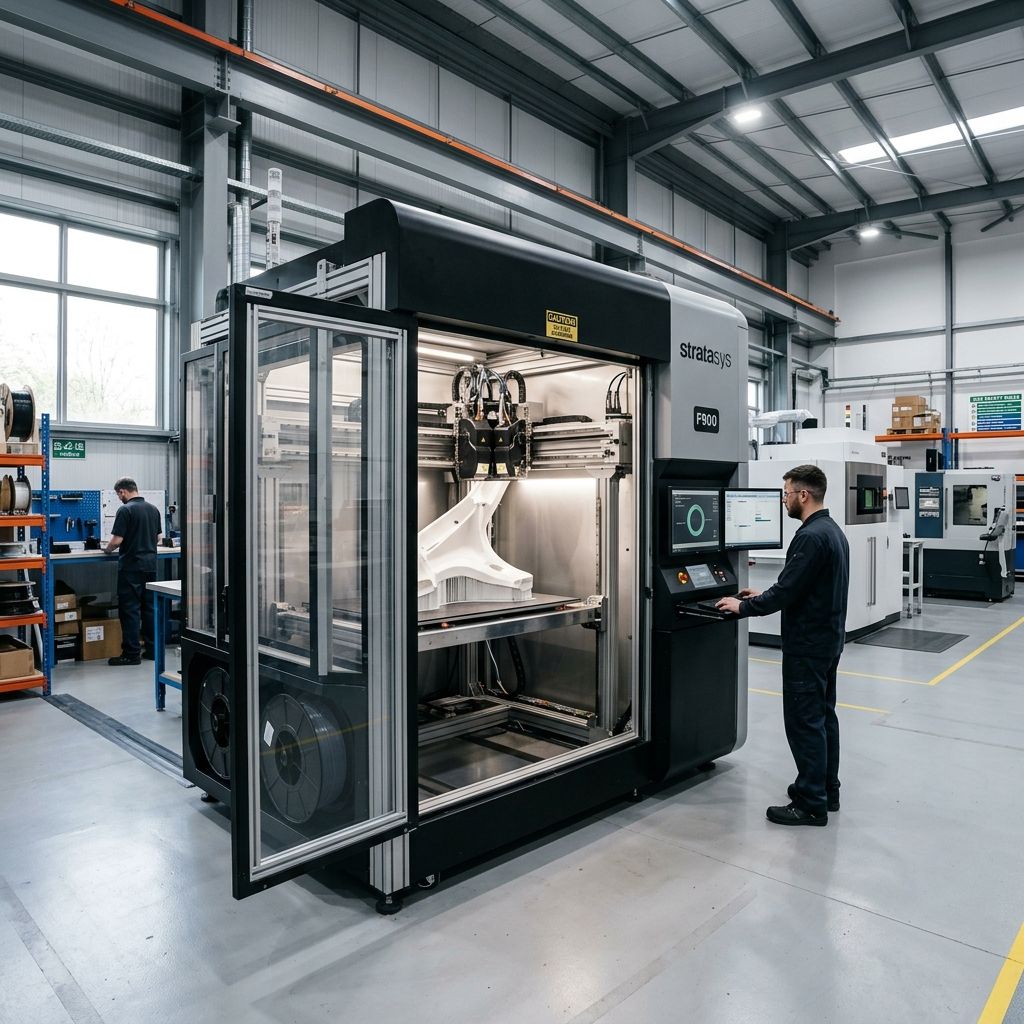
UltiMaker Factor 4 & S7 Field Troubleshooting & Community Solutions
An industrial teardown of real-world mechanical slip-ups, thermal creep physics, and maintenance workarounds on the workshop floor.
The cross-gantry rod design of the S7 and the heavy-duty linear rail layout of the Factor 4 represent two completely different design eras for UltiMaker. While sales reps love to showcase the "turnkey" nature of these machines, any technician who has run them for 500+ hours knows that industrial-grade marketing does not eliminate physical wear. From thermal drift on the S7's inductive probe to filament buckling in the Factor 4's high-temp direct drive, these platforms have distinct failure modes under continuous production load.
Executive Technical Specs
Understanding the mechanical differences between the legacy cross-gantry (S7) and the heavy industrial linear-rail gantry (Factor 4) is critical before performing any hardware repairs or manual calibration loops. Use our Flow Rate Calculator to fine-tune your extrusion profiles when switching between these distinct extruder geometries.
- S7 Gantry System: Dual-rod cross-gantry, 8mm ground steel shafts (unsupported)
- Factor 4 Gantry System: Recirculating ball linear guides on rigid steel frame
- S7 Extrusion Kinematics: Bowden-style dual-geared feeder with print-head mounted compensator
- Factor 4 Extrusion Kinematics: Direct-drive dual-gear extruder with integrated filament cutter
- S7 Max Chamber Temp: Passive (enclosed with front door and active extraction fan dome)
- Factor 4 Max Chamber Temp: Actively heated up to 70°C with closed-loop thermal control
1. S7 Inductive Sensor Thermal Drift & First-Layer Disasters
The S7 replaces the physical capacitive leveling nozzle tilt-switch of the S5 with an inductive sensor integrated directly into the print head. On paper, this yields highly accurate non-contact height maps of the PEI-coated flexible steel build plate. In the field, however, the system suffers from significant thermal drift if you do not allow the chamber to reach a stable thermal equilibrium before starting a print.
The core issue is that the inductive sensor's internal coil resistance and magnetic permeability change as the sensor body warms up. If you start a print cold at a room temperature of 20°C, the sensor registers a specific trigger height. If you immediately follow that with a high-temperature print (e.g., printing ABS with a bed temperature of 110°C) without a proper pre-heating soak, the sensor body experiences rapid heating during its 49-point probing routine. This temperature gradient causes the trigger point to drift, resulting in either a nozzle scrape that gouges the PEI plate or an air-printing failure due to a massive Z-offset gap.
The Physics of Thermal Bed Expansion and Probe Drift
To understand why this drift ruins the first layer, we have to look at the structural thermal expansion of the aluminum bed heater carrier assembly ($H = 120\text{ mm}$ from the Z-stage mounting bracket to the top of the magnetic plate). The coefficient of linear thermal expansion ($\alpha$) of Aluminum 6061-T6 is $23 \times 10^{-6}\text{ m/(m}\cdot\text{K)}$.
If we calculate the expansion ($\Delta H$) when heating the assembly from room temperature ($20^\circ\text{C}$) to ABS print temperature ($110^\circ\text{C}$):
$$\Delta H = H \cdot \alpha \cdot \Delta T$$ $$\Delta H = 120\text{ mm} \cdot \left(23 \times 10^{-6}\text{ K}^{-1}\right) \cdot (110^\circ\text{C} - 20^\circ\text{C})$$ $$\Delta H = 120 \cdot \left(23 \times 10^{-6}\right) \cdot 90$$ $$\Delta H = 0.2484\text{ mm}$$A structural shift of nearly $0.25\text{ mm}$ is larger than a standard $0.20\text{ mm}$ first-layer height. If the inductive sensor itself drifts by an additional $0.08\text{ mm}$ due to localized coil heating, the combined error makes consistent first-layer adhesion physically impossible without manual intervention.
Senior Tech Tip: Never start a high-temp build on the S7 from a cold state. Always preheat the bed to your target printing temperature and run the active manager dome fan for at least 20 minutes before initiating the print job. This ensures both the gantry rods and the print head sensor housing reach thermal equilibrium.
2. Factor 4 High-Durometer Extruder Grind & Thermal Creep
The Factor 4 is built for high-performance engineering thermoplastics (like PPS-CF, PA-HT, and polycarbonate), featuring a direct-drive print head. While this direct-drive setup improves flexible filament handling, it places the heavy dual extruder motor drive gears directly above a 340°C high-temperature print core. This tight packaging introduces a severe vulnerability to thermal creep, particularly when printing in an actively heated 70°C chamber.
When printing with materials that have low glass transition temperatures, such as PLA or tough PLA, or when running high-fill carbon-fiber nylons at low volumetric flow rates, heat migrates upward from the heater block through the titanium alloy heat break. The print head's small radial cooling fan cannot move enough CFM of 70°C chamber air to cool the heat sink effectively. Consequently, the filament softens inside the drive gears before it ever enters the melt zone. The drive gears then grind a crescent shape into the filament, resulting in a total loss of extrusion mid-print.
When running advanced materials, you must monitor your flow dynamics closely. Adjusting retraction parameters is critical to avoid common Cura slicing errors such as missing layers and retraction blobs, which can exacerbate heat creep by repeatedly pulling molten material back into the transition zone of the heat break.
- Critical Wear Point: Dual-drive gear teeth teeth fill with plastic dust, losing traction on subsequent runs.
- Filament Swell: Filament diameter swells from 2.85mm to 3.10mm inside the PTFE guide tube.
- Core Symptoms: Clicking noises from the print head followed by a progressive drop in extrusion volume.
- Quick Fix: Clean drive gears with a stiff brass wire brush and lower the chamber fan speed overrides.
3. Material Station/Decoupler Desynchronization and Jamming
Both the S7 (with its optional Material Station) and the Factor 4 (with its integrated lower material bay) rely on an automated, humidity-controlled storage and feeding manifold. These systems use a series of pre-feeders, optical entry sensors, a central Y-splitter manifold, and motorized decoupler mechanisms to feed filament through up to 2 meters of Bowden tubing to the print head.
The mechanical nightmare occurs when using brittle filaments like old PLA, PVA support material, or highly filled carbon nylons. If the filament has absorbed moisture, or if it has been sitting in a tightly wound spool, it develops a high degree of "spool memory" (coiling curvature). As the pre-feeders push this curved, stiff filament through the long, winding PTFE guide path, friction increases exponentially.
When the print head moves to the far corners of the build volume, the tight radius of the external Bowden tube pinches the filament. The automatic decoupler which is supposed to maintain a tension-free loop of filament fails to detect the drag. The pre-feeder keeps pushing, causing the filament to buckle and snap inside the internal selector manifold. When comparing this setup to other industrial FFF systems, as discussed in our industrial FFF analysis of other production platforms, the 2.85mm system's high friction in long Bowden runs remains a primary point of mechanical failure.
Once a brittle filament snaps inside the internal manifold of the Material Station, you cannot simply pull it out. The snapped piece remains trapped between the pre-feeder rollers and the Y-splitter, requiring a complete teardown of the lower bay to clear the path.
Field Troubleshooting Matrix
| Symptom | Probable Root Cause | Immediate Workshop Action |
|---|---|---|
| S7 Nozzle scrapes PEI sheet during first layer after high-temp transition. | Active leveling inductive sensor thermal drift; bed assembly expanded vertically. | Preheat chamber and bed for 20 minutes before starting print. Re-run manual Z-alignment when hot. |
| Factor 4 extruder clicking, filament ground flat inside direct-drive head. | Heat creep in the heat break due to high chamber ambient temperature (70°C) and low flow rate. | Increase print speed or layer height to increase volumetric flow rate; clear drive gears with wire brush. |
| Filament fails to load; Material Station LEDs flash red rapidly. | Filament snapped inside the internal Y-splitter or optical sensor failed to trigger due to dust. | Manually release the Bowden tube at the decoupler; use a piece of stiff 1.5mm wire to push the broken segment out backwards. |
| Poor surface finish and intermittent underextrusion on S7. | Wear/grooves on the brass print core tube or debris inside the dual-drive feeder gears. | Perform a hot/cold pull cycle (atomic method); clean the rear-mounted feeder gears and adjust tension screw. |
| Factor 4 Z-axis homing error or squealing during fast travels. | Dry linear guide carriages or debris on the magnetic encoder strip. | Clean guide rails with isopropyl alcohol, apply low-viscosity grease (such as Magnalube), and wipe encoder strip with lint-free microfiber. |
Exhaustive Maintenance Workflows
Workflow A: Rebuilding the Factor 4 Direct Drive Head and Clearing Heat Creep Jams
If you experience a severe jam with high-temperature materials like PPS-CF inside the Factor 4 head, do not try to force it out using the software reload function. You will strip the drive gears or burn out the stepper motor. Follow this step-by-step mechanical recovery procedure:
- Power Down and Cool: Power down the machine and wait until the print head cools below 40°C. Attempting to disassemble a hot print head risk stripping the threads out of the aluminum carriage plate.
- Remove the Front Cover Assembly: Loosen the two T10 Torx screws holding the front fan shroud assembly. Carefully swing the shroud forward, making sure not to strain the delicate ribbon cable for the radial fans and the front-facing camera. Unplug the ribbon connector.
- Isolate the Print Core: Release the lever on the dual-core retaining bracket. Pull the affected print core straight down. Inspect the top entry funnel of the core. If a bulb of expanded filament is visible at the top of the core tube, use a heat gun set to 120°C to soften the exposed tail, then pull the excess material out with needle-nose pliers.
- Clean the Drive Gears: Locate the dual drive gears inside the main carriage. Spin the extruder motor shaft manually while using a stiff brass wire brush to scrub out any packed thermoplastic dust or carbon fiber fibers lodged in the gear teeth. Inspect the teeth under a magnifying glass to check for wear; if the sharp profiles are rounded, the drive gear assembly must be replaced.
- Check the PTFE Guide Collet: Inspect the short PTFE transition tube inside the upper housing. If the tube is discolored, deformed, or has an inner diameter larger than 3.0mm, pull it out using tweezers and insert a fresh, chamfered replacement cut to exactly 18.5mm in length.
- Reassemble and Recalibrate: Reinstall the print core, reconnect the fan shroud ribbon cable, and secure the T10 screws to 0.4 Nm. Run the print head calibration routine from the maintenance menu before starting your next print.
Critical Torque Spec: When tightening the heater cartridge clamping screws or the nozzle assembly on any UltiMaker print core, do not exceed 0.5 Nm of torque. Over-tightening will strip the aluminum threads in the heater block, ruining a costly print core.
Workflow B: Clearing a Snapped Filament Segment in the Material Station Manifold
When PVA or brittle PLA snaps inside the routing path of the S7 Material Station or the integrated Factor 4 bottom bay, it often breaks behind the entry rollers, making it impossible to pull out from either end. Here is how to retrieve it without breaking the internal optical switches:
- Unload All Other Bays: Unload and remove all other filament spools from the active bays to prevent accidental sensor triggers or mechanical interference during manual handling.
- Disconnect the Rear Bowden Lines: Locate the pneumatic coupling rings at the back of the Material Station. Press the collets firmly inward and pull the blue PTFE tubes out of the feeder ports.
- Identify the Blocked Channel: Look through the translucent guide tubes. Identify the channel containing the broken segment. It is usually wedged right inside the Y-splitter block.
- The Guitar String Method: Take a 1.5-meter long piece of stiff, single-strand steel wire (a 0.040-inch steel guitar string or a length of 1.2mm MIG welding wire works best). Do not use soft copper or brass wire, as it will buckle inside the path.
- Execute the Back-Push: Gently insert the steel wire from the *rear* of the machine into the affected port, pushing it forward toward the spool bay. Keep the wire straight. You will feel resistance when you hit the broken segment. Push steadily until the broken piece of filament pops out of the entry feeder in the spool bay.
- Inspect and Purge: Once the broken piece is cleared, check the optical sensor functionality. Reinsert the PTFE tube into the rear collet, making sure it bottoms out completely. Push a small length of fresh, flexible PLA through the path manually to verify that the optical sensor LED switches from green to off, indicating no blockage remains.
Technical Alternatives and Field Hacks
If you are running these machines in a high-uptime production environment, sometimes the official parts or processes do not keep up with the demands of the shop floor. Here are some field-tested modifications and alternative workflows that we have used to keep machines running:
Replacing S7 Gantry Bearings with Self-Lubricating Bushings
The S7 uses linear ball bearings on its 8mm X and Y sliding shafts. Over time, particularly when printing abrasive carbon fiber or glass-filled filaments, fine particulate dust bypasses the wiper seals, enters the ball cages, and causes the bearings to bind. This manifests as fine ringing or ghosting artifacts on your prints.
A highly effective shop hack is to swap the noisy linear ball bearings for self-lubricating igus DryLin RJ4JP-01-08 polymer bushings. These bushings do not require oil or grease, meaning they do not attract abrasive dust. However, they have a slightly higher starting friction (stiction). To offset this, you must increase the stepper driver current or limit your maximum travel accelerations to prevent layer shifts.
Manual Calibrations vs. Active Leveling
If the S7's active leveling sensor continues to drift despite proper preheating, you can disable active leveling in Cura's start gcode and fall back on a manual three-point leveling routine using a 0.1mm brass feeler gauge. This approach completely bypasses the inductive sensor's temperature sensitivity, saving up to 6 minutes of probing time per print. The trade-off is that you must ensure your build plate remains perfectly flat and structurally sound, and you must check its level manually every 50 operating hours.
Frequently Asked Questions
How do I stop PVA from jamming in the S7 Material Station?
Keep the internal humidity of the station below 20% RH by replacing the desiccant packs every two months. If PVA becomes soft and rubbery, it will buckle inside the internal feeder rollers; if it is too dry and brittle, it will snap. Always cut the tip of the filament at a clean 45-degree angle before feeding it into the entry port.
Can I use third-party 2.85mm filaments on the Factor 4 without voiding the warranty?
Yes, the Factor 4 has an open-material system that allows you to print third-party filaments. However, you must manually configure the extrusion parameters, build plate temperatures, and print speeds in Cura. For abrasive materials like carbon-fiber nylons, you must use a print core with a wear-resistant nozzle (such as the CC core) to prevent rapid nozzle wear.
Why does my S7 print head make a clicking noise during fast retractions?
This clicking is usually caused by play in the Bowden tube quick-connect collets at either the feeder or the print head end. Over thousands of retraction cycles, the metal teeth of the collet chew into the outer diameter of the PTFE tube, allowing the tube to slide back and forth by 1 to 2 mm. Cut 5mm off the end of the PTFE tube to expose a fresh, undamaged section, then reinstall it with a secure collet clip.
What is the maximum practical print speed for the Factor 4 when using engineering plastics?
While the gantry can move up to 250 mm/s, the true limit is determined by the maximum volumetric flow rate of the print core (typically around 15 mm³/s for a standard 0.4mm AA print core). When printing heavy-gauge engineering polymers like polycarbonate, keep your actual print speeds between 45 and 70 mm/s to ensure complete thermal melting and strong interlayer adhesion.
Tech Alert: When performing any service on the Factor 4's actively heated chamber components, ensure the mains power switch at the rear of the machine is turned off and the power cord is unplugged. The chamber heaters operate on high-voltage AC lines and can cause severe shock if contacted during gantry or heater panel service.
Related Intel
Fixing Vision Miner 22 IDEX Thermal Alignment
To fix thermal drift on Vision Miner 22 IDEX, calibrate toolhead offsets only after the chamber reaches operating temperature (90-100°C) to account for aluminum gantry expansion of about 1.1 mm over 600 mm.
Modix BIG-120X V3: Bed Warp and Gantry Fixes
The Modix BIG-120X V3 has two main issues: thermal bed warp exceeding 1.5mm due to constrained expansion of the aluminum plate, and gantry binding from improper alignment. This guide shows how to fix each with dial indicators and config changes.
Markforged Mark Two & Onyx One Troubleshooting
The Markforged Mark Two and Onyx One require manual calibration for kinematic drift, continuous fiber jamming, and abrasive extruder wear. This guide covers diagnosing fiber buckling, cutter assembly issues, and maintaining tight tolerances.