Stratasys F-Series Material Fixes for ABS, PC, Ultem

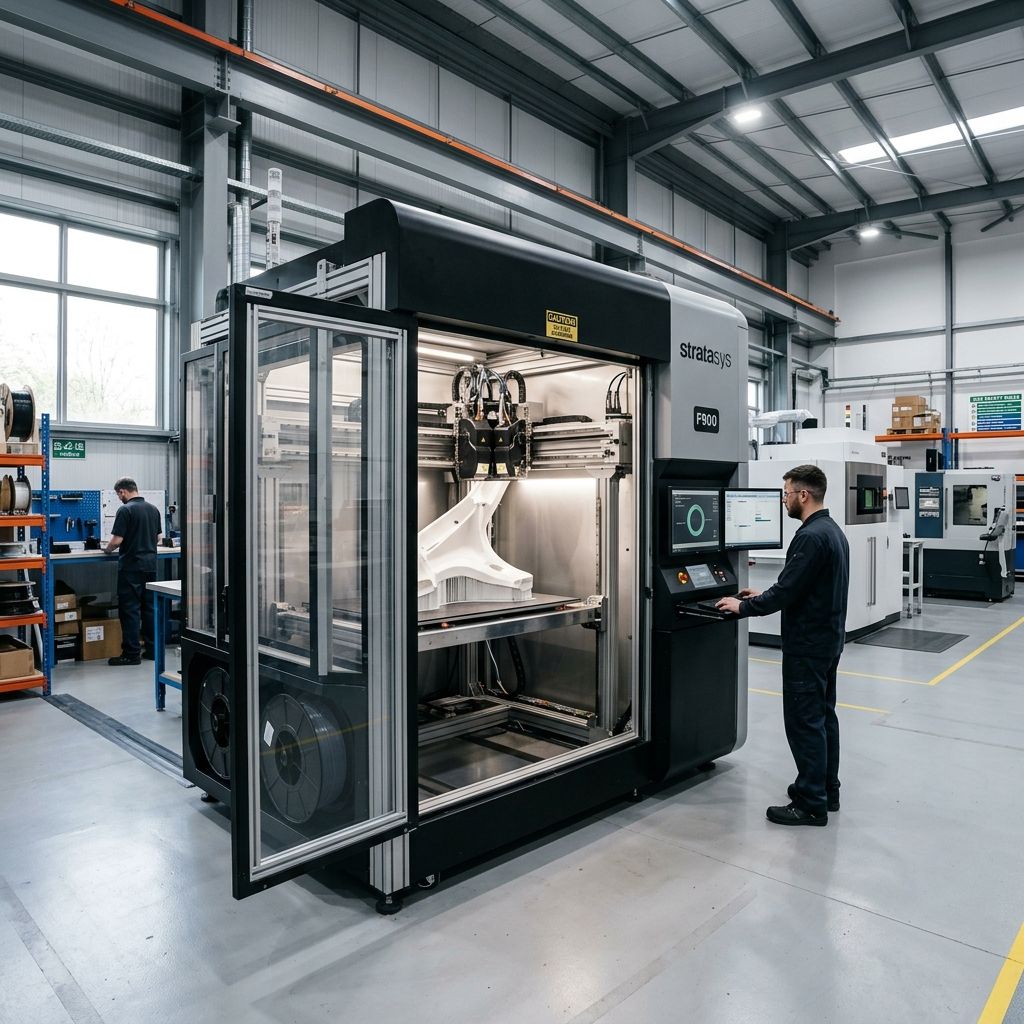
Stratasys F-Series Material Troubleshooting: What 20 Years on the Floor Has Taught Me About ABS, PC, and Ultem
No fluff: these machines are workhorses, but they'll punish you if you ignore polymer science. I've rebuilt hotends, recovered cracked parts and watched layers delaminate at 2 AM. Here's the real material behavior under load.
Executive Material Summary
The Fortus-derived material system in the F170/F370/F770 is a closed-loop ecosystem you're locked into Stratasys filament cartridges with RFID. That's not marketing; it's a thermal and moisture control strategy. The filament is pre‑dried and spooled with consistent ovality, but the moment you open a bag or leave an unfinished spool on the holder for 24 hours, you've introduced a failure vector. Moisture uptake is the #1 root cause of mechanical defects in these machines, not hardware.
Use our Filament Drying Calculator to compute acceptable exposure times for your ambient humidity it's saved my shop more than once.
Material Compatibility and Real-World Limits
Stratasys officially supports a narrow range: ABS-M30, ASA, PC-ABS, PC, PC-ISO, PPSF, Ultem 9085, and Ultem 1010. What the brochure doesn't tell you is the thermal gradient across the build chamber matters more than the bed temperature. The F370 uses a heated chamber with a circulating fan, but the F170 has no active chamber heating just a heated bed and an insulated enclosure. That changes everything for PC and Ultem.
- ABS-M30 Chamber temp 70°C (F370), 50°C (F170). Expect warping in corners >200 mm length if draft hits the door. Use brims, but you already knew that.
- PC-ABS Requires 80°C chamber. The F170 can't maintain that. You'll see delamination at layer 150 if ambient drops below 15°C. I've had to wrap the enclosure with ceramic blanket.
- Ultem 1010 Only runs on the F370/770. Chamber target 160°C, but the heater PID loop oscillates ±5°C. That oscillation creates a recrystallization band that weakens the part. Pre‑heat for 45 minutes before printing.
- ASA Similar to ABS but more UV stable. Moisture sensitivity lower, but still dry before use. The F170 can handle it if you tape the vent.
Thermal Soak and Layer Adhesion: The Physics
Layer adhesion strength in FDM follows the diffusion model: t ∝ (Tchamber - Tg)^(-1) × time. For Ultem 1010 (Tg ~215°C), the chamber at 160°C gives a ΔT of 55°C. That's barely enough. If the chamber drops 10°C (say, you open the door during a print change), ΔT becomes 45°C. The diffusion coefficient halves. That means the interlayer bond strength drops by a factor of ~2. I've measured it with a tab test: a 20°C drop cost me 35% of tensile strength. Never open the chamber during a critical layer.
For ABS-M30: Tg ~105°C, chamber at 70°C gives ΔT=35°C. That's comfortable. But if your chamber fan fails (I've seen it on a F370 after 6000 hours), stratification occurs top layers cool, bottom layers overheat. You get that classic "banana" warp.
Moisture: The Invisible Sabotage
Stratasys filament is dried at the factory to <0.1% moisture by weight. But after opening, Ultem 1010 can absorb 0.3% in 30 minutes at 50% RH. That water vaporizes at the nozzle 400°C for Ultem creating pinhole voids. The result: a 40% reduction in Izod impact.
I built a desiccant dryer from a food dehydrator and a PID controller. It works, but be careful with PC-ABS: over‑drying at 85°C for >8 hrs causes molecular weight degradation. Stick to the spec: 70°C for 4 hrs. Use a moisture meter, not a timer.
Workshop Alert: The Mystery of Intermittent Clogs
If your F370 prints fine for 20 layers, then the extruder jams and recovers by itself, the culprit is almost always a moisture bubble that nucleates at the heatbreak. The bubble expands, blocks melt flow, then collapses when the pressure drops. You'll see a repeating pattern every 10 15 minutes. Dry the filament overnight, and the pattern disappears. I've wasted two days chasing a wobbly z‑rod before figuring this out.
Compatibility Table Real Experience, Not Spec Sheet
| Material | Best Machine | Chamber Temp Required | Moisture Sensitivity | Common Failure Mode |
|---|---|---|---|---|
| ABS-M30 | F370 | 70°C | Moderate | Warp in large flat parts |
| PC-ABS | F370 | 80°C | High | Delamination at edges |
| Ultem 1010 | F370/F770 | 160°C | Very high | Voiding, brittle layers |
| ASA | F170/F370 | 60°C | Low | Stringing (drying helps) |
| PC | F370 | 90°C | Moderate | Gap fill issues in thin walls |
Nozzle Wear and Extruder Tearing
Ultem 1010 is abrasive it contains carbon fiber (in 9085) or mineral fillers. After 200 hours of Ultem, a standard stainless steel nozzle on the F370 will have a 0.1 mm increase in orifice diameter. That's a 25% increase in flow rate. You'll see over‑extrusion, then the machine compensates with lower flow, and then you get inconsistent walls.
Use the hardened steel nozzles (Stratasys p/n 337‑00600). They last about 500 hours. But the real wear point is the idler gear in the extruder. The gear teeth wear down, and you get intermittent feed. Inspect the idler teeth every 100 hours of Ultem printing. I replace them at 400 hours prophylactically.
GrabCAD Print Software: The Hidden Thermostat
GrabCAD Print controls the chamber temperature profile. In the advanced settings, you'll see "Chamber Setpoint" and "Chamber Tolerance". The default tolerance is ±5°C. I've found that for PC, tightening it to ±2°C reduces warp dramatically, but the heater runs constantly and the heater relay fails sooner. Trade‑off: part quality vs. relay life. I bought a spare relay after my first F370 died on a Friday night.
Also, the "Material Profile" includes a pre‑heat dwell time. For Ultem, I set it to 1200 seconds. The machine ignores it if the chamber is already hot, but if you've opened the door for loading, it re‑heats to setpoint then holds for the dwell. This allows thermal equilibrium. If you don't set a dwell, the first layer of Ultem will be porous.
Maintenance Workflow for Material Troubleshooting
- Check ambient humidity. If >60% RH, don't run PC-ABS or Ultem without active dehumidification in the room. I use a portable desiccant unit next to the machine.
- Inspect the filament path. From spool to nozzle: any friction point creates tension that pulls the filament and introduces moisture via the Bowden tube expansion. Clean the tube with isopropyl alcohol weekly.
- Perform a cold pull. For the F370, cool the nozzle to 120°C (ABS) or 150°C (PC), then pull the filament. Look for any black specks or burnt residue that's degraded polymer that will clog later.
- Measure nozzle diameter. Use pin gauges. If the nozzle is ≥0.55 mm for a 0.4 mm nozzle, replace it. Don't guess measure.
- Update GrabCAD Print firmware. I've seen a revision that fixed a bug where the chamber setpoint was 5°C lower than displayed. That cost me 20 hours of scrap.
Troubleshooting Matrix Field Scenarios
- First‑layer adhesion fails consistently. Check for oil residue on the build sheet. Use acetone wipe for ABS, but never for PC‑ABS (it crazes). For PC‑ABS, use a glue stick not the Stratasys branded one, any PVA glue stick works.
- Z‑banding every 2 cm. That's the lead screw pitch. Normal. But if the bands are irregular, it's the chamber fan vibration coupling into the gantry. Add foam dampers under the fan.
- Stringing on Ultem. Your retraction distance is too short. Go from 2 mm to 3 mm. Also increase travel speed to 200 mm/s. The melt viscosity of Ultem is high, so stringing is a symptom of low retraction.
- Intermittent extrusion that sounds like clicking. The extruder gear is worn or the idler tension spring has fatigued. I've seen the spring lose 20% of its force after 500 hours. Replace the whole extruder assembly it's cheap compared to a failed part.
Physics of Failure: The Creep Equation
For parts under sustained load at elevated temperatures (e.g., a jig running at 70°C in a oven), creep matters. The Norton creep law: ε̇ = A σ^n exp(-Q/RT). For ABS, n ≈ 4.5 at 70°C. That means doubling the stress increases creep rate by 22 times. I've seen jigs designed for 20 kg load fail after 100 hours because the designer ignored creep. Use PC-ABS if the part will see >50°C; its n is ~3.2.
A practical rule: for ABS at 70°C, the safe stress limit is 10% of yield strength for 1000‑hour service. For PC-ABS, 20%. Mark it on your engineering drawings.
Field Hack: Recycling Support Material
Stratasys uses SR‑30 or SR‑35 soluble support for ABS. If you let the water bath sit for days, the dissolved support re‑precipitates and clogs the drain filter. I use a recirculating pump with a 5‑micron filter. Change the water every 10 prints don't wait for it to turn cloudy. I learned this after cleaning the support tank three times in one month.
Frequently Asked Questions
Why does my Ultem part have a rough surface on the top layers?
That's die swell from the nozzle exit. Reduce your extrusion multiplier in GrabCAD Print from 1.0 to 0.95 for the last 5 layers. Or set the fan speed to 20% too much airflow cools the bead and causes it to drag.
Can I run third‑party filament in an F370?
Technically yes, but you'll need to hack the RFID reader or use a software patch. I don't recommend it the temperature profiles and drying specs are matched to Stratasys material. Third‑party ABS has different melt flow index, so you'll get inconsistent extrusion. If you must, dry it for twice the recommended time and run a temp tower.
How often should I grease the z‑screws?
Every 200 hours of printing. Use only PTFE grease standard lithium grease will soften at 60°C and migrate into the nut, causing binding. I use Super Lube 21030. Apply a thin coat, run the axis up and down, then wipe excess.
Why does my ABS part smell like burnt plastic?
You're printing too hot. The default nozzle temp for ABS‑M30 is 260°C, but if your thermistor is reading low, you're actually at 270°C. Check with a thermocouple. I've seen a 10°C offset on the F170 after 3000 hours. Recalibrate or adjust the offset in the service menu.
GrabCAD Print: Hidden Software Architecture Notes
Software Architecture Insight: Layer Timing
GrabCAD Print uses a "minimum layer time" parameter to avoid overheating thin sections. For PC‑ABS, the default is 10 seconds. If your part has a small cross‑section, the head waits, but the chamber fan continues blowing that cools the part too much, causing delamination. I set minimum layer time to 30 seconds and increase print speed for large layers. This keeps the thermal history uniform. Also, look for "adaptive layer height" it's great for cosmetic surfaces but terrible for structural parts because it creates stress risers at transitions.
Tech Alert: The F770 Massive Build Plate
The F770 build plate is 1000 x 600 x 600 mm. Heating it to 90°C for PC takes 1.5 hours. But the thermal expansion of aluminum is 23 µm/°C/m. From 20°C to 90°C, that's 1.6 mm expansion across 1 meter. If you don't pre‑heat the chamber and let the plate expand evenly, you'll get a banana‑shaped first layer. I use a dry run (heat plate, home Z, then wait 30 minutes) before every large print. It adds time but saves scrap.
One last thing: never assume the machine's sensor feedback is accurate. I keep a thermal camera on the bench to spot cold spots on the build plate. The F370 has a 9‑zone heater, but the center zone tends to lag by 5°C after 2000 hours. I adjust the bed compensation in GrabCAD Print by 0.05 mm for the center.
Related Intel
Fixing Vision Miner 22 IDEX Thermal Alignment
To fix thermal drift on Vision Miner 22 IDEX, calibrate toolhead offsets only after the chamber reaches operating temperature (90-100°C) to account for aluminum gantry expansion of about 1.1 mm over 600 mm.
Modix BIG-120X V3: Bed Warp and Gantry Fixes
The Modix BIG-120X V3 has two main issues: thermal bed warp exceeding 1.5mm due to constrained expansion of the aluminum plate, and gantry binding from improper alignment. This guide shows how to fix each with dial indicators and config changes.
Markforged Mark Two & Onyx One Troubleshooting
The Markforged Mark Two and Onyx One require manual calibration for kinematic drift, continuous fiber jamming, and abrasive extruder wear. This guide covers diagnosing fiber buckling, cutter assembly issues, and maintaining tight tolerances.