Bambu Lab P1S vs P1P: Slicer & Hardware Comparison

* Affiliate Disclosure: We may earn a commission from qualifying purchases made via our verified links at no additional cost to you.
The Industrial Maker is reader-supported. When you purchase equipment, parts, or materials through links on our site, we may earn an affiliate commission at no additional cost to you.
Bambu Lab P1S vs P1P: Comprehensive Hardware Architecture, Slicer Ecosystems, and Workshop ROI Analysis
In high-speed production environments, the selection between an open-frame CoreXY platform and a fully enclosed machine directly determines achievable material capabilities, scrap rates, and annual return on investment. The Bambu Lab P1P and P1S share an identical kinematic foundation—featuring high-rigidity carbon-fiber X-axis rods, welded stamped-sheet steel frames, and closed-loop dual-motor CoreXY motion capable of toolhead accelerations. However, the architectural divergence between the open-chassis P1P and the factory-enclosed P1S introduces profound operational implications for commercial manufacturing cells.
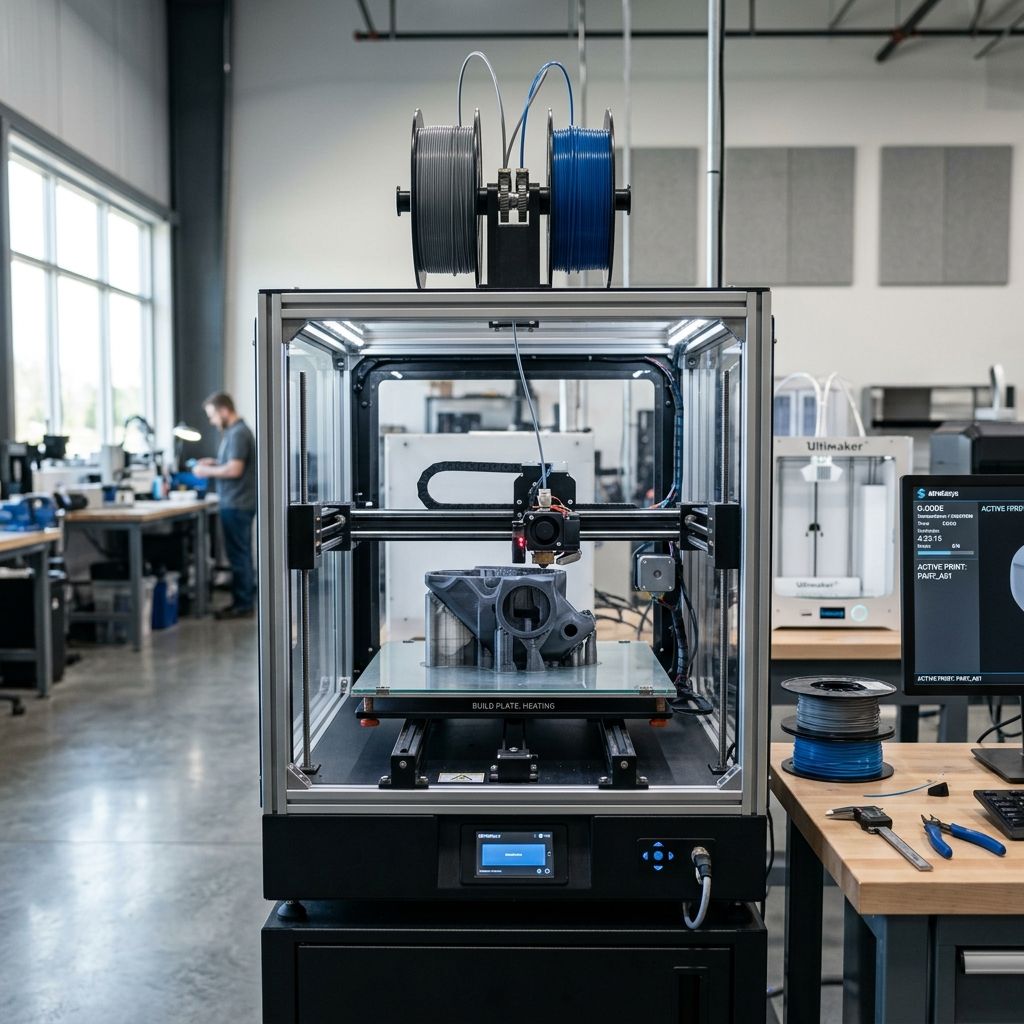
While the P1P was conceived as an economical entry point for high-speed prototyping with low-shrinkage commodities (PLA, PETG, TPU), the P1S integrates an injection-molded enclosure with sealed glass panels, dedicated mainboard cooling, an activated carbon VOC filtration system, and heavy-duty cable chain routing. Crucially, the operational difference extends far beyond sheet metal: the slicer software configuration—whether utilizing Bambu Studio, OrcaSlicer, or PrusaSlicer—dictates how chamber fans, auxiliary cooling arrays, and pressure advance parameters are modulated to prevent either thermal creep clogs or warping delamination.
This technical guide provides a rigorous engineering comparison of the P1S and P1P, dissecting thermal equilibrium models, slicer software profiles, component wear lifecycles, and a complete financial ROI payback framework. To evaluate cross-slicer toolpath generation and troubleshooting, cross-reference our guide on PrusaSlicer Common Problems: Slicing Diagnostics & Fixes, and benchmark competitive industrial platforms in Creality K2 Pro vs K1C: Direct Head-to-Head Comparison & ROI.
Recommended Hardware: Bambu Lab P1S & P1P
Check current stock, real-time pricing, official upgrade kits, and replacement parts directly on Amazon:
View on Amazon • Check Live Price →1. Structural and Electromechanical Architectural Differences
Evaluating the hardware delta between the P1P and P1S reveals key subsystems critical to continuous factory operation:
- Enclosure and Passive Chamber Thermal Retention: The P1S incorporates metallic side and rear panels, an acrylic front viewing door with magnetic latching, and a tempered glass top ceiling cover. This enclosed envelope raises sustained chamber temperatures to during continuous heated bed operation (), completely preventing inter-layer cracking on polycarbonates and styrenics.
- Toolhead Cable Chain Assembly: The P1P relies on a free-hanging flexible flat ribbon cable. In contrast, the P1S features an engineered multi-link nylon cable chain that supports both the high-frequency toolhead data umbilical and PTFE filament guide tube, eliminating cable snagging against enclosure edges during rapid cornering.
- Auxiliary Part Cooling Fan (4020 Blower): The P1S ships standard with a high-cfm auxiliary side blower fan mounted along the left vertical frame extrusion. This fan delivers direct directional laminar airflow across the build plate to prevent curling on high-speed PLA overhangs printed at feedrates > .
- Microcontroller (MC) Board Forced Cooling: In the P1P's open configuration, natural ambient air maintains stepper driver temperatures. In the P1S, passive airflow is constrained by panels; therefore, a dedicated MC active cooling fan is hardwired into the bottom chassis to prevent thermal shutdown of the Trinamic TMC motor drivers during multi-day jobs.
- Chamber Temperature Regulator Fan & Activated Carbon Filter: The P1S features a rear exhaust radial fan coupled with an activated carbon filter cartridge. When processing volatile organic compounds (VOCs) and ultrafine particles (UFPs) from ABS or ASA, the chamber air is scrubbed and selectively purged to maintain thermal equilibrium without polluting workshop environments.
2. Mathematical Mechanics: Chamber Thermodynamics and Workshop ROI
Selecting between the P1P and P1S requires quantifying both thermal thermodynamics inside the printing envelope and direct capital amortization over commercial operating hours.
ENGINEERING FORMULATION: CHAMBER THERMAL EQUILIBRIUM & AMORTIZATION ROI
1. Steady-State Passive Chamber Temperature ():
The equilibrium chamber temperature within an enclosed printer (P1S) balances convective heat transfer from the heated bed against transmission heat loss through the enclosure boundary surfaces:
Where is thermal dissipation from the bed ( at 100% duty cycle, steady-state maintenance power at ), is overall heat transfer coefficient of panel surface , is panel area, is chamber exhaust leakage mass flow rate, and is specific heat of air ().
Solving for equilibrium chamber temperature:
In the open-frame P1P, convective heat transfer coefficient , yielding . For ABS filaments with a glass transition temperature , the thermal gradient across deposited layers creates massive internal contraction stresses (), inducing corner lifting and delamination.
In the enclosed P1S, total thermal resistance , driving internal equilibrium temperature to . This lowers contraction stress by over 38%, maintaining tensile bond strength between printed perimeters.
2. Workshop Investment Payback Window ():
Let initial capital differential between P1S and P1P be $\Delta C = \$200$. Let monthly operational throughput be functional engineering parts, with an average raw material and machine time value of $\$25.00$ per part. If the open P1P yields an average scrap rate on ABS/ASA/PC due to warp failures, whereas the P1S reduces scrap to :
In commercial contract prototyping, the P1S amortizes its entire price delta in approximately 31 operating days purely through scrap reduction on technical materials.
Calculate dynamic batch printing costs using our Cost Calculator and verify filament moisture limits with the Filament Drying Calculator.
Evaluate high-speed kinematics with our Print Speed Calculator and determine precise volumetric throughput using our Flow Rate Calculator.
3. Head-to-Head Specification and Performance Benchmark
The comparative matrix below outlines empirical operational metrics and firmware capabilities between the two platforms:
| Engineering Parameter | Bambu Lab P1P (Open) | Bambu Lab P1S (Enclosed) | Operational Impact on Production |
|---|---|---|---|
| Enclosure Construction | Open skeleton (optional 3D printable armor) | Factory steel panels, glass front door, glass top lid | P1S isolates airborne thermal drafts; P1P subject to room cross-breezes |
| Chamber Operating Temp | Ambient + 3°C to 5°C (~25°C - 28°C) | Ambient + 25°C to 32°C (~50°C - 55°C) | P1S unlocks zero-warp ABS, ASA, PC, and PA-CF capability |
| Auxiliary Part Cooling Fan | Not installed (available as add-on kit) | Factory pre-installed 4020 radial fan with air duct | Enables 300+ mm/s PLA printing without drooping on 60° overhangs |
| Air Filtration & Scrubbing | None (direct atmospheric release) | Chamber regulator fan + Activated carbon filter | Eliminates styrene odor and captures toxic ultrafine particles |
| Toolhead Umbilical Routing | Exposed ribbon cable; no drag chain | Multi-segment nylon articulated cable drag chain | Prevents fatigue wire breaks and enclosure contact at 500 mm/s |
| Mainboard Active Cooling | Passive heatsink convection | Active high-static pressure cooling fan | Prevents TMC driver thermal throttling during multi-day runs |
| ABS/ASA Part Yield Rate | 75% - 80% (frequent corner curl/delamination) | 97% - 99% (consistent structural adhesion) | Drastic scrap reduction makes P1S mandatory for functional polymers |
For material property profiles and thermal guidelines on composite filaments, consult our deep dive in Creality K2 Pro & K1C Material Settings & Thermal Guide and inspect diagnostic protocols in Creality K2 Pro & K1C Part Replacement: Maintenance Guide.
4. Workshop Safety Alert: Thermal Creep Clamping and VOC Inhalation
CRITICAL SHOP OPERATION NOTICE: HEAT CREEP CLOGS & EMISSION HAZARDS
PLA & PETG Heat Creep in Closed Enclosures: Operating the Bambu Lab P1S with its front door and top glass lid fully sealed when printing standard PLA or low-temp PETG (bed temperature > ) leads directly to heat creep clogs. The sealed chamber reaches , exceeding PLA's heat deflection point (). The incoming filament softens inside the extruder hobbed drive gears prior to entering the cold-side heat sink, resulting in flat filament stripping and complete toolhead disassembly.
Follow these essential shop procedures:
- When printing PLA or PETG on the P1S, prop the top glass lid open with a 15 mm riser bracket or keep the front glass door ajar by at least 30°.
- Never print ABS, ASA, or carbon-fiber nylon without an active chamber filter or external ducted extraction. Styrene emissions produce toxic respiratory irritation and particulate accumulation.
- Always ensure the MC board cooling fan is spinning before initiating 80°C+ bed cycles on an enclosed P1S; a dead MC fan causes immediate axis desynchronization.
Diagnose extruder grinding and nozzle clogs using our 3D Printer Troubleshooting Guide and model support material requirements with the Supports Calculator.
5. Slicer Ecosystem Integration: Bambu Studio vs OrcaSlicer vs PrusaSlicer
Achieving optimal print quality on the P1S and P1P depends critically on the slicer software and profile parameters deployed:
- Bambu Studio (Native Ecosystem): Bambu Studio provides seamless cloud syncing, live mobile camera streaming, and automated AMS (Automatic Material System) multi-filament assignment. Its default profiles for P1P vs P1S automatically modulate auxiliary cooling fan speeds (e.g., locking auxiliary fan at 70% for PLA on P1S while keeping it disabled on P1P). However, Bambu Studio restricts fine-grained G-code post-processing and advanced calibration patterns.
- OrcaSlicer (Advanced Calibration Fork): For precision engineering shops, OrcaSlicer is the preferred slicing compiler. It includes native calibration workflows for volumetric speed testing, precise Pressure Advance (Linear Advance) line tests, temperature towers, and VFA (Vertical Fine Artifacts) isolation. Crucially, OrcaSlicer enables independent tuning of the P1S Chamber Exhaust Fan curve based on real-time bed temperature thresholds.
- PrusaSlicer with Bambu Custom Profile: Utilizing PrusaSlicer allows facilities with mixed fleets (Prusa MK4, XL, Voron, and Bambu) to unify toolpath generation. However, PrusaSlicer lacks direct native MQTT cloud telemetry to Bambu's proprietary firmware, requiring G-code transmission via SD card or third-party FTP/LAN gateways.
- LAN-Only Mode Security Compliance: In defense, medical, and proprietary aerospace prototyping labs where cloud data export is prohibited, both P1P and P1S must be locked in 'LAN-Only Mode'. Both Bambu Studio and OrcaSlicer support local LAN broadcasting, streaming video telemetry and sending encrypted print jobs directly over local subnets without WAN access.
Learn more about toolpath calculation and slicer calibration mathematics in PrusaSlicer Technical Guide: Mesh Repair & Toolpath Math.
6. Frequently Asked Questions (Bambu Lab P1S vs P1P)
Can I upgrade an existing Bambu Lab P1P to a P1S later?
Yes; Bambu Lab manufactures an official 'P1P to P1S Upgrade Kit' containing the plastic side panels, glass door, glass lid, cable drag chain, MC board fan, auxiliary cooling fan, and rear chamber exhaust assembly.
Why does my P1S clog when printing PLA with the enclosure fully closed?
The enclosed chamber traps heated bed convection until interior ambient air exceeds 45°C, which exceeds the glass transition temperature of PLA and causes premature filament softening above the heatbreak; keep the top lid or front door propped open during PLA jobs.
Is the P1P faster than the P1S due to lower chassis weight?
No; both printers share identical CoreXY gantry kinematics, stepper motors, and belt drive ratios, meaning maximum acceleration () and toolhead travel velocities () are completely identical.
Which slicer offers better calibration for the Bambu P1S: Bambu Studio or OrcaSlicer?
OrcaSlicer provides superior built-in empirical calibration routines—including automated volumetric flow tests, VFA sweeps, and custom chamber fan thermal curves—making it the optimal choice for precision engineering applications.
Related Intel
Bambu Lab P1S & P1P Common Problems: Workshop Fixes
Comprehensive engineering root-cause analysis and troubleshooting guide for Bambu Lab P1S and P1P 3D printers. Addresses high-incidence workshop failures including AMS PTFE capstan friction binding, extruder filament cutter jamming, carbon rod bearing slurry build-up, toolhead cover detachment, and enclosure heat creep clogs. Features mathematical formulations for Euler-Eytelwein capstan tube friction and CoreXY belt harmonic resonance tuning, backed by actionable maintenance procedures and diagnostic matrices.
Best Materials for Creality K2 Pro & K1C: Industrial Filament Guide
Definitive materials selection and thermal processing guide for the Creality K2 Pro and K1C high-speed CoreXY 3D printers. Evaluates fiber-reinforced polymers (PA-CF, PET-CF, PC-CF), engineering thermoplastics (ASA, ABS, Polycarbonate), and high-flow flexibles. Includes mathematical formulations for thermal shrinkage strain, peel moment crystallization stress, and hotend volumetric throughput ceilings. Features comprehensive rheological parameter tables, hygroscopic pre-drying protocols, and enclosure heat management guardrails for zero-delamination industrial manufacturing.
Creality K2 Pro & K1C Part Replacement: Maintenance Guide
Definitive workshop maintenance and component replacement manual for Creality K2 Pro and K1C CoreXY 3D printers. Covers hot-tightening torque specs for Unicorn nozzles, ceramic heater band wiring, CoreXY 2GT belt tension resonance equations, extruder gear rebuilds, and graphite bushing care.