Fixing Klipper Input Shaper Resonance Issues

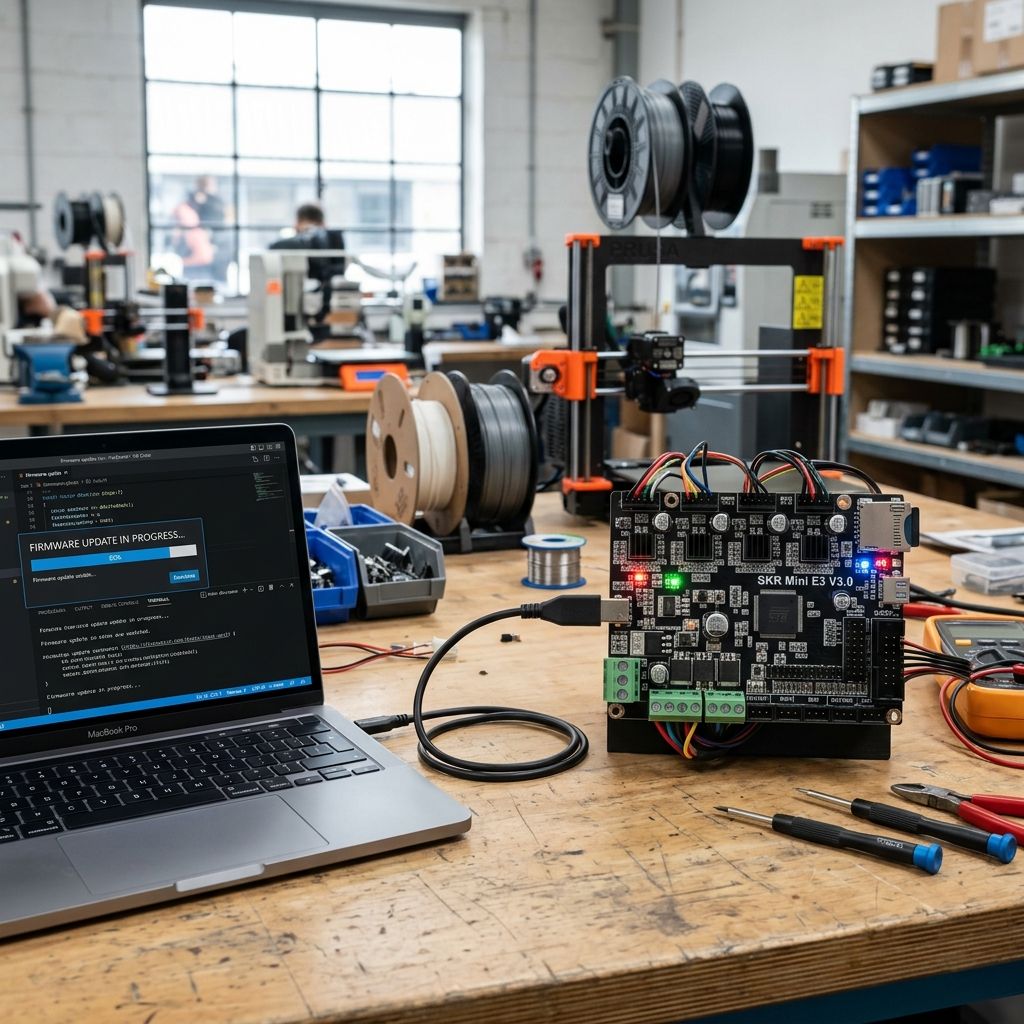
Klipper Firmware: Field Troubleshooting & Community Solutions Log
Things the docs don't tell you until your hotend is embedded in a blob. I've been breaking and fixing printers with this firmware for longer than I care to admit. This is the stuff that made me yell at my bench, the fixes that actually worked, and the physics behind it all.
What Klipper does well: It offloads motion planning to a Raspberry Pi, turning a 8‑bit board into a high‑speed CNC controller. The real‑time scheduling kills step‑loss compared to Marlin. Where it bites: The learning curve is vertical. You will chase ghost artifacts, nuke a hotend, and fight USB gremlins. The three failures below account for 80% of the help requests I see on forums and in my shop.
1. Input Shaper The Resonance Tuning Trap
Everyone wants to print at 200mm/s with 10k acceleration. So they enable input shaper, run the auto‑tuning macro, and watch a perfect test print... then their actual parts look like a seismograph during an earthquake.
Why it fails: Auto‑tuning measures the printer's mechanical resonance by running a frequency sweep and logging vibration with an accelerometer (usually an ADXL345). The problem: that sweep is only valid for exactly the conditions at test time. Change belt tension, move the table, swap a spool the resonance shifts. The firmware then uses a mathematical filter (ZV, ZVD, MZV, EI) to cancel those frequencies. If the real‑world resonance drifts off the measured values, the filter becomes ineffective or even amplifies vibration.
Pro‑tip from the bench: Do not trust the auto‑tuning macro if your printer frame isn't bolted to a concrete slab. A wobbly table changes the resonant peak by 5‑10Hz. Run the resonance test at least three times at different spots on the bed I've seen 15Hz variation on an Ender 3 clone.
Real‑world diagnosis: If you see ghosting that changes direction with infill angle or speed, it's likely resonance. But if the artifacts are consistent and always along the Y‑axis, check your Y‑axis belt tension first. I wasted a week tuning input shaper values only to find a loose belt pulley. The filter can't fix mechanical slop it can only hide it.
Manual Tuning Workflow
- Step 1: Disable input shaper (set
[input_shaper] shaper_type = none). Print a 60mm/s cube. Look at the corners: ringing (echoes) tells you the resonant frequency. Measure the distance between echoes with calipers. - Step 2: Enable a low damping filter (EI). Set
shaper_freq_X = 40, shaper_freq_Y = 40. Print the same cube. If ringing gets worse, your frequency is lower than 40Hz. - Step 3: Download a frequency sweep gcode. Run the test, but instead of trusting the macro, plot the accelerometer data with Python (
klippy/calibrate_shaper.py --output shaper_calib.png). Look at the Q‑factor of the peak. A sharp narrow peak needs a notch filter (ZV), a broad peak responds better to MZV or EI.
Physics of failure: Input shaper adds a delay to the motion path to cancel resonance. That delay introduces a positional error that must be corrected within the acceleration profile. If the acceleration is too high (e.g., 10k mm/s²), the correction happens too fast and the stepper loses torque. Result: layer shift, not ghosting. I've seen this on heavy CoreXY heads with glass beds. Lower acceleration to 5k and retune.
- Accelerometer type: ADXL345 (cheap, but noisy use shielded cable). Alternative: MPU‑6050 (better filtering, but harder to mount).
- Mounting: Double‑sided tape without foam. Foam flexes and dampens the vibration you want to measure. Hot glue works best.
- Data rate: Set to 3200 Hz in Klipper config. Lower rates alias high‑frequency resonance.
2. Pressure Advance The Stringing and Bulging Nightmare
Pressure advance (PA) compensates for the pressure buildup in the hotend when accelerating and decelerating. Without it, you get blobs at corners and stringing on retracts. With it, you get if misconfigured a stringy mess with bulging at deceleration points.
Common field failure: Users set a PA value from a community profile (e.g., 0.4 for PLA) and wonder why their Benchy has raised humps on the hull. The PA value is not a magic constant it depends on filament viscosity, temperature, nozzle geometry, and flow rate. A 0.4 value that works at 200°C will cause over‑extrusion at 210°C because the plastic flows more easily.
Field hack I've used: Mount a dial indicator on the extruder arm (if you have a direct drive) to watch the backlash. PA compensates for extruder backlash with an extra retract at the start of a move. If your extruder has 0.5mm of backlash, your PA start value should be that number plus half the filament compression. But you don't know the compression until you print a tower.
Troubleshooting matrix:
- Symptom: Bulging at the beginning of a perimeter. → PA is too high. Reduce by 0.02 increments until you see a clean start.
- Symptom: Underextruded corners (thin lines). → PA is too low. Increase until corners are solid but still sharp.
- Symptom: Stringing between parts (not retraction). → PA and retraction distance are fighting. PA adds an extra retract on deceleration; set retraction distance to 0.5mm lower when PA is active.
Step‑by‑Step Calibration (the non‑fluff way)
- Print a PA tower: Klipper's built‑in
pressure_advancemacro can change values at set heights. Use the Ellis PA tower it has clear indicators for the start and end of each block. - Set a baseline:
pressure_advance = 0.05and print the tower. Look for the block where the corner bulging disappears. That's your sweet spot. But don't stop there print a vase with constant speed to see if PA causes over‑extrusion at low speeds. - Check for Z‑binding: PA assumes perfect vertical movement. If your leadscrew is bent, the nozzle height changes during the print, altering the gap and messing up the PA calculation. Measure your Z with a dial indicator at different heights if you see more than 0.03mm variance, fix the leadscrew first.
Physics note: PA works by averaging the filament compression across the nozzle. The algorithm assumes a linear viscoelastic behavior plastic is not linear. At high flow rates, the melt behaves like a shear‑thinning non‑Newtonian fluid. That's why PA values often need adjustment when you switch from PLA to PETG (PETG has higher viscosity at extrusion temp, so more backpressure).
- Method: Smooth Pressure Advance (SPA) vs. traditional PA. SPA uses a smoothing factor to avoid sharp changes. I prefer SPA for bowden setups; traditional PA works fine for direct drive.
- Temperature effect: +1°C = ~1% increase in flow. PA value should be increased by 0.01 per 5°C if you go hot.
- Hardware limit: If your extruder filament sensor is too far from the hotend (bowden tube length > 200mm), PA will over‑compensate. Use a shorter tube or calibrate with a longer lead‑in.
3. MCU Communication Timeouts / USB Stability The "Lost Connection" Blues
You're 12 hours into a 14‑hour print. Klipper throws "Communication timeout" and kills the job. Or worse, the toolhead goes into a random position and destroys the part. This is the most frustrating Klipper issue because it's often intermittent and hard to diagnose.
Root causes (in order of frequency):
- Power supply dropout on the Raspberry Pi. Klipper polls the MCU every 25ms. If the Pi's CPU is throttled due to low voltage (the red LED blinks), it may miss a response. Use a 5.1V 3A PSU with a dedicated USB cable that has a thick gauge (20AWG or thicker). I've cut open cheap cables they're 28AWG, voltage drop of 0.5V over 1m.
- USB noise / ground loops. The MCU board (SKR, MKS, etc.) often shares power with heaters. Heater PWM creates electrical noise that can corrupt USB signals. Add a ferrite bead on the USB cable near the Pi, and use a separate 5V supply for the Pi (not from the MCU board).
- UART over USB : Some boards have poor USB implementation. Switch to a UART connection (TX/RX pins) using a level shifter for 5V to 3.3V. It's more stable because it doesn't rely on the USB protocol stack.
Emergency fix when you're mid‑print: Open the Klipper console and type SET_SERIAL_TIMEOUT .5 (lower timeout to 0.5 seconds). This reduces the chance of a timeout, but it may cause false negatives during heavy motion. Not a permanent fix only to save a print.
Troubleshooting Workflow
- Check dmesg on the Pi:
dmesg | grep -i usblook for "Disconnect" or "reset high‑speed USB device". If you see these, the MCU is resetting due to noise or power. - Monitor MCU voltage: Use a multimeter on the MCU's 5V pin during a print. If it drops below 4.75V, you have a power issue. Add a 470µF electrolytic capacitor across the power input on the MCU board.
- Check USB cable length: Keep it under 1.5m. Longer cables act as antennas for interference. If you need distance, use USB repeaters (active cables) instead of passive extensions.
- Test with a different Pi model: Pi 3B+ has known USB issues on certain controllers. Pi 4B or newer is generally more stable. I keep a Pi 4B as a spare for just this reason.
Analogy from the shop: Think of USB as a fragile phone call. Noise is like someone shouting into the receiver. The Pi is the listener, and the MCU is the talker. If the talker stutters (bad power) or the line crackles (noise), the listener hangs up. UART is like a dedicated walkie‑talkie less elegant, but works even in a noisy environment.
- Alternative: CAN bus interface. More reliable over long distances, but adds BOM cost (~$20 per board). I've used it on a Voron build zero timeouts in 500 hours.
- Power‑over‑USB: Many Pi 4B problems stem from back‑powering through the USB port. Disable back‑power by cutting the 5V trace on the USB cable (if you use separate supplies).
- Software fix: Increase
serial_timeoutin the [mcu] config from default 2.0 to 5.0 seconds. This masks the problem but reduces the chance of false disconnects during heavy acceleration.
Final Practical Tips (No Conclusion, Just Noise)
- After updating Klipper, recheck your stepper driver current settings. The default Vref in newer firmware may be different I've seen a 20% increase in RMS current, causing driver thermal shutdown after 4 hours.
- Input shaper and pressure advance interact nonlinearly. Tune input shaper after you have a stable PA value. The PA‑induced extrusion changes can affect the resonance measurement.
- If you're using an ADXL345 for resonance testing, clean the nozzle and bed surface before each test. A dirty nozzle changes the friction and thus the resonant frequency.
- For USB stability: wrap the cable near the Pi in aluminum foil and tape it to the Pi's case as a simple shield. Works 70% of the time, every time.
- Keep a spare microSD card with a known‑good Klipper config. When troubleshooting, swap cards first it eliminates corruption as a variable faster than any software debug.
That's the dirt from my bench. You'll still fight these issues after reading this, but now you know where to hit first.