Build Series PETG for Jigs and Fixtures

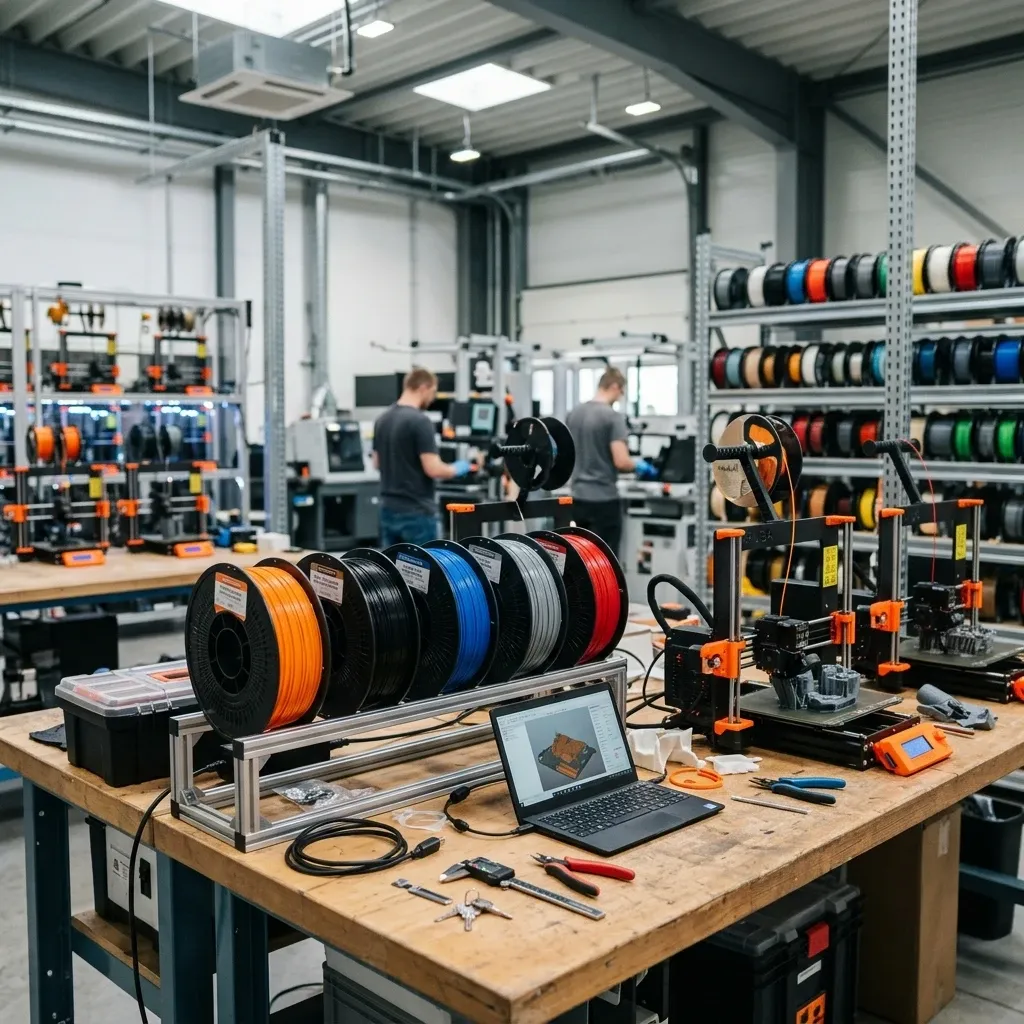
Build Series PETG: The Shop Floor Veteran's Guide to Jigs, Fixtures, and Reliable Production
Skip the marketing fluff. Here's how to tune, torture, and trust this workhorse polymer in a real industrial setting. If you're designing tooling that needs to survive oil, repetitive impact, and a bit of heat without shattering or creeping out of spec, this is the spool you reach for. Let's talk about making it earn its keep.
Business Impact: The ROI of Reliable Tooling
The traditional supply chain for custom industrial tooling is a bottleneck. Waiting two weeks for a machined UHMW or Delrin replacement part kills throughput. With a properly tuned Build Series PETG workflow, you can go from a worn-out tool to a validated replacement in under four hours. The cost delta? Nothing short of a paradigm shift.
- Cost Reduction: Direct part costs drop 80-90% compared to CNC machining for one-off jigs and fixtures.
- Downtime Mitigation: Eliminate lead time for custom brackets, guides, and assembly aids. Spool inventory replaces warehouse stock.
- Iteration Speed: Test three ergonomic handle designs on the assembly line in a single shift. The cost of a failed design is a few grams of filament, not a lost machining cycle.
- Predictable Reordering: Build Series consistency means you don't re-tune profiles between spools. This is a direct labor savings on the shop floor.
Know Your Material: The Physics of a Workhorse
Build Series PETG is a glycol-modified PET copolymer. The glycol addition does two things: it drastically reduces the brittleness of standard PET, and it lowers the processing temperature enough to make it printable without a heated chamber. But here's where the physics gets interesting for an engineer.
Thermal Reality Check
The glass transition temperature (Tg) of this material sits around 80°C. In practice, this means a part left in a closed car on a summer day will soften and take a set. Don't use it for engine bay components or autoclave fixtures without accounting for this. However, this relatively low Tg is exactly why it prints so nicely it doesn't require the thermal management that polycarbonate or PEEK demand. Your part cools uniformly, which minimizes internal stresses and warpage.
I've seen people try to push PETG into high-temp applications and blame the material when it creeps. That's a design failure, not a material failure. Annealing at 80°C for 2-4 hours in a convection oven (packed in silica sand or ceramic beads to prevent warping) will raise the service temperature to around 100-110°C. It's not a miracle cure, but it buys you a safety margin.
The Moisture Trap
Everyone talks about Nylon being hygroscopic. PETG isn't as aggressive, but it absolutely absorbs moisture from the air. A spool left out for a week in a 50% RH workshop will print, but you'll see the evidence: tiny surface zits, excessive stringing, and a distinct drop in layer adhesion. The water molecules flash to steam in the nozzle, creating voids in the bead.
Drying Protocol: I don't care what the vacuum seal looks like. If the room is humid, bake it. 65°C for 6-8 hours. Use a dedicated filament dryer or a food dehydrator. Do not exceed 70°C or you risk annealing the spool into a solid brick. This is not optional for structural parts. I have a note on my workshop wall: "When in doubt, bake it out."
Workshop Reality: The "Wet Spool" Test
If you extrude a 100mm strand into the air and hear popping or hissing sounds, your filament is wet. Stop the print, fix the problem. You are wasting your time running a job with wet PETG.
Hardware & Software Requirements: The Minimum Spec
- Extruder Temperature: 235-250°C. 245°C is my structural sweet spot. Lower for detailed parts, higher for impact resistance.
- Bed Temperature: 70-85°C. Start at 80°C for the first layer, drop to 75°C for the rest to reduce elephant's foot.
- Build Surface: Clean, textured PEI with a thin layer of glue stick. Alternatively, smooth PEI wiped with Windex (ammonia acts as a release agent).
- Cooling Fan: 0% for first 3-5mm. Ramp to 20-30% for bridges and overhangs. Never exceed 50% on a structural part.
- Enclosure: Not strictly required, but an ambient room temp above 20°C prevents drafts from causing corner lift. My workshop is drafty, so I run a cheap enclosure.
- Slicer Profile: Dedicated profile. Save it as "BUILD_SERIES_STRUCTURAL". Automate the compliance.
Tuning the Trifecta: Heat, Cooling, and Squish
The three pillars of printing this material reliably are temperature management, cooling control, and first-layer geometry. Everybody gets obsessed with stringing or surface finish and forgets that none of that matters if the part falls apart in your hands.
First Layer: Lay It Down, Don't Smash It
PETG does not want to be squished onto the bed like PLA. PLA likes a tight Z-offset that forces material into intimate contact. PETG, if squished too hard, creates a giant weld with your build plate. I've torn chunks out of smooth PEI sheets because I used a PLA first-layer profile. Bad day.
You want the extruded bead to have a slight rounded top, not a flat pancake shape. If the first layer looks translucent and paper-thin, you're too close. Back the Z-offset up by 0.02mm until you see a consistent, opaque bead. Use a 0.24mm layer height on a 0.4mm nozzle for the first layer to give yourself some tolerance.
Retraction: The War on Ooze
Stringing is the devil you know. The real enemy is heat creep causing clogs mid-print.
Direct Drive: Start at 0.8mm retraction at 35mm/s. Rarely needs more than 1.5mm. Over-retracting pulls molten plastic into the cold zone of the heatbreak, causing a jam 4 hours into a print.
Bowden: You need 4-6mm at 40-50mm/s. The long tube acts as a spring, so you need more distance to relieve pressure. Z-hop of 0.2mm helps drag stringing artifacts away from the part.
If you see blobs on the outer wall, your retraction is too high or your coasting settings are off. Tune stringing LAST, after you've locked in your extrusion multiplier and temperature. A 0.5mm string on a structural jig is ugly but irrelevant. A weak layer bond from low temperature is a functional failure.
Physics of Failure: Where It Breaks and Why
Layer Delamination
This is the number one failure mode I see in the field with PETG. A part comes back cracked right along a layer line. Nine times out of ten, it's wet filament. The moisture causes micro-bubbles that act as stress concentrators between layers. The other cause is insufficient temperature. If you print at 230°C to improve overhangs, the polymer chains aren't hot enough to fully entangle across the layer boundary. You get a good-looking part with a weak backbone.
Stress Cracking
PETG is notch-sensitive. A sharp corner or a deep scratch on the surface can propagate a crack under cyclic load. This is why I tell people to fillet all corners in CAD. A 2mm radius adds weeks to the fatigue life of a fixture. Drilling and tapping can also create stress risers. I prefer to print holes undersized and tap them, rather than drilling, to ensure the layer lines conform to the thread profile.
Heat Creep
In an all-metal hotend, heat creeps up the heatbreak and softens the filament above the melt zone. The extruder gear chews into the soft plastic, loses grip, and you get an underextrusion jam. This is exacerbated by high retraction distances (pulling hot plastic into the cold zone) and a weak heatsink fan. If your printer has an anemic 30x10mm fan on the hotend, replace it with a 40x20mm before running a 24-hour PETG job.
Troubleshooting Matrix: Field Scenarios
- Symptom: Zits and Surface Bubbles
Root Cause: Wet filament.
Field Fix: Stop print. Bake spool at 65°C for 6 hours. If part is small and urgent, dry the spool for 2 hours and reduce the print speed by 30% to give trapped steam time to escape. - Symptom: Corners Lifting Off Bed
Root Cause: Drafts or low bed temp.
Field Fix: Enclose the printer. Bump bed to 85°C. Add an 8mm brim. I keep a cardboard box around my small printers for exactly this scenario. - Symptom: Nozzle Clogs Mid-Print (All-Metal Hotend)
Root Cause: Heat creep.
Field Fix: Check heatsink fan for debris. Lower retraction to 1.5mm max. Increase retraction speed (not distance) to reduce dwell time in the heatbreak. - Symptom: Elephant's Foot (Bulging First Layer)
Root Cause: Bed temp too high, Z-offset too low, or print weight compressing soft layers.
Field Fix: Drop bed temp to 70°C. Increase Z-offset. Use a chamfer on the bottom edge of the model in CAD, or add a 0.2mm horizontal offset in your slicer's first-layer settings. - Symptom: Stringing Like Cotton Candy
Root Cause: Temperature too high, retraction speed too slow, or oozing nozzle.
Field Fix: Drop nozzle temp by 5°C. Increase retraction speed to 50mm/s. Ensure filament drive tension isn't grinding the filament (creating dust that causes jams).
Build Series vs. the Competition: Why the Premium?
I've run cheap PETG from, shall we say, "off-brand" sources. The first 200g prints okay. The middle 500g is stringy. The last 300g is brittle. This is because budget manufacturers use regrind or have poor quality control over the intrinsic viscosity (IV) of the polymer. The melt flow rate changes as you burn through the spool. You can't hold a tolerance on a part if the viscosity of the material changes halfway through a job.
Build Series holds a consistent 1.75mm diameter +/- 0.02mm. I've burned through over 50 spools across three different workshops. The color is consistent from batch to batch. The drying standards MatterHackers uses vacuum sealing with desiccant are best-in-class. When you're running a production line, you cannot afford to re-tune your profile for every spool. Build Series eliminates that variable. It's not the cheapest on the shelf, but it is the cheapest reliable option I've found.
Post-Processing: The Reality of Machining PETG
PETG machines beautifully compared to PLA. It doesn't chip or fuzz. But it does melt if you're impatient.
- Drilling: Use sharp, 118° point drill bits. Peck at the hole to clear chips. Flood coolant is best, but a shot of WD-40 works as a lubricant/coolant in a pinch. Clamp the part down tight, or it will grab the drill and shatter.
- Tapping: For M3, M4, or M5 threads, print the hole 0.3-0.4mm undersized. Use a hand tap and go one turn forward, half a turn back to break the chip. The threads will hold for 10-15 cycles before stripping. For higher duty cycles, use a threaded heat-set insert.
- Solvent Welding: This is how you make a permanent assembly. Methylene chloride (sold as Weld-On 3 or 4) will chemically fuse PETG parts into a single piece. It is nasty stuff you need a respirator with organic vapor cartridges and nitrile gloves. But the bond is stronger than the parent material. For a structural jig assembly, this is the best option.
- Flame Polishing: A quick pass with a propane or MAP torch will clear up surface fuzz and make a part look injection-molded. Practice on a test piece. Hold the flame 4-6 inches away and keep it moving. You're melting a few microns of surface, not cooking the part.
Final Workshop Warning: The Z-Offset Bugbear
Here's the truth about Build Series PETG: it forgives a lot, but it punishes arrogance. It will self-destruct if you don't dry it. It will weld itself to your build plate if you squish it too hard. It will clog your hotend if you chase stringing with excessive retraction.
But if you respect its thermal properties and feed it consistently, it will outperform almost every other material for functional, load-bearing shop-floor parts. It bridges the gap between easy-to-print PLA and engineering-grade materials like polycarbonate.
Pro-Tip: Before every long print, dial in your Z-offset. Use a 0.1mm feeler gauge on a cold bed, set your height, then back it off 0.02mm. That tiny gap is the difference between a perfect first layer and an afternoon spent scraping a welded blob off your PEI sheet.
Keep a dedicated "PETG_STRUCTURAL" profile on your slicer. Automate the compliance. Don't trust your memory for settings. The machine doesn't remember, and the spool doesn't care. You're only as good as your last successful print.
Related Intel
Sunlu PETG Review: Production Performance and Moisture Sensitivity
Sunlu PETG offers consistent 1.75mm ±0.05mm tolerances and costs $18-22/kg, but absorbs moisture after 72h, causing bubbles and 40% impact strength loss. Requires active drying before high-stakes prints.
Creality PETG Filament: What to Expect from a Budget Spool
Creality PETG is a budget-friendly filament that performs well if you understand its quirks. This article covers measured specs, common issues like stringing and spool warping, and when it's a good choice for jigs, enclosures, and prototyping. Based on testing from an experienced maker.