Phrozen Sonic Mini 8K S: Common Z-Axis and LCD Problems

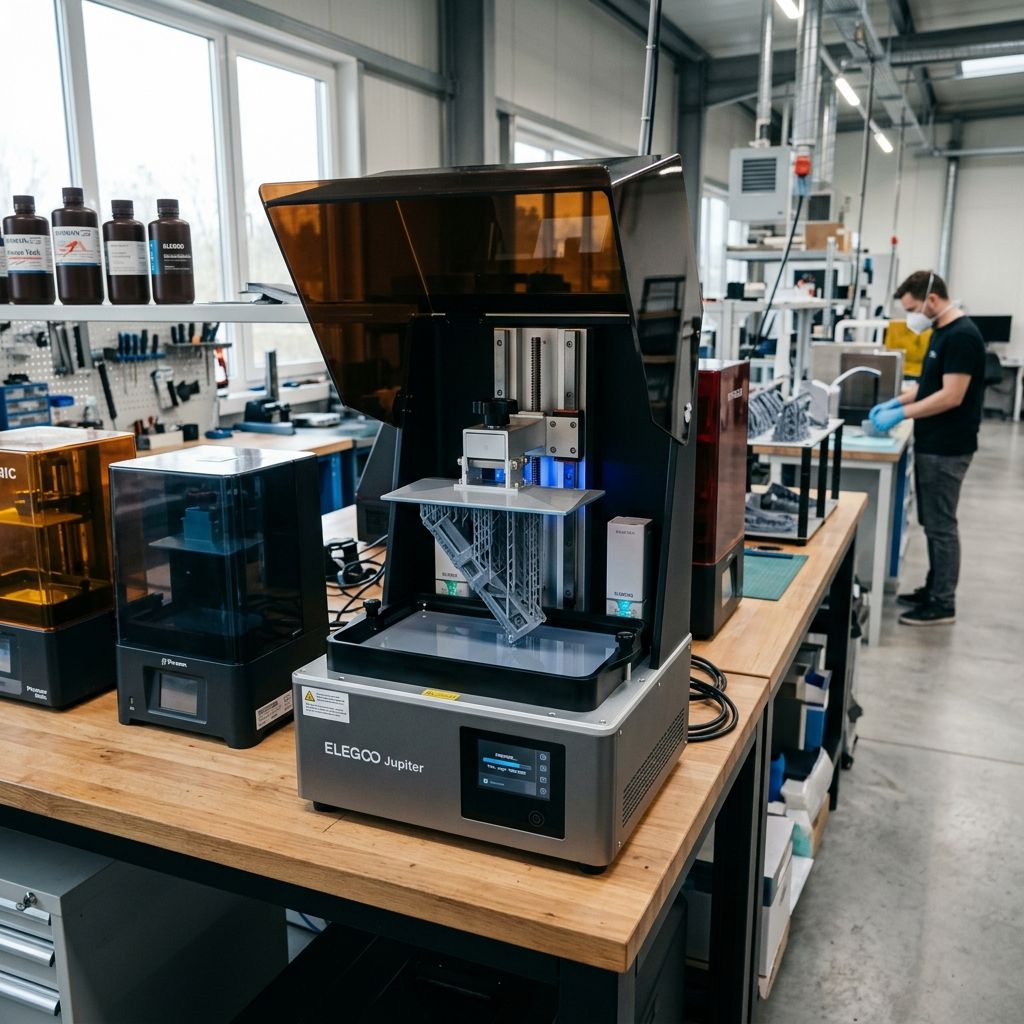
Phrozen Sonic Mini 8K S: Field Report and Stress-Testing the 22-Micron Myth
A deep-dive technical assessment of the 8K S platform, focusing on Z-axis harmonics, LCD thermal fatigue, and the physics of release force management in high-resolution resin environments.
The Phrozen Sonic Mini 8K S is marketed as a high-precision tool, but on a shop floor, precision is only as good as your repeatability. When you are pushing 22-micron XY resolution, the margin for error in your Z-axis and resin temperature shrinks to nearly zero. We've seen these units run 24/7 in dental labs and prototyping shops, and the failures are never "software glitches" they are almost always mechanical fatigue or poor thermal management.
Z-Axis Stiction and Linear Rail Harmonics
The most frequent failure point on the Mini 8K S isn't the screen; it's the Z-axis carriage. Phrozen uses a single linear rail design for the "S" model to shave off costs and weight compared to the dual-rail Mini 8K. While a single rail is theoretically sufficient for a small build plate, in practice, it introduces a "pendulum effect" if the bearing block develops even a fraction of a millimeter of slop. I have seen "wobble" artifacts on 0.03mm layers that were traced back to the factory grease becoming contaminated with resin vapor, turning the lubricant into a sticky paste that causes the motor to skip steps or "shudder" during the initial lift.
If you see horizontal lines repeating at the exact same height on different prints, stop looking at your files. Your Z-rod is either bent or, more likely, your T-nut is binding. The 8K S uses a brass lead nut that is prone to galling if run dry. I recommend a full degrease and a switch to a high-quality PTFE-fortified synthetic grease immediately upon unboxing.
Physics of the failure: When the build plate tries to lift, the suction force (Stefan Adhesion) resists. With a single linear rail, that force isn't perfectly centered. This creates a moment arm that wants to twist the carriage. If your rail isn't perfectly parallel to the lead screw a common QC issue in mass-produced hobby-industrial hybrids the motor has to fight the misalignment and the suction. This leads to "chatter," which manifests as micro-banding in your 8K prints, effectively negating the benefit of that high-resolution screen.
- Z-Axis Tolerance: ±0.01mm (Theoretical) / ±0.04mm (Field Observed)
- Lubricant Spec: NLGI Grade 2 Synthetic Grease with PTFE
- Motor Coupler: Non-flexible rigid coupler (prone to transmitting vibration)
- Lead Screw Pitch: 2mm pitch, 8mm lead (Standard 4-start)
The 8K LCD Thermal Trap
The "S" in 8K S stands for "Simplified," but they didn't simplify the heat. The 7.1-inch mono-LCD is a dense piece of hardware. Pushing 8000 pixels across that surface area requires a powerful UV LED matrix (ParaLED Matrix 3.0). The problem we face in the shop is "thermal soak." After about four hours of continuous printing, the internal chassis temp can climb significantly. Since the LCD is essentially a giant light-valve, it absorbs a portion of that UV energy as heat.
Liquid crystals are chemically sensitive to temperature. If the screen hits 60°C+, the "off" state of the crystals starts to fail, leading to "light bleed" or "ghosting." In my experience, the cooling fan on the 8K S is adequate for hobbyist use, but if you're running back-to-back 10-hour prints in a warm workshop, you will see the screen life drop from the promised 2,000 hours to less than 800. We've had screens develop "black spots" or "dead zones" where the crystals have literally cooked and stayed in a permanent opaque state.
Shop-Floor Fix: Thermal Regulation
We've started installing external 120mm fans pulling air *away* from the intake vents on these smaller Phrozen units. Don't blow air in; you'll just swirl the hot air around. Create a negative pressure vacuum. Also, if your workshop isn't climate-controlled, don't even think about printing at 22 microns. Resin viscosity changes with temp, and a 5-degree swing will ruin your calibration.
VAT Tension and the ACF vs. FEP Struggle
The third nightmare is the VAT. The Mini 8K S usually ships with standard FEP or PFA film. For 8K resolution, the "release force" is your enemy. Because the pixels are so small, the "pillars" of cured resin are incredibly fragile during the peel cycle. If your FEP is too tight, it doesn't "peel" from the edges; it "pops" off all at once, which snaps support tips or deforms the model. If it's too loose, the film stays stuck to the model too long, causing "blooming" or "pancaking" because the resin can't flow back under the plate fast enough.
I've experimented with the newer ACF (Acoustic Film) on the 8K S. While it reduces suction significantly, it has a slight texture that can diffuse the UV light. For a printer that prides itself on "8K sharpness," ACF can actually introduce a microscopic blur. It's a classic tradeoff: do you want a 100% success rate with slightly softer edges, or a 70% success rate with razor-sharp 22-micron detail? Most of the time, I'll take the FEP and just slow down my lift speeds to a crawl (40mm/min or less).
Detailed Maintenance Workflow: The 100-Hour Reset
Don't wait for a failure to service this machine. In a professional setting, we treat the 100-hour mark as a mandatory teardown. Here is the field-tested procedure for keeping an 8K S within its tightest tolerances:
- Rail Inspection: Wipe the Z-axis linear rail with isopropyl alcohol (90%+) to remove all old grease. Check for "pitting" or dark streaks in the metal. If you see streaks, your bearing carriage is failing.
- Bed Leveling "The Right Way": Forget the piece of paper that comes in the box. It's too thick and inconsistent. Use a set of feeler gauges. I level at 0.1mm. If your bed isn't flat to within 0.05mm across its surface, you need to lap it on a piece of glass with 400-grit sandpaper. I've seen factory plates with a slight "cup" in the middle that makes 8K printing impossible.
- Screen Protector Integrity: The 8K S has a pre-installed screen protector. Check the edges for resin seepage. If resin gets under that protector and cures, the heat from the next print will crack your LCD. I replace the tape around the screen edges with high-temp Kapton tape every 50 prints it's cheaper than a $150 LCD.
- FEP Tuning: Use a frequency analyzer app on your phone. Pluck the FEP like a drum. For the Mini 8K S VAT size, you're looking for a resonance between 300Hz and 325Hz. Anything higher and you'll snap supports; anything lower and you'll get layer shifts from film "flop."
Warning: The screws on the Phrozen VAT are notoriously soft. Use a high-quality hex driver, not the L-shaped ones that come in the box. If you strip one of those M3 screws while changing the FEP, you're looking at an hour of work with a screw extractor or a Dremel. Experience tells me to replace the factory screws with stainless steel ones the first time you change the film.
Troubleshooting Matrix: When 8K Goes Wrong
In the field, we see the same three "mysteries" over and over. Here's how we diagnose them without wasting liters of expensive 8K resin:
- Symptom: The "Raft" is stuck to the FEP, not the plate.
Cause: Undercured bottom layers or "cupping" in the build plate.
Fix: Increase bottom exposure by 20% and check plate flatness with a machinist's straight edge. - Symptom: Vertical lines on one side of the model.
Cause: Z-axis carriage tilt (the single rail problem).
Fix: Tighten the eccentric nuts (if applicable) or check for play in the rail mounting bolts. - Symptom: "Crunching" sound during the first few layers.
Cause: Zero-point is too low; the motor is bottoming out against the screen.
Fix: Reset Z-zero with a 0.1mm offset. The 8K S homing sensor can be finicky if dusty.
Physics of Resin and Suction Force
One thing people forget is that the 8K S is a small-format printer. On a larger printer like the Sonic Mighty, the build plate flexes slightly, which actually helps peel the FEP. On the Mini 8K S, the plate is thick and rigid. This means the FEP has to do all the work. If you are printing a solid block, you are creating a massive vacuum. I've seen this vacuum force literally pull the LCD screen up out of its housing because the adhesive failed. Always, always hollow your models and add vent holes as close to the build plate as possible. If you don't, you aren't just risking a print failure; you are risking the structural integrity of the masking screen.
Resin choice is also a factor. "8K" branded resins are usually higher in pigment load to prevent light bleed, which makes them more viscous. Higher viscosity means they take longer to flow. If you don't use a "Rest Time After Retract" (I usually set it to 1.5 or 2 seconds), the build plate will descend and trap air or turbulent resin, resulting in "voids" that look like missing pixels but are actually just physics working against you.
Pro-Tip: If you're struggling with release, don't use rain-repellent or PTFE sprays on the FEP. It's a temporary fix that eventually contaminates your resin. Instead, look at your "Lift Height." With 8K prints, the FEP stretches more than you think. Increase your lift height to at least 7mm or 8mm to ensure a full release before the plate descends again. It adds time, but it saves screens.
The motor coupler on the 8K S is another point of contention. It's a solid aluminum block with two set screws. In high-vibration environments like a workshop with other CNC machines running this coupler can transmit harmonics directly to the build plate. I've replaced a few of these with "plum-style" flexible couplers in the past. It dampens the vibration, but you have to be careful; if the coupler is too flexible, you introduce Z-axis "spring," which kills your layer height accuracy. It's a delicate balance that Phrozen mostly got right, but it's where I look first if I see "fuzzy" details on a machine that used to be sharp.
Finally, let's talk about the resin vat itself. The 8K S vat is plastic (or a composite), not the heavy-duty aluminum of the Pro models. This is fine for weight, but it's not great for thermal stability. Plastic doesn't dissipate heat from the resin as well as aluminum. If you're doing a long print, the resin temperature will naturally rise just from the exothermic reaction of curing. In a plastic vat, that heat stays there. This can actually change your exposure requirements mid-print. If the first 500 layers look great but the top 500 look over-exposed and "fat," your resin has heated up, becoming more reactive. This is why "pro" shops often prefer aluminum vats they act as a heat sink.
Mind the torque on those build plate leveling screws. They are small, and the T-handle wrench makes it easy to over-tighten them. I've seen the threads in the aluminum carriage strip out more than once. Snug is enough. If the plate is moving, your FEP is too tight or your lift speeds are too aggressive. Don't try to fix a mechanical peel issue by cranking down on the leveling bolts.
Related Intel
Anycubic Photon Mono M7 Max and M5s Pro Review
An in-depth engineering review of Anycubic Photon Mono M7 Max and M5s Pro resin 3D printers, analyzing 14K optics, ACF peel physics, and Z-axis cantilever rigidity.
UniFormation GKTwo 12K Review and Comparison
The UniFormation GKTwo 12K combines a 29.7 µm 10.3-inch LCD with an integrated PTC vat heater and quick-release hardware, solving cold-resin failures in production workshops.
Common Elegoo Mars 5 and Mars 5 Ultra Issues
Learn how to fix common Elegoo Mars 5 and Mars 5 Ultra issues: tilt mechanism binding from resin contamination, force sensor leveling failures, and release film fatigue. Includes step-by-step rebuild workflows.