Prusa SL1S SPEED: Three Years of Lessons

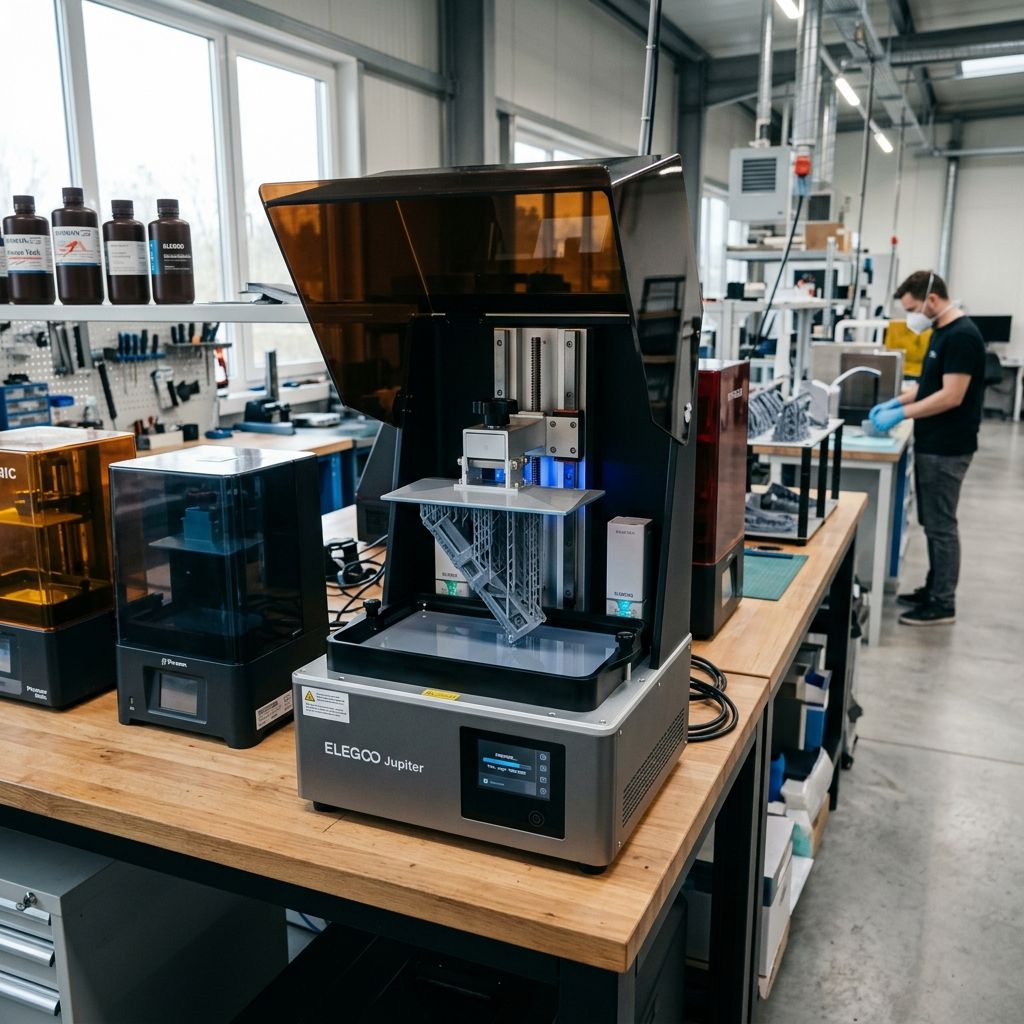
Prusa SL1S SPEED: The Resin Workhorse That Demands Respect
I've run this SLA machine through three years of nearly continuous operation here's what it actually takes to get production-level output without the resin headache.
Business Impact The Hard Numbers
In a job-shop setting, the SL1S SPEED can turn a 6‑hour single‑model turnaround into 90 minutes per tray but only if you dial in the resin profile and maintain the LCD like a hawk. Real‑world ROI typically breaks even at around 120 successful prints (roughly 2 months at 2 prints/day), assuming you're charging $50 $80 per high‑detail prototype. The time savings come not just from print speed, but from the drastically reduced post‑processing compared to FDM no support removal nightmares, surface finish is often good enough for silicone molding straight out of the wash.
However, the hidden cost is maintenance: LCD replacement every 500 800 hours (depending on resin type), FEP film changes every 60 80 prints, and alcohol consumption for cleaning. If you factor those consumables, the true cost per print settles at $1.20 $2.00 for medium‑sized parts. Still cheaper than outsourcing, but don't let the machine price fool you.
- Hardware: Prusa SL1S SPEED unit, spare LCD mask (dash 0.5), FEP replacement sheets (Grey Resin optimized), ultrasonic cleaner with IPA, UV curing station or sunlight.
- Software: PrusaSlicer 2.7+ (SL1S profile, tilt‑release handling), UVtools for exposure calibration, Resin settings library (e.g., Siraya Tech, Prusament).
- Environment: Stable 20 25°C (avoid drafts), well‑ventilated but not with direct airflow over vat, + fume extraction if indoors.
- Consumables: Washable or standard resin (low‑odor helps), high‑purity IPA (99.9%), silicone‑free gloves, nitrile or latex.
- Ancillary: Build plate alignment gauge (feelers), USB drive formatted FAT32, calibrated pH meter for IPA purity (optional but handy).
First Impressions Unboxing to First Print
When you pull the SL1S SPEED out of the box, the first thing you notice is the build quality the Z‑axis leadscrew is a 10‑mm ACME, CNC‑cut, and the linear rail on the tilt mechanism is a genuine HIWIN. No slop. The LCD is a 5.5″ monochrome 4K, and the UV LED array (395 405 nm) is mapped to give ±5% uniformity across the whole print area. That's rare for a consumer‑priced machine I've seen $5000 printers with worse consistency.
But here's the thing: the manual tells you to level the build plate with a piece of paper. Don't. That's for FDM. For SLA, you want the plate to just barely displace a 0.2 mm feeler gauge after the sensor triggers. And you need to check that the platform is parallel to the LCD not just level because if it's cocked even 0.1°, you'll get weird peel forces that cause delamination on thin supports. I set mine with a dial indicator clamped to the vat frame (a hack I learned after 5 failed prints).
Resin Profile Tuning The Art of the Calibration Matrix
PrusaSlicer comes with a baseline for Prusament resin, but nobody runs that for production it's expensive and not that special. Real world: you'll use third‑party resins (Siraya Tech Fast, Anycubic Standard, Elegoo ABS‑like) because they cost 40% less and the SL1S SPEED can handle them if you calibrate correctly.
You need to run an Exposure Calibration test (the one with truncated cones) every time you switch resins. I use UVtools' Calibration Wizard it analyzes the image and gives you a recommended layer exposure. For a typical 0.05 mm layer with 70% resin transparency, I've found that the SL1S SPEED likes base layers at 25 30 s (6 layers) and normal layers at 1.8 2.2 s. But if you're printing hollow parts with no drain holes? Expect blowouts if you push above 2.5 s.
Also, the tilt mechanism release speed matters. The "Tilt Up Speed" in PrusaSlicer isn't just a number set it too fast (above 15 mm/s) and you'll rip the print off the supports on small cross‑sections. Too slow (<8 mm/s) and you'll introduce layer‑line artifacts from the partial cure during tilt. I run mine at 10 mm/s for functional parts, 12 mm/s for visual models.
Real‑World Workflow A Typical 8‑Hour Shift
I run the SL1S SPEED in a print farm with three units dedicated to small heatsinks and electrical connectors. Here's a typical cycle:
- 08:00 Inspect last night's prints. Remove parts, ultrasonic wash in IPA for 6 minutes, then compressed air dry (don't let IPA evaporate it leaves streaks).
- 08:30 Check FEP film for cloudiness or pitting. If the screen test (expose without vat) shows bright spots, replace film. I keep a dozen pre‑cut FEP sheets in a drawer.
- 09:00 Pour resin (I use a 500‑ml squeeze bottle with a filter nozzle stops dust). Run a 2‑layer test on a corner of the build plate to verify adhesion.
- 09:15 Start first production run. Use PrusaSlicer's "Place on Build Plate" with random orientation not the default "tilt 20°" because flat faces cause suction forces. I orient each part so that the smallest cross‑section is the first layer.
- 12:00 First batch done. Post‑cure in 60°C UV oven for 20 minutes. Meanwhile, clean the build plate I use a plastic scraper (never metal) and a wipe with IPA.
- 13:00 Second batch, same resin. Change FEP if needed (every 15 20 prints depending on resin viscosity thicker resins like Siraya Blu wear out film faster).
By the end of the day, I've got about 60 80 parts (depending on size). The SL1S SPEED's 4K LCD resolves 50‑µm details so fine that the connector pins need a microscope to check, but the machine handles it.
The LCD Your Most Expensive Consumable
The monochrome LCD in the SL1S SPEED is rated for 2000 hours, but I've never seen one last that long under heavy use. The UV light degrades the LCD polarizer, forming a permanent yellow tint after about 600 hours. Symptoms: prints start to have over‑exposed edges on the left side (the UV array is slightly brighter there due to thermal drift). You'll need a spare LCD I recommend buying one when you buy the printer, because Prusa runs out of stock for 4 months at a time.
Replacement is a 45‑minute job if you've done it before. Key steps:
- Remove the build plate and vat. Unplug the printer and discharge static by touching the metal frame.
- Remove the eight M3 screws holding the LCD frame but be careful, the ribbon cable is fragile. Use a plastic spudger to lift the connector latch.
- Clean the glass surface of the backlight panel with 99% IPA any spec of dust will show as a cured dot on the print.
- Place new LCD, align the notches, tighten screws in a cross pattern to 0.5 Nm (just snug plus a quarter turn).
- Run the "Screen Test" in the settings you want even brightness across all four quadrants.
FEP Film The Silent Bottleneck
Every resin printer owner complains about FEP. The SL1S SPEED uses a stamped frame that holds the film with a silicone gasket. Factory tension is usually okay, but after a month of cycles, the film loosens and starts to sag. When that happens, you get a "banana" effect on the first layers of the print the Z‑axis pushes the film down, causing a bulge that projects onto the print.
I replace FEP every 60 prints regardless of appearance, because microscopic scratches from cured resin bits cause localized delamination. To change it, I use a 3D‑printed tension ring that applies even pressure around the edge homemade, but better than the stock method. Pro tip: apply a thin layer of PTFE lubricant (the dry spray kind) on the FEP side that touches the LCD reduces peel force by about 15% and prolongs film life.
Environmental Considerations Temperature & Humidity
The SL1S SPEED is sensitive to temperature swings. Resin viscosity changes with temp: at 18°C, a typical low‑viscosity resin becomes 2.5‑3 times thicker, causing increased peel forces and potential layer shifts. I keep my print room at 23°C ±1°C using a small space heater with a thermostat. If you're in a humid climate (above 60% RH), the resin absorbs moisture from the air you'll see increased bubble formation and surface imperfections. Solution: run a dehumidifier, and if you're not printing for more than 48 hours, keep the resin in a sealed container with silica gel.
Maintenance Workflow The Biweekly Checklist
- Every 100 prints: Lubricate the tilt mechanism rails with lightweight machine oil (Sewing machine oil, nothing heavy). Wipe away old oil it accumulates resin dust and becomes abrasive.
- Every 200 prints: Check the set screws on the build plate they loosen from repeated tilting. Apply medium‑strength threadlocker (blue) and retorque to 1.2 Nm.
- Every 400 prints: Remove the Z‑axis leadscrew cover, clean the screw with isopropyl alcohol, and regrease with PTFE‑infused grease (I use Super Lube). Re‑crimp the wiper seals if they show wear.
- Annually: Replace the UV LED array if you see a drop in uniformity the LEDs degrade by about 10% per 2000 hours of use. You can measure with a UV meter placed on the build plate.
Troubleshooting Matrix Common Failures & Field Fixes
| Symptom | Likely Cause | Field Fix |
|---|---|---|
| Print sticks to FEP, not build plate | Build plate not parallel, or first layer exposure too low | Re‑level with feeler gauge, increase base layers to 8, exposure +2 s |
| Layer lines visible on vertical walls | Tilt speed mismatch, or resin too viscous from cold | Reduce tilt speed to 8 mm/s, warm resin bottle to 25°C in water bath |
| Bloated edges on supports | Over‑exposure (common with third‑party resins without calibration) | Run UVtools calibration, reduce normal layer time by 0.3 s steps |
| LCD flickering after 500 hours | Polarizer degradation, or UV source overheating | Replace LCD, check ventilation fan (blow out dust on fan blades) |
| Printer stops mid‑print with error "Z‑axis stall" | Leadscrew binding or tilt mechanism jam due to cured resin bits | Stop immediately, disassemble vat, clean leadscrew and rail with IPA, re‑grease |
The Quirks That'll Drive You Mad
The SL1S SPEED has a "smart tilt" algorithm that adjusts the tilt angle based on the last print's cross‑section. In theory, it reduces peel force. In practice, after about 50 prints, I noticed it started tilting more and more aggressively the screw encoder was drifting due to accumulated dust. I turned off "Adaptive Tilt" in PrusaSlicer and went back to fixed 20° tilt. No issues since.
Another pet peeve: the resin vat has no built‑in handle. You have to grab the edges, and if your hands are gloved and slippery, you'll spill resin. I 3D‑printed a clip‑on handle that screws into the vat drain hole. Took ten minutes, saved hours of cleanup.
Also, the USB port location is terrible on the back, next to the power switch. Every time I turn the printer off, I accidentally knock the USB and corrupt the file. I switched to Network Printing via Octoprint (with the PrusaLink plugin), which also lets me monitor prints remotely. The SL1S SPEED's WiFi module has a fragile antenna connector be careful when moving the printer.
Alternatives & Why You'd Still Pick the SL1S SPEED
I've also run the Elegoo Saturn 2 and the Phrozen Sonic Mega 8K. The Saturn 2 is cheaper but has a cheaper LCD (life around 400 hours) and the build plate warps after thermal cycling. The Mega 8K has higher resolution but the tilt mechanism on the SL1S SPEED is far more reliable less chatter, less resin waste. For a small production shop where downtime is expensive, the Prusa's build quality (the linear rails, the steel frame) justifies the premium. However, if you're doing very large parts (like prototypes > 20 cm), the build volume of 145×90×150 mm is a constraint you're better off with a larger printer and accept the lower LCD lifespan.
Final Workshop Warning The Resin Trap
Never, ever leave resin in the vat for more than 48 hours without printing. The UV scattered from the LCD even when idle (it's never fully off there's a low‑power "standby" glow) will harden a thin layer on the FEP. That film becomes a nucleation site for bubbles and makes the next print look like sandpaper. When you're done for the day, filter the resin back into the bottle using a fine‑mesh strainer (75 µm), then give the vat a quick wipe with IPA and a lint‑free cloth. Yes, it takes 5 minutes, but it saves you a 2‑hour headache later.
Related Intel
Anycubic Photon Mono M7 Max and M5s Pro Review
An in-depth engineering review of Anycubic Photon Mono M7 Max and M5s Pro resin 3D printers, analyzing 14K optics, ACF peel physics, and Z-axis cantilever rigidity.
UniFormation GKTwo 12K Review and Comparison
The UniFormation GKTwo 12K combines a 29.7 µm 10.3-inch LCD with an integrated PTC vat heater and quick-release hardware, solving cold-resin failures in production workshops.
Common Elegoo Mars 5 and Mars 5 Ultra Issues
Learn how to fix common Elegoo Mars 5 and Mars 5 Ultra issues: tilt mechanism binding from resin contamination, force sensor leveling failures, and release film fatigue. Includes step-by-step rebuild workflows.