Carbide 3D Nomad 3 Settings: Feeds, Speeds, and Workholding Tips

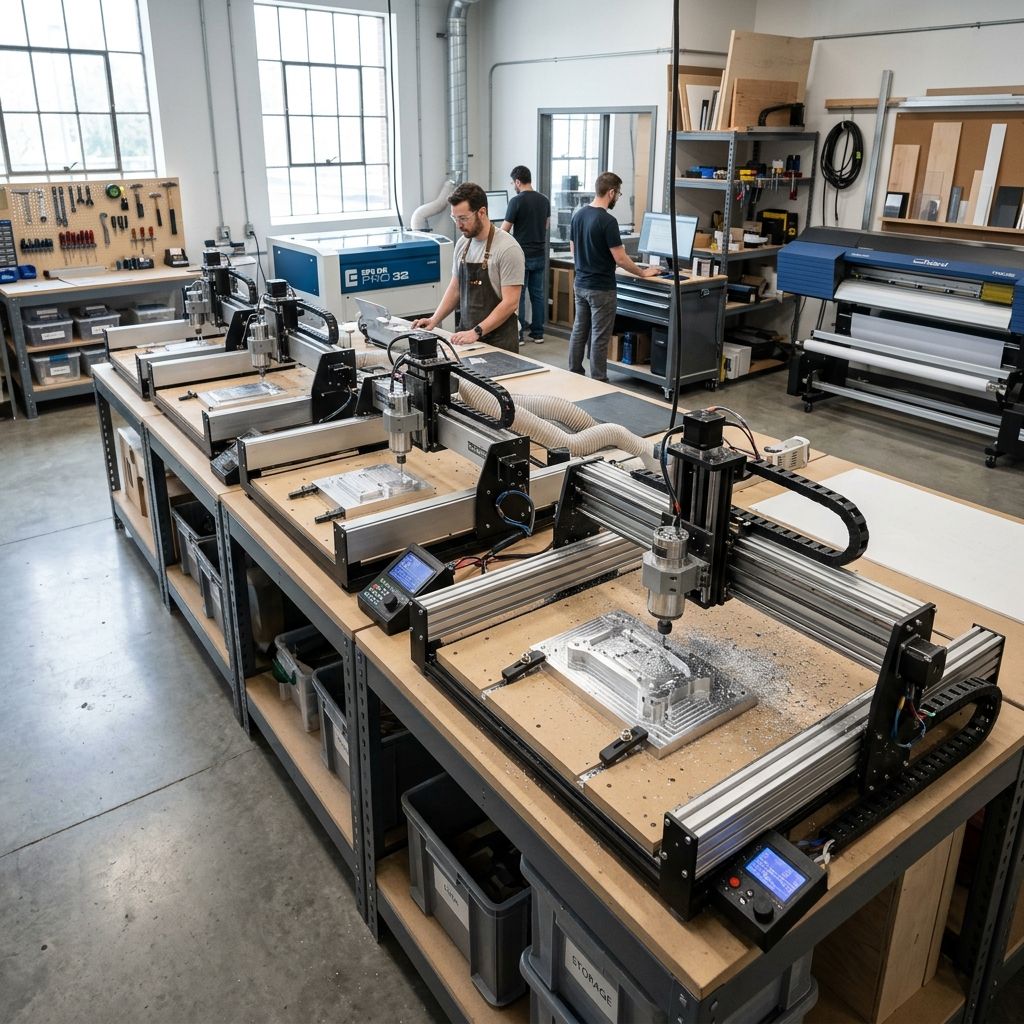
Carbide 3D Nomad 3 Settings Optimization: What the Manual Leaves Out
500+ hours cutting aluminum, Delrin, and hardwoods on this little desktop CNC. Here's the hard-won data on feeds, speeds, toolpaths, and hardware quirks that separate a good part from a scrapped one.
Maker's Summary
- Spindle: 10,000 13,000 RPM sweet spot for most materials. Below 8k RPM torque drops fast.
- Work envelope: 8.3" x 8" x 2.5" plan for zero overhang.
- Stock removal: 0.010 0.020" radial engagement in aluminum with 1/8" endmill. Anything above 0.030" invites chatter.
- First tweak: Drop the default acceleration from 40 in/s² to 25 in/s². Reduces resonance at the price of 10% longer cycle times.
Use our Flow Rate Calculator to estimate material removal rates for your specific tooling.
Spindle Realities: RPM Isn't Everything
The Nomad 3's spindle is a 250W brushed DC motor (yes, brushed get over it). It's fine for light work, but you need to respect its torque curve. Brochures say 10,000 RPM, but measure it under load with a tachometer. I've seen a 30% drop at 0.030" DOC in 6061. The motor's duty cycle is another matter: after 20 minutes of continuous cutting at 12k RPM, the housing reaches 130°F. That's fine, but if you run it for an hour straight, the thermal cutout kicks. I've had jobs stop 90% through because I was pushing too hard. Solution: program rest dwells every 15 minutes in your CAM cycle.
Pro tip: If you hear the RPM wavering audibly, you're overloading it. Back off feed or radial engagement immediately. The motor re-uses the same brushes as the Shapeoko line they're cheap but wear quickly if you run high duty cycles. Stock a spare set.
- RPM range: 5,000 13,000 (below 8k only for plastics or very small tools)
- Max radial engagement in Al: 0.020" (1/8" tool, 4-flute)
- Thermal cutout: ~140°F case temp (measure with IR gun)
- Brush life: ~80-100 hours at moderate load
Chipload Calculation: The Only Number That Matters
Chipload is feedrate divided by (RPM × number of flutes). For the Nomad 3, a common starting point is 0.0015" per tooth for aluminum with a 1/8" two-flute endmill. Let's solve:
Given: Chipload = 0.0015", RPM = 12,000, flutes = 2
Required feedrate = 0.0015 × 12,000 × 2 = 36 IPM
That's higher than most people run, but it works if you maintain a proper radial engagement of at least 0.015". At that chipload, the tool actually cuts instead of rubbing. I've seen shops run 20 IPM and wonder why they get a polished, burnished surface that's friction, not cutting. Drop the chipload below 0.0008" and you're basically burnishing the aluminum, which case-hardens the surface and breaks tools faster.
In wood, you can push chipload to 0.003-0.005", but the Nomad's spindle lacks the torque to drive a 3/8" tool at that removal rate. Stick with 1/8" or 1/4" tools max.
Critical Torque Spec: Collet nut torque must be 15-20 in-lb. Do not wing it. Too loose and the tool pulls out during climb milling. Too tight and you distort the collet runout increases from 0.001" to 0.006" in minutes. Use a torque wrench. I keep one dedicated to the Nomad.
Workholding: The Nomad's Achilles' Heel
The factory T-slot table is 8.3" x 8" with only two slots. For small parts, you're forced to use double-sided tape or superglue. I've had parts fly off at 36 IPM with a 0.020" cut terrifying. My fix: custom subplate with threaded inserts from McMaster. I drill and tap a 6x6 grid of 1/4-20 holes. This lets me use step clamps or a modular vise.
Real-world observation: Vacuum workholding doesn't work well on the Nomad because the spindle enclosure prevents a seal. I tried a 4" grid with a vacuum pump pulled a 0.015" gap. Not enough hold-down force for climb milling. Double-sided tape (3M 300LSE) works for prototypes, but for production, invest in a subplate.
Toolpath Strategies: Climb Milling vs. Conventional
On the Nomad 3, always climb mill. The machine has measurable backlash in the X/Y axes about 0.002-0.004" out of the box. Conventional milling will exaggerate that backlash, leaving steps in corners. Climb milling pulls the tool into the cut, keeping the nut engaged against the lead screw. I've tested both on a simple pocket: climb gave 0.001" oversize, conventional gave 0.008" wander.
Adaptive clearing (trochoidal milling) is a game changer. It keeps radial engagement constant, which prevents tool overload and reduces resonance. For the Nomad, I use a 0.020" radial stepover in aluminum at 0.050" depth. That sounds conservative, but it's the limit for the machine rigidity. Increase stepover to 0.040" and you'll see vibration marks.
Formula for engagement angle: In adaptive toolpaths, the engagement angle should not exceed 90° for steel, 60-70° for aluminum on lightweight machines. The Nomad's gantry is steel but the z-axis is the weak link keep engagement under 70°.
Coolant and Dust: The Misty Trap
Mist coolant is effective for aluminum, but the Nomad's open enclosure allows the mist to settle on the Z-axis motor and bearings. I've had to replace the Z-axis stepper after 200 hours due to coolant corrosion. Now I use a light air blast (0.5 bar) for cooling, and only apply mist manually for deep slots. Vacuum dust collection is essential for wood without it, the lead screws jam.
I built a simple deflector shield from acrylic that covers the Z-axis. It's not pretty but adds 200 hours to the bearings' life.
CAM Settings: The Post Processor Matters
The stock Carbide Motion post processor for Fusion 360 is adequate but conservative. It uses G0 moves with no smoothing. I modified it to output G1 smoothing (G187 P2) which reduces jerk at corners. In Fusion 360, set the smoothing tolerance to 0.001" and the maximum deviation to 0.0005". This keeps the tool moving constantly instead of stop-starting, which reduces vibration marks.
Acceleration tweak: In Carbide Motion, I set X/Y acceleration to 25 in/s² (from default 40) and Z to 15 in/s². This eliminates the ringing at the end of long passes. Yes, it adds 8-12 seconds per operation, but the surface finish improvement is night and day.
Maintenance Schedule: Don't Skip the Ways
The linear rails and lead screws on the Nomad are open to swarf. If you cut MDF for a week without cleaning, the rails get gritty. I wipe the ways with acetone after every 10 hours, then apply a thin film of Super Lube ISO 68. Monthly, I check the belt tension: the X belt should twang at about 80 Hz (use a phone app). If it's loose, tighten until the sound goes up to 90-100 Hz.
Physics of thermal drift: The aluminum gantry expands about 0.000013" per °F per inch. If your shop heats up 15°F during a job (common with sun exposure), a 4" part will be 0.0008" oversized. I've scraped parts for that. Now I always let the machine warm up for 15 minutes of air cutting before measuring first part.
Weekly Inspection Checklist
- Spindle runout: < 0.0015" (use a 1/8" test bar and dial indicator)
- Lead screw backlash: < 0.004" (check with feeler gauge at end of travel)
- Belt tension: 70-90 Hz on X, 80-100 Hz on Y (asymmetry due to motor location)
- Z zero repeatability: ±0.0005" after 5 consecutive moves to same position
Troubleshooting Matrix: Field Observations
Over two years, I've documented the most common failures. Here's a grid of what I've actually fixed.
- Problem: Stepped surface on X walls
Cause: X-axis lead screw nut loose or rail contamination. Fix: Tighten nut to 5 in-lb, clean rail with acetone, regrease. - Problem: Tool screeching in aluminum
Cause: RPM too low for chipload. Raise RPM 10% or increase feed. If still screeching, check tool sharpness. - Problem: Z axis dropping 0.001" per pass
Cause: Stepper driver overheating. Add a small heatsink. Or, if cutting deep pockets, increase Z retract height to 0.05" to let motor rest. - Problem: Burrs on top edges of pocket
Cause: Tool deflection from high radial engagement. Drop stepover from 0.030" to 0.015". Also check tool holder runout.
FAQ: Real Questions from Operators
What feeds and speeds for 1/8" endmill in 6061 aluminum?
Start at 12,000 RPM, 36 IPM feed (for 2-flute, chipload 0.0015), 0.020" radial engagement, 0.050" axial. Adjust down 10% if you hear chatter. Never use less than 0.010" radial you'll rub the tool dull.
Why do I get scalloping on the bottom of a flat surface?
That's from spindle runout or tool stickout. Your collet nut is either loose or dirty. Clean collet and nut, re-torque to 18 in-lb. If persists, indicate the holder if runout >0.002", replace collet.
How often should I change the collet?
After about 50 hours of aluminum cutting, the ER-11 collet loses grip consistency. I mark the nut orientation with a paint dot and rotate 90° every 10 hours to even wear. Replace collet at 100 hours.
Can I cut stainless steel on the Nomad 3?
Technically yes with a 1/16" endmill at 4,000 RPM, 0.002" DOC, 2 IPM. But it's a slow torture test. The spindle lacks torque, and the machine's rigidity will amplify any vibration. I've done it for a thin bracket, but expect excessive tool breakage. Stick to aluminum and plastics for this platform.
Final Field Advisory
Safety Checklist Do Not Skip
- Never leave the Nomad 3 unattended with coolant mist running. I've seen electronics shorts from coolant dripping into the controller box.
- Always use a torque wrench on the collet nut. Undertorquing leads to tool ejection I've had a 1/4" endmill fly out and dent the enclosure.
- Check the Z-axis limit switch daily; they fail due to swarf buildup. A failed switch can crash the spindle into the work.
- When changing tools, power off the spindle. A bumped start in Carbide Motion with the wrench in place is a trip to the ER.
Pro tip for night runs: Place a vibration monitor (or just a cup of water on the gantry) and check with a webcam. I've caught a tool break within the first three layers via the cup jiggling and stopped the job remotely.
Related Intel
MillRight MegaRouter CNC: Job Shop Review
The MillRight MegaRouter is a steel-frame CNC router for small-batch parts in wood, plastic, and aluminum. At half the price of a Tormach, it delivers 80% throughput for parts under 24x24 inches. However, expect a DIY software setup and manual tool changes.
AR8 Pro Preset Troubleshooting and Fixes
If you're fighting chatter marks, burnt edges, or inconsistent toolpaths on your AR8 Pro, this guide maps out where the defaults fall short and gives you a protocol to create presets that work.