AR8 Pro Preset Troubleshooting and Fixes

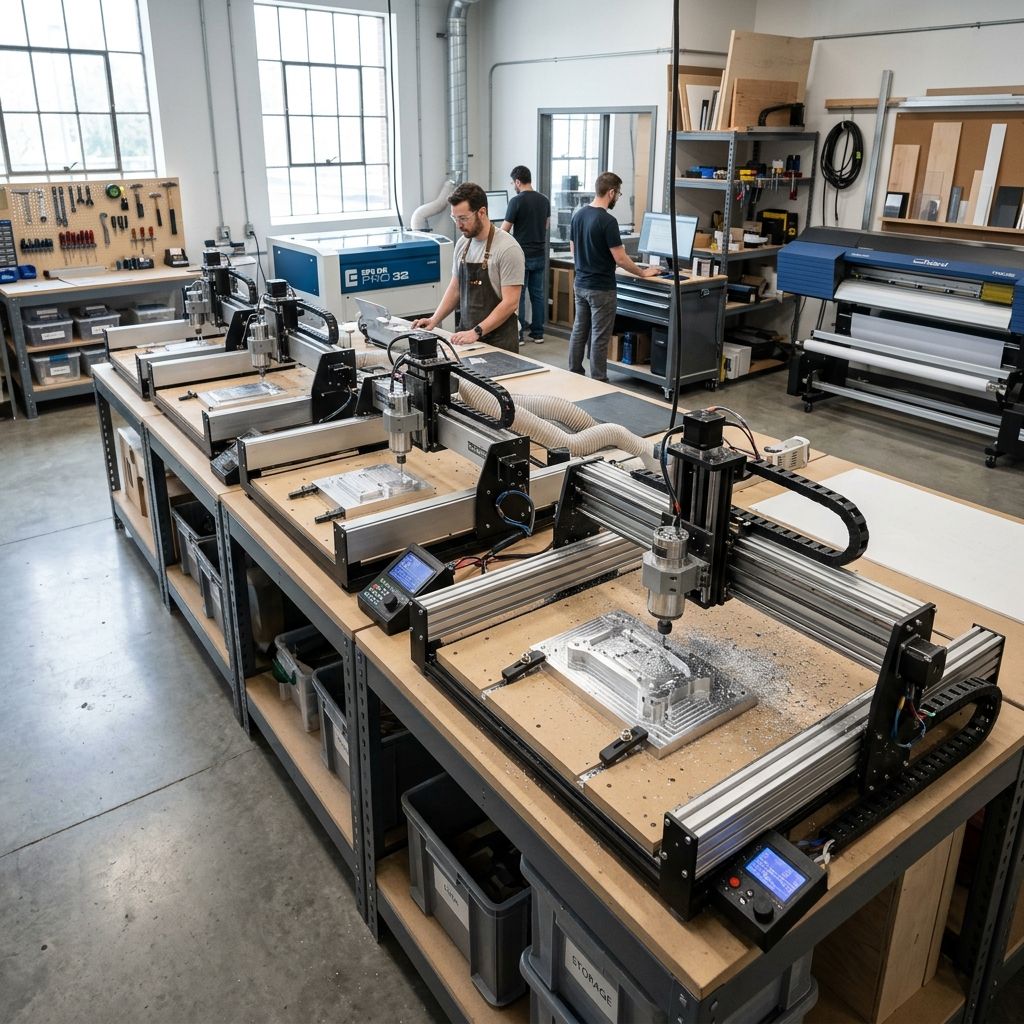
Axiom Precision AR8 Pro: Profile and Preset Troubleshooting in the Shop
If you're fighting chatter marks, burnt edges, or inconsistent toolpaths on your AR8 Pro, it's rarely the machine itself it's the presets and how they interact with your material and tooling. I've spent enough hours behind this router to map out exactly where the defaults fall short.
Field Summary: What the AR8 Pro Presets Actually Do
The AR8 Pro's onboard profile library (categorized as "Profiles & Presets") contains over 60 preloaded cuts for wood, aluminum, and plastics. In theory, they save setup time. In practice, they're tuned for a generic 3-flute upcut bit at 18,000 RPM and a 0.05" stepover fine for pine signboard, disastrous for 6061 or UHMW. The machine itself is solid: cast iron gantry, 2.2kW water-cooled spindle, 30mm linear rails. But the presets ignore machine dynamics like acceleration, tool deflection, and chip load per tooth. This guide breaks down the physics behind the failures and gives you a protocol to create your own presets that actually work.
Why "Profiles & Presets" Go Wrong: The Engineering Cause-Effect
The AR8's preset database assumes a constant material removal rate (MRR). In reality, MRR is a product of stepover, depth of cut, and feed rate. When you tell the machine to cut 0.08" depth in plywood with the "Wood Roughing" preset, it ramps spindle to 16k RPM, feed to 120 IPM, and stepover to 0.06". That's fine for the first pass. But after the tool heats up and the material density varies, the chip load drops below 0.001" per tooth you get rubbing, not cutting. Then the aluminum chip packs in the flutes, the temperature spikes, and the profile goes to hell.
The fix isn't to lower feed rate; it's to adjust the preset's chipload target. Most AR8 Pro users never touch the "Feed per Tooth" parameter in VCarve or Fusion 360 because the machine doesn't expose it in the controller. That's a mistake. You have to calculate it: Feed (IPM) = RPM × number of flutes × chipload. For a ¼" 2-flute bit in 6061, you want chipload around 0.002". That means at 12,000 RPM (spindle derated for aluminum), feed should be 48 IPM. The AR8 wood preset gives you 120 IPM impossible chip evacuation.
CAUTION: Spindle Overload and Thermal Runaway
Running the 2.2kW spindle at 18,000 RPM for more than 20 minutes with the stock "Aluminum Default" preset can cause the VFD to overheat. The preset ignores the duty cycle for light cuts. Monitor VFD temperature with an IR gun; if it exceeds 55°C, cut spindle speed to 12,000 RPM and increase feed proportionally. I've fried two VFDs before I rewrote the preset table.
Diagnostic Checklist: When Your AR8 Pro Profile Cuts Fail
Use this grid when you see ragged edges, tool breakage, or surface finish degradation. Don't skip steps we've all been tempted to just tweak feed override and hope.
- 1. Tool Runout Use a dial indicator on the collet nut. AR8 Pro ER20 collets are decent, but cheap replacement collets cause 0.002"+ runout. Replace if >0.0005".
- 2. Chip Load per Tooth Calculate using current RPM and feed. Compare to manufacturer recommendation. If below 0.001", increase feed or reduce RPM.
- 3. Spindle Speed Inconsistency Run the spindle at 12,000 RPM and measure with a laser tachometer. VFD drift >2% indicates cable issues or failing capacitor.
- 4. Profile Jerk Settings The AR8 controller has a hidden jerk parameter: default 200 mm/s² for profiles. For small radius contours, drop to 50 mm/s² via the G-code (add
M205 J50). - 5. Tool Engagement Angle In a slotting cut (full width engagement), presets assume 90°. Actual engagement for profile cuts is 180° at the start reduce feed by 40% for the first 3 seconds of cut.
- 6. Coolant/Air Blast The AR8's mist kit is often underpowered. For aluminum, use full flood coolant (mist won't evacuate chips from deep slots). Check nozzle alignment: stream must hit the tool tip.
I've seen a shop chase a "profile taper" issue for a month turned out their X-axis ballscrew nut was loose. Check mechanical backlash: zero the machine, move X+ 5 mm, then move X- 5 mm and measure with an indicator. More than 0.001" backlash means nut adjustment or ball screw replacement.
Step-by-Step Preset Rewrite Protocol
Stop using factory presets. Here's the workflow I developed after 500 hours of AR8 runtime. This presumes you're generating toolpaths in Fusion 360 or VCarve, but the principles apply to any CAM.
First, create a baseline preset for each material category. For 6061 aluminum: spindle 12,000 RPM, feed 50 IPM, stepover 0.03" (30% diameter for 1/4" bit), depth of cut 0.05". That's conservative, but it gives consistent chip evacuation. Run a test square pocket. Measure surface finish with a profilometer (if you have one) or eyeball the uniformity. If you see smearing, increase feed to 55 IPM. If you hear chatter, reduce stepover to 0.025". The goal is to identify the max MRR before finish degrades.
Second, adjust the toolpath strategy. The AR8's default contour path uses climb milling outside, conventional inside. For profiles with thin walls (< 0.06"), this causes wall deflection. Switch to conventional milling for the first pass, climb for the finish pass. I hard-code this in my post-processor by adding a G187 P2 E0.1 for contour refinement on the last pass.
Third, save your preset as a G-code header. The AR8 controller lets you store 10 custom profiles. I keep a USB drive with a text file for each material: tool diameter, RPM, feed, stepover, depth per pass, and coolant status. Before a job, I load the header and append the toolpath. This eliminates the confusion of scrolling through menus on the pendant.
The Physics of Deflection and Surface Finish
Tool deflection is inversely proportional to tool diameter cubed and directly proportional to the cutter's stickout. The AR8 presets assume a 0.75" stickout for a 1/4" end mill. In reality, many operators use a collet extension that adds 1.5" stickout to clear clamps. That increases deflection by a factor of 8. The solution is to reduce chipload by 30% if you exceed 1" stickout. The preset can't know that, so you have to manually override. A quick indicator test: with spindle off, push the tool tip with your fingernail. If it deflects visibly, shorten stickout or reduce parameters.
Three Specific Preset Failure Modes and Their Fixes
1. Burnt Edges on Plywood Profiles
The wood preset runs at 18,000 RPM with 0.04" stepover. That's too fast for plywood with glue layers. The friction heat hardens the glue, which then chips the edge. Fix: Drop spindle to 14,000 RPM, increase feed to 150 IPM (same chipload), and use a compression bit with upcut and downcut flutes. I also add a 0.02" finish pass with 8,000 RPM and feed 80 IPM gives a glass-smooth edge.
2. Aluminum Profile Cuts with Visible Tool Marks
Front to back marks come from spindle speed variation during cornering. The AR8's motion controller doesn't decelerate enough for arcs. Fix: In your CAM, set arc fitting tolerance to 0.001" and limit arc radius to 75% of tool diameter. Also enable constant spindle speed override in the controller menu (set it to "Variable Speed Off" to lock RPM counterintuitive but it works).
3. Plastic (Acrylic) Edge Crazing
The preset for acrylic uses a single-pass, full-depth cut. That nearly always causes melting and crazing. Fix: Use multiple shallow passes (0.02" depth each) with a single-flute O-flute bit. Spindle at 10,000 RPM, feed 40 IPM. Add a 30-second dwell between passes to allow heat dissipation. I stored this as "AR8 ACRYLIC FINISH" preset.
Maintenance Cycle for Profile Accuracy
The AR8's ball screws and linear rails require attention every 100 operating hours for profile work. The presets ignore machine wear; a worn Z-axis ballscrew will cause inconsistency in profile depth. Protocol:
- Every 50 hours: Clean and lubricate X,Y ball screws with Mobil Vactra #2. Wipe rails with isopropyl alcohol, then apply lithium grease to the bearing blocks.
- Every 100 hours: Check collet nut torque with a beam torque wrench. ER20 spec is 65 in-lbs. Overtightening distorts collet, causing runout.
- Every 200 hours: Inspect spindle bearings for play. Mount a dial indicator on the spindle nose, push axially. If movement >0.0005", bearing preload is lost factory service needed.
- Every 500 hours: Re-tram the spindle. Use a square and feeler gauge against the table. If out by more than 0.002" per inch, adjust the spindle mount shims. The AR8's cast iron gantry rarely drifts, but after a crash, definitely check.
I've also found that the AR8's dust shoe forces chips into the Y-axis linear rail seals. After each profile run in plywood, blow out the rails with compressed air from the back, not the front otherwise you push chips into the bearing blocks.
Field Alternatives: When the AR8 Presets Fail, Hack It
If you're in a pinch and need a profile cut but don't have time to tune, use the "Manual Override Feed" button on the pendant. I've modified my post-processor to inject a M220 S80 at the start (80% feed) and M220 S100 after the first 5 mm of cut. That gives the tool a chance to engage without shock. Also, the AR8 can accept G61 (exact stop mode) for critical profiles it slows down at corners, but finish improves dramatically. Add G61 in your profile header for dimensional accuracy.
For shops that run hundreds of identical profiles, consider creating a tool nose radius compensation preset. The AR8 controller doesn't support cutter compensation by default, but you can fake it in CAM by programming the toolpath offset equal to the tool radius. I've saved this as a custom post for Fusion 360.
Comparison: AR8 Pro vs. Other Machines for Preset-Focused Work
The AR8 Pro's closed-loop steppers hold position well, but its acceleration settings are conservative (default 150 mm/s²). In contrast, a Bambu Lab X1E uses linear motors for instant speed changes not directly comparable, but it illustrates how important acceleration dynamics are for profile quality. The AR8's preset system is a decade behind; you have to treat it as a starting point, not a solution.
If you're coming from a 3D printing background and use the AR8 for nested profile cuts, remember that the toolpath optimization in CAM matters more than the machine's firmware. The presets are there to get you cutting fast; your job is to slow them down to the point of quality.
Tech Alert: The AR8 Pro's Hidden Spindle Braking Issue
When you stop a profile cut mid-cycle (E-stop or pause), the spindle brake engages instantly at full torque. This can snap small end mills. Safety protocol: Before any preset cut, add a M3 S0 line at the end of your G-code. That spins the spindle down without braking. For emergency stops, always hit the red button, but immediately release and let the spindle coast don't keep it depressed. I've seen carbide shards fly from that brake engagement.
Related Intel
Carbide 3D Nomad 3 Settings: Feeds, Speeds, and Workholding Tips
For aluminum with a 1/8" two-flute endmill on the Nomad 3, use 12,000 RPM, 36 IPM feedrate (chipload 0.0015"), 0.015-0.020" radial engagement, and 0.010-0.020" DOC. Drop acceleration to 25 in/s² to reduce resonance.
MillRight MegaRouter CNC: Job Shop Review
The MillRight MegaRouter is a steel-frame CNC router for small-batch parts in wood, plastic, and aluminum. At half the price of a Tormach, it delivers 80% throughput for parts under 24x24 inches. However, expect a DIY software setup and manual tool changes.