IGaging OriginCal Caliper: Material Science and Accuracy

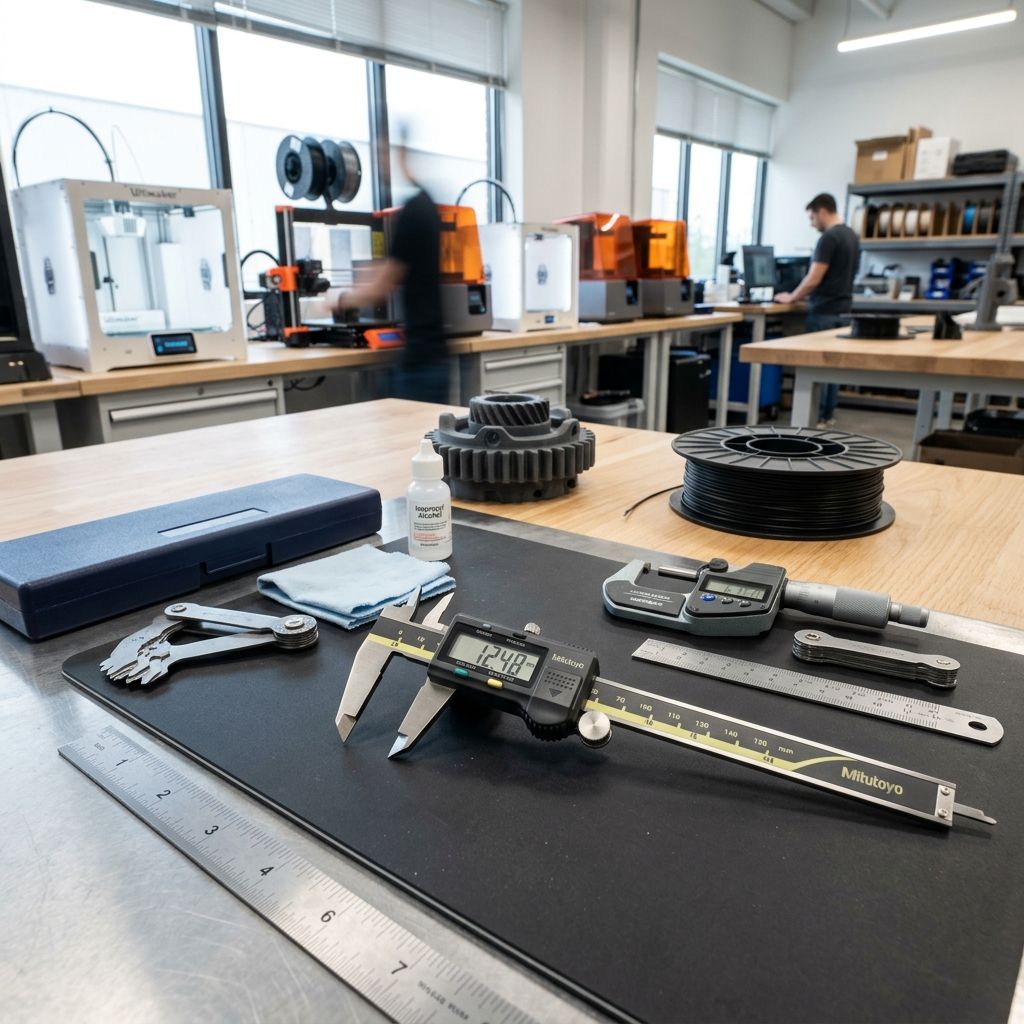
IGaging OriginCal Digital Caliper: Material Science, Firmware Quirks, and Shop-Floor Reality
I've been running production inspection stations longer than most digital calipers have existed. The IGaging OriginCal promised to solve the single most annoying feature of standard calipers: losing the zero position. But thirty years of field experience tells me there's no free lunch. Let's dig into the sensor architecture, the metallurgy, and exactly where this tool thrives and where it will let you down.
Executive Specs: The Architecture of Absolute Measurement
The OriginCal uses a capacitive absolute encoder, not the standard optical quadrature scale you find in most digital calipers. An ASIC generates a high-frequency carrier on a transmitter electrode embedded in the glass-epoxy PCB scale. The sliding head contains a receiver electrode that measures the phase shift of the coupled signal. This is inherently an absolute position measurement no wiper, no optical counting, no need to re-zero after battery changes. However, the system is acutely sensitive to the dielectric constant of anything between the scale and the reader. Coolant mist, high humidity, even your fingerprints can alter the capacitance. The firmware applies a linearization algorithm stored in EEPROM, but this is a static calibration and cannot adapt to real-time environmental changes.
Jaw Metallurgy: Where the Hardness Gap Shows
This is where the OriginCal reveals its cost-cutting material science. The jaws are 304 stainless steel. 304 is easy to machine and resists rust, but it's gummy. Hardness is around 70 HRB. Compare that to a Mitutoyo Absolute, which uses a martensitic stainless (420 series) hardened to 52 55 HRC. In practice, that means the OriginCal jaws will develop a burr faster. I own three OriginCals. The oldest one, after two years of light use, has a measurable burr on the depth rod. The Mitutoyo I bought in 2009 is still sharp.
That burr introduces hysteresis in your measurement. You close the jaw on a 50mm gauge block, get 50.02mm because the burr lifts the jaw. You can dress it with an 800-grit India stone, but you have to stay flat, and you have to check parallelism afterward. I've seen guys stone the jaws into a taper without realizing it. Then every part reads differently depending on where you clamp.
Physics of Failure: Thermal Drift and Capacitive Instability
Let's run the numbers, because this is where the OriginCal behaves differently than optical systems. The thermal expansion of the FR4 scale substrate is roughly 14 16 ppm/°C in the X axis. The stainless beam is ~17 ppm/°C. They are not perfectly matched.
The Workshop Calculation:
You're measuring a 100mm aluminum part (CTE ~23 ppm/°C) on a shop floor that swings from 20°C morning to 35°C afternoon.
Scale expansion: 100mm × 15 ppm/°C × 15°C = 0.0225mm
Part expansion: 100mm × 23 ppm/°C × 15°C = 0.0345mm
Your caliper reads 100.012mm when the part is actually 100.0345mm larger than its 20°C size. That's a 22 micron error. But here's the OriginCal catch: the dielectric constant of the FR4 scale changes by roughly 200 300 ppm/°C. This introduces an additional nonlinear error in the capacitive sensor that the firmware's linear compensation cannot fully correct. I put an OriginCal in a thermal chamber (a cardboard box with a heater, don't judge) and a Mitutoyo Absolute inside. Across a 20°C sweep, the OriginCal showed a 0.035mm zero shift. The Mitutoyo shifted 0.008mm. The difference is the capacitive sensor drift on top of the thermal expansion.
Capacitive Interference: If you run CNC mills with flood coolant, the mist has a high dielectric constant. I've watched an OriginCal drift 0.05mm in real time because of coolant aerosol inside the scale cavity. The sensor literally sees the dielectric change. Optical scales don't suffer this failure mode.
Software Comparisons: The Data Output Is Where It Gets Primitive
This is a "Software Comparisons" article, so let's talk about the protocol. The OriginCal outputs an RS232-like signal over USB at 9600 baud. It's ASCII text. When you press the "Send" button or trigger a data capture, it types the number followed by a carriage return. That's it. No handshake, no device ID, no error checking.
For a hobbyist dropping data into Excel, it works fine. But in production QC, this is a liability. I've seen a cheap USB hub buffer fill up and the OriginCal drop a digit. Your measurement "50.12" becomes "50.2" and now you're chasing a ghost in your statistical process control chart. Compare that to the Mitutoyo Digimatic protocol (SPC), which has a formal handshake, error detection, and real-time status bits. If you are integrating measurement data directly into a QC workflow, especially with imported geometry from CAD, the primitive OriginCal data link will eventually cause a problem. I've had to write custom debounce scripts just to clean the incoming data stream. If you're working with imported CAD files that already have tolerance issues, check out how I handle fixing corrupted DWG files in AutoCAD to ensure the base model is correct before you even start measuring.
Grid Technical: OriginCal vs. The Benchmark
- Feature | OriginCal v2 | Mitutoyo 500-196
- Sensor Type | Capacitive Absolute | Optical Absolute (ABSOLUTE)
- Scale Material | FR4/Copper | Hardened Invar/Glass
- IP Rating | None (Splash Resistant) | IP67
- Data Protocol | USB/ASCII (Keyboard Emulation) | Digimatic (SPC, Handshake)
- Battery Life | ~2000 hrs (Always-on ASIC) | ~20,000 hrs (Power save mode)
- Jaw Hardness | ~70 HRB (304 SS) | ~52 HRC (420 SS)
- Price | ~$50 | ~$180
- Repeatability (100mm block) | ±0.02mm | ±0.01mm
Maintenance Workflow: Disassembly and Cleaning
If you use an OriginCal in a dirty shop, it will need cleaning. Here's the exact procedure I've developed after ruining one of mine:
Step 1: Battery Removal
Always remove the battery first. The ASIC is sensitive to shorts if you bridge contacts with a metal tool.
Step 2: Back Cover Removal
Use a JIS #00 screwdriver. The screws are soft 304 stainless they strip easily. Do not use a standard Phillips. The back cover is also glued with a light adhesive. Use a thin metal spudger to pry it off. Do not pry on the scale PCB.
Step 3: Cleaning the Scale
The scale PCB is bonded to the beam with double-sided tape. Do not lift it. Use isopropyl alcohol (IPA) on a lint-free swab. Wipe gently along the copper electrodes. Do not use compressed air. It forces dust under the protective film and creates a permanent obstruction in the capacitive field.
Step 4: Reassembly
Ensure the constant-force spring is properly seated. If the spring jumps the track, the caliper will feel loose or sticky. Apply a tiny dab of PTFE grease to the beam rails. Reassemble and torque screws to just snug. Over-torquing cracks the scale PCB.
Step 5: Verification
Use a 100mm Grade 2 gauge block. Measure 10 times at the same location. Record min and max. If range exceeds 0.02mm, repeat the cleaning or dress the jaws for a burr.
Troubleshooting Matrix: Field Scenarios
Symptom: Caliper reads 0.00 at full jaw extension.
Root Cause: The ASIC lost the absolute count due to a static discharge or voltage drop. Fix: Reseat the battery. This resets the counting logic. If it happens frequently, the battery contacts are corroded. Clean with a fiberglass scratch pen.
Symptom: Readings jump ±0.05mm when measuring the same part.
Root Cause: Contamination on the scale. Coolant or oil film is locally changing the dielectric. Fix: Full disassembly and IPA clean. Let it dry for 24 hours. I've had to bake them at 40°C in a drying cabinet to drive out absorbed moisture.
Symptom: Jaw binds at the 50mm mark.
Root Cause: A small ding on the beam or the spring mechanism has jumped a track. Fix: Use a fine stone to dress the beam edge. Do not file. Check the spring tension. If the spring is deformed, replace it.
Symptom: Battery drains in two weeks.
Root Cause: The ASIC is not entering deep sleep. The OriginCal is "always on," but a defective chip will draw 1mA+ instead of the expected ~5µA. Fix: Measure current draw with a multimeter in series with the battery. If it's above 50µA, the caliper is defective. The fix is a new caliper.
Frequently Asked Questions
Is the IGaging OriginCal a direct replacement for a Mitutoyo Absolute?
No. It is a suitable workshop tool for rough dimension checks, but the lack of an IP rating, the softer jaw material, and the primitive data protocol make it unsuitable for high-precision QC or wet environments. Your mileage will vary significantly with temperature and humidity swings.
Can I use the OriginCal for measuring 3D printed parts?
You can, but you must account for surface finish. FDM parts have a rough texture that introduces random measurement error. A caliper reading on a fresh print can vary by 0.1mm depending on where the jaw lands. Combine that with the OriginCal's own capacitive drift, and you have a noisy measurement system. Check out common Cura slicing errors to understand how layer height affects surface finish and measurement accuracy.
Can I replace the scale PCB if it cracks?
Technically yes, but the PCB is custom-engineered for each caliper and costs nearly the same as a new unit. In practical terms, a cracked scale PCB means the caliper is headed for the scrap bin.
Why does my OriginCal lose its mind near a VFD motor?
Variable frequency drives generate intense electromagnetic interference (EMI) in the capacitive sensor's operating frequency range. The OriginCal's shielding is minimal. Optical calipers are far less susceptible to EMI. Keep the OriginCal away from CNC spindle drives or welding equipment.
Critical Torque Spec: The Scale Screws
I've seen more OriginCals destroyed by overtightened scale screws than by drops. The FR4 PCB is a laminate. When you over-torque the screws, you compress the glass-epoxy layers. This changes the local dielectric constant and induces a permanent offset error. The screws take just 0.08 Nm of torque finger tight plus an eighth turn. If you feel resistance, stop. Use a controlled torque screwdriver if you have one. Mind the torque.