SolidWorks for Makers Review: Cloud Ties and Mesh Limits

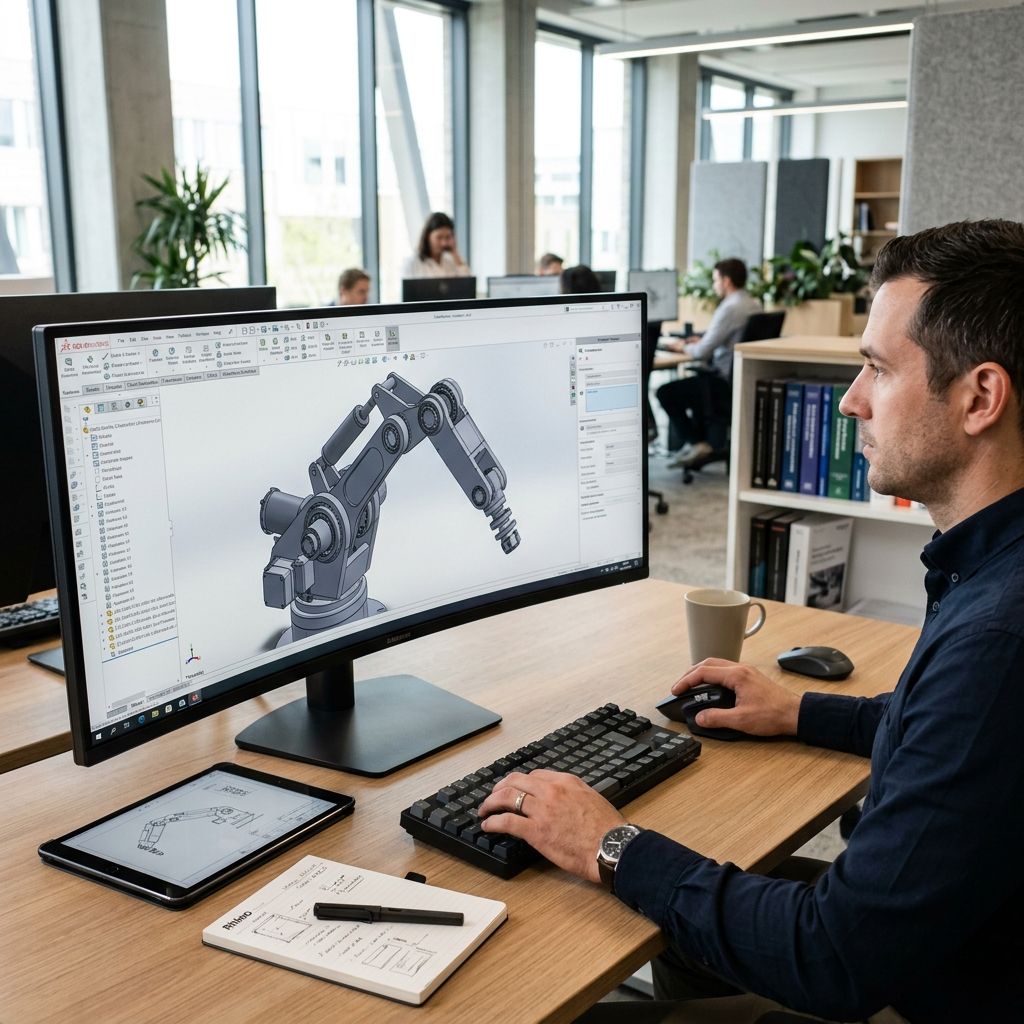
SolidWorks for Makers: Field Benchmarks, Cloud Anchors, and Export Accuracy
Dassault Systemes offers its flagship mechanical kernel for ninety-nine dollars a year, but the 3DEXPERIENCE cloud wrapper imposes severe architectural trade-offs for production workshops.
Architectural Summary: Market Position and Platform Reality
SolidWorks for Makers targets independent fabricators, prototyping shops, and additive manufacturing specialists seeking enterprise parametric modeling without the five-thousand-dollar desktop seat license. The package delivers the local Parasolid modeling engine found in commercial tiers, paired with cloud-managed entitlement and project collaboration utilities. However, file watermarking prohibits interoperability with commercial desktop seats, and browser-mediated authentication introduces latency during cold starts. If you calculate tooling amortizations, run your numbers through our Cost Calculator before committing your prototype pipeline to subscription overhead.
The 3DEXPERIENCE Cloud Wrapper: Architecture and Latency
The desktop build runs locally on your workstation, but Dassault routes license entitlement, version handshakes, and project vaults through the 3DEXPERIENCE cloud gateway. Unlike the traditional perpetual dongle or standalone serial number, the maker runtime polls web services during application launch and project saves.
In shop environments with fluctuating bandwidth or enterprise firewalls, cold-launch times average between 45 and 90 seconds. The browser dashboard acts as a launcher intermediary, spawning local processes via Java-based protocol handlers. When background token refreshes desynchronize, the local client drops into read-only mode, demanding browser re-authentication. For machinists and fabricators operating disconnected laptops beside CNC routers or additive enclosures, this cloud leash is a genuine point of failure.
Network latency directly impacts daily ergonomics. During background file indexing, local processes communicate with remote servers to verify user credentials and check file locking states across collaborative spaces. When latency exceeds 120 milliseconds on cellular or congested shop Wi-Fi links, saving multi-component assemblies can trigger interface hangs lasting up to twelve seconds per transaction.
Local Cache Synchronization vs Cloud Vault Storage
File management relies on Dassault's cloud-based 3DSpace collaborative spaces. While files can be stored on local solid-state drives, the software prompts users to check revisions into the remote vault. When dealing with multi-body assemblies exceeding 150 unique components, network serialization adds noticeable overhead.
Local workspace directories bridge the desktop engine to the remote repository. If an abrupt power disruption strikes your shop before the local cache index updates, duplicate revision tags can corrupt assembly references. Unlike standard folder structures where a STEP or SLDPRT file sits cleanly on a network-attached storage drive, the maker storage layer encrypts metadata tags. Moving projects between workstations requires explicit check-in and check-out workflows through the web console rather than simple filesystem copying.
To avoid local database corruption when switching between offline and online states, fabricators must adopt a strict check-out regimen. Deleting the hidden local cache folder (`AppData/Local/DassaultSystemes/CATTemp`) often becomes the only field workaround when corrupted synchronization manifests as an infinite spinning cursor during document retrieval.
Tessellation Physics: Chordal Deviation and STL Export Precision
Additive manufacturing requires translating mathematical B-rep surfaces (NURBS curves and analytic cylinders) into discrete planar polygonal meshes. Slicers read facet normals, meaning export resolution directly dictates physical dimensional accuracy. In SolidWorks for Makers, mesh export settings require rigorous manual configuration to prevent faceting along bearing bores and mating interfaces.
Mesh deflection is governed by chordal deviation (sagitta) and angular tolerance. The geometric relationship between the continuous cylinder radius \( R \), the chord facet length \( s \), and the perpendicular chordal height \( h \) is expressed by:
$$h = R - \sqrt{R^2 - \left(\frac{s}{2}\right)^2} \approx \frac{s^2}{8R}$$
When exporting an M8 bolt clearance hole (\( R = 4.2 \text{ mm} \)) with coarse default settings where angular deviation is set to 15 degrees, chordal height \( h \) expands past 0.07 mm. For high-precision resin printing or engineering-grade FDM assemblies, this deviation introduces mechanical interference, forcing holes out of round.
In our workshop tests, setting chordal deviation to 0.005 mm and angular tolerance to 2.5 degrees creates smooth circular boundaries without ballooning polygon counts beyond slicing engine capabilities. The table below outlines the relationship between mesh deflection settings and export parameters across industrial engineering scenarios.
| Tessellation Preset | Max Chordal Deviation (mm) | Angular Tolerance | File Size (100mm Flange) | Radial Error Range |
|---|---|---|---|---|
| Default Standard | 0.048 | 10.0 deg | 1.8 MB | +0.05 mm / -0.06 mm |
| Precision Mechanical | 0.008 | 4.0 deg | 14.2 MB | +0.01 mm / -0.01 mm |
| Ultra-Fine Tooling | 0.002 | 1.5 deg | 62.8 MB | +0.003 mm / -0.003 mm |
| Coarse Draft | 0.120 | 22.0 deg | 0.4 MB | +0.14 mm / -0.16 mm |
Parametric Feature Tree Performance under Complex Rebuilds
The core modeling engine remains the genuine Parasolid kernel, providing robust boolean operations, shell generation, and complex lofts. Where cheaper CAD tools choke on tangency mismatches or degenerative surfaces, SolidWorks resolves multi-edge variable fillets reliably. Feature evaluation follows an ordered sequential tree, giving complete diagnostic feedback when parent references shift.
However, memory allocation during feature tree rebuilds scales with the complexity of sketch relations. On assemblies with intricate patterned perforation arrays or thread forms, rebuild times can climb abruptly. We observed that sketch-driven component patterns containing more than 400 instances increase CPU core saturation on single-threaded tasks. Technicians accustomed to open-source alternatives like FreeCAD will appreciate the robust constraint solver, while users migrating from direct modeling tools must adapt to rigorous sketch fully-defined requirements.
For shops working across multiple modeling suites, managing software instability is an everyday challenge. As we documented when analyzing Fusion 360 Nightmares and How to Fix Them, parametric software platforms often suffer from cache bloat and cloud sync locks that mimic the exact symptoms observed in 3DEXPERIENCE.
Licensing Boundaries and the Anti-Commercial Watermark
Dassault enforces a strict revenue ceiling of two thousand dollars annually per maker seat. To deter commercial machine shops from exploiting the ninety-nine dollar tier, the application injects an indelible digital watermark into every native `.SLDPRT`, `.SLDASM`, and `.SLDDRW` file created or modified within the software.
When a commercial desktop seat attempts to open a maker-authored file, the enterprise client flags the database record and blocks the session. You cannot seamlessly design a jig in SolidWorks for Makers and hand the native file to an industrial CNC subcontractor running commercial SolidWorks Standard or Professional. You must export neutral STEP AP214 or IGES formats. Neutral exports strip the parametric history tree, flattening the model into unparameterized solid bodies and eliminating downstream revision control.
Furthermore, should an independent engineer attempt to use third-party conversion macros or command-line scripts to strip this watermark header, the underlying binary schema triggers an integrity error that renders the part file unreadable in standard seats. This digital boundary is legally binding and mathematically reinforced in the file container.
Hardware Benchmarks: GPU Acceleration and Memory Footprint
SolidWorks relies heavily on dedicated OpenGL display pipelines. Dassault officially certifies professional-grade Nvidia RTX and AMD Radeon Pro hardware. On consumer gaming graphics cards (such as Nvidia GeForce RTX 4070 or 4080 series), RealView graphics remains disabled out of the box, requiring manual Windows registry overrides to enable dynamic reflections and realistic ambient occlusion.
System memory consumption is demanding. A typical working session with two medium assemblies and background 3DEXPERIENCE services consumes between 9.5 GB and 14.2 GB of RAM. Running parallel toolpath calculations or background slicers on an 8 GB or 16 GB machine introduces disk thrashing and occasional out-of-memory crashes. A minimum of 32 GB DDR4/DDR5 workstation memory is mandatory for predictable stability.
CPU selection also requires attention. The Parasolid rebuild pipeline is fundamentally bound to single-thread clock speed. Multi-core rendering engines benefit from high thread counts, but regular sketch evaluations, extrusions, and hole wizards execute linearly. Prioritizing single-core frequencies above 4.8 GHz yields greater responsiveness than chasing 16-core workstation processors running at lower baseline clock speeds.
- Pros: Full-featured Parasolid parametric modeling engine identical to commercial tiers.
- Pros: Superior sheet metal, weldment, and surface lofting toolsets compared to basic hobby suites.
- Pros: Predictable constraint solver handling large multi-sketch skeletal modeling frameworks.
- Cons: Mandatory 3DEXPERIENCE cloud authentication tethering software operation to internet availability.
- Cons: Proprietary file watermarking preventing collaboration with commercial enterprise seats.
- Cons: Consumer GPUs require registry modification to unlock RealView display capabilities.
- Cons: Annual sub-two-thousand dollar commercial revenue cap restricting contract manufacturing.
Tooling and Motion Interface: Integration with Machine Hardware
Accurate CAD models are only as valuable as the parts they produce on shop machinery. When preparing high-speed kinematic hardware, structural deflection in CAD must align with mechanical acceleration parameters. On fast gantry systems, micro-vibrations can ruin surface quality if your CAD models ignore corner deceleration limits, a phenomenon we examined in detail when Fixing Snapmaker U1 Harmonic Ghosting.
Exporting STEP AP242 files from SolidWorks for Makers retains dimensional PMI annotations, making it suitable for CAM programming in standalone software like CAMWorks or Mastercam. Ensure your export configuration sets face deviation tolerances low enough to capture subtle draft angles on injection mold cores. For sheet metal tooling, verify that the neutral axis K-factor matches your specific shop press brake tooling radius rather than relying on default generic tables.
Frequently Asked Questions
Can SolidWorks for Makers work offline without an active internet connection?
SolidWorks for Makers requires an active internet handshake to authenticate via 3DEXPERIENCE during initial launch, though it allows offline operation for up to 30 consecutive days once an offline mode license token has been explicitly checked out from the web dashboard.
Can I open Maker files in commercial versions of SolidWorks?
No, commercial seats of SolidWorks cannot open native `.SLDPRT` or `.SLDASM` files saved in the Maker edition due to embedded digital watermarks, forcing users to export and exchange neutral STEP or Parasolid files without design history.
Does SolidWorks for Makers include simulation and FEA packages?
The standard Maker package includes basic static stress simulation for single bodies through the browser-connected 3DEXPERIENCE roles, but comprehensive nonlinear, thermal, and dynamic assembly FEA packages are excluded and require enterprise add-ons.
What happens to my CAD models if I cancel my annual Maker subscription?
If your subscription lapses, you lose editing access inside the desktop application, but your files remain stored in your 3DSpace cloud vault and local drives; however, you cannot reopen them in parametric form without renewing the license.
Workshop Warning: Always maintain local, uncompressed STEP AP214 and 3MF backups of every critical project file. Storing your design portfolio exclusively in proprietary maker-watermarked formats locks your intellectual property into Dassault's subscription cloud, leaving you with zero native migration paths if you transition into commercial manufacturing.
Related Intel
DesignSpark Mechanical for Industrial Polymer Modeling
DesignSpark Mechanical enables direct face offsets for non-uniform polymer shrinkage without broken constraints, ensuring precision fits for nylon and PEEK.
Solid Edge Community Edition: Shop-Floor Modeling Guide
Solid Edge Community Edition delivers professional-grade Parasolid modeling, synchronous direct editing, and native sheet metal unfolding for makers, though it restricts commercial file exchange.
Fusion 360 Nightmares and How to Fix Them
I've been using Fusion 360 for years and these three nightmares keep showing up. Learn why parametric models blow up, how to stop it with full constraints and timeline rollback, and what to do when a model is already broken.