Dcode DC421D Neo Shipping Dispatch and ROI Breakdown

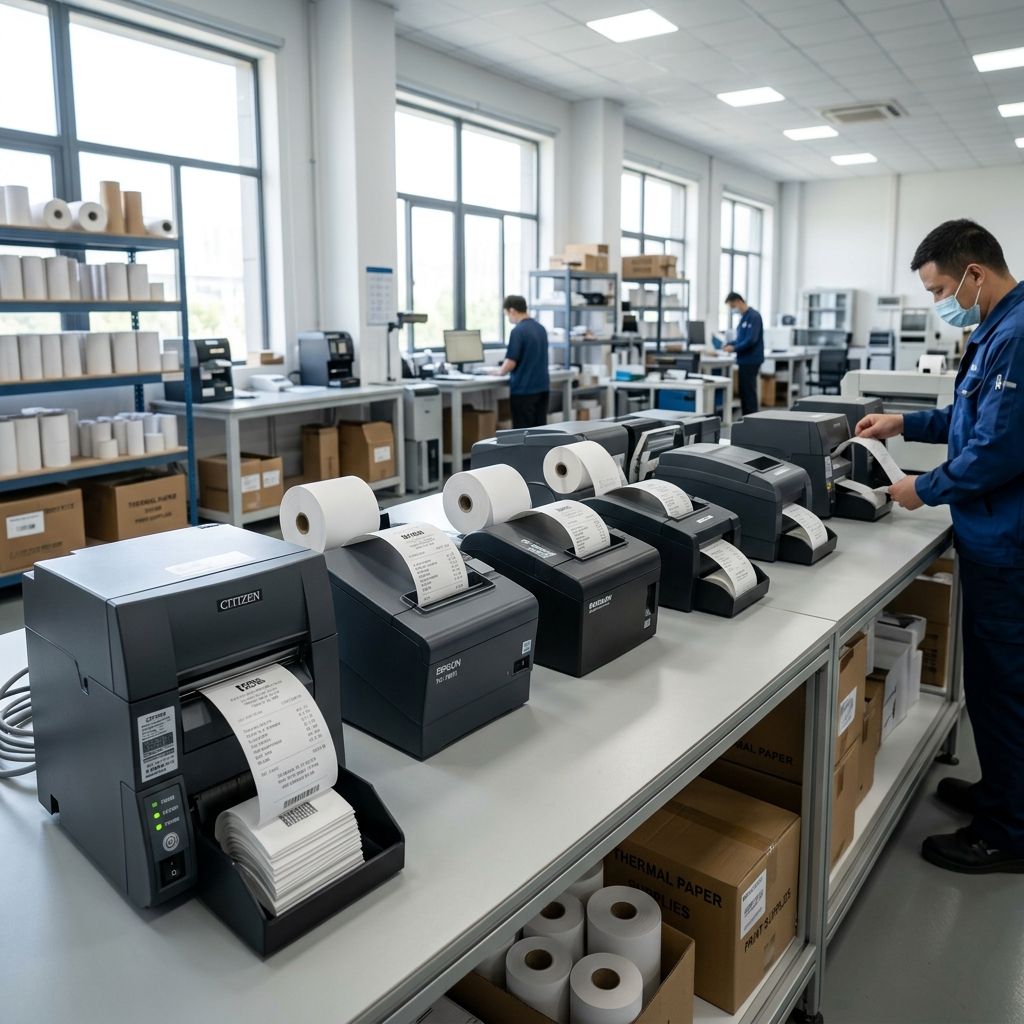
Dcode DC421D Neo: High-Volume Direct Thermal Label Dispatch and Pick-and-Pack Logistics
An industrial engineering blueprint for scaling 4-inch shipping label throughput, eliminating consumable bottlenecks, and managing thermal printhead wear.
Business Impact: Fulfillment Velocity and Cost Amortization
Deploying the Dcode DC421D Neo across high-throughput packing stations replaces sheet-fed laser and cartridge inkjet systems with dedicated 152 mm/s direct thermal printing. This transition eliminates toner inventory, eliminates secondary label peeling labor, and trims packaging cycle times by 8.4 seconds per outbound shipment. For logistics operations calculating operational break-even across rolling inventory tiers, evaluate your direct material burn rate using our Cost Calculator to quantify operational expenditure reductions against capital hardware outlays.
Fulfillment Cell Bottlenecks: Moving Past Sheet-Fed Laser Printing
In mid-sized manufacturing fulfillment centers and distribution hubs, packing stations often bottleneck at label generation. Workstations utilizing standard office laser printers face multiple compounding operational inefficiencies: adhesive bleed from label sheets gumming up fuser rollers, 15 to 25 seconds of print-job spooling and warm-up latency, and operator confusion when matching multi-up label sheets to individual cartons. When packing volume climbs past 250 parcels per station per shift, laser printers become an active constraint on dispatch velocity.
The Dcode DC421D Neo operates as a dedicated 4x6 inch direct thermal engine capable of sustained 6 inches per second (152 mm/s) linear feed rates. By transitioning to on-demand, single-label generation triggered by barcode scans at the packing scale, pack-out dwell time drops immediately. An operator scans the order tote, the shipping label prints in under one second, and the peel-and-apply action occurs without handling carrier sheets or discarding spent toner cartridges.
- Print Mechanism: Direct Thermal line printhead (no transfer ribbon required)
- Resolution & Dot Pitch: 203 DPI (8 dots/mm, nominal pitch 0.125 mm)
- Maximum Feed Velocity: 152 mm/s (6.0 inches per second)
- Effective Print Width: 108 mm (4.25 inches) maximum continuous span
- Interface Array: USB 2.0 High-Speed, RS-232 Serial, and 10/100 Ethernet (TCP Raw 9100)
- Command Language Emulation: TSPL-EZ, ZPL II, EPL2, and CPCL automatic protocol sensing
Hardware Architecture, Platen Friction, and Media Transport
Under continuous industrial shipping cycles, a label printer is essentially an electromechanical feeding system operating under precise nip pressure. The chassis of the DC421D Neo uses an injection-molded ABS clamshell with dual torsion springs that apply downward clamp force across the printhead carriage. The printhead presses directly against a precision-ground nitrile rubber platen roller.
A common failure point in high-speed desktop thermal printers is platen roller eccentricity and bearing slop. The DC421D Neo stabilizes the platen shaft using sintered bronze sleeve bushings seated in reinforced frame pockets. Over 100,000 label cycles, paper dust and adhesive bleed from poorly converted label rolls work into these bushings. If lubrication breaks down, platen slip increases by 3% to 5%, causing micro-compression of 1D barcodes where thin bars blend into adjacent white spaces, triggering optical scan rejections at carrier cross-dock sorting hubs.
Media handling supports both internal roll holders (up to 127 mm outer diameter on a 25.4 mm core) and external fan-fold stacks fed through a rear feed slot. For stations handling upwards of 1,000 labels daily, external fan-fold media is mandatory. Fan-fold stacks minimize roll-curl tension, reducing the initial breakaway torque required from the 24V stepper motor and preventing label stretch during high-acceleration starts.
Thermal Printhead Physics: Joule Heating Dynamics and Micro-Resistor Degradation
Direct thermal printing does not use ink. The image forms when microscopic heating elements on the ceramic printhead pulse thermal energy directly into the leuco dye layer of heat-sensitive label stock. Understanding the thermodynamics of this interface is vital for dialing in print darkness without cooking the protective glaze.
The 203 DPI printhead contains 864 individual thin-film resistors aligned along a ceramic substrate. Each dot must heat to the dye activation point (typically 120°C to 140°C) within microseconds, then cool below activation before the platen advances the media to the next row to prevent vertical smearing (tailing).
Let us calculate the Joule heating pulse characteristics for an individual resistor dot on the DC421D Neo printhead:
- Nominal Dot Resistance ($R$): $650\ \Omega$
- Supply Voltage ($V$): $24.0\text{ V DC}$
- Pulse Duration ($t_{pulse}$): $450\ \mu\text{s} = 4.5 \times 10^{-4}\text{ s}$
- Dot Pitch ($p$): $0.125\text{ mm} = 125\ \mu\text{m}$ ($1.5625 \times 10^{-8}\text{ m}^2$ area)
- Chemical Activation Energy Density of Media: $\sim 1.8\text{ J/cm}^2 = 1.8 \times 10^4\text{ J/m}^2$
The electrical power dissipated across a single dot during an active pulse is:
$$P = \frac{V^2}{R} = \frac{(24.0)^2}{650} = \frac{576}{650} \approx 0.886\text{ Watts}$$
The total thermal energy delivered per dot pulse is:
$$E_{pulse} = P \cdot t_{pulse} = 0.886\text{ W} \times 4.5 \times 10^{-4}\text{ s} = 3.987 \times 10^{-4}\text{ Joules} \approx 0.399\text{ mJ}$$
Dividing this energy by the contact surface area of the resistor dot ($1.5625 \times 10^{-8}\text{ m}^2$) yields the applied energy density:
$$\text{Energy Density} = \frac{3.987 \times 10^{-4}\text{ J}}{1.5625 \times 10^{-8}\text{ m}^2} = 25,517\text{ J/m}^2 \approx 2.55\text{ J/cm}^2$$
This calculated value of $2.55\text{ J/cm}^2$ comfortably exceeds the chemical reaction threshold ($1.8\text{ J/cm}^2$) required to initiate sharp color development in the thermo-reactive dye coating. However, if darkness is set excessively high in printer driver settings (pushing pulse width past $600\ \mu\text{s}$), the peak thermal energy density surges past $3.4\text{ J/cm}^2$. This severe thermal shock accelerates micro-cracking in the protective silicon dioxide ($SiO_2$) glaze layer, leading to premature open-circuit resistor failures and permanent white vertical streaks across printed barcodes.
Over a standard 50 km rated printhead lifespan, an individual resistor dot on a shipping barcode line experiences over 400 million heating and cooling cycles. Managing thermal duty cycles through proper print darkness configuration directly dictates whether the head survives 6 months or 3 years of workshop abuse.
Media Selection: Top-Coated vs Non-Topcoated Thermal Stock
A frequent error in procurement is purchasing the cheapest available 4x6 inch paper rolls. Non-topcoated thermal papers lack an protective barrier over the leuco dye chemistry. While adequate for grocery receipts, they fail rapidly in logistics environments when exposed to heat, humidity, plasticizer migration from stretch wrap, or friction during transit.
When selecting roll or fan-fold media, operations must evaluate surface durability against industrial handling conditions. High-grade direct thermal media (such as the chemical coatings documented in our review of Industrial Direct Thermal Media) features a synthetic top-coat that resists moisture, alcohol wipes, and friction wear. Non-topcoated labels rubbed vigorously against corrugated cardboard during transit will scuff black, rendering tracking numbers and matrix codes unreadable by conveyor camera arrays.
| Media Substrate Class | Top-Coat Formulation | Resistance to Plasticizers | Abrasion Resistance (Taber cycles) | Estimated Head Wear per 10k Labels |
|---|---|---|---|---|
| Economy Direct Thermal Paper | None (Raw dye surface) | Poor (Fades to white in 72h on PVC) | Low (< 15 cycles before blackening) | High (Abrasive paper fibers erode glaze) |
| Standard Industrial Paper | Light acrylic emulsion | Moderate (Stable up to 30 days) | Medium (50 - 75 cycles) | Moderate (Standard 30-50 km head life) |
| Premium Top-Coated Synthetic | Cross-linked polyurethane / PVA | Excellent (Immune to oil and plasticizers) | High (> 250 cycles without degradation) | Low (Smooth synthetic backer minimizes drag) |
| Direct Thermal Polypropylene (BOPP) | Dual-sided moisture barrier | Total resistance to chemicals and outdoor soak | Superior (Immune to water and scuffing) | Very Low (Requires precise darkness tuning) |
Software Emulation and Raw Network Socket Automation
Modern warehouse management systems (WMS) like Manhattan, SAP EWM, or custom cloud ERPs dispatch print payloads in native command strings. The DC421D Neo features onboard firmware emulation that parses TSPL, ZPL II, and EPL2 commands dynamically on port 9100 without intermediate Windows GDI print drivers.
For automated packing cells, bypassing OS print spoolers and streaming raw ZPL over TCP sockets cuts latency down to sub-100 millisecond execution. Consider this streamlined dispatch architecture: the packing scale finishes stabilization, sends an event to the local gateway script, and the gateway sends raw ZPL directly to the printer's static IP:
- Network Port: TCP Port 9100 (Raw JetDirect stream)
- Buffer Depth: 8 MB SDRAM internal print buffer / 4 MB Flash memory storage
- Font Management: Scalable TrueType font engine with 8 alpha-numeric bitmap font sets
- Barcode Engines: Hardware rasterization for Code 128, Code 39, GS1-128, DataMatrix, and QR Code
- Sensor Alignment Mode: Dynamic gap detection (transmissive) and black mark index (reflective)
When generating 2D DataMatrix or PDF417 carrier barcodes, relying on onboard firmware rendering is significantly faster and sharper than sending pre-rendered bitmap images. Onboard firmware calculates dot placement to match the 203 DPI raster grid exactly, preventing anti-aliasing artifacts that cause fuzzy edge transitions.
Financial Model and ROI Breakdown: Direct Thermal vs Sheet Laser
To demonstrate the economic justification for deploying dedicated thermal units across fulfillment operations, consider an e-commerce dispatch facility shipping 500 parcels per day per packing bench over a 250-day annual production schedule (125,000 labels per bench annually):
| Expense / Operational Category | Office Laser Printer (2-up Sheets) | Dcode DC421D Neo (Fan-Fold Direct Thermal) | Annual Variance per Packing Bench |
|---|---|---|---|
| Hardware Capital Expenditure | $320 (Amortized over 2 years: $160/yr) | $210 (Amortized over 3 years: $70/yr) | -$90 hardware savings |
| Consumables (Toner / Drums) | $0.028 per sheet ($1,750 / yr) | $0.000 (No ink or ribbon required) | -$1,750 consumable savings |
| Label Media Cost | $0.032 per label ($4,000 / yr) | $0.016 per label ($2,000 / yr) | -$2,000 media savings |
| Labor Time per Shipment | 14.2 seconds (Fetch, peel, fold, dispose) | 5.8 seconds (Instant scan-and-apply) | -8.4 seconds saved per shipment |
| Annual Labor Cost ($22/hr loaded) | $10,826 (492 hours spent labeling) | $4,424 (201 hours spent labeling) | -$6,402 labor efficiency gain |
| Total Annual Operational Cost | $16,736 per bench | $6,494 per bench | -$10,242 Net Annual Savings |
The payback period for the thermal hardware and initial media staging is reached within 18 working days. Beyond hard currency, eliminating toner cartridge changeouts and paper jam clearings removes friction from peak holiday packing pushes.
Shop Troubleshooting Matrix: Thermal Printing Faults
When line speeds reach 150 mm/s, print quality issues must be resolved rapidly. Use this shop troubleshooting protocol to isolate electro-optical and mechanical root causes:
| Defect Profile | Probable Mechanical or Electrical Cause | Diagnostic Step | Corrective Workshop Action |
|---|---|---|---|
| Continuous white vertical void through entire label | Burnt-out thermal resistor dot or hardened adhesive crust on printhead | Inspect ceramic printhead array with 10x jeweler loupe under oblique light | Clean head thoroughly with 99% isopropyl alcohol; if scratch or crater is visible, replace head assembly |
| Barcodes scan reliably horizontally but fail vertically (ladder orientation) | Printhead heat dissipation lag causing dot bleeding into quiet zones | Review barcode aspect ratio and check darkness setting in driver or ZPL | Lower print darkness setting by 2 units; increase print speed to reduce dot dwell time |
| Paper feeds continuously without stopping at label perforations | Misaligned transmissive gap sensor or incorrect media sensor calibration | Observe sensor position indicator relative to label liner notch or web | Realign gap sensor slider to center of label web; execute auto-calibration command (HOLD Feed on startup) |
| Labels print faintly on left edge but crisp and dark on right edge | Asymmetrical printhead latch pressure or worn platen roller bushing on drive side | Measure gap clearance and check latch engagement tabs for mechanical play | Adjust head pressure balance screw; replace worn sintered bronze platen bushing |
| Wrinkled label feed accompanied by clicking stepper sounds | Excessive back-tension on media supply or adhesive build-up on guide rails | Inspect media path for glue transfer from exposed die-cut label edges | Clean transport path with solvent; ensure fan-fold carton sits square behind intake slot |
Preventative Maintenance and Cleaning Protocol
Thermal printers require minimal maintenance, but neglecting printhead hygiene guarantees premature failure. Direct thermal paper is inherently abrasive. As paper moves across the ceramic printhead under high clamp pressure, clay fillers and microscopic paper debris accumulate alongside evaporated wax binders from the thermal coating.
At the conclusion of every fan-fold box change (or every 2,000 printed labels), operators must execute a two-minute cleaning cycle:
- Solvent: 99% electronic-grade Isopropanol (never use water, acetone, or shop degreasers)
- Swab Material: Lint-free foam or microfiber swab (never use cotton buds that leave fibers)
- Printhead Glaze: Wipe in a single direction from center to outer edges across the brown ceramic resistor line
- Platen Roller: Rotate the rubber platen manually while wiping with an alcohol-moistened cloth to remove adhesive glaze
- Sensor Windows: Use clean compressed dry air (maximum 30 PSI) to blow paper dust out of the optical transmissive sensor channel
Frequently Asked Questions
Can the Dcode DC421D Neo print on standard laser or inkjet shipping labels?
No, the DC421D Neo requires heat-sensitive direct thermal media, as it lacks ink cartridges or ribbons to deposit color onto plain uncoated paper.
How do I recalibrate the label gap sensor when changing to a new label size?
Turn the printer power off, press and hold the front Feed button, toggle power on, and release the button once the status LED flashes red and green, initiating the auto-measure gap sequence.
What causes vertical white lines to appear on printed shipping barcodes?
Vertical blank streaks are caused by either dirt and adhesive baked onto the ceramic resistor elements or a blown thermal printhead dot requiring printhead replacement.
Can the DC421D Neo print shipping labels directly from Shopify, Amazon, and FedEx?
Yes, the printer supports standard 4x6 inch (102x152 mm) formats and functions seamlessly with all major carrier portals using standard 203 DPI label drivers or native PDF streaming.
Safety and Platen Roller Integrity Warning
Never use metal picks, utility knife blades, or screwdrivers to peel stuck labels off the rubber platen roller. Gouging the platen rubber creates a permanent flat spot that produces blank cross-axis streaks on every subsequent label. Always soak stuck adhesive with isopropyl alcohol and gently roll the paper off using your thumbs.