Optimizing Mutoh ValueCut II for Production Throughput

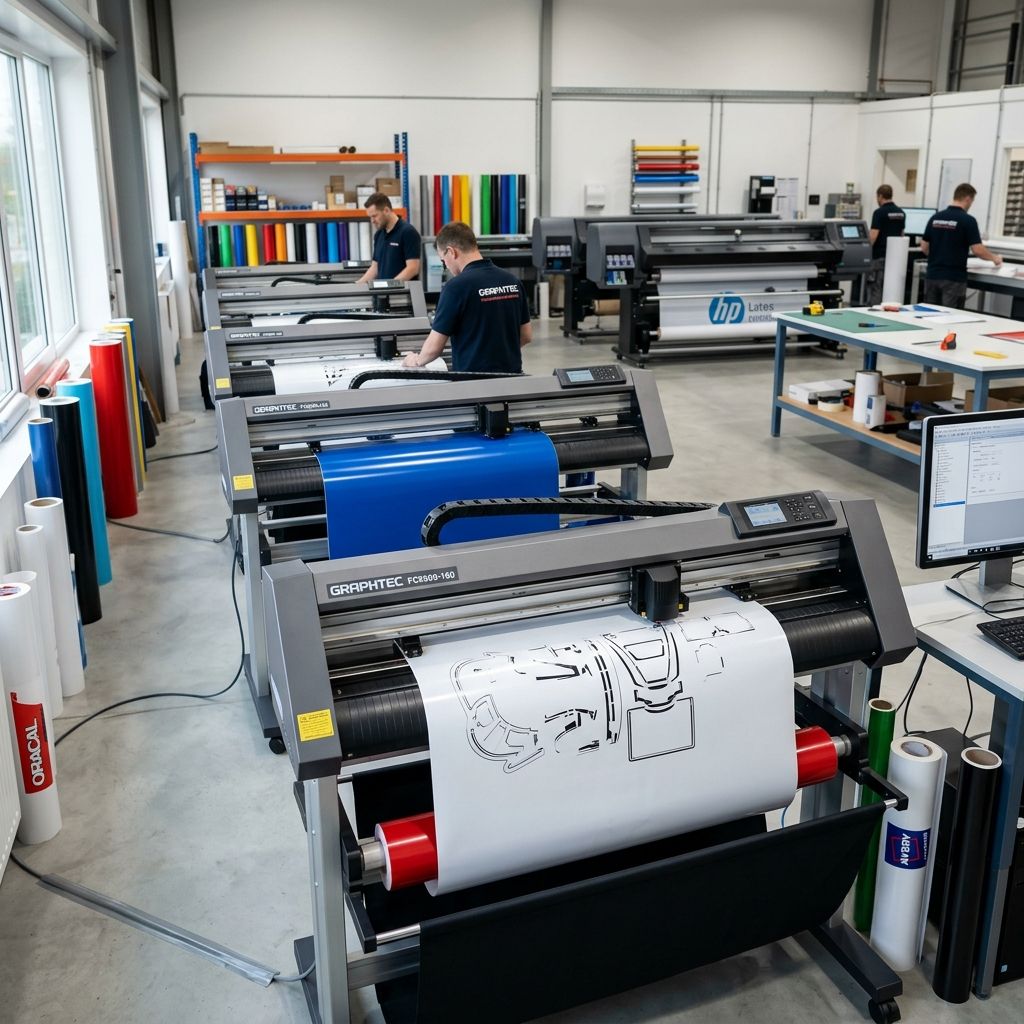
Plotter Throughput: Engineering the Mutoh ValueCut II into a Lean Signage Cell
I have watched too many sign shops treat their vinyl cutter like a fancy typewriter. You plug it in, hit print, and hope for the best. The Mutoh ValueCut II is a precision two-axis gantry system, and if you ignore the media path mechanics, the blade geometry, and the optical registration physics, you are burning billable material and labor on every single job. Let's architect this machine for production throughput, not just cutting.
Business Impact: The ROI of Process Control
The difference between a shop that treats the ValueCut II as a peripheral and one that treats it as a controlled manufacturing station is roughly 12-18% material savings and a 40% reduction in labor overhead on contour work. Here is the back-of-the-napkin math I use when consulting shops:
- Labor Burden Reduction: Hand-cutting complex decals averages 12-18 minutes per square foot. Automated plotting cuts this to under 2 minutes. At a $45/hr blended shop rate, the savings per 100 sq ft run is roughly $120 in labor alone.
- Waste Deflection: Manual cutting waste averages 10-15% on tight registration jobs. A properly calibrated ValueCut II with a fresh cutter strip will run under 3% waste. On a $600 roll of cast vinyl, that is a $70 savings per roll.
- Queueing Throughput: The ValueCut II can batch run overnight. We wire it into a hot folder system. Jobs accumulate, the machine cuts a 50-foot panel unattended. That is 4 hours of operator time recovered per shift.
Use our Cost Calculator to compute your specific shop savings based on your average decal volume and material costs.
- Max Media Width: 720mm / 1371mm / 1626mm
- Max Cutting Speed: 600 mm/s (Feed rates over 450 mm/s on complex geometry introduce tangential oscillation)
- Cutting Force: 10g to 500g (Effective resolution is actually ~5g increments in the 50-150g band)
- Mechanical Resolution: 0.025 mm/step (Real-world repeatability is closer to 0.1 mm due to media stretch)
- Software Compatibility: Flexi, SignLab, Onyx (ARM driver profile), Cutting Master 3
- Interface: USB 2.0 / RS-232C / LAN (Static IP mandatory for production reliability)
- Blade System: CB15 series tangential drag knife (Offset compensation is critical for corner accuracy)
The Media Path: Why Tracking is a Friction Problem
The ValueCut II, like most mid-range cutters, uses a grit roller drive on the main platen. The pinch rollers press the media against this grit. The coefficient of friction between the grit and the vinyl backing determines the feed accuracy. Period. I have seen operators spend three hours trying to fix a tracking issue, only to realize they set the pinch rollers directly over a worn section of the grit roller where the knurling has been flattened by years of aggressive pressure.
Roller Pressure Protocol: The manual says "automatic pressure." Do not rely on it for production runs over 10 feet. I set the left and right pinch rollers manually. One turn past contact for thin monomeric vinyl (2-3 mil). Two to three turns for cast vinyl (2.5-4 mil). For sandblast mask or magnetic sheeting, I push to four or five turns, but I watch for the media to start buckling on the platen.
Physics of Slip: The feed accuracy error is proportional to the tension force divided by the media stiffness. If your media roll is hanging off the back of the stand and dragging on the floor, you are introducing a variable tension load. The stepper motor has to overcome this load before advancing. Use a roll support bar and a brake pad, or just let the roll freewheel. I prefer freewheeling with a light felt brake on the back shaft.
The biggest lie I hear from operators is that the machine "lost steps." No, the machine lost grip. The grit roller is turning correctly. The vinyl just isn't moving with it. Clean the grit rollers with a stiff nylon brush and IPA every 40 hours of run time. If you see a build-up of adhesive or paper dust, you will get micro-slip.
Blade Physics: The Cutting Triangle
A drag knife, by its nature, relies on tangential rotation. The blade offset in the software driver tells the machine where the actual cutting edge is in relation to the center of the tool holder. If this offset is wrong, you get corner rounding or hooks at the end of cuts.
Formula for Cutting Force:
$F_c = \frac{T \cdot w}{\cos(\theta)}$
Where:
- $F_c$ is the vertical cutting force required (grams).
- $T$ is the shear strength of the material (for cast vinyl, roughly 20-30 N/mm²).
- $w$ is the thickness of the material (typically 0.08-0.15 mm).
- $\theta$ is the blade angle (standard is 45° or 60°).
Practical Workshop Calculation:
For a standard 60° blade cutting 0.1mm thick cast vinyl: $F_c = \frac{25 \cdot 0.1}{\cos(30)} = \frac{2.5}{0.866} = 2.89$ Newtons. This equals about 295 grams of force. Now, this is the force at the blade tip. The machine applies force via a spring-loaded solenoid. If your cutting force is set below 200 grams, you will not cut through the vinyl. If it is set above 400 grams, you will crush the cutter strip and dull the blade prematurely.
Blade Wear Model: I track blade wear by total cut length. A standard 60° hardened steel blade on standard vinyl will hold a sharp edge for approximately 400 meters of linear cut. On reflective material (which contains glass beads), you will be lucky to get 50 meters. I rotate blades every Friday morning, regardless of feel. Proactive replacement prevents scrap. Do not wait until you see tails on your weed borders.
Contour Cutting Architecture: The Optical Sensor Loop
The ValueCut II uses a reflective optical sensor to read registration marks. It is looking for a sharp, high-contrast edge. Black mark on white background. That is it. If your print has bleed, or the material is translucent, or the surface is glossy, the sensor will fail.
The 24-Hour Outgas Rule: Solvent ink is liquid. It soaks into the vinyl and the adhesive. If you print a panel and immediately try to contour cut it, the solvent is still platicizing the film. The panel will shrink as the solvent evaporates, throwing off your registration by 0.5-1.0 mm over a 48-inch run. I enforce a strict 24-hour cure time for solvent prints. Eco-solvent gets 12 hours. Latex gets 2 hours. UV gets 1 hour, but UV ink is brittle and can shatter during cutting if it is too thick.
Optical Sensor Calibration: The factory default sensitivity is usually too high for matte media and too low for glossy. I run the registration mark calibration in the service menu every 100 hours of contour cutting. It costs 10 minutes of downtime but saves a $300 scrap roll. Clean the sensor window with isopropyl alcohol every single shift. Fingerprints on the sensor lens are the number one cause of intermittent registration failures.
If you are contour cutting reflective safety vinyl, put a strip of matte paper tape directly over the registration marks. The sensor beam scatters off the reflective beads and returns a false reading. The tape diffuses the light and gives a clean edge.
Maintenance Workflow: The Cutting Strip and the Grit Rollers
The cutting strip is a high-density polyethylene (HDPE) bar. It is a consumable. You cannot avoid cutting into it; the blade has to push through the vinyl backing to ensure a clean weed. The trick is to spread the wear across the entire length of the strip.
Strip Rotation Procedure (Step-by-step):
- Remove the blade holder and any media from the machine.
- Locate the ends of the cutting strip on the platen. It is usually held in place by adhesive tape or a snap-fit channel.
- Using a spudger or a dull putty knife, gently pry the strip up from the groove. Do not bend it sharply; it will crease and not lay flat.
- Slide the strip laterally by 2-3 inches. This exposes a fresh section of plastic for the blade to cut into.
- Press the strip back into the groove. Run your thumb along it to ensure it is fully seated.
- If the strip has a deep groove already (over 0.5mm deep), do not rotate it. Replace it. A deep groove causes the blade to bottom out and dull instantly.
Grit Roller Maintenance: The grit rollers accumulate adhesive dust and paper fibers. Over time, this build-up hardens and smooths out the knurled texture. A smooth grit roller cannot grip the vinyl, and you will get tracking errors. I use a nylon brush and IPA. Do not use a wire brush. Wire brush destroys the knurling. Soak the brush in IPA, scrub the rollers while slowly rotating them, and wipe with a lint-free cloth. Do this every 20 rolls of media.
Troubleshooting Matrix: Field Scenarios
Scenario 1: Tracking Drift on Runs Over 10 Feet
- First check: Pinch roller alignment. Are they exactly over the grit ridges? A 2mm offset causes a spiral drift.
- Second check: Media tension. Is the roll binding on the stand? Unspool 10 feet and let it hang free. If it stops binding, the brake is too tight.
- Third check: Worn grit roller. If you see a shiny band in the grit where the media runs, the knurling is polished flat. You need to replace the roller or avoid that track.
Scenario 2: Contour Cut Off by 1mm at the End of a 48-inch Panel
- Cause: Material stretch. The solvent outgas shrinkage pulled the panel lengthwise.
- Fix: Add a 50mm leading trail to your registration mark print. The machine needs that extra distance to stabilize the gantry velocity before the first cut. Also, reduce the cutting speed to 300 mm/s for contour passes.
Scenario 3: Blades Dulling in Under 100 Meters
- Cause: Cutting strip is grooved. The blade tip is bottoming out on the aluminum platen under the strip.
- Fix: Replace the cutting strip immediately. The strip costs $30. A batch of scrap vinyl costs $200. Do the math. Also, check the cutting force. Dial it back by 10g increments until you get clean cuts without backing scoring.
Scenario 4: Ethernet Communication Dropouts
- Cause: The ValueCut II uses a standard TCP/IP stack. Most dropouts are caused by DHCP address conflicts or unshielded cabling.
- Fix: Assign a static IP address outside your DHCP scope. Use a shielded Cat5e or Cat6 cable. The stepper motors generate significant EMI. I have seen unshielded cables drop packets every 5 minutes.
Tech Alert: The Pinch Roller O-Ring Degradation
The pinch rollers on the ValueCut II have a rubber O-ring that provides the traction against the media. Over time, these O-rings dry out, crack, or get coated with adhesive. A hardened O-ring will slip and cause tracking drift. I replace the O-rings on all four pinch rollers every 6 months. The part is a standard Buna-N 75 Durometer O-ring. You can buy a bag of 100 for $5 at any hardware supply. Do not pay Mutoh's markup for a branded part. Also, do not lubricate the O-rings. They rely on dry friction. If you lubricate them, they become useless.
Integrating the ValueCut II into a Lean Job Shop
In my shop, the ValueCut II is not a standalone machine. It is part of a production cell that includes a 3D printer for jigs and fixtures, a laminator, and a weeding station. The bottleneck is almost always the plotter if it is not loaded correctly. I run a hot folder system on a dedicated workstation. Jobs are submitted, sorted by material type, and queued. The operator's job is to load the correct vinyl roll and hit "Run All."
We 3D print custom media guides and pinch roller pressure indicators for the ValueCut II. If you are using an open-frame printer for these parts, check out the MK4S and MK4: Common Problems and Fixes article to ensure your jigs are dimensionally accurate. For higher volume jig production, our main line runs on Bambu Lab machines, and the Bambu Lab X1-Carbon & X1E: Job Shop After 18 Months article details how we integrate print farm output with the cutting cell.
FAQ: Technician-Level Questions
Why is my ValueCut II losing registration specifically on reflective safety vinyl?
The optical sensor emits an infrared beam. Reflective vinyl contains glass microspheres that retroreflect the beam directly back to the sensor, blinding it. The sensor cannot differentiate between the white reflective area and the black registration mark. Use a matte overlaminate or apply a strip of matte painter's tape directly over the registration marks. I keep a roll of 1-inch matte tape at the plotter station exactly for this.
How do I fix a 'Servo Alarm E030' error on the display?
E030 is an overcurrent error on the Y-axis motor (the motor that moves the carriage left to right). It is almost always a mechanical bind. Turn the machine off. Manually slide the carriage. If it feels rough or sticks at a specific point, clean the linear rail with IPA and re-lubricate with a dry PTFE lube. If the carriage moves freely, the encoder cable is likely damaged internally. Replace the Y-motor cable assembly. Running an overcurrent condition repeatedly will burn out the driver chip on the main board.
Can I use third-party blades (Graphtec, Roland) in the Mutoh ValueCut II holder?
Yes. The CB15 series blade form factor is cross-compatible across Graphtec, Mutoh, and older Roland cutters. The Mutoh branded blades are literally rebadged Graphtec blades but priced 30% higher. Buy the Graphtec CB15UB09 for standard 45-degree cutting or the CB15UB11 for 60-degree cutting. The only caveat is that the blade depth guage on the mutoh holder may need a slight adjustment because the retaining collar thickness varies by a few microns, but in practice it works fine.
What is the best way to cut large quantities of small individual stickers (like 2 inch circles) without them shifting?
Do not cut them individually. Plot a full sheet panel, and use the "Weed Border" or "Media Remain" function in the driver to cut a large rectangular box around the entire array of stickers. The machine should cut all the internal sticker outlines first, then cut the outer box last. This keeps the individual pieces nested in the waste matrix until the final removal. If you cut them individually, the first small piece will come loose, catch on the blade holder, and nudge all the subsequent pieces out of registration.
Safety Checklist: The Blade Collet
Mind the torque on the blade holder collet cap. It is plastic. Over-tightening is the most common way to crack the collet sleeve. I tighten it 1/8th of a turn past hand-tight. That is all. A cracked collet will cause the blade to wobble, introducing chatter marks on your cut lines. I replace the nylon collet sleeves every 6 months as a preventive measure. The part number is MCH-VC2-CS01, but I have also machined replacements from acetal rod stock on a lathe. If you use a lathe, ensure the internal hole is concentric to within 0.01mm. Out of spec collets cause blade offset drift.